
 Add us as a preferred source on Google
 Are you looking for an app to make incredible videos, but feel limited by your current editing tool? What if there were powerful apps like CapCut that open your full creative potential without spending too much? In 2025, video content is thriving everywhere, from TikTok to YouTube, and a decent editing app can influence your success. But how do you find the right CapCut alternative packed with must-have features, suitable for your budget, and enough to help you through any of the common editing headaches?
In this blog, we will show you the top CapCut alternatives from last year. We will discuss their best features, compare costs, and talk about the top challenges you may encounter as a user or creator. Whether you want quick edits that are still professional or advanced tools for cinematic videos, this article will help you find the best editing apps for your content in 2025.
CapCut and the Video Editing Market in 2025-2030
CapCut has emerged as a true leader in the mobile video editing app landscape. At the end of 2024, CapCut had accrued over 1 billion downloads (Android only) and more than 300 million monthly active users (worldwide). For 2025, CapCut was accounting for around 42% of the revenue generated by mobile video editing apps and attracting significant interest from companies like Adobe and Canva.
The gender split in CapCut usage is very close, with the primary age group using CapCut being 25 to 34. CapCut generated approximately $100 million of revenue (principally via in-app purchases, ads, and subscription service plans that provided cloud storage).
According to Knowledge Sourcing, the video editing software market is expected to grow from around $3.76 billion in 2025 to approximately $5 billion in 2030, representing a CAGR of 5.9%. Most of the expected growth is associated with the demand for simplified video-based solutions through cloud-based platforms, automation through AI, and the growth of content creation for social media.
The overall success of CapCut indicates a clear trend for people wanting powerful, yet simple-to-use video editing tools on mobile devices, and that social media usage enhanced by ease of use is a strong focus.
What is CapCut?
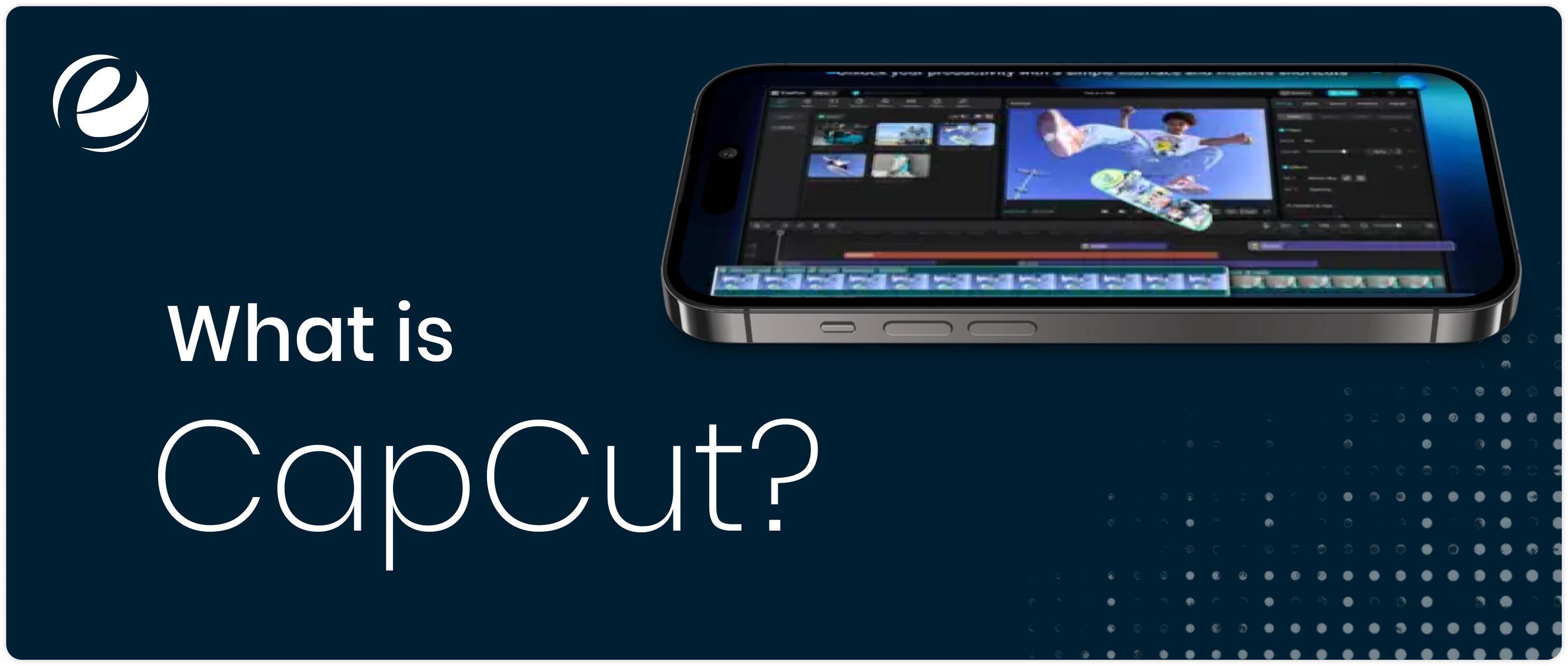
CapCut is a free, all-in-one video editing app created by ByteDance (the same company that creates TikTok). It is used by professional creators, influencers, and beginners who want to create professional-looking videos without having to spend time learning complex creation programs. There are templates to use, trendy effects, and easy, unique editing tools. Early in 2025, CapCut emerged as one of the leading apps in the social media video creation workflow.
Key Highlights of CapCut:
- User-Friendly – Easy for any beginner to learn.
- Templates – Preset templates made for TikTok, Instagram, and YouTube.
- Music & Sounds – A large amount of sounds and music in the CapCut built-in library.
- Creative Tools – Stickers, filters, text overlays, transitions.
- Cross-platform – Use on mobile, desktop, and online
- Free – Most of CapCut’s features are free.
Why Look for CapCut Alternatives?
The CapCut video editing application has quickly become one of the world’s leading video editing applications. Such an app is straightforward, it works well, & it’s free, and yes, perfect for simple video editing-oriented content creators, as well as first-time users.
Related Blog: App Like Powder AI Tool For Content Creator and Gamers
As video content continues to rise in 2025 for all forms of content across social media, a lot of users want to find apps like CapCut that offer them that little extra control, higher function, or fewer restrictions. That’s why we believe that finding CapCut alternatives is a great way for content creators to find a balance between simple, easy editing and more professional editing.
Limited Advanced Features
CapCut is definitely an easy edit application for beginners, & even creators who may have dabbled in video editing apps before, but it does lack some important advanced features like colour correction, detailed color grading, multi-cam editing, and even professional effects that are heavy with features. Most creators who demand studio-level control seek new CapCut like apps
Export & Watermark Restrictions
The CapCut editing app limits files for high-quality exports on occasion and, in certain cases, adds watermarks. This limits the oversaturated medium of creator accounts who want clean, high-resolution videos, whilst forcing them to try & use an app like CapCut with fewer restrictions for exports.
Subscription Concerns
Mostly, freely, with a few advanced features requiring subscriptions. Yet, many apps like CapCut are also freemium, and the users tend to find out which editor gives them more value for their money.
Platform Limitations
The CapCut editing app is very good on mobile, yet some creators seek a more robust desktop integration, especially in the context of long-form YouTube or professional endeavors. Then they look for editing apps like CapCut that work well across devices.
Creative Diversity
The trendy templates in CapCut are great, but when we all use them, videos tend to all look alike. Many creators prefer apps just like CapCut that offer unique templates, effects, and customizations for new content styles.
Best CapCut Alternatives in 2025
The evolution of video editing gives creators a dilemma to find apps just like CapCut that may be more powerful. In 2025, a number of popular options will be available, the most rock-solid CapCut alternatives. Whether you are looking for a product with more professional tools, unique effects, or simply much better platform compatibility, these CapCut alternatives are trusted worldwide and are worthy of your consideration.
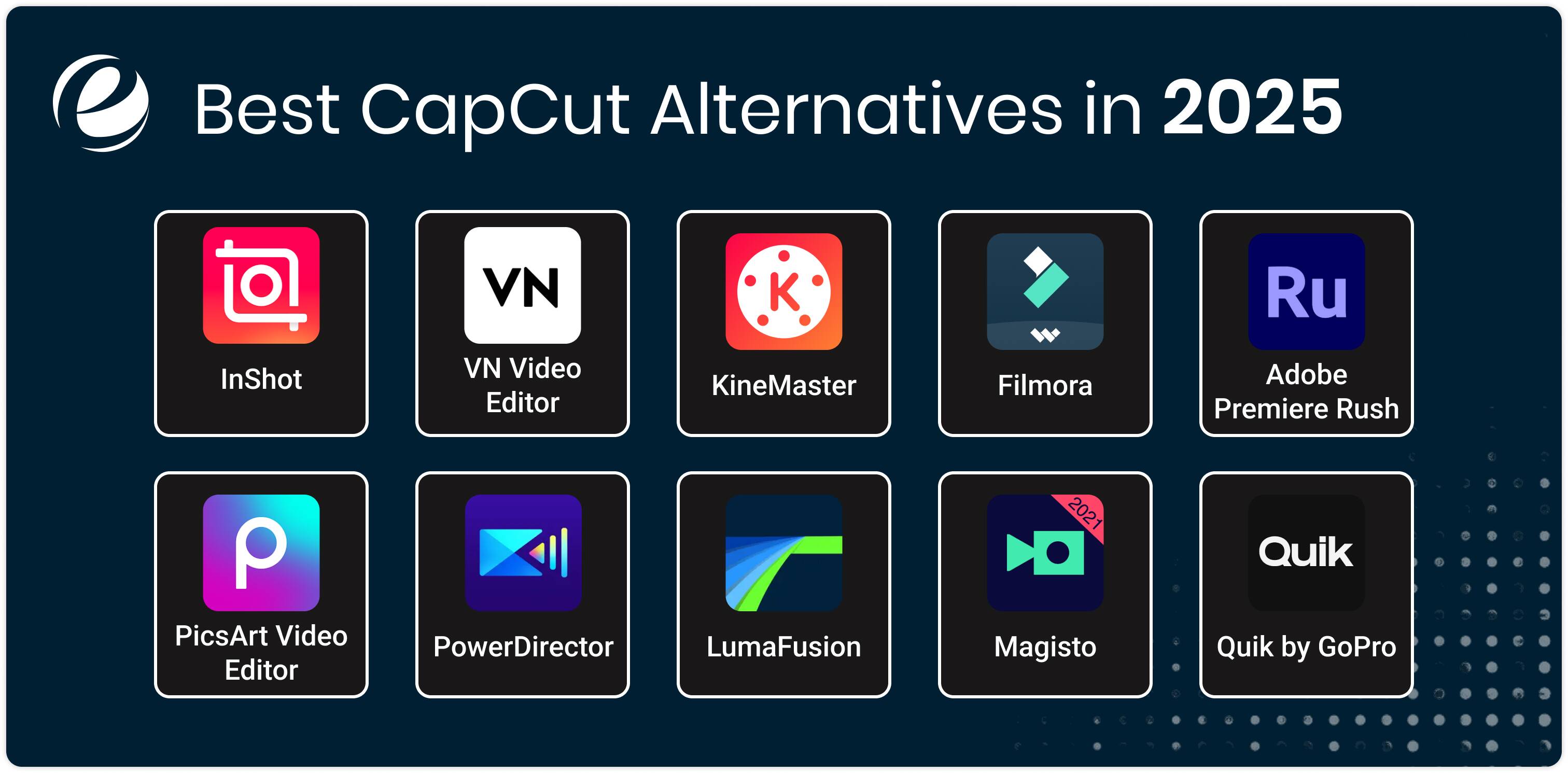
InShot
InShot is one of the best CapCut alternatives because it is favored by social media users for quick video edits. Simple editing features like trim, text overlay, music, and filters are built in. With no intense features, it is just an editing app capable of creating quick and polished content on mobile, and many consider it everyday editing apps like CapCut.
VN Video Editor
VN editor is a full-featured app used free of charge with multi-track edits, transitions, and high-quality export with no watermark. Fitting perfectly in a very fine character with its simple UI tools meant for professionals, it stands out in the list of apps, just like CapCut, trying to balance both ease and power.
KineMaster
KineMaster is the most considerable CapCut alternatives because it is a professional mobile video editor, mixing layers of video in various blending modes and with a chroma key. The subscription offers the removal of watermarks and advertisements to provide a near-desktop editing experience on mobile systems. Creators who are looking for CapCut like apps with more control usually opt for KineMaster.
Filmora
Filmora is known for its creative effects, motion tracking, and AI enhancements. It is paid software with desktop and mobile versions, providing versatility for creators who wish to move between devices. Though more complicated than CapCut, Filmora has an intuitive design that makes complex editing easily manageable.
Adobe Premiere Rush
Adobe Premiere Rush is an application that brings professional video editing from Adobe into a much simplified manner. With cloud sync and strong audio and video controls, it would be a very respectable competitor to CapCut for any creator wishing for serious video editing and integration with the rest of Adobe’s tools.
PicsArt Video Editor
Another one of the best CapCut alternatives is PicsArt Video Editor app, known for its artistic and creative filters, has AI effects, stickers, and collage tools. Being popular among influencers and creators, this application is for those wanting to give a little special touch, different from the usual edits; hence, it is a new alternative to CapCut.
PowerDirector
It is a powerful video editing tool, both for mobile and desktop, wherein pro transitions, slow-motion, and 4K are supported. A powerful timeline, along with flexibility in editing, makes it a worthy CapCut alternative for enthusiasts and professionals alike.
LumaFusion
Premium and fully featured editor for iOS users only. Multi-track editing, color correction, and advanced effects make this a favorite among alternative mobile filmmakers who want a true pro editing app similar to CapCut.
Magisto
Magisto is an app that is completely focused on fast, AI-assisted video creation and uses your footage and your type of video to automate your editing. For someone looking for quick results and as easy as possible, Magisto is an original CapCut alternative geared, especially, for marketing and social media.
Quik by GoPro
Quik is also for speed, but it does have auto music and effects synced to your clips. This app is good for action footage and casual creators looking to have slick videos without having to edit everything manually, so it is an easy-to-use app similar to Capcut.
Read Also: Short Video Apps Like ReelShort
Features to Consider When Developing CapCut like Apps
Developing apps like CapCut takes into consideration design and editing power. Well, developers must put effort into features that will hit the right mix of needed simplicity, creativity, and performance due to growing user expectations.
Intuitive User Interface
For beginners, a clean and simple interface will support a positive experience to edit fast, and for advanced users, it will not overcomplicate finding important tools.
Multi-Track Video Editing
Multi-layered timelines allow clients to add and adjust access to multiple video clips, images, audio, and effects independently for more impactful content creation.
High-Quality Export Options
Users now expect quality outputs in HD and 4K with multiple resolution selections free of watermarks or time disadvantages, which allows a professional brand output.
Rich Effects and Filters Library
The robust library of effects, filters, stickers, and transitions displays a variety of trendy options and assists creators’ customization of their edits, while still keeping up with the trends of their target brand or social media preferences.
Audio Editing Capabilities
Adding and cutting will obviously add to the storytelling nature of the process: other things, such as fading in and out, or the adjustment in exchange for music or voice-overs, are equally important to editing video in an application.
Cross-Platform Compatibility
With cloud syncing enabled across mobile and desktop platforms, editing can be done anywhere and anytime with workflows familiar to the user.
Template and Preset Integration
In case users are hurrying in the creative process and do not feel like starting out from an empty page, templates or presets would be their most useful feature that helps churn out a fine, polished video in very little time.
AI-Powered Features
Smart features like auto selection of clips, background removal, and suggesting effects would particularly assist beginners to edit more easily.
Privacy and Security
Tight data protection invests confidence in the user that their personal videos and information are kept from being intruded upon, with the app being trusted for the entire flow-based implementation.
Monetization Flexibility
Besides offering a great combination of freemium features, subscriptions, or in-app purchases, this gives the app a chance at monetizing the product without alienating its user base.
Challenges in Building Apps Like CapCut
Creating apps like CapCut has challenges, when trying to achieve ease of use while integrating advanced features. Developers face multiple kinds of challenges like technical, design, and market competition although they aim to deliver a seamless, powerful video editing experience that can make a good position in this competitive market.
Performance Optimization
Any video application deals with high processing and memory use. Developers are required to cope with that while optimizing the video editor application so it doesn’t lag or crash on a variety of devices like mobile phones and computer models.
Cross-Platform Consistency
Developing an app that can be used on all platforms such as iOS, Android, and desktop, each with different operating systems and capabilities, with feature and experience consistency is complex and takes resources.
Feature Balance
Knowing where to find the balance of tools for beginners to use while introducing advanced editing tools without overpowering a user is the ultimate design challenge.
High-Quality Export Without Watermarks
To allow free users to export their high-definition videos without watermarks takes away from the monetization process. This circumstance is a trade-off between user satisfaction and getting future revenue.
Staying Ahead of Trends
Video editing apps like CapCut need to keep up with trends in social media by changing effects, filters, and templates that support new content. This means they need to constantly redevelop content, both free and paid.
Monetization Without Alienation
There will need to be a thoughtful and strategic monetization model that blends enough free content to attract consumers, but has chargeable features that pay for upkeep. It will be essential to assess opportunities for touchpoints here, as user alienation can be detrimental.
Data Privacy and Security
Managing many user-generated content concerns needs to be attachment-aware and secure when delivering. To keep the users attuned to your commitment to user data, privacy policies, and security processes, you need to build them to prevent breaches of sensitive user video data or video history.
User Support and Community Building
User support and then building a user community to share tips and information are important, but present limitations for the app team in terms of capacity and money.
Related Blog: Kling AI: Future of Image and Text to Video Generation
Estimated Cost of Developing Apps Just Like CapCut in 2025
Creating apps like CapCut will require a talented team of professionals to work on multiple roles like project management, UI/UX design, mobile and back-end development, AI, testing, and even a marketing team.
The overall cost for this creation, depending on complexity and the time period the app client wants, but if we talk in numbers, then it may range between $430,000 to $450,000 USD for a 6 to 9 month delivery. Well, all key roles are involved with building an advanced, reliable, and scalable video editing app that can compete in today’s market.
| Role | Monthly Salary (USD) | Duration (Months) | Total Cost (USD) |
| Project Manager | $9,000 | 9 | $81,000 |
| Mobile Developer | $8,000 | 9 | $72,000 |
| Backend Developer | $8,500 | 8 | $68,000 |
| AI Specialist | $9,500 | 5 | $47,500 |
| DevOps Engineer | $7,500 | 6 | $45,000 |
| UI/UX Designer | $7,000 | 6 | $42,000 |
| QA Engineer | $6,000 | 7 | $42,000 |
| Marketing Specialist | $6,500 | 6 | $39,000 |
Total Estimated Cost: $436,500 USD
Why Choose EmizenTech to Develop a CapCut Like App?

EmizenTech recognizes the increasing demand for very high-quality and easy-to-use applications, like the CapCut video editor app. Our mobile app development teams are passionate about developing innovative, high-quality applications that combine cutting-edge technology with a touch of simple-to-follow UI.
Therefore, making a decision with us and our experts will listen to your vision, then we will start developing your project according to the trend that makes your app top in the competitive market in 2025.
We guarantee full range development services, from blueprints to UI/UX design, AI, and quality tester assessments. The designers and developers work so closely together that your app, like CapCut, is not just fully functional but has a great editing experience on all platforms.
So, trust us and we will become your trusted technology partner who is dedicated to helping you launch successful apps like CapCut that users will love and be loyal to. Let us help you in developing your video editing app by using our innovative, creative, and committed approach to app design and development.
Wrapping Up
Ultimately, choosing the right apps like CapCut can make your video editing perfect and next-level. Fortunately, in 2025, there are plenty of good CapCut alternatives that offer powerful features, variable pricing models, and unique offerings for what you need.
Whether you are looking for a simple alternative to CapCut for faster editing processes or a professional editor with all kinds of options, the best option for you depends on your requirements and your budget. When choosing the best app for your projects, keep in mind the most important features and limitations that we discussed. The right tools will make your videos perfect anywhere.
FAQs
How long does it take to build an app like CapCut?
A CapCut-like app can take around 6 - 9 months to create in most cases. The time also depends on the complexity of the app, as well as the features and the number of platforms (mobile and desktop) it supports. Furthermore, if your application will have more advanced features or AI options, that may extend your build time.
What is the best technology stack for developing the CapCut video editing app?
The perfect tech stack for developing an app like CapCut includes robust mobile frameworks such as React Native or Flutter for building cross-platform apps, application development technology such as Node.js or Python for a backend, and cloud-based services for both video processing and storage.
Can startups build budget-friendly apps like CapCut?
Startups can build an app with a budget similar to CapCut by keeping the focus on core editing features first and then implementing cross-platform tech to consolidate the build. If the focus is placed on delivering an intuitive application, rollout of features can be done in phases where there are budget constraints, while still being confident that they are delivering a competitive video editing app.
Are apps like CapCut profitable in 2025?
Yes, apps just like CapCut can be profitable if they have unique features, a great user experience, and interesting ways to monetize, including freemium, subscriptions, or ads. The demand for video content is so high that there should be great prospects for a well-developed video editing app in 2025.




 +1 (989) 535-9295
 info@emizentech.com
 emizentech


