
 Add us as a preferred source on Google
You will all agree that online store success depends on staying up-to-date with the latest technological advancements in the ever-evolving e-commerce market. If you are running your Shopware store on Shopware 5, then now it’s time to migrate to Shopware 6, a big change that promises new features and better performance for your business.
Shopware 6 marks the beginning of a new era in online shopping, offering improved performance and cutting-edge features that provide an enhanced user experience. Thanks to its contemporary architecture, improved performance, and many innovative options, migrate to Shopware 6 has quickly become the preferred platform for retailers who want to elevate their business to the highest level.
Shopware 6 provides a more modern platform for those in e-commerce. By integrating the Rule Builder with a range of experiences and advanced customer features, the possibilities are endless. For B2B consumers, migration to Shopware 6 specifically offers features to enhance even the most complex product offerings.
Are you considering a seamless migration to Shopware 6? If so, you’re in the right place.
In this Shopware 6 migration guide, we’ll discuss how to migrate to Shopware 6 seamlessly, its benefits, key features and much more.
So, let’s get started.
What is Shopware 6?

Shopware 6 is a very powerful eCommerce platform which offers high-end features and flexibility. It can be fully customized and expanded with additional features and a personalized layout. Ideal for both small and medium-sized businesses, migrate to Shopware 6 lets you quickly set up your shop using built-in features and ready-to-use plugins.
Shopware is open-source software with the MIT license, meaning users can modify and share the platform without restrictions. Building a large and active user community is important as it helps speed up development, with community members regularly creating new plugins or improving existing ones.
Why Migrate To Shopware 6?
Shopware 6 isn’t just an updated version; it was developed from the ground up using Symfony and Vue.js. With Shopware 6’s migration, managing your store’s online presence becomes simple, with enhanced competitiveness and security features. Migrating from Shopware 5 to Shopware 6 has become more urgent and essential, as Shopware 6 is highly configurable and automatically responsive. Shopware 5 is no longer receiving updates. In this section, we’ll discuss the benefits of migrating to Shopware 6.

1. Advanced Customization Options
Transform your business with Shopware 6 is easy because it offers many options, like self-managed cloud services, turnkey custom solutions, and more for those who want to stand out. Just like adjusting the equalizer on a high-end stereo, Shopware 6 provides endless customization possibilities.
2. Scalability For Business Growth
Shopware’s extensive network of agencies, developers, and technology companies provides services that meet strict safety and functionality specifications. Shopware is here to assist clients with the latest technology and tools, ensuring your needs are met as your requirements and business grow.
3. Seamless Omnichannel Capabilities
Shopware 6 migration for small businesses allows them to sell on multiple platforms, including online stores, social media platforms, and marketplaces, all in one place. This makes managing sales easier and more effective. Through seamless integration, your customers can shop wherever they like, and you can track all transactions in real-time, improving both customer service and sales.
4. Strong Focus On Customer Experience
Shopware 6 focuses on making shopping easier for your customers. The software allows you to customize your store’s appearance, offer easy-to-use navigation, and provide quick customer support. With advanced tools and features, the Shopware 6 e-commerce platform ensures that customers have a smooth and enjoyable experience, which leads to increased customer retention and long-term loyalty.
Key Features of Shopware 6
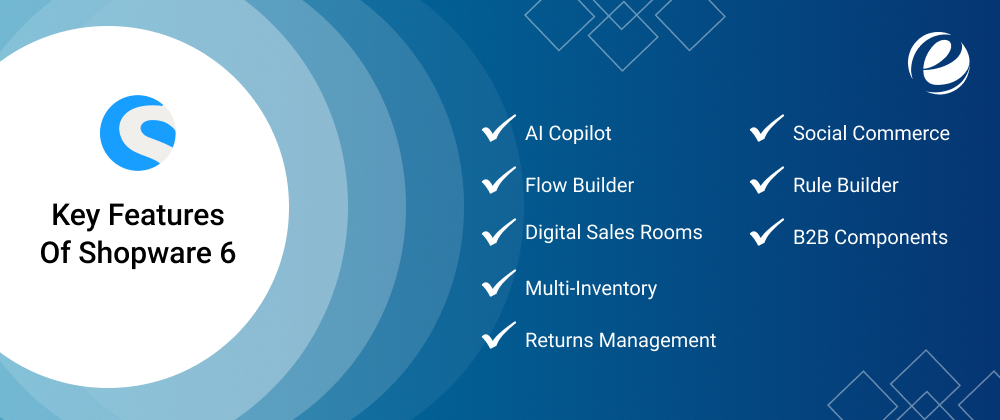
Are you looking to optimize your e-commerce with Shopware 6? Great! But before that, it’s important to understand the most notable features of Shopware 6. So, let’s have a look:
1. AI Copilot
A major and exciting development in Shopware 6 is the integration of AI Copilot. This intelligent assistant analyzes customers’ habits, preferences, and purchases to provide personalized product recommendations that aim to increase sales and customer satisfaction.
2. Flow Builder
Shopware 6 introduces the groundbreaking Flow Builder tool, which allows businesses to create engaging and dynamic shopping experiences. With its user-friendly drag-and-drop interface, users can create custom workflows to automate processes like sending email marketing campaigns or managing orders.
3. Digital Sales Rooms
By incorporating Augmented Reality (AR) and 3D visualization, Shopware 6 enables businesses to create immersive sales environments. Customers can virtually examine items, view products in real-world settings, and make informed purchasing decisions, resulting in lower return rates and increased customer trust.
4. Multi-Inventory
A well-organised inventory management system is important for all businesses. Shopware 6 addresses this by introducing Multi-Inventory, allowing companies to manage inventory across multiple storage locations, sites, and even third-party logistics companies. This helps reduce stockouts, optimizes order fulfillment, and improves overall operational efficiency.
5. Returns Management
Returns management simplifies the whole returns process for customers, offering a smooth purchasing experience. The tool tracks the return process, handles refunds, and updates inventory accordingly.
6. Social Commerce
Social Commerce enables you to sell directly through social media platforms such as Instagram, Facebook, and Pinterest. You can create shoppable content, monitor customer interactions, and easily expand the channels through which you sell.
7. Rule Builder
The Rule Builder is a feature that allows businesses to define rules and conditions for promotions, discounts, and more. This feature empowers businesses to create complex rules and conditions for discounts, promotions, and product availability. Thanks to its flexibility and precision, businesses can cater to different customer segments, which can help increase conversion rates and improve customer loyalty.
8. B2B Components
Shopware 6 understands the unique needs of B2B companies and offers specialized tools to support their operations. These tools include customized pricing models, workflow management, and tailored catalog views that enable seamless B2B transactions while fostering positive relationships with customers.
Shopware 6 Vs. Other E-Commerce Platforms

In this section, we will highlight the differences between Shopware 6 and other e-commerce platforms like Magento, Shopify, WooCommerce. So, let’s have a look:
| Features | Shopware 6 | Magento | Shopify | WooCommerce |
| E-commerce Features | Advanced features for complex needs | Powerful, but requires customization | Easy-to-use, best for small to medium stores | Great for WordPress users, flexible |
| Ease of Use | User-friendly with a modern interface | Steep learning curve, complex | Very easy, no technical skills needed | Easy for WordPress users, but needs plugins |
| Customization | Highly customizable, flexible | Highly customizable, but complex | Limited customization options | Very customizable through plugins |
| Scalability | Scalable for large businesses | Highly scalable, good for large stores | Not as scalable for very large stores | Scalable with plugins, but may be limiting |
| Themes and Templates | Variety of templates and themes | Many themes available, but costly | Wide range of themes, easy to implement | Large selection of themes, requires more setup |
| SEO Capabilities | Strong SEO tools built-in | Good SEO features, requires plugins | Built-in SEO features, easy to use | Good SEO with plugins, needs configuration |
| Pricing | Free, but charges for advanced features | Free open-source or paid for enterprise | Monthly fees, pricing depends on plan | Free for WordPress, but costs for hosting, themes, plugins |
Step-By-Step Shopware 6 Migration Process
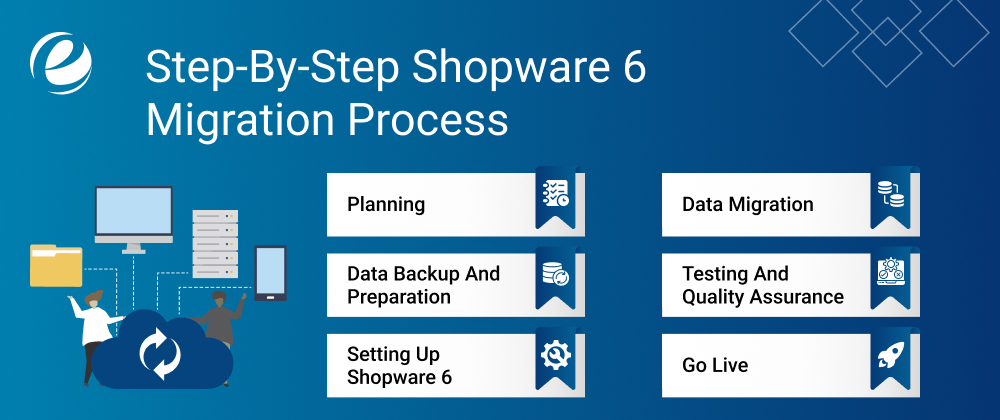
Whether you’re just starting or an expert, don’t worry, we’ve got your back. In this section, learn how to migrate to Shopware 6 with ease.
#Step1. Planning
Before making the switch, it’s important to carefully plan your migration. This includes assessing the current state of your Shopware 5 store and identifying any integrations or customizations that need to be transferred. The usage scenarios of the installed plugins in the Shopware store should then be reviewed.
Based on the results of this review, we’ll inform you about the availability of specific plugins in Shopware 6. Additionally, we’ll offer suggestions to improve or enhance the effectiveness of these plugins, helping you decide which ones are necessary for your Shopware 6 store.
#Step2. Data Backup and Preparation
Before migrating to Shopware 6, it’s essential to back up your data, including product descriptions, customer information, and orders. If something goes wrong during the transfer, you’ll be able to quickly restore everything. Backup tools can help protect your database, media files, and settings.
Next, review your files and remove any unnecessary or outdated information. This will ensure that only the essential data needed for migration is kept. Make sure your data is in the correct format to work with Shopware 6. By following these guidelines, you’ll ensure that your business runs smoothly with no data loss during the transition.
#Step3. Setting Up Shopware 6
For smooth Shopware 6 setup and configuration, first make sure that your server meets the system requirements. Then, follow the steps outlined in the Shopware 6 installation guide for a straightforward installation process.
It’s crucial to download and install the latest version of Shopware before you begin. This guide will walk you through each and every stage, ensuring that your Shopware store is set up and running seamlessly. Verify that everything is working correctly to ensure a smooth installation before you start.
#Step4. Data Migration
Now it is time to begin the process. The data you have entered will be migrated into Shopware 6’s Shopware 6 online store in the process as well as you be taught how to perform any necessary adjustments. As the process could be carried out over a prolonged duration to ensure that your information is constantly up-to-date in your Shopware 6 test installation, there’s no need to fret about the fact that it is out of date.
The Shopware 6 data migration process starts when you install the migration extension. Find out what data will be moved during this step. For more details on other changes needed in Shopware 6, check the Upgrade Guide.
#Step5. Testing and Quality Assurance
Final tests are conducted at the last stage to ensure the online store works correctly with Shopware 6. After this simple process, the new online store goes live. Any initial problems may reveal issues that were hidden before. This is why it’s important to include “hyper care” throughout all stages of the migration.
#Step6. Go Live
Once you’re satisfied, launch your Shopware 6 store and prepare for Post-migration tasks for Shopware 6. It includes, monitor your site’s performance, user interactions, and any issues that may arise in the first few days. Always pay attention to customer feedback, as these insights will help you improve the shopping experience.
Important Shopware 6 Extensions To Know
Shopware 6, like its predecessor, offers an official shop for plugins. While there aren’t as many plugins available as in Shopware 5, the number of plugins is still impressive. With over 1,000 plugins currently being developed, this number is expected to grow rapidly as the community expands.
1. Shopware 6 and PayPal Integration
PayPal is one of the most essential integrations for any eCommerce platform. As a global payment system, it provides key payment options and access to over 100 currencies and 200 markets. The extension integrates with well-known PayPal products such as PayPal Plus, PayPal Express Button, Pay-Upon-Invoice, and PayPal Installments.
2. Shopware 6 and DHL Shipping Integration
DHL Shipping is another essential extension. The official extension allows you to design shipping labels with just a few clicks within the Shopware Administration panel. It connects the online store to the DHL business customer portal and forwards tracking codes into Shopware Administration.
3. Shopware 6 and Stripe Integration
For credit card payments, Stripe is a crucial extension. It’s a global platform that accepts most major credit and debit cards in 135 countries, along with various local options such as Klarna, Ideal, Giropay, Bancontact, SEPA DD, and Sofort.
4. Shopware 6 and Google Shopping Integration
Google Shopping is one of the most popular product search engines. It allows you to list products on the Google Shopping platform and create an additional profitable sales channel. Shopware 6 includes a built-in standard feed feature, which is especially useful for merchants who want to stand out from the competition.

Best Practices For Shopware 6 Migration
If you’re considering migrating from Shopware 5 to Shopware 6, you may need to think about a relaunch rather than just updating the old version. Relaunches can present challenges, such as maintaining visibility in search engine results. Lack of proper search engine optimization (SEO) may lead to a decline in visibility as well as traffic, even with updated technology.
In this section, we’ll discuss key points to ensure a seamless migration to Shopware 6.
1. Create a Detailed Migration Plan
Creating a thorough migration plan is crucial for a smooth transition to Shopware 6. Set a date and break it down into phases, such as preparation, migration, testing, and launch. Ensure that all teams, including marketing, IT, and finance, align on the goals and objectives.
Assign clear responsibilities to each team member for tasks like data transfer or plugin integration. Define success metrics, such as improved efficiency or customer satisfaction. Prepare for potential challenges by having a contingency plan in place, which could include a fallback plan or an incremental transition if necessary. The plan should ensure smooth operations throughout the process. For reference, you can also explore Shopware 6 migration case studies to gain valuable insights.
2. Work with Experienced Developers
Work with skilled developers who are experts in e-commerce migrations. These experts understand the nuances of migrate to Shopware 6 and can provide guidance tailored to the specific needs of your business. Their deep knowledge of Shopware’s structure allows them to handle complex transitions with precision.
Collaborate with your team to build a migration plan based on your business’s specific requirements, such as custom integrations, data structure, and security concerns. It’s crucial to ensure that the migration process aligns with your company’s needs and minimizes disruptions.
After the migration, make sure developers will continue to assist your team by optimizing the new system, implementing best practices, and leveraging Shopware’s strengths.
3. Use Migration Tools and Plugins
To make the transition to Shopware 6 easier, use the Shopware 6 migration tools specifically designed for this task. These tools can help transfer data such as product details, customer information, and order history from your previous platform to Shopware 6 quickly and accurately.
They can also assist in integrating plugins that were previously installed on your old system, ensuring everything functions smoothly on the new platform. Using the right tools will make the migration process more efficient, reducing manual work and the risk of errors.
4. Plan For Downtime and Inform Customers
During the transition, there may be some downtime when your online store isn’t fully functional. It’s important to anticipate this in advance, so your customers are aware of potential delays or issues. Inform your customers through email, social media, or your website ahead of time about the expected downtime and any changes they might encounter. Transparency helps manage expectations and maintain customer trust by keeping them informed of any interruptions while you work to improve the site.
Why Choose EmizenTech For Shopware Migration Services?

Migrating from Shopware 5 to Shopware 6 is a crucial step in the growth of your online store, requiring a well-planned approach. EmizenTech is a leading provider of Shopware migration services that can take your business to new heights. We’ve successfully assisted businesses like yours with complex platform transitions and migrations. Our team has the expertise and experience to ensure a seamless migration to Shopware 6 that is efficient and effective.
Our Shopware certified developers are dedicated to making sure that your e-commerce website is optimised for performance and provides a smooth buying experience for customers. Whether you’re creating a new store or migrating an existing one, EmizenTech’s complete Shopware solution is the best choice for your business.
So, what are you waiting for? Start migrating to Shopware 6 today with EmizenTech!
Conclusion
Shopware is more than just an easy-to-use eCommerce tool; it also offers a range of options to help businesses grow. Shopware is ideal for companies of any size, helping them maximize their commercial ventures. This is why many are seeking Shopware migration.
Migrate to Shopware 6 is a long-term investment in the future of your business. Its flexible designs, responsive tools, and customizable interface make Shopware 6 the perfect platform for your shop’s growth.
While there are some technical challenges in designing your new site layout and transferring your database, it’s recommended to partner with a professional Shopware migration Service provider like EmizenTech. Shopware 6 enables you to embrace the digital revolution and watch your business grow in the constantly evolving digital marketplace. We hope if you follow this Shopware 6 migration guide, you will be able achieve a seamless migration.
FAQs
Why should I migrate to Shopware 6?
Migrating to Shopware 6 enables you to take full advantage of its advanced features, improved performance, as well as greater capacity. You will also receive regular upgrades, support, and security patches.
How long does it take to migrate to Shopware 6?
The time required depends on the size and complexity of your business. The process can take anywhere from a couple of weeks to a few months. Proper planning and testing will help speed up the process.
What data can be migrated to Shopware 6?
You can migrate products, customers, orders, categories, and SEO information to Shopware 6. It is important to ensure your data is properly structured before migrating.
Do I need technical expertise to migrate to Shopware 6?
Well, basic technical knowledge can help in the process; however, for complex transfers, you may need experts. Using migration tools can simplify the process, but only the right technical expertise ensures everything runs smoothly.
What tools are available for Shopware 6 migration?
You can use tools like the Shopware Migration Assistant, Data Migration Pro, and specific scripts. These tools help transfer data quickly and efficiently from your old platform to Shopware 6.
Will my SEO be affected after migration?
SEO may be impacted by changes to URLs or structure. To minimize the effect, ensure proper redirects are set up, maintain the original URL structure, and check SEO-related elements before and after migration.
Can I migrate from any e-commerce platform to Shopware 6?
Yes, you can migrate from platforms like Magento, Shopify, WooCommerce, and others. Working with migration tools and professionals will ensure a smooth transition with no interruptions.
What are the common challenges during migration?
Common issues include data loss, downtime, and compatibility problems. Proper planning, using the right tools, and careful testing can help prevent these challenges during the transition.
How can I ensure a smooth post-migration experience?
For a seamless experience, check your site for issues, fix any broken links, and ensure all information is accessible. Continuously improve your e-commerce platform based on feedback and keep an archive of your data.
Where can I get help with Shopware 6 migration?
Consult Shopware experts, hire a development agency, or use Shopware's official support and documentation for assistance. They will guide you through the transition and help resolve any issues.




 +1 (989) 535-9295
 info@emizentech.com
 emizentech


