
 Add us as a preferred source on Google
The rapid development of digital technology has made online shopping more convenient for consumers. Mobile applications have transformed numerous businesses, helping them connect with clients, provide personalized services, and boost business growth. Grocery delivery app like Instacart are not much different. These apps have enhanced convenience and accessibility by offering on-demand grocery delivery.
The widespread use of grocery delivery app like Instacart is a prime example of this trend. Before the pandemic, particularly young people, were already using grocery delivery and shopping app like Instacart. However, in the post-pandemic era, it has become normal to use on-demand grocery delivery app development like Instacart almost daily.
Instacart is currently the third-largest grocery delivery service, holding a 21.6% market share. In 2024, Instacart was the most popular mobile app for grocery delivery across the United States, with over six million downloads. Research indicates that 140 million customers are shopping with grocery delivery services across the U.S. This trend reflects the rapid growth of internet-based retailing, driven by the evolving nature of online shopping and electronic payment methods.
If you’re wondering how to create an app like Instacart, this blog is perfect for you. In this post, we’ll explore how to develop a user-friendly grocery delivery app like Instacart.
Grocery Delivery App Market Statistics
To develop a successful and profitable grocery delivery app like Instacart, it’s crucial to analyze key growth indicators in the grocery delivery app market:
- By 2025, the average annual spending of online grocery buyers in the U.S. is expected to rise by $1,524.84, up from $856.47 in 2021.
- The global grocery delivery market is expected to grow to $1,271 billion by 2028, with a CAGR of 12.74% between 2024 and 2028.
- Online grocery store sales are projected to increase by 20% in 2025, indicating growing demand for apps like Instacart.
- By 2025, online grocery sales will account for 21.5% of total U.S. grocery sales, nearly doubling the current market share.
- The value of grocery delivery in the U.S. is projected to grow from $68.9 billion in 2020 to $455.88 billion by 2029, reflecting a growth rate of 12.07%.
What is Instacart?
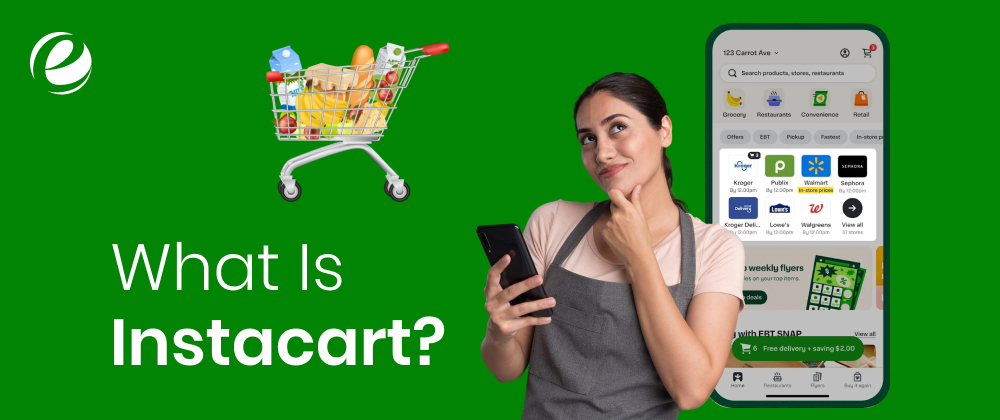
Instacart is a popular grocery delivery app which allows customers to purchase groceries and other goods for home delivery. While not a new concept, its mobile app version provides immense convenience for both consumers and businesses. There’s no need to worry about going to the grocery store or relying on someone else to handle your food shopping. Just click, place your order, and you’re done.
How Does Instacart Work?
Instacart operates similarly to other on-demand delivery apps, with a focus on groceries. It consists of two apps: one for customers and another for delivery personnel. When a customer places an order, a delivery person receives the request, accepts it, and fulfills the delivery.
Understanding The Business Models Behind Grocery Delivery Apps
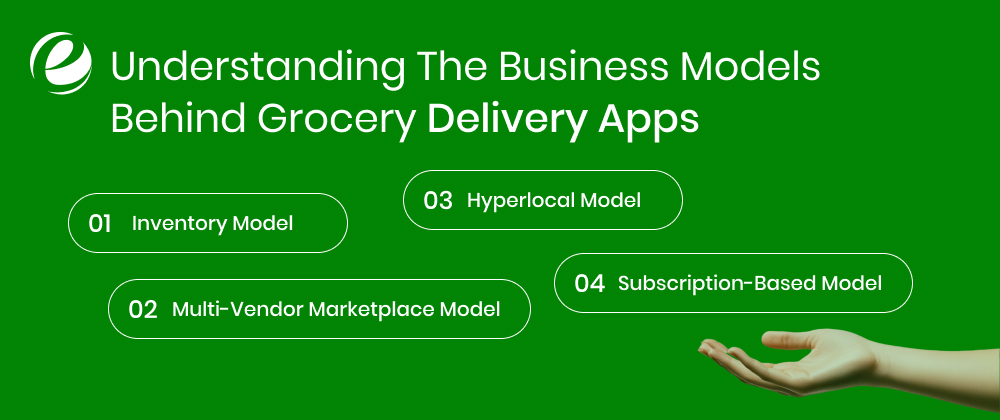
Let’s take a closer look at some of the top business models for grocery mobile apps:
1. Inventory Model
In this model, the grocery delivery company purchases and stores inventory from multiple sources. The app owner manages stock across various facilities, warehouses, or fulfillment centers and fulfills orders from this inventory. Customers browse products on the app, place orders, and the app owner handles the entire process, including inventory management, order selection, packaging, and timely delivery.
2. Multi-Vendor Marketplace Model
Also known as the zero-inventory model, this approach relies on partnerships with local sellers and buyers through a common e-commerce platform. The app connects buyers with local retailers or stores within their vicinity. Customers can browse products and place orders through various shops. Most orders are fulfilled by partner retailers, with deliveries made either by the store or the app’s network.
3. Hyperlocal Model
This model focuses on transforming how people buy their daily groceries by leveraging local grocery stores and fast delivery services. The app helps customers find nearby stores and delivers products within 1–2 hours using a network of local delivery companies.
4. Subscription-Based Model
In this model, customers pay recurring fees (daily, weekly, or monthly) to access premium services, such as discounted or free deliveries, exclusive product discounts, and special offers. Subscribers enjoy perks like free or unlimited deliveries within a specific timeframe, for a set price whether monthly or annually.
Reasons To Invest In a Grocery Delivery App Like Instacart
A grocery delivery app like Instacart allows customers to purchase food items from their favorite stores and have them delivered right to their doorstep. This not only expands the reach of businesses but also meets the growing demand for online shopping. Here are several benefits of investing in Instacart delivery app development:
1. Growing Demand For Online Grocery Shopping
The growing demand for online grocery shopping is driven by convenience and evolving customer preferences. People are increasingly ordering groceries from home due to busy schedules and the desire to avoid crowded supermarkets. This trend was accelerated during the pandemic and continues to grow. Investing in a grocery delivery app like Instacart is a strategic way to tap into this expanding market and offers a flexible business model.
With the right tools, businesses can capture a significant share of this lucrative market. The convenience factor, combined with the increasing popularity of smartphones, ensures continuous growth in food delivery services.
2. Increased Profit
Grocery delivery like Instacart generate revenue through delivery fees, service charges, and partnerships with local stores. Unlike brick-and-mortar shops, delivery apps have lower operational costs, such as reduced need for physical locations and fewer employees.
This model allows for higher profitability, especially when offering premium services like subscriptions, loyalty programs, or exclusive deals. Businesses can also leverage data-driven insights to optimize pricing strategies and boost profits. With growing customer demand, there are abundant opportunities to increase revenue through diverse income streams.
3. Time and Cost Efficiency
Grocery delivery app like Instacart significantly reduce operating costs such as in-store customer service and checkout processes. They enable stores to offer more services without the need for additional premises or staff.
By allowing customers to shop anytime, businesses can serve customers throughout the day, leading to better inventory management and reduced stress during peak hours. Features like easy product comparisons and flexible delivery scheduling can greatly increase average order values and encourage repeat purchases which drives revenue growth and improving profit margins.
4. Global Reach
A grocery delivery app can break down geographic barriers, enabling businesses to connect with customers far beyond their local area. Expanding into a wider market increases sales opportunities and builds a larger, more diverse customer base. In both urban and rural areas with limited services, delivery apps offer a chance to scale operations effectively.
Additionally, partnerships with local retailers and brands can enhance brand visibility and attract new customers. These growth opportunities make food delivery services an attractive choice for businesses looking to diversify and expand.
Must-Have Features of a Grocery Delivery App Like Instacart
Thanks to the powerful capabilities that enable on-demand apps to have a stable and scalable strategy, let’s explore the unique features that make grocery delivery app like Instacart stand out.
Customer Panel
The customer panel includes features that offer a seamless and personalized shopping experience.
1. Sign Up
Creating an account on the app is very easy just simply your email address or phone number. Some apps allow you to sign up quickly using your social media accounts such as Facebook or Google, which eliminates the need to fill out lengthy forms.
2. Search & Filter
Quickly find products using the search bar. You can filter items by price, brand, size, and more to narrow down your options. This feature enables app users to compare products and choose the best fit for your needs.
3. Shopping Cart
Add items to your cart while browsing. You can view all selected items, compare prices, and modify or remove items as needed. Once satisfied, proceed to checkout for a smooth purchasing process.
4. Payment
Choose from various payment methods such as debit/credit cards, online banking, and digital wallets. Once you’ve selected your preferred method, make secure payments with ease.
5. Wallet
Check your balance anytime and add funds for quicker future transactions. This feature saves you from entering your card details repeatedly.
6. Return & Cancel
If you’re not satisfied with your purchase, you can request a refund or cancellation before delivery. Follow the provided steps to initiate the process and receive a refund if your request is approved.
7. Schedule Delivery
Select a particular date as well as time for delivery to receive your order at your convenience. This feature helps prevent delivery delays and ensures you’re available to receive your package.
8. Track Order Delivery
Track your order in real time to see its location and delivery status. Receive notifications when your package is out for delivery so you know exactly when to expect it.
9. Delivery Order History
Access a complete record of your past orders, including purchase dates, items bought, and order status. This feature helps you keep track of previous purchases and reorder items effortlessly.
10. Push Notifications
Receive instant updates about your purchases, special deals, promotions, discounts, and more. Stay informed so you never miss the latest offers or updates related to your orders.
11. Offers & Coupons
Explore exclusive discounts, special offers, and coupon codes at checkout. Take advantage of sales, seasonal discounts, and limited-time deals to save money.
12. Rate & Review
After receiving your order, rate the product and write a review to share your experience. Customer feedback helps others make informed decisions and can improve product quality and services.
13. Wishlist
Save items you’re interested in to your wishlist for quick access later. This feature helps you track items you plan to purchase without having to search for them again.
Admin Panel
The admin panel enables app administrators to manage the entire grocery delivery app like Instacart, including clients, orders, suppliers, and delivery staff. It ensures smooth operations through comprehensive management, supervision, and security tools.
1. Order Management
Admins can monitor all customer orders and details. This feature allows for order status updates, notifications, and smooth communication between stores and customers.
2. Inventory Management
Track and manage inventory levels in real time. This feature helps prevent stock shortages and ensures products are readily available to customers when needed.
3. Control Panel
The control panel provides an overview of all orders and customer interactions. It serves as the main hub for processing orders efficiently, ensuring timely deliveries and improving overall operational effectiveness.
4. Discounts and Promotions Planning
Admins can easily create and manage promotions, discounts as well as special offers within the app. This feature boosts sales by attracting customer engagement through targeted deals and incentives.
5. Reporting and Analytics
Gain valuable insights about the customer behavior and grocery app performance. This tool helps improve marketing strategies, enhance customer experiences, and optimize operations to meet evolving customer needs.
Delivery Boy Panel
Delivery Boy Panel enables delivery personnel to manage deliveries efficiently. The panel provides the tools needed to manage deliveries, keep track of routes, contact clients, and keep them informed regarding deliveries. It ensures that deliveries are delivered quickly and with accuracy.
1. Sign Up
Delivery staff can register swiftly by entering basic data. The registration process is made easier to ensure that delivery personnel are prepared to go about their work without any interruptions or inconvenient procedures.
2. Dashboard
The dashboard serves as the central point of contact to deliver staff. It gives real-time information regarding ongoing orders, progress stats, earnings, as well as work completed. This allows the delivery staff to remain in control and focused on the tasks they must complete daily.
3. Route Optimization
This feature offers delivery staff the fastest routes based on real-time traffic data and GPS. It helps them stay on track by suggesting the most efficient paths, reducing overall delivery time.
4. Delivery Status
Delivery boy can see the status of every delivery immediately. They are informed of the status of every delivery to ensure they are able to manage several delivery tasks efficiently.
5. Order Request
Delivery boys can look up any delivery requests that are received. They can see specifics like the list of items along with the customer’s address and the delivery date. They are able to decide whether or not to accept the request. They must ensure that they fulfill the orders to their capacities.
6. Chat/Message
The messaging feature facilitates direct communications between delivery teams as well as customers and the support team. This facilitates seamless collaboration, speedy problem-solving and greater customer satisfaction during the entire delivery process.
7. Push Notifications
Notifications notify the delivery team of new orders and delivery information, as well as important notifications. It ensures that delivery requests are not lost and keeps delivery staff up-to-date on changes happening in real time.
8. Order History
The order history feature tracks each delivery that has been made in the past by delivery staff. This includes information about the details about the order, delivery times and feedback from the customer that allows the staff to analyze and enhance their efficiency as time passes.
9. Different Payment Options
The feature is compatible with a variety of ways of payment such as debit/credit cards, cash, as well as mobile wallets. This feature allows users to select the preferred method of payment offering convenience and flexibility when they check out.
10. GPS Navigation
Thanks to an integrated GPS tracking, delivery boy can locate their customers better and more effectively. This guarantees accurate delivery as well as reducing delays. It also aids the delivery crew in managing their schedules and routes better.
Vendor Panel
Vendor Panel helps store owners organize their product listing as well as orders, payment, as well as customer interactions. It offers a full view of the operations in their store and ensures smooth operations including product management, to customer support.
1. Items Management
Vendors are able to add, modify or delete products on their apps, modify prices, and monitor inventory levels. They may also add product information such as images, descriptions sizes, as well as information about nutrition which makes it easier for shoppers to purchase.
2. Order Management
Vendors can view and manage orders, checking details like item quantities and customer addresses. They can mark orders as processed, packed, or shipped to ensure timely deliveries.
3. Track Payments
Vendors are able to track their profits and examine their transactions from the past. The feature allows the vendor to control payouts, making sure they get payments via their preferred banking platform, like bank transfer or direct deposit.
4. Order Alerts
The feature automatically alerts retailers about the lack of stock and expiring items, as well as products that are in high demand and which are in short supply. This feature helps retailers maintain stock levels and prevent out of stock issues. This keeps customers content and the business operating smoothly.
5. Reject Order
If a product is not available in stock or there is a logistical issue the vendor can refuse the order. So, customers won’t be unhappy when purchasing items that are not received or processed at the time they need them.
6. Multi-Store/Location Management
If a vendor has several stores or locations This feature will allow the management of and optimization of the efficiency of every store. This feature helps to streamline the operations of retailers that provide delivery services or pick-up in-store across various stores.
Steps To Develop a Grocery Delivery App Like Instacart
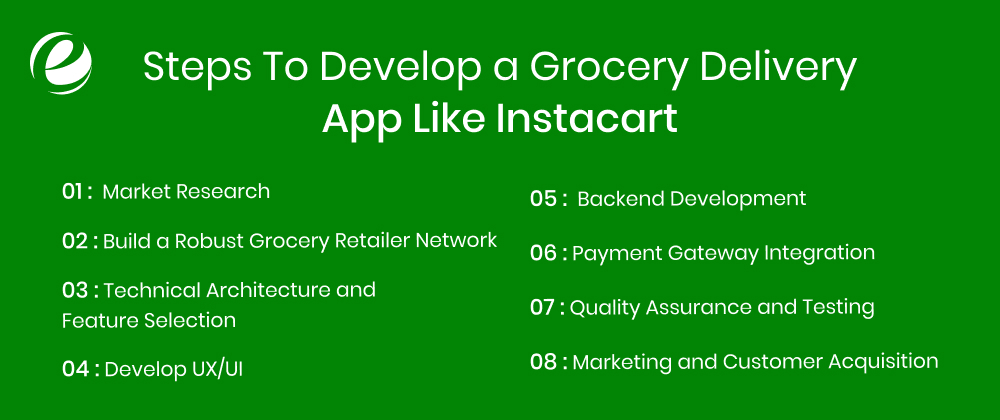
The rapid growth of digital grocery shopping has opened up new opportunities for entrepreneurs looking to break into the marketplace. Developing a grocery delivery app like Instacart is a meticulous process that requires strategic planning, considering grocery delivery app development cost, careful feature selection, and robust technology implementation. A well-designed grocery app can transform the way people shop for essentials while creating a sustainable, long-term business model.
Step 1: Market Research
The market for online grocery delivery is very competitive, with consumers expecting high-quality services and fast delivery times. The first step for any business owner is to thoroughly understand your target audience and identify your unique value proposition.
Your grocery delivery app like Instacart should be built on identifying underserved market segments and creating a business plan that addresses specific needs while ensuring profitability.
Step 2: Build a Robust Grocery Retailer Network
The success of app like Instacart can be attributed to its ability to collaborate with a wide range of supermarkets, from local small-scale stores to large retailers. Forming these partnerships early, after conducting thorough market research and segmenting your customer base, is crucial.
This approach provides your clients with access to a diverse product range. Additionally, leveraging advanced algorithmic techniques for route optimization, inventory management, and last-mile delivery can ensure fast and accurate order fulfillment.
Step 3: Technical Architecture and Feature Selection
The technical foundation of your grocery delivery app will determine its performance and scalability. Many entrepreneurs struggle with selecting the right tech stack and features, which can lead to costly revisions later. The focus should be on building a system capable of handling increasing order volumes while maintaining performance and user satisfaction.
Consider using the following popular technology tools for your app development process:
Frontend: React Native or Flutter for cross-platform development, or native development with Swift (iOS) and Kotlin (Android).
Backend: Node.js, Ruby on Rails, or Python with Django.
Databases: PostgreSQL or MongoDB for storing user information and product data.
Additionally, consider developing a Progressive Web App (PWA) version of your app. PWAs offer offline capabilities and provide an app-like experience on websites, enhancing accessibility for your customers.
Step 4: Develop UX/UI
An intuitive, well-designed, and adaptable UI/UX can be the deciding factor when developing an application similar to Instacart. Ensure your interface is seamless and user-friendly, resembling Instacart’s simplicity, making it easier for customers to navigate.
The goal is to create an easy-to-use, visually appealing app that includes features such as real-time order tracking, customizable shopping lists, and simple payment options. When it comes to improving app user satisfaction and retention, user engagement should be a top priority for any grocery delivery business.
Step 5: Backend Development
Managing items, orders, and delivery logistics requires a powerful backend system. When designing your grocery delivery app like Instacart, you’ll need to handle multiple stores, real-time inventory updates, and complex distribution routing. The success of Instacart demonstrates how effective backend systems can manage large volumes of orders with high reliability.
Step 6: Payment Gateway Integration
Payment processing is a critical aspect that directly affects user trust and conversion rates. Many grocery delivery businesses face challenges in implementing secure and efficient payment systems that support various payment methods. Your system must handle different payment options while ensuring transactions are secure and compliant with financial regulations.
Step 7: Quality Assurance and Testing
Quality assurance goes beyond basic functionality testing for grocery delivery apps. Your customers trust you with their most essential purchases, which is why reliability is crucial. The testing plan you implement should cover every aspect of your product, from efficiency to delivery execution. Verifying product quality is just as important as technical testing especially when dealing with fresh produce, which requires temperature-controlled storage and regular quality checks before dispatch.
Step 8: Marketing and Customer Acquisition
Customer acquisition costs can rise rapidly in the fast-paced grocery delivery industry. Your marketing plan should focus on building trust and demonstrating the value of your service to potential customers.
The initial phase of acquisition is critical for establishing a solid online presence as well as building a strong user base. Consider a content-based marketing approach that emphasizes providing valuable content while maintaining a consistent brand identity.
Why Hire EmizenTech to Develop a Grocery Delivery App Like Instacart

EmizenTech is a reliable grocery delivery mobile app development company, specializing in creating customized solutions that replicate the success of apps like Instacart. Our expert team of grocery delivery app developers is committed to delivering innovative and scalable food delivery solutions that drive business growth. We leverage the latest developments and cutting-edge technologies to accelerate your journey toward digital transformation and bring your concept to life more quickly.
With over a decade of expertise in full-cycle application developent, we can help you create a solution tailored to your particular business needs and goals. Our technical experts will develop a user-friendly grocery delivery application, complete with all the essential features to help your business stay ahead of the competition.
Conclusion
The demand for grocery delivery app like Instacart will continue to grow due to the convenience and enhanced shopping experience they offer to customers. Although many grocery apps exist, you can build a profitable business by using the right tools and the right team. On-demand app like Instacart not only deliver groceries to customers within minutes but also help businesses attract new customers and offer competitive pricing.
We hope this comprehensive guide provides a thorough understanding of how to build app like Instacart that outshine competitors in the market.
FAQs
What are the top grocery delivery apps available?
Popular grocery delivery apps vary by region. In the USA, top-rated apps include Instacart, Walmart Grocery Delivery, Amazon Fresh, Shipt, and Peapod.
What is the cost to develop a grocery delivery app like Instacart?
The cost of developing a grocery delivery app depends on several factors, such as the app’s complexity, features, and technology stack. A Minimum Viable Product (MVP) typically costs around $100,000, while a fully developed app can run into the hundreds of thousands of dollars.
How do apps like Instacart make money?
Apps like Instacart generate revenue through delivery fees, commissions from partners, and markup pricing on grocery items, along with other potential income streams.
What is the best tech stack to create a scalable grocery delivery app?
Consider using JavaScript with frameworks like React, Vue.js, and Angular for front-end development, and Node.js for the back-end. This tech stack is versatile and widely used for building various types of software applications.



 +1 (989) 535-9295
 info@emizentech.com
 emizentech


