
 Add us as a preferred source on Google
 In today’s fast-moving world, managing your finances can be a real challenge. It’s easy to lose track of where your money is going when prices are constantly fluctuating and hectic schedules take over. That’s why budgeting apps like Mint have become essential tools for many people. They make it easier to see your spending habits, track your bills, and stay on track with your financial goals, all without the stress.
One of the most well-known apps was Mint. For years, Mint acted like a helpful financial assistant, tracking your expenses, sending reminders for bills, and alerting you when you were spending more than usual. It was a favorite for a reason: it made money management simple.
However, Mint has recently been discontinued, leaving many users wondering what to do next. If you relied on Mint to manage your finances, don’t worry, there are plenty of other Mint alternatives that you can use to help you stay organized.
Whether you’re looking for additional features, a cleaner interface, or enhanced privacy options, there’s an app out there that suits your needs. In this blog, we’ll look into the top Mint alternatives so you can find the best budgeting and personal finance app for your needs and keep your financial goals on track.
Market Statistics for Personal Finance and Budgeting Apps like Mint
Let’s examine the market statistics for a finance and budgeting app like Mint. These numbers demonstrate the rapid growth of the industry and the increasing daily usage of these apps.
- The personal finance apps market size was estimated at $101 billion in 2024. The market is projected to reach $451.2 billion by 2031, growing at a compound annual growth rate (CAGR) of 24.2% over the 2024-2031 forecast period.
- The worldwide budgeting apps market was estimated to be worth $23 billion in 2024 and is projected to reach $38 billion by 2033, growing at a compound annual growth rate (CAGR) of 5.4% during the forecast period.
- Global demand for paid personal finance mobile applications is expected to rise with a CAGR of 15.7%, reaching a value of $6.71 billion by 2034.
- Over 72% of customers worldwide access online banking at least once a month.
What is Mint, and Why Was It So Popular?

Mint was a free personal finance application designed to help users track their money in one location. The app enabled users to connect their bank accounts, credit cards, investment accounts, loans, and other financial accounts, providing a comprehensive view of their finances. Mint continuously tracked spending and categorized transactions. It also helped users create budgets to manage their financial situation.
One of the reasons Mint gained popularity was its simplicity. Individuals with limited financial knowledge can utilize the app to track their spending, set goals, and plan for the future. Mint sent useful alerts and reminders about unusual spending or low account balances.
Additionally, it provided users with insights and tips to help them save more. Another key factor behind its popularity was that it was free to use. Many people appreciated being able to manage their finances without spending money on expensive software or services.
However, the app is no longer available. Don’t worry, though, as there are many great Mint alternatives available, which we will discuss in the following sections.
Why Are Users Searching for Mint Alternatives?
In the constantly evolving world of personal finance management, people continually seek budgeting apps like Mint to monitor their budgets and enhance their financial well-being. Although Mint was a reliable choice for financial applications, a variety of options have emerged with distinct features to meet different needs.
1. Mint Was Shut Down
The primary reason to consider a Mint alternative is that Mint was officially shut down, which means users now have no access or ability to log into the product. Because Mint was able to monitor expenses, create budgets, and manage all finances in one location, users sought alternative apps with the same functions and convenience.
2. Outdated Features
Over time, Mint failed to keep pace with the latest financial tools and evolving user needs. The app lacked support for features such as tracking cryptocurrency and the latest investing tools. Many people felt that the budgeting system was too simple. As money management became more complex, consumers demanded better Mint alternatives to handle modern-day financial issues more effectively.
3. Too Many Ads
Mint shows the number of advertisements. The ads typically promoted loans, credit cards, or other financial products that often provided little helpful information. Some users felt that the app was becoming more of a marketing tool than a budgeting tool. Many people began looking for alternatives that are ad-free and focused solely on helping users manage their finances.
4. Slow Updates and Bugs
Some users experienced issues with slow account synchronization with their banks or missing transactions. The app sometimes failed to update balances correctly or would crash abruptly. These technical issues made it difficult for users to trust the data they were seeing. A money management app needs to be reliable, so people began searching for trustworthy and stable alternatives.
5. Privacy Concerns
Since Mint was acquired by Intuit, a major financial software company, users were concerned about how their personal information might be shared or used. In today’s digital age, many people seek greater control over their data and prefer apps that have a clear and transparent privacy policy. These privacy concerns led people to seek apps that offer stronger security and more privacy-focused practices.
Key Features to Look for in a Mint Alternative
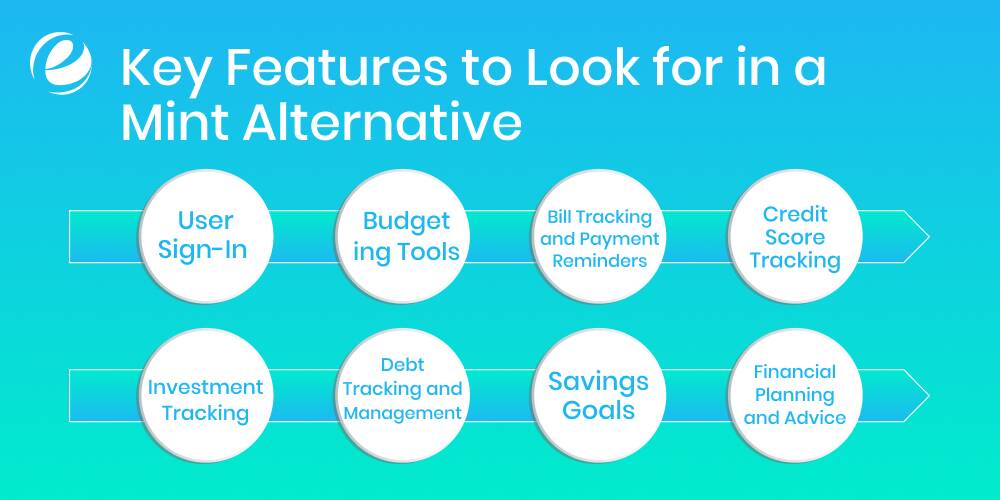
In the process of establishing or selecting a personal finance app like Mint, you should concentrate on features that will simplify managing money and make it simple. Find a free budgeting app, such as Mint, that helps you track expenses, create budgets, look up accounts, and manage your spending easily.
1. User Sign-In
The sign-in process enables users to sign up effortlessly, using their social media platforms or via email. This should include essential details such as email address, telephone number, and even name. A straightforward login process is vital in a free budgeting app like Mint and should also provide quick and easy access to financial tools without any hassle.
2. Budgeting Tools
This feature helps users determine how much to allocate to various areas, such as rent, food, and entertainment. The application compares expenses against the budget that was set, making it more straightforward to avoid excessive spending. The app, like Mint, enables users to adjust their budgets monthly to stay on top of their spending habits using visual summary reports.
3. Bill Tracking and Payment Reminders
This option prevents people from missing bill payments by reminding them before the due date. Customers can also add monthly or once-a-year bills, and some applications permit them to pay directly. Avoiding late fees and maintaining good credit is much simpler by keeping all bills in one place.
4. Credit Score Tracking
Mint alternatives that offer this feature let users track their credit scores over time. Users receive updates on score changes and receive tips for improving their scores. Monitoring and understanding credit health helps users qualify for loans with better interest rates. This is a crucial tool for ensuring the long-term financial stability of their finances.
5. Investment Tracking
Investment tracking enables investors to monitor the performance of their mutual funds or other cryptocurrency assets. The system provides updates on gains or losses, as well as the value of their portfolios. Viewing all investments at once helps users make more informed choices as they balance risk and stay motivated to increase their wealth over time effectively.
6. Debt Tracking and Management
This app helps users record the total amount of debt they have, from credit cards to student loans, and develop strategies for paying it off. It can suggest payment strategies, such as the avalanche or snowball method. The app tracks balances and due dates, allowing users to reduce debt over time and achieve financial security.
7. Savings Goals
It allows users to set specific objectives, such as saving for a vacation, buying a car, or building an emergency fund. An app like Mint should track savings progress and encourage consistency by showing users how close they are to reaching their goal. It’s a motivating and visual method to turn goals into achievable financial milestones.
8. Financial Planning and Advice
Certain apps include calculators and tools to help save for retirement, education, or large purchases. Some Mint-like apps also provide suggestions or personalized financial recommendations based on users’ goals and data. This transforms the app into a valuable tool for making informed, long-term financial decisions.
Top 10 Apps Like Mint
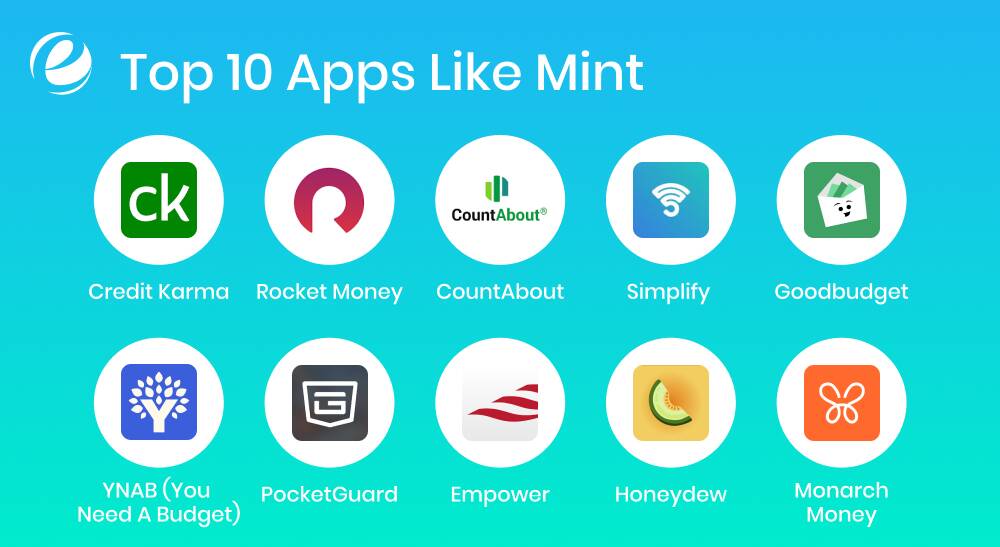
Have you found a Mint alternative yet? Don’t worry, we’ve got you covered. There are numerous best apps like Mint to choose from, but we’ve taken the time to review them for you and narrowed your options down to those we highly recommend.
1. Credit Karma
Credit Karma is one of the free budgeting apps, similar to Mint, and is primarily used for monitoring your clients’ credit scores. You can also view balances, transactions, and your spending patterns over time, much like Mint. It provides a comprehensive view of your finances and offers helpful advice to enhance your credit. The system also alerts you to changes in your credit score and provides personalized recommendations for loans or credit cards.
2. Rocket Money
Rocket Money is ideal if you’re tired of paying for subscriptions you rarely use. It connects with your bank accounts, tracks your spending, and helps you set budgets. The free version includes the essential features. The paid version offers subscription cancellation, credit monitoring, and bill negotiation. If you’re looking for someone to discuss your service provider with and help you cut your costs, Rocket Money can assist with that as well.
3. CountAbout
CountAbout is ideal for individuals transitioning from Mint, as it imports previous data. It’s a straightforward budgeting tool designed to be secure and reliable. Despite its simple design, it excels with robust features, including account tracking and budgeting. It’s ideal for users who prefer a straightforward experience, free from ads and with complete data security.
4. Simplify
Simplifi is highly user-friendly, and money management apps like Mint help you stay on top of your finances. It automatically categorizes expenses, enables you to plan for future costs, and enables you to track goals such as debt repayment or saving for a vacation. Simplifi displays everything on a clean dashboard, making it easy to understand and navigate. Whether you’re a beginner or a budgeting pro, Simplifi makes your finances clear and manageable.
5. Goodbudget
Goodbudget brings the traditional envelope method into the digital world. You divide your income into virtual “envelopes” for specific expenses, such as rent or groceries. The envelopes do not connect to your bank account; instead, you enter expenses manually, which helps you stay mindful of your spending. It’s ideal for families and couples who want to budget together, as well as for anyone who wants complete control over their data.
6. YNAB (You Need A Budget)
YNAB helps you give every dollar a job, reducing financial stress and boosting savings. It utilizes zero-based budgeting, meaning you assign a specific purpose to every dollar before spending it. It’s an excellent option for individuals seeking to break the paycheck-to-paycheck cycle, eliminate debt, and increase their savings. Although there is a learning curve, YNAB provides exceptional support and educational tools.
7. PocketGuard
PocketGuard shows you how much cash is left after bills and savings. The app easily connects to your bank accounts and tracks your spending. The “In My Pocket” number, which displays your remaining funds after basic expenses, is a noteworthy feature. It’s an excellent tool for those seeking a simple, affordable budgeting system. If you prefer manual entry, you can add transactions without linking accounts.
8. Empower
Empower is a free budgeting app, similar to Mint, that combines financial tracking with investment monitoring. It’s ideal for those who want to keep track of their wealth, spending, and savings all in one place. It allows you to link accounts, track goals, and view your complete financial picture. If you need professional investment help, you can also hire a financial advisor through the app. It’s a strong Mint alternative with long-term financial features.
9. Honeydew
Honeydue is designed for couples who want to manage their finances together without compromising their privacy. You can choose to share some accounts while keeping others private and track spending side by side. It includes bill reminders, a built-in chat feature for discussing finances, and the option to set group spending limits. It’s ideal for couples who want to collaborate while maintaining control over their finances.
10. Monarch Money
Monarch is sleek and user-friendly. It’s designed for singles, couples, or families. You can track spending, set goals, and collaborate with others to share expenses. Its dashboard offers insights into your financial behavior to help you stay on track. Monarch stands out with its modern design and flexible features, making it a top choice for those looking for a reliable app with a personal touch.
Comparison Table of Mint Alternatives
Let’s explore the key differences between Mint and its alternatives to help you choose the best fit for your needs. Each app offers unique features for budgeting, expense tracking, and financial planning.
| App | Key Features | Pros | Cons | Platforms |
| Mint | Budget tracking, Bill reminders, Credit score, Goals | Easy to use, Free to use, All-in-one dashboard | Ads, Discontinued (end of 2024) | iOS, Android, Web |
| Credit Karma | Credit monitoring, Spending tracking, Alerts, Offers | Free, Credit score updates, Tips to improve | Not complete budgeting, Lots of ads | iOS, Android, Web |
| Rocket Money | Budget planner, Subscriptions, Bill negotiation | Finds unused subs, Easy setup, and Bill help | Most features are paid, and not very customizable | iOS, Android, Web |
| CountAbout | Data import, Budgeting tools, Privacy-focused | No ads, keeps old Mint data, Simple interface | No free version, Limited automation | iOS, Android, Web |
| Simplifi | Auto categorizing, Goal tracking, Clean dashboard | User-friendly, Forecast tools, Syncs accounts | Subscription only, no free tier | iOS, Android, Web |
| Goodbudget | Envelope system, Manual entry, Shared budgeting | Great for couples, no bank link, Good control | Manual work, no sync | iOS, Android, Web |
| YNAB | Zero-based budget, Goal planning, Education tools | Helps break bad habits, Strong support | Monthly fee, Learning curve | iOS, Android, Web |
| PocketGuard | Safe-to-spend, Auto tracking, SimSimplicity | lean design, Simple to use, Bank sync option | Limited customization, some features are paid for | iOS, Android, Web |
| Empower | Budget + Investing, Net worth view, Goals | Investment help, Full financial view, Free tier | Advisor service is costly, and there is Less focus on budgeting | iOS, Android, Web |
| Honeydue | Couple budgeting, Bill tracking, Chat feature | Good for partners, some privacy, Easy sharing | Not for solo use, Basic tools | iOS, Android |
| Monarch Money | Shared budgets, Insights, Customizable dashboard | Sleek design, Good for families, Flexible | Paid only, no free tier | iOS, Android, Web |
How to Choose the Right Personal Finance App for You
Mobile apps are everywhere these days. While many are used for social media or gaming, a growing number are designed to help people manage their finances. Which personal finance app is right for you? And what features should you look for when choosing the best app like Mint?
Let’s address this question in this section.
1. Device Compatibility
Before selecting a personal finance app, make sure it is compatible with your device. While most top-rated apps are compatible with both iOS and Android, it is still advisable to verify this compatibility. Ensure that the app runs on your smartphone or tablet, whichever one you use most frequently.
Additionally, verify whether the application offers an online version or if it syncs across multiple devices. An excellent app will enable you to monitor your finances anywhere, without limiting your budgeting to a single platform or device.
2. Check Credibility
Not all apps are developed by a team of experts. Be sure to research who developed the application and whether it’s reliable. Look for apps like Mint, created by well-known financial institutions or those backed by solid reviews from credible sources.
Beware of apps that do not disclose their developers or have low user ratings. Most trustworthy apps are transparent about their history and offer customer support with regular updates. A reputable provider gives you peace of mind when inputting your personal financial information.
3. Free or Trial Option
Try the app before purchasing it. Many Mint alternatives offer a free version or a trial period. A free app like Mint provides a comprehensive budget analysis at no cost. Some free apps display ads or restrict access to certain features.
Paid apps typically come with more advanced features, but you should only subscribe after trying a trial version. This way, you can determine what features are included in the premium version and assess if they help you manage your money before committing to a subscription.
4. Adaptability for Long-Term Use
Your finances evolve as you progress through various life stages. What you consider a priority in your current financial plan will shift as you work toward eliminating debt, tracking investments, and planning for retirement. Consider only the best budget apps, such as Mint, which offer advanced functionality that can grow with your long-term financial planning needs.
5. Bank Syncing
Choose an app that connects directly with your bank accounts, credit cards, and other financial institutions. Automatic syncing enables transactions to appear instantly, reducing the risk of missing any updates. Some apps only allow manual entry of transactions, which can be time-consuming and challenging to maintain. The best apps offer the option to sync accounts, manually enter transactions, or do both. Data helps you monitor your finances more effectively and efficiently.
6. Custom Categories
Everyone’s spending habits are different, so your budgeting app should reflect that. Basic apps categorize expenses into predefined categories, such as food, rent, or transportation. These are useful, but the best apps allow you to modify or create categories that fit your lifestyle.
For example, you might create a “Pet Supplies” or “Weekend Trips” category. Custom categories provide greater control and a clearer understanding of where your money is going, enabling you to plan your budget more accurately.
7. Clear Security Features
Your personal financial information must be secure. Always review an application’s security features. Trusted apps utilize encryption, multi-factor authentication, and biometric logins, such as Face ID or Touch ID. These options help keep your information safe from cybercriminals.
Before installing, check the app’s privacy or security policies, which are usually available on the app’s website or the app store page. If the company isn’t transparent about how your data is protected, that’s a red flag. Security should never be compromised.

Monetization Strategies for Personal Finance Apps
We’ve highlighted some essential monetization strategies that you could incorporate into budget apps like Mint. Let’s review them:
1. Subscription Fees
Subscriptions are the most common income stream for finance apps. Premium plans that offer high-end features such as debt management, investment tracking, and personalized guidance can attract users who are willing to pay.
These subscriptions can be charged monthly or annually, providing a steady stream of income for the app. Individuals who require advanced financial management features are more likely to subscribe to these services. This model is ideal for users who want access to top-quality tools and services.
2. In-App Purchases
In-app purchases enable users to purchase specific features or tools directly within the app. A budgeting app may offer features such as detailed financial reports, in-depth analysis, or the ability to connect with additional financial products.
This gives users the chance to personalize their experience and provides the app with an additional source of revenue. This model targets users seeking specific capabilities and are willing to invest in enhancing their financial management.
3. In-App Ads
In-app advertising enables businesses to earn money by displaying ads to users. The app generates passive income as advertisers make payments based on impressions, clicks, or conversions. This feature will be especially beneficial for free-to-use apps that lack a direct monetization process.
Targeted advertising is a significant aspect, as it reflects users’ interests, making it more relevant to them and less disruptive. Apps are still monetized through non-disruptive ads, so an app earns money without requiring users to pay for additional features.
4. Freemium Model
The free model includes a base version of the app at no cost, while charging users for premium access features. This edition features the most advanced budget tracking system and financial forecasting, along with exclusive information.
The app’s users can test its basic tools, and if they like it, they can pay for extra options. This is a good option, as it allows users to try the app first and then decide whether they need the additional functions before making a financial commitment.
5. Advertising
Advertising in personal finance apps can take several forms, including native, interstitial, and banner ads. These ads are designed to blend with the app’s content, providing relevant products and services without disrupting the user experience.
Apps can earn revenue through direct ad sales or by partnering with ad networks. The goal is to offer ads that are useful to users, such as those from financial services, so they feel like helpful suggestions rather than distractions.
6. Partnering With Financial Institutions
Collaboration with credit unions, banks, and other financial institutions can generate revenue through co-branded services, including commissions for referrals or data-sharing arrangements. An app, for instance, may offer financial products or products in conjunction with a bank.
They earn referral commissions each time users enroll for bank accounts or loans. This type of partnership enables an app to tap into the customer base of a financial institution while also generating additional revenue.
7. Affiliate Marketing
Affiliate marketing involves promoting third-party financial products and services within the app through affiliate links. When people click on these links and then make a purchase, the app receives a percentage of the sale.
In this case, for instance, an app could suggest insurance policies, credit cards, and investment tools. The app earns a commission for each successful recommendation. This is an excellent strategy for apps that offer financial advice and aim to generate revenue from product recommendations without compromising the user experience.
How to Build an App Like Mint
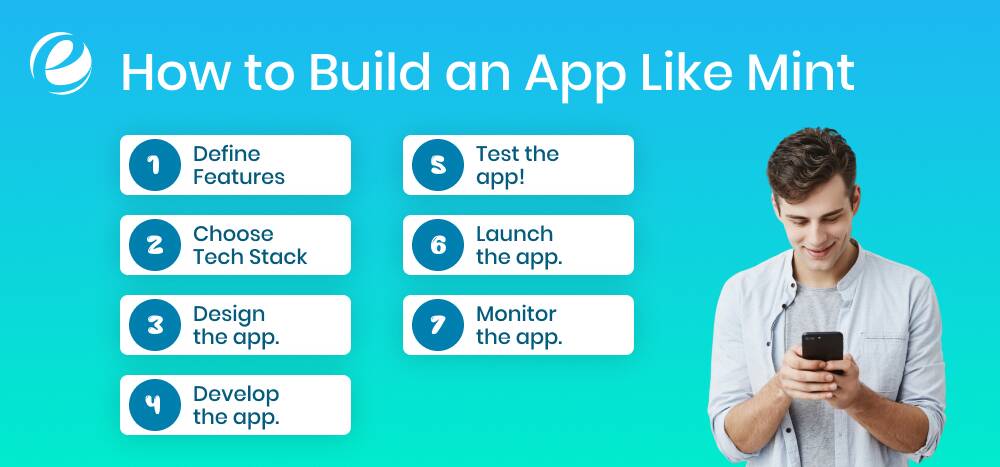
A personal finance app like Mint involves a meticulous process that spans multiple steps, from concept to deployment. The following is an extensive explanation of the key aspects involved:
1. Research the Market
Before building your app, research what users want in a finance app. Look at competitors like Mint. Read reviews to see what people like or dislike. Understand the challenges people face when managing their finances. Such knowledge enables you to create an app that effectively meets users’ needs. You can also conduct surveys or check industry reports. By understanding what users want, you can design an app that stands out in the market.
2. Define Features
Decide on the features your app, like Mint, will have. Standard features are tracking expenses, creating budgets, setting financial goals, and generating reports. Choose features that solve user problems and are easy to use. Avoid adding too many options, as it can overwhelm users. Focus on simple functionality. Ensure the features align with the needs of your target audience. These improvements will make the app user-friendly and help attract regular users who find it useful.
3. Choose Tech Stack
Pick the right tools and technologies for building your app. To create an app for both Android and iOS, utilize frameworks such as React Native or Flutter. For iOS apps, Swift is a viable option, and for Android, Kotlin is well-suited. The back end should be fast and secure, allowing you to utilize technologies such as Python, Node.js, or Java. Consult with developers to ensure your tech stack will support easy updates and scalability as your app evolves.
4. Design the app.
The design of your app is crucial. Create a user-friendly interface (UI) and excellent user experience (UX). Start by creating wireframes to plan the app’s layout and functionality. Keep the design simple so users can easily navigate through it. Use transparent colors and fonts. Ensure it’s both attractive and functional. A well-designed app fosters trust and encourages users to return. Hiring experienced designers can help make the app more appealing and easier to use.
5. Develop the app.
Once the design and features are ready, start developing the app. The development process has two main parts: the front-end (what users see) and the back-end (where data is processed). Developers will use programming languages like Swift for iOS, Kotlin for Android, and Python or Ruby for back-end development. It is essential to hire experienced developers, particularly for finance applications, to ensure security and functionality. Monitor progress to ensure the app aligns with your goals.
6. Test the app!
Following the development process, run tests on the application to identify bugs and errors, and then fix them. We recommend conducting both manual and automated testing using tools like Selenium. Evaluate the app’s efficiency, security, and compatibility across various devices. Such testing ensures that the app runs as intended and is safe for its users. Tests also ensure that the application does not have any glitches or issues, providing a smooth experience for users whenever they first use it.
7. Launch the app.
You can launch your application after running tests. Create an advertising plan to attract clients after the launch. Utilize social media advertising as well as influencers or partnerships to market the application. Ensure that your app’s description and the images on the App Store are visually appealing, and focus on highlighting its primary features. Be aware of the issues that users have reported in the days following launch so that you can resolve them as quickly as possible.
8. Monitor the app.
Once the application launches, you should continue to monitor its performance. Review the crash reports, bug fixes, and user feedback. Utilize this information when introducing new features or resolving issues. Ensure your application is regularly updated to run efficiently and safely. Consider suggestions from your users on new features, and then update your application accordingly. The monitoring of your app shows the app users that you are concerned about their experience. This can foster loyalty and drive long-term growth.
Why Choose Emizentech to Develop Your Personal Finance App Like Mint?
EmizenTech is a top mobile app development company that creates fintech solutions and industry-specific apps to help businesses bring new ideas to life. With a team of skilled developers and designers, we create innovative personal finance apps, such as Mint, ensuring your app stands out from the crowd. Our specialists are constantly up-to-date with the latest technology and programming languages, enabling them to develop secure and user-friendly apps.
We begin each project with a discovery phase to identify potential challenges and opportunities, ensuring a clear path forward. This process provides a clear direction forward, setting the stage for creating a high-quality banking and finance product that meets your goals and exceeds expectations.
Choose EmizenTech for reliable, efficient, and cutting-edge app development services.
Conclusion
With the increasing use of budgeting apps like Mint, people are more aware than ever of the importance of managing personal finances. However, with Mint no longer available, many Mint alternatives are stepping up to help users stay on top of their expenses.
Apps such as YNAB (You Need a Budget), PocketGuard, and EveryDollar offer unique features that can cater to different budgeting styles and financial goals. Whether you need automatic transaction categorization, detailed budgeting tools, or goal tracking, these apps provide robust solutions.
When selecting a Mint alternative, it’s crucial to consider what features are most important to you, whether it’s ease of use, detailed reports, or bill tracking. For businesses, this rise in demand for effective financial apps presents a clear opportunity: investing in developing a best-in-class budgeting app, such as Mint, can help meet a growing need and offer valuable support to users on their financial journey.
FAQs
What are the benefits of building a budgeting app like Mint?
A budgeting application can help businesses capitalize on the growing popularity of personal finance tools. Additionally, it can generate income through subscriptions or advertisements and foster customer loyalty by providing an excellent solution that helps users manage their finances effectively.
How long does it take to build an app like Mint?
The development typically takes 4 to 9 months or more, depending on the app's features and complexity. Simpler apps may require less time, while the addition of advanced features could prolong their development.
How can we ensure that an app like Mint is both user-friendly and secure?
For a user-friendly experience, choose a clean, simple style and straightforward navigation. Continuously gather feedback from users to drive improvement. To protect your data, utilize encrypted APIs, secure APIs, and multi-factor authentication to ensure the privacy of your users and compliance with relevant data protection and privacy regulations.
Are budgeting apps safe to use?
The majority of budgeting apps are secure when utilized correctly. It's essential to choose a trustworthy application and follow best practices for security, including using secure passwords, enabling two-factor authentication, and ensuring that your data remains private and confidential.




 +1 (989) 535-9295
 info@emizentech.com
 emizentech


