
 Add us as a preferred source on Google
 Ultra-responsive interface, intuitive design, smoother than the smooth brush engine, there are a lot of things about drawing apps like Procreate that make digital platforms the holy space for artists. And that’s why the global illustration design market is set to grow from $425.8 million in 2025 to $1,364.4 million by 2035. Content creation, digitization, and technological strides have amplified the rage about digital art apps, inspiring developers and businesses to invest in them.
If you are planning to build an app like Procreate, too, read this guide to understand the features, development process, cost estimates, and more.
What is Procreate, and why is it so popular?
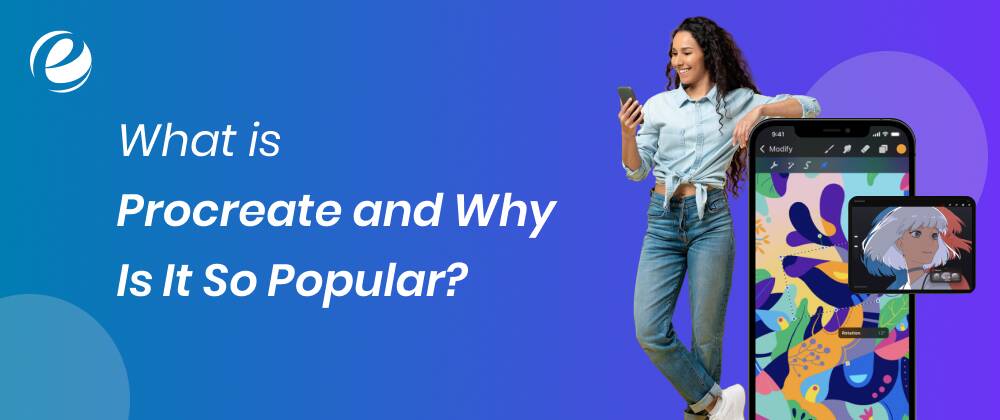
No short of a household name, Procreate is an iPad-exclusive drawing tool app that lets digital artists (who form the largest user segment in this market, accounting for 42.5%) and art fanatics do more than just create. It is a well-built, high-performance digital studio where artists who are looking for flexibility, portability, and power can channel their creativity.
The app features a sleek, clean, and gesture-focused interface. It comes with a huge brush library and a fully powered canvas engine. The setup of this beloved app is such that it pushes users to unleash their imaginations and create anything they want, from sketches to artwork to, well, just scribbles. That’s not all; users can turn the process of making art into time-lapse videos, too!
Now, the biggest question: What makes apps like Procreate the “go-to” digital solution in the art genre? Firstly, the app is both sophisticated and user-friendly. For those looking for a fluid experience, it’s a gem. With support for Apple Pencil, the app lets users customize brushes to accommodate the process seamlessly. Some of the more advanced features in the app, such as layers, masking, PSD, and blend modes, expand its reach to a wider audience.
And here’s yet another winning thing about Procreate: it allows users to access all the features with just a one-time purchase. This means no billing on subscriptions over and again. The value-packed nature of this platform has inspired many users to check up on similar popular Procreate alternatives.
Must-Have Features for Apps like Procreate
Features are vital to explore, whether you’re just looking or planning to build an app like Procreate. What are users loving about this platform? What features can help your app stand out as you create something similar to Procreate? Find inspiration in these features below.
Blend Modes and Layer Support
Layers are non-negotiable for professional artists who rely on them for structuring their artwork. Layers are a feature that enables detailed tasks, such as applying colors, making outlines, adding shadows, and editing seamlessly. Top Procreate alternatives should allow users to create as many layers as they want, arrange them, group them, or rearrange them as they like. Screen, Multiply, and Overlay are the blend modes that accommodate the requirements of advanced coloring work.
Pressure-Sensitive Brush Engine
When a user downloads a digital art app on their phone, a seamless brush engine is the first thing they’d expect. After all, it’s the lifeline of the platform. A well-functioning brush engine has an effortless pressure sensitivity. It can mirror real-world drawing tools, spanning pencils, markers, paintbrushes, pens, and more. When building drawing apps like Procreate, it is important to ensure that this feature is dynamically responsive to stylus input. The engine should be fluid enough to translate every gesture into strokes without any lags.
Custom Brushes
A static set of brushes is not enough; the freedom comes with customized options. A Procreate-style app cannot go wrong with this flexibility. It should be well-equipped with settings that allow users to create their own brushes. These settings include shape dynamics, spacing, scatter, and more. This high-value feature offers ease in adding unique textures and styles to the art. Boost your creativity by incorporating the ability to import brush files from various marketplaces.
Canvas Time-Lapse
Okay, this is one of the most popular features of Procreate! The time-lapse recording feature automatically records the creative process in the background. It even compiles clips into a short video, which is handy for creators who would like to share behind-the-scenes catch-ups on social media or are looking to spruce up their portfolio with authenticity or simply want to share some lessons on how it’s done. When building an app like Procreate, ensure the video has playback speed options and resolution control, as both are essential to simplify the sharing option.
High-Resolution Canvas
Professional-grade artists prefer apps with large, high-resolution canvases. This allows them to zoom into the details and print the work. One of the must-have features is best Procreate alternatives include custom sizes, smooth pan/zoom functions, DPI settings, and more, without compromising the quality. It’s the feature where hardware optimization and GPU acceleration come into focus, especially when an artist is working with different effects and layers.
Offline Mode
Artists don’t necessarily have a dedicated sanctuary to create art. They could make one on a flight, in a cafe, or in a remote location where there’s limited or no internet access. By implementing an offline mode feature, you can offer users the flexibility to use the app whenever they want, without requiring strong network connectivity. This means offline access to all the saved works, brushes, history, and editing.
File Export
File export is a crucial feature that allows users to retrieve their work for printing, sharing, and editing purposes at any time. As you build a Procreate-style app, ensure it supports PNG, JPEG, and other such file formats without any disturbance with layers. Moreover, ensure smooth integrations with Google Drive, iCloud, or other cloud storage tools, as they help artists back up their work easily. Want to make it easier? Add custom export settings (like size adjustments when saving, transparent backgrounds, etc.) and batch export.
Integrations
Another wonderful thing about Procreate is its powerful integration with Apple Pencil. Implement support for active styluses, like the Samsung S Pen, Apple Pencil, Logitech Crayon, or more when building an app like Procreate. Furthermore, enhance the experience by adding tilt-shading, palm rejection, low-latency stroke, and double-tap gestures. These features help improve the process for artists, making them work naturally.
Customizable UI
Not all artists think or work in the same manner. And that’s what makes customizable UI a super-essential feature to have in apps like Procreate. It makes sure that users can hide or pin frequently used tools, rearrange toolbars, and choose between dark/light themes. On a more advanced side, you can offer options like split-screen view, gesture shortcuts, and workspace presets. To top everything, ensure a distraction-free UI that allows space to feel like an artist’s own abode.
Cloud Sync
What happens when creators want to switch devices? Make it seamless for them by including cloud syncing in your Procreate-like app. The feature allows users to save and access files across devices. This means they may start drawing on an iPad and finish the work on a desktop, all without losing the work or risking the quality. This feature is highly important for use cases like collaborations and backups.
Step-by-Step Guide to Developing Apps Like Procreate
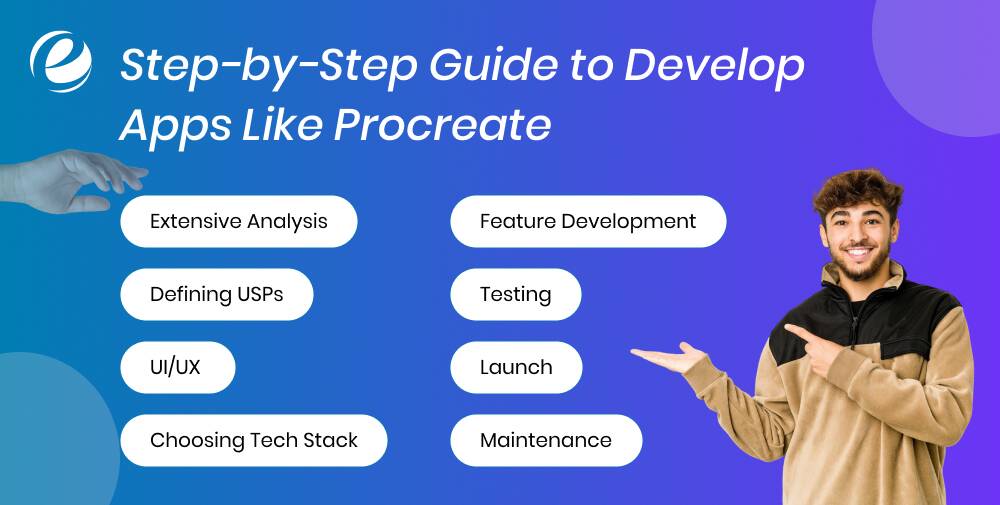
Below are the key steps to building a drawing app like Procreate:
Extensive Analysis
While you may already have an idea of what you are investing in, conducting thorough research can open the doors to new possibilities. It helps you see what users love, what a professional artist is looking for, what’s missing, and what’s not helping them. Comparing the features of the art-app giant with popular Procreate alternatives in the lineup is crucial. Don’t stop there. Read reviews. Catch up on user feedback. And pay attention to the requests and complaints. This stage is all about carving out your niche and defining features.
Defining USPs
Are you offering free apps like Procreate? Are you providing a feature that artists have been eagerly anticipating? Is it the design? Is there another feature that distinguishes your app from others? After you have gained clarity on the market scenario, head to defining what makes your app special. Ideally, the focus should be on offering what other platforms don’t offer. It could be integrations or social networking for artists. This stage is critical as it decides how the features, design, and marketing will pan out.
UI/UX
Say yes to intuitive design. Artists need a flexible room that allows them to create art without disruptions. The navigation of your app significantly impacts the creative process. Ensure distraction-free, straightforward gesture support, workspace, and customizable UI elements. Make navigation as smooth as it can be.
Choosing a Tech Stack
Whether you are building a highly advanced platform or something in the lot of free apps like Procreate, it is the tech stack that determines how functional the product will get. If you are making a Procreate-like app for Android, choose Flutter or React Native. Consider Swift for iOS. Implement scalable platforms like AWS or Firebase for the backend. You can also consult the top mobile app development company to ensure the perfect selection. These factors ultimately determine the success or failure of the project.
Feature Development
Now that you have the foundation ready, it’s time to code the idea into one of the best Procreate alternatives. This stage initially focuses on the drawing engine, covering features like layer support, pressure sensitivity, canvas management, etc. Then you add customizable brushes, file import/export, and a time-lapse recording feature to the app. At this stage, the focus is on ensuring the app meets the expectations of the users.
Testing
Once the app is developed, it must undergo rigorous testing to get the green light for the launch. One of the most essential stages in art mobile app development, testing involves checking the app for performance across devices, paying attention to every widget and motion, stylus support, touch responsiveness, and, well, everything. Usability testing with users can further give you clarity on where your project stands on the scale of ten.
Launch
Finally, your app is ready to hit the launch! You may now promote it with tutorials, demo videos, influencer collaborations, etc. At this stage, you should go all creative with the marketing strategies. Whether you are competing with free apps like Procreate or have developed a unique product, communicate the value your product offers to the world.
Maintenance
Even after introducing the best-ever Procreate alternative to the art world, there’s no reason to stop you from continuously improving the solution. Monitor usage patterns, add new features, introduce new palettes and brushes, refine existing ones, fix bugs, and strategize new ways to keep your app relevant.
12+ Best Apps Like Procreate (Free + Paid) that Artists Vouch for
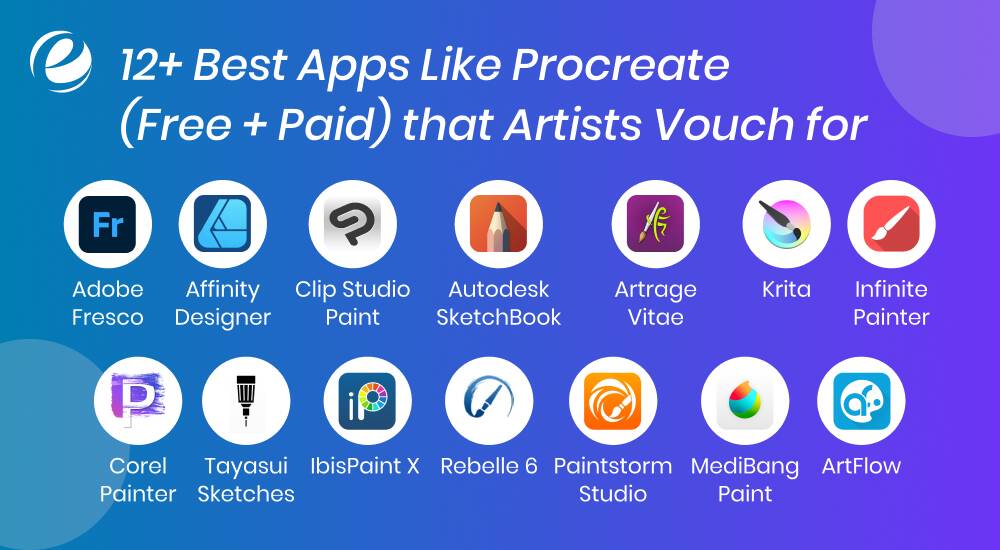
Procreate has set the benchmark for digital illustration to perfection, but here’s the positive part: There are more options in the lot. Refer to this list below to explore the top free apps like Procreate.
Adobe Fresco
Designed for touch devices and styluses, Adobe Fresco stands as one of the best Procreate alternatives. The app offers vector, raster, and live brushes that mirror real-world colors. The sleek and minimal aesthetics of the app have made it a go-to for many professional illustrators, beyond just the Adobe ecosystem.
Affinity Designer
A hybrid app for raster design and vector, Affinity Designer offers precision that keeps artists hooked. It’s smooth, high-performance, and features professional-grade tools. From UI/UX designers to illustrators, this one’s perfect for all.
Clip Studio Paint
For artists who love comics, manga, and animation, Clip Studio is the sacred art space. With features like 3D models, frame-by-frame animation, pen stabilization, panel layout, and more, it offers amazing flexibility to both animators and illustrators.
Autodesk SketchBook
Autodesk Sketchbook has a separate fan base in the art world, all thanks to its robust brush engine, advanced features, and clean UI. One of the most popular apps, like Procreate for iOS, Android, and web, Sketchbook supports symmetry, layers, and more, making it perfect for illustrators and sketchers.
Artrage Vitae
Focused on realism, ArtRage offers a range of tools that simulate watercolor, pencil sketching, oil painting, and more. It also features canvas textures that feel natural to the maximum level, and the brush gestures of the app are a must-try for traditional artists who are moving to digital.
Krita
One of the top free apps, like Procreate, Krita, is indeed a gem for artists. The app is packed with professional-level features like a wrap-around mode, brush engines, a flexible interface, and more, making it a must-try for animators, comic artists, and illustrators alike.
Infinite Painter
One of the best Procreate alternatives for Android and iOS, Infinite Painter is a sleek and clean platform with over 160 brushes and pattern tools. The advanced set of features in the app, including perspective guides, gives it an edge in the lineup of similar apps. It’s perfect for those looking for an easy-going drawing app for mobile.
Corel Painter
Corel Painter, another highly realistic app, offers all the essential features that artists would love, including brush customization and a large library of natural brushes. And the best thing? It also features AI-based styles. The app is popular among fine-art illustrators and concept artists who use solid brush control.
Tayasui Sketches
Simplicity and real-world brushes make Tayasui one of the standout apps, along with Procreate. It mimics real tools like pens, pencils, markers, and watercolors, boosting user experience. Besides, it has quite a clutter-free UI, which facilitates relaxed sketching.
IbisPaint X
Ibis Paint X is an insanely popular art app for mobile, offering over 15,000 brushes, screen tones, manga tools, and filters. The app is community-supported and has a user-friendly interface, which makes it ideal for casual artists and beginners.
Rebelle 6
Rebelle 6 is yet another fantastic app with the realism factor. The app simulates paint diffusion, pigment drying, and water flow, making the overall experience lifelike for users. The behavior-based brush function makes the app a must-try for artists looking for wet media and watercolor realism.
Paintstorm Studio
Perfect for professional-grade artists, Paintstorm Studio is a high-performance app that supports custom brush engines and high-resolution canvases. Its dynamic textures also add substance to the overall functionality of the platform. It’s ideal for elaborate painting, especially for complex compositions and concept art.
MediBang Paint
MediBang, one of the top free apps like Procreate, is a cloud-based solution designed for manga and comic artists. It comes with screen tones, cross-device syncing, comic panel creation tools, and more such functions that enhance the process of making art. Moreover, its lightweight factor makes the app a fantastic solution for artists who work on the go or collaborate.
ArtFlow
Last on the list of best Procreate alternatives, ArtFlow is a platform designed for Android users who like to spend time getting creative every now and then. The app supports styluses and PSD export and is GPU-powered. The app hosts over 80 brushes on a clean UI, delivering both cool-headed and highly functional performance.
| App Name | Pros | Cons | Platform | Pricing |
| Adobe Fresco | Seamless Adobe integration, pro tools | Subscription required to access app features | iOS, Windows | Free + Premium ($9.99/mo) |
| Affinity Designer | One-time purchase, pro tools | No animation or live brushes | iOS, Windows, macOS | $21.99 (one-time purchase) |
| Clip Studio Paint | Animation, comic panels, 3D tools | Learning curve | iOS, Android, Windows, macOS | $0.99/mo or $49.99 one-time |
| SketchBook | Clean UI, full feature set, pressure support | Lacks animation tools | iOS, Android, Windows, macOS | Free |
| ArtRage Vitae | Great for traditional painters | Not ideal for vector work | Windows, macOS, iOS | $79 one-time |
| Krita | Totally free, powerful for painting + animation | Slightly heavy for older devices/systems | Windows, macOS, Linux | Free |
| Infinite Painter | Strong mobile sketching tool | No desktop version | Android, iOS | Free + In-App Purchases |
| Corel Painter | Perfect for fine art and illustration | Costly, resource-intensive | Windows, macOS | $429 one-time or $199/year |
| Tayasui Sketches | Intuitive UI, natural drawing tools | Limited layer support in free version | iOS, Android, macOS | Free + Premium ($5.99) |
| Ibis Paint X | Community brushes, anime/manga tools | Ads unless upgraded | iOS, Android | Free + Premium ($2.99–$8.99) |
| Rebelle 6 | Amazing watercolor simulation | Expensive for casual users | Windows, macOS | $89.99 (one-time purchase) |
| Paintstorm Studio | Ideal for detailed illustration | UI may feel outdated | Windows, macOS, iPad | $19 one-time |
| MediBang Paint | Great for manga, lightweight | Ads in free version | iOS, Android, Windows, macOS | Free |
| ArtFlow | Great for tablets, supports stylus well | Limited to Android devices | Android | Free + Premium ($6.99) |
How Much Does It Cost to Build an App Like Procreate?
The cost of building apps like Procreate depend largely on multiple factors, like features and technology. Typically the budget ranges between $80,000 and $200,000, taking all the business and technical aspects into consideration.
Here’s the note: Developing basic free Procreate alternatives costs way less than a high-performance solution. Here are the key factors that determine the overall development budget:
- Platform (iOS, Android, web or all of them)
- Customization
- Features (basic or basic + advanced)
- Performance optimization
- Integrations (for example, marketplaces for assets, Cloud)
Add to the testing and maintenance efforts as these end up taking your overall investment up. It’s advisable to connect with the top web and mobile app development company to get transparent quotes right per your unique requirements.
Why Choose Emizentech for Building Illustration Apps Like Procreate
Building the best illustration art app is far from being a cakewalk. It not only takes a mindset for working within technical complexities, but also an attitude for putting oneself in the artist’s shoes.
At Emizentech, a leading mobile app development company, we aim to simplify things for you, aligning the process of developing apps like Procreate with your end goals and user needs. Here’s a quick roundup of some of our services:
- Cross-platform app development
- Custom Ul/UX wireframing
- Al and ML-powered features for advanced illustration art apps
- Testing and quality assurance
- Maintenance and upgrades
We love building apps that work like solutions, whether it’s free apps like Procreate or a high-end platform for professional-grade artists, all within the timeline and budget that works best for you.
Wrapping Up!
Sleek user experiences, seamless brushes, and intuitive design, well all the best apps like Procreate are essentially the duo of inspiration and utility. And your app development plan should freshen up the market by adding more features and multiplying the ease of usage. Partnering with top-rated app developers can further help you sketch out the MVP and scale up, at your pace. All set to offer something new to the art world? Get started today!
FAQs
Why Choose Emizentech for Building Illustration Apps Like Procreate?
Top apps like Procreate include Adobe Fresco, Infinite Painter, Sketchbook, and Clip Studio Paint. These apps are user-friendly and high-performance, with a wide range of features accommodating unique needs of different artists.
Is there an app like Procreate for free?
Yes. Ibis Paint X, Krita (for desktop), and MediBang are some of the top free apps like Procreate.
How to develop a drawing app?
For drawing app development, consider using frameworks like Flutter or React Native to power up cross-platform support, include features like brush tools, layers, and gesture input, and integrate canvas rendering APIs.
How long does it take to build an app like Procreate?
The time required to build apps like Procreate depends on a number of factors, especially project’s complexity. Typically, the art game app development span ranges from 3 to 7 months. For more clarity on this, it is best to discuss your requirements with your app development company.



 +1 (989) 535-9295
 info@emizentech.com
 emizentech


