
 Add us as a preferred source on Google
 These days, it’s not easy to spot hidden health risks or even know how to protect yourself from them. The amount of chemicals and harmful substances the body is forced to contend with has increased remarkably in recent years, regardless of the meals you eat, the drinks you consume, the products you use on your body, or the personal items you rely on daily. Yet, apps like Yuka can lend a helping hand to assist you in getting rid of all this.
Yuka is an application designed to help people make better decisions by analyzing food and cosmetics. With a simple barcode scan, it provides full details about a product’s nutritional value, the ingredients used, and any potential health risks. Something is amazing about Yuka, it reached 1 million users in its first year after launching in 2017. That number has now grown to 40 million users.
Did you know that the global smartphone scanner market was worth $9 billion as of 2024? It’s expected to reach $1.8 billion by 2033, growing at a CAGR of 8.1% over the projected period. This huge figure speaks volumes about the app’s success in the marketplace. It means you need to be strategic if you’re planning to create an app like Yuka.
In this comprehensive guide, we’ll explore the process of developing apps like Yuka, covering benefits, features, costs, and more.
So, let’s get started.
Market Statistics For Scanner Apps Like Yuka
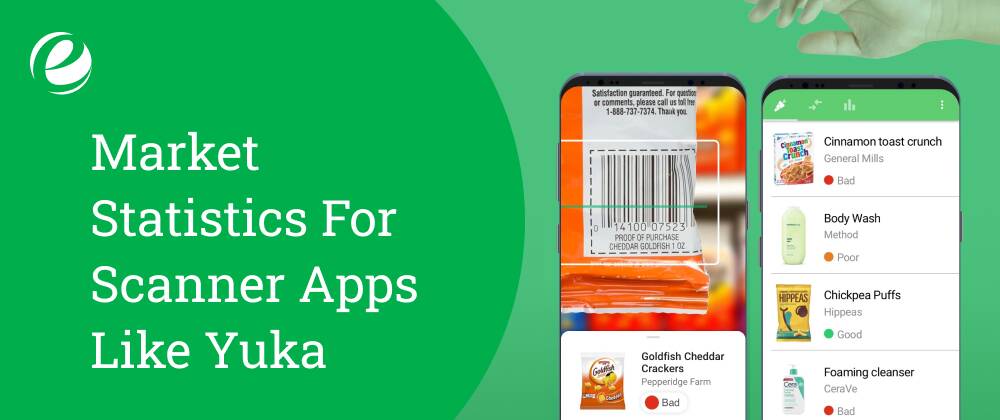
Let’s look at important market stats before investing in building an app like Yuka.
- The global scanner market was valued at $5.2 billion in 2022 and is expected to grow to $8.7 billion by 2032, increasing at a rate of 5.7% from 2023 through 2032.
- Growth forecasts suggest that by 2025, there will be over 100 million smartphone QR code scanners across the U.S.
- Scanning apps like Yuka have maintained high app store ratings, with an average of 4.5 out of 5, reflecting strong user satisfaction.
- The scanner software market has grown rapidly in recent years. It is projected to reach $5.12 billion by 2024 and $5.72 billion by 2025, with a CAGR of 11.6%.
- A Yuka study of its users shows that 94% stopped purchasing certain items, while 92% avoided a product when it received a poor rating.
What is Yuka, and How Does It Work?

Yuka is a mobile application that allows users to scan product barcodes to instantly understand their impact on health. Each product is rated and explained in detail. When an item negatively affects your health, Yuka also suggests better alternatives.
Yuka has created a database of 700,000 food products and a wide range of cosmetics. Each food item is rated based on three criteria: nutritional quality, presence of additives, and organic value. Cosmetic products are evaluated based on a comprehensive analysis of all ingredients. According to the latest research, each chemical is assigned a danger level.
How Does It Work?
Wondering how the Yuka app works? Let’s take a look at the steps below:
1. Download the Yuka App
To begin, visit the app store and search for “Yuka.” Go to the download icon and wait for the app to install on your device. Once downloaded, open the app by tapping the icon. You’ll be greeted with a welcome screen that gives a brief overview of the app’s features and benefits.
2. Create an Account
After browsing the app briefly, you’ll need to sign up by entering your basic details. To sign up or create an account, fill in your details like email address, create a password, and choose a username. Some apps may also ask for additional information like your name or birth date.
3. Accept the Terms and Conditions
To complete account creation, you’ll need to accept Yuka’s terms and conditions. Carefully read the service terms and privacy policy. Check the box confirming your agreement, and proceed.
4. Customize Your Preferences
Yuka may ask for your dietary preferences, allergies, or specific goals (e.g., healthier eating or avoiding certain ingredients). Providing this information helps the app personalize its recommendations to better suit your needs.
5. Verify Your Email & Start Exploring
Yuka might send a verification link to your email. Check your inbox, open the email from Yuka, and click the link to activate your account. Once confirmed, you can begin scanning barcodes, exploring in-depth reports, and receiving personalized suggestions for healthier choices.
Benefits Of Developing An App Like Yuka
With the advent of digital technology, the cosmetic and food industries are thriving. This is why it’s an ideal time to start investing in developing apps like Yuka. Below are some arguments to help you see why investing in apps like Yuka could be advantageous for your company:
1. Growing Consumer Awareness
At present, many people are concerned about the food they eat and also the products they apply to their skin. They are looking for confirmation that their food choices and personal care products are safe and healthy. Apps like Yuka help users find precise information on components. When people look up a food item, it shows whether it’s safe or not for their health.
This makes users feel more confident. Thus, creating an app like Yuka could be a great idea, as a large number of individuals are seeking such assistance. They want to make safer and better choices every day.
2. Monetization Opportunities
If you make apps like Yuka, there are a variety of options to earn revenue. You can charge users an annual fee of a few dollars for certain features. Additionally, you can display advertisements within the app and generate revenue from businesses.
Another option is partnering with healthy brands in the industry, which may pay to be featured in the app. Therefore, there isn’t just one way to earn, there are numerous ways! It is a smart business option. This model allows you to help people while also building a business that generates income in multiple ways.
3. Data-Driven Insights
When people use an app like Yuka to scan items and check ratings, it provides valuable information about what customers like, dislikes, and purchase the most. The information collected from this activity is known as data. Businesses can use this data to understand what consumers want to buy.
For example, if many users are searching for sugar-free items, companies can create sugar-free products. This data helps make better decisions and also supports partnerships with brands that customers already prefer. So, this type of app is useful not only for consumers but for companies as well.
4. Build Brand Loyalty
If your app helps people make better decisions, they’ll trust your brand more. As they continue finding your app useful, they’ll keep coming back. Over time, they’ll likely become loyal users. They might even recommend your app to friends and family. This helps your business grow without spending much on advertising.
People are more likely to trust recommendations from others than ads, which is a huge benefit. If you provide a helpful and reliable tool, your business will be one people love and trust. Customer loyalty helps keep your brand strong for years.
5. Competitive Edge
It’s rare for a business to have an app like Yuka. So, if you create one, it sets you apart from other businesses. People will see your brand as smart, modern, and efficient. This gives you an edge over competitors who offer nothing similar.
Investors and partners are also more likely to be interested, as your app offers something unique and valuable. A standout app with great features can help you grow faster and also stay ahead of the competition. Being one of the first companies with this kind of app gives your business a big advantage.
Why Look For Alternatives To Yuka?
Exploring food and cosmetic apps can be an exciting journey. Although Yuka has helped many users, it has its limitations. Let’s look at some reasons why people are starting to explore Yuks alternatives.
1. Not Always Accurate
Yuka occasionally provides incorrect ratings for products. It might label something unsafe even when it’s not, or call something healthy when it isn’t. This can be confusing for users trying to make informed choices. Some other apps might review more products or use higher-quality standards to verify what’s good for you.
2. Limited Product Range
Yuka doesn’t include every product in its database. When you search for an item, it might not show any information. This can be frustrating, especially when shopping at smaller stores or buying local brands. Some apps may offer a wider selection or allow users to submit new products more quickly, making daily shopping easier.
3. The Quest For More Features
Other apps offer additional features that Yuka does not. These might include meal planning, barcode sharing, or personalized recommendations based on your food habits. Some apps also help track your health more precisely. Depending on your needs, another app might be better suited and offer stronger support for staying healthy throughout the day.
Top Apps Like Yuka in 2025
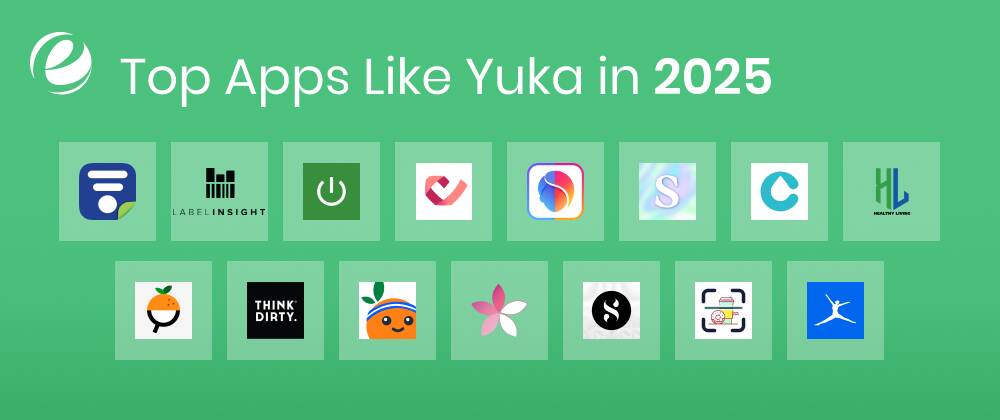
Below is a listing of the best websites like Yuka app that you should take into consideration.
1. MyFitnessPal
MyFitnessPal is one of the most popular apps like Yuka that can help you keep fit. You can keep track of what you eat as well as how often you work out. Simply scan the food’s barcode, and it will show the amount of calories, sugar, fat, and more. You can also record your workouts to know how many calories you burn.
This helps in weight loss or simply staying fit. Set objectives and monitor your daily progress. This app is great for balancing exercise and food. With this application, keeping healthy and fit is easy and enjoyable. It’s like a food and fitness log stored on your smartphone.
2. Food Scanner
Food Scanner focuses on things that are used in the home. Most people use it to check groceries. It offers useful ingredient information so consumers can identify allergens and additives in food products.
It’s also very popular among those trying to get fitter, especially people aiming to lose weight. It is simple to use and includes eco-friendly packaging standards that provide an environmental rating.
3. CosmEthics
CosmEthics is an application that helps people choose safer cosmetic products. You can very easily scan the barcode with your smartphone, and it will display the ingredients contained in the item. It also tells you whether those ingredients are safe or harmful. Warning signals or badges indicate danger levels.
If something is very harmful, the warning sign alerts you. If it is considered safe, it sends a green light. This helps users understand what they are putting on their skin and make better choices. It makes buying safe products simple and smart.
4. INCI Beauty
INCI Beauty is an app that enables users to check the quality of cosmetic products. You can scan a barcode or enter the product name. The app analyzes every ingredient in the item and gives it a score out of 20 to indicate its overall quality.
You can see every ingredient and understand what it does. Some are good for your skin, while others may not be. The app explains everything in detail. If something is hazardous, the app will notify you. It also shows better product alternatives. This allows you to shop smarter and take better care of your skin.
5. Fooducate
Fooducate is one of the other apps like Yuka that helps ensure your food is good for you. It uses your phone to scan barcodes on food items and shows what’s inside. The app gives information about calories, sugar, fat, and more. It assigns a score A, B, or C to show how nutritious the item is. If the food isn’t healthy, it recommends better options.
It explains the ingredients and why they matter. It’s like a food educator in your pocket. Fooducate helps you eat better, feel better, and stay healthy through smart food choices.
6. Think Dirty
Think Dirty is a cosmetics app that helps you understand what’s in your personal care products. Scan the barcode, and the app shows all the ingredients. It warns you if an ingredient is potentially dangerous using a color-coded system. Green means safe, red means harmful. It’s a great way to know if a lotion or shampoo is safe to use.
It also recommends safer alternatives. The app is simple to use and helps protect your skin. Think Dirty is perfect for achieving clean, healthy skin with fewer harmful chemicals. It makes smart beauty shopping quick and easy.
7. Open Food Facts
Open Food Facts is a comprehensive food app. It provides information on over 1.3 million food items. You can scan barcodes to see what’s inside. It displays data like salt, sugar, fat, and calories. The app uses a NutriScore ranging from A to E, with A is best, E being worst.
It also has NOVA scores from 1 to 4, showing how processed the food is. The less processed, the better. You can add new products or upload images if something is missing. It’s like Wikipedia for food. Open Food Facts helps you make healthier, informed choices.
8. Healthy Living
Healthy Living is an app developed by the Environmental Working Group (EWG). It helps you select healthy and safe food and cosmetic products. You can scan barcodes or search by product name. The app analyzes ingredients and gives a safety score.
A high score means the product is safe; a low score could indicate harmful substances. It helps you avoid toxic ingredients like artificial colors. The app also suggests better alternatives. It’s ideal for anyone looking to live a healthier life and make smart food and wellness choices.
9. Clearya
Clearya is a powerful app like Yuka. It checks beauty and cleaning products for harmful ingredients. You can search by brand name or scan barcodes. It alerts you if a product contains chemicals linked to health issues or cancer. It also suggests safer alternatives.
Clearya helps you shop wisely and stay healthy. It works on websites too, offering protection while online shopping. Easy, smart, and safe, Clearya is like a health guard during your shopping trips.
10. Skin Bliss
Skin Bliss is a helpful beauty app that uses Artificial Intelligence (AI) to recommend the best skincare products. It asks about your skin type and concerns. The app scans products and ingredients, telling you if something is safe or not for your skin.
It also warns you about allergens or harmful substances. It matches you with the right skincare products for your needs. Many users trust it on the Play Store. It’s like having a personal dermatologist on your phone. Skin Bliss makes skincare easy and personalized.
11. Good Face
Good Face is a smart app that analyzes cosmetic ingredients. It has a database of over 80,000 ingredients. Each one is rated in 15 safety categories, including skin safety, allergy risk, and cancer risk. You can search for ingredients and see if they’re safe.
The app also creates a personalized skincare routine. Just answer a few questions, and it will suggest safe, effective products tailored to your needs. It’s a great option if you want a safe and reliable skincare plan that works for your skin.
12. CodeCheck
CodeCheck is a powerful scanner for food, cosmetics, household items, and more. You can scan barcodes to get detailed information about ingredients, health impacts, allergies, and environmental effects. It helps you avoid harmful substances and shows how eco-friendly a product is. The app warns you of any risks and recommends safer options.
It’s backed by a large user community, so the database keeps growing. CodeCheck is one of the best alternatives to Yuka. It gives you full transparency before making a purchase. Shopping becomes simpler and safer.
13. Detox Market
Detox Market is a shopping app for clean skincare and wellness products. It focuses on non-toxic, organic skincare and makeup. The app is simple and transparent. It shows ingredients and explains why they’re used. Only safe and healthy beauty products are featured.
If you’re looking for items free from harmful chemicals, this app is very helpful. It gives you all the details to make the best decision for your skin’s health. Detox Market makes clean beauty easy and stylish. It’s ideal for wellness-minded shoppers seeking trustworthy brands.
14. Label Insight
Label Insight is an app that helps you learn more about the items you buy. It works for food, beverages, and personal care products. Scan the barcode, and the app gives you detailed info. You’ll see ingredients, nutrition facts, health claims, and potential effects.
Retailers and brands also use this data to make products more transparent. It helps consumers pick the right products based on their needs. If you want to make smart choices and understand labels better, Label Insight is a great tool. It’s like reading between the lines made easy.
15. SmartLabel
SmartLabel is an app that gives you information by scanning a product’s barcode. It works for food, beverages, beauty, and cleaning items. You can see ingredients, allergen content, and eco-friendly practices. The app helps consumers who care about what they buy.
The data comes from trusted manufacturers, so it’s reliable. SmartLabel presents clear, straightforward information. If you want to know what’s in your shampoo, snack, or soap, this app is perfect. It’s like having the label explained in simple terms, right on your phone.

Comparison Table Of Top Apps Like Yuka
It doesn’t matter if you’re seeking weight loss, a healthier lifestyle, or simply interested in the nutritional content of your diet, keeping track of calories is a vital element in any fitness program. There are so many apps available that it can be difficult to pick one that suits you.
Yuka is an extremely popular choice, but it’s not the only option. That’s why we’ve created an overview of the top Yuka alternatives to help you track your calories at no cost. After evaluating a number of Yuka like apps, we have selected the best ones to assist you in reaching your goals.
| App Name | Key Features | Pros | Cons | Best For (Purpose) | Compatibility |
| MyFitnessPal | Barcode scan, calorie counter, exercise log | Great for weight goals, big food database | Ads in the free version can be complex | Tracking diet & workouts | iOS, Android, Web |
| Food Scanner | Barcode scan, shows ingredients, and eco ratings | Easy to use, helps with allergies | Limited beauty product info | Checking food ingredients & eco impact | iOS, Android |
| CosmEthics | Ingredient scan, danger alerts, safer product suggestions | Easy to understand, good alerts | Smaller product list | Safe beauty product shopping | iOS, Android |
| INCI Beauty | Barcode scan, scores out of 20, ingredient info | Clear scoring, ingredient explanations | Mostly in French | Understanding skincare ingredients | iOS, Android |
| Fooducate | Barcode scan, food grades (A–F), ingredient tips | Easy grades, great suggestions | Some features paid | Making healthier food choices | iOS, Android |
| Think Dirty | Color alerts (green/red), safer product suggestions | Fast scan, clear info | Not all products are included | Avoiding harmful beauty products | iOS, Android |
| Open Food Facts | Barcode scan, Nutri-Score + NOVA, user-contributed | Big food database, open source | Older app design | Food transparency & nutrition info | iOS, Android, Web |
| Healthy Living | Barcode scan, scores, EWG verified info | Trusted source, clear scores | US-focused | Avoiding toxic food & cosmetics | iOS, Android |
| Clearya | Scan or search, toxic chemical alerts, web store scanning | Works online too, great alerts | Limited global store support | Detecting harmful chemicals online | iOS, Android, Web |
| Skin Bliss | AI matches skin type to products, allergy alerts | Personalized picks, great for skin | Not for food | Custom skincare recommendations | iOS, Android |
| Good Face | Ingredient ratings, personalized skincare routines | In-depth info, custom routines | It may be too detailed | Creating safe skincare routines | iOS, Android, Web |
| CodeCheck | Food + beauty scan, health + environment scores | Community-powered, wide range | Can miss rare products | Avoiding unhealthy or non-eco items | iOS, Android, Web |
| Detox Market | Clean beauty shop, ingredient transparency | Trusted brands, non-toxic only | Only Detox Market items | Buying clean, non-toxic beauty | iOS, Android |
| Label Insight | Barcode scan, nutrients + ingredient info | Very detailed product facts | Brand-focused, less personal | Understanding product contents | iOS, Android |
| SmartLabel | Full label info, allergens, and eco-friendliness | Info from brands, easy to understand | Depends on brand participation | Clear product label explanation | iOS, Android, Web |
Must-Have Features of Apps Like Yuka
In order to make your app efficient and user-friendly, including these essential features is crucial. If you’re looking to develop apps like Yuka for food and cosmetics, these features can enhance user interaction and improve their experience.
| Features | Description |
| Barcode Scanning | Users can scan barcodes with their phone, instantly seeing product details like ingredients and nutritional values. |
| Product Database Integration | Connects to a product database for accurate ingredient info, ensuring trust and varying development costs. |
| Ingredient Analysis | Highlights health risks, allergens, and chemicals in products to help users make informed choices. |
| Alternative Product Suggestions | Suggests healthier alternatives if a product has low ratings, improving user experience and engagement. |
| Product Ratings & Scores | Shows product scores based on nutrition and ingredient safety, guiding users toward better choices. |
| Shopping List & Favorites | Let users save favorite products or create shopping lists for easier and more convenient planning. |
| User Reviews & Community Insights | Allows users to rate products, share experiences, and build trust through feedback and engagement. |
| Waterlog | Let users log water intake by photographing drinking vessels and set reminders to stay hydrated. |
| AI-Powered Insights | Uses AI to improve ingredient analysis, find patterns, and provide personalized health recommendations. |
| Personalized Recommendations | Suggests products based on user preferences, dietary needs, and health goals for a tailored experience. |
| Social Media Sharing | Users can share product scores and insights on social media to increase engagement and visibility. |
| Push Notifications | Sends helpful reminders without annoying users, ensuring notifications are useful and not overwhelming. |
How To Develop An App Like Yuka

Making an app like Yuka demands a comprehensive approach to development. If you’re looking to build an app like Yuka, then adhere to these steps:
1. Conduct Market Research
When you are planning to build an app like Yuka, examine the marketplace and discover gaps in current products. Study competitors like the Yuka application, Open Food Facts, and Think Dirty to understand user expectations. Understanding the landscape of competition will make your application be noticed.
2. Define Your Unique Value Proposition
The app you choose to use should have unique enhancements or features in comparison to the Yuka application. Your app could give personalized recommendations, AI-powered insight, or the use of blockchain technology to verify ingredients. To create an app similar to Yuka, it is crucial to stand out from the existing alternatives.
3. Select Right Models
It is vital to have a monetary basis for the success of your app. You could offer a simple version free of charge and add additional features for a fee (freemium version). Another option is to display advertisements or receive sponsorships from companies. Working with eCommerce sites to receive commissions for sales (affiliate marketing) is an alternative. This can help you generate income as well as ensure your app’s sustainability.
4. Design a User-Friendly UI/UX
A simple and easy-to-use interface is crucial to keep users satisfied. The app you choose to use should feature an easy barcode scanner, clear product ratings, and an attractive appearance. If users can navigate your app and understand how to use it, they’re likely to continue using it, which is great for any business, and will also recommend it to others.
5. Develop The App’s Core Features
The Yuka-like app you develop must include important features such as barcode scanning, the ability to retrieve product information, and a reliable rating system. These are the essential features for an app that resembles Yuka to be successful. If your app doesn’t provide precise and relevant information regarding items, users will not trust the app. Be sure that these essential features are safe and simple to access.
6. Test The App
Before launching your app, you must test it on different devices to make sure it works correctly. Testing helps spot problems, apply fixes, and improve your app’s performance. Tested apps are more likely to gain trust and receive praise from users for being smooth and reliable.
7. Launch and Market Your App
After your app has been developed, release it for both iOS and Android platforms. To attract users, promote your app by using influencer marketing, improving SEO, and running ads through social media. This will help spread the word about your app and support its growth after launch.

Cost To Build An App Like Yuka
The cost of developing an app like Yuka depends on many factors. First, the features you want to include will affect the price. For example, a simple app with just basic functions will cost less than one with advanced features like barcode scanning, user profiles, and product recommendations. The design of the app also plays a role if the design is simple, it will be cheaper, but if it’s complex with custom graphics, it will cost more.
Developer rates vary depending on where the development team is located. In countries with higher costs of living, developers tend to charge more. The platform (iOS or Android) and the technology used for the app also affect the cost. On average, a simple app might cost between $10,000 and $50,000, while a medium-level app could cost between $50,000 and $100,000. If your app needs advanced features or custom technology, the cost can go beyond $100,000.
Simple apps: $10,000 to $50,000.
Medium Apps: $50,000 to $100,000
Complex apps: Can exceed $100,000.
Business Models To Make Your Yuka Style App Profitable
If you’re building an app like Yuka, monetizing it effectively is key. Here are monetization models you can use to make your app profitable:
1. Freemium Model
Offer the Yuka-like app for free with basic features, but charge for advanced features. Users can scan products and get basic info for free, but premium features like personalized nutrition advice, ad-free experience, or advanced product analysis come with a subscription.
2. In-App Advertising
Integrating ads within the app is a popular monetization method. Display ads between scans or during product information loading. Partner with ad networks like Google AdMob to generate revenue through clicks or views, without charging users directly. This works well if your user base grows large.
3. Affiliate Marketing
Earn commissions by recommending products available for purchase. When users scan a product, you can show a link to an e-commerce store where they can buy it. If they purchase through the link, you earn a percentage of the sale.
4. Data Analytics
Collect anonymized user data (with consent) to offer insights about shopping habits, preferences, and trends. Sell aggregated data to market research firms, retailers, or health organizations. Just make sure you’re transparent and respect privacy laws.
5. Brand Partnerships
Partner with health-conscious brands to promote their products within the app. In exchange for featuring their products or including them in your app’s database, brands may pay you a fee. This model works well if your app gains a loyal, health-focused audience.
Challenges In Developing Apps Like Yuka

Building an app like Yuka can be tricky. Here are the challenges you might face when developing such an app:
1. User Privacy and Data Protection
Since you’ll collect user data, protecting privacy is essential. You need to follow strict rules about how you handle personal data (like GDPR laws in Europe). Ensuring security and transparency about data usage can be complicated, but it’s crucial to build trust with users.
2. App Performance and Speed
A major challenge is ensuring that your app works quickly and smoothly, even with lots of data. If users have to wait for long loading times while scanning products or navigating, they may get frustrated and leave. Optimizing the app’s speed requires careful coding, efficient databases, and fast APIs.
3. Cross-Platform Compatibility
To reach a wider audience, you’ll likely want your app to work on both iOS and Android. Developing an app that performs well across both platforms can be tricky, as each platform has different guidelines and technical requirements. You’ll need to make sure the app looks good and works flawlessly on all devices.
4. API Integrations
Your app may need to pull data from multiple sources, such as product databases or online stores. Ensuring that APIs (Application Programming Interfaces) work correctly, are stable, and are up-to-date can be challenging. Any API downtime or errors could affect your app’s functionality, so regular monitoring and maintenance are crucial.
5. Scalability and Server Load
When your app expands and draws more users you’ll encounter challenges related to the ability to scale. The application must be able to accommodate the increasing number of users, without going through a crash. That means you need the correct infrastructure for the backend, including cloud-based services and constantly checking the performance of servers to be certain it’s able to take on the demand.
Why Choose EmizenTech To Build Your App Like Yuka
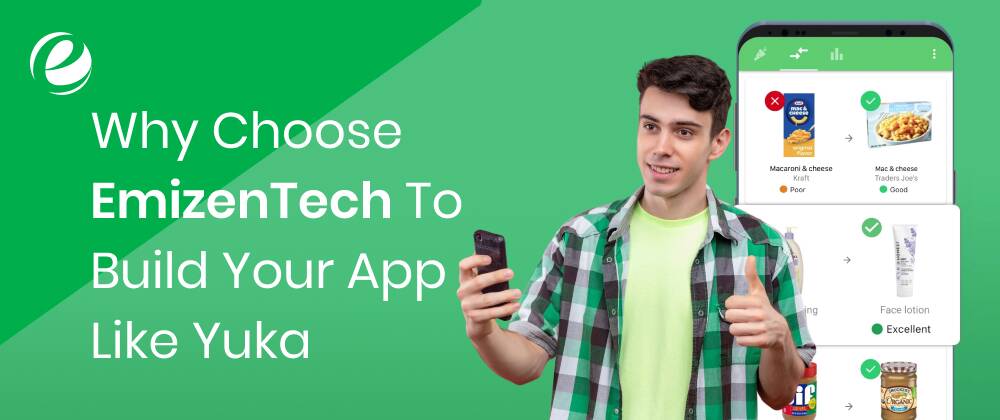
EmizenTech is a trusted mobile app development company that specializes in creating high-end smartphone apps like Yuka. We have a skilled team of developers and designers who understand how to turn your idea into a user-friendly, functional app. From planning to launch, we ensure your app is fast, reliable, and visually appealing.
We also provide ongoing support after the app is launched to keep it updated and running smoothly. EmizenTech focuses on delivering apps that meet your business needs, giving you the best solution to succeed in the market.
So, what are you waiting for? Connect with our team today to discuss your app requirements.
Conclusion
The demand for food and cosmetic scanner apps is on the rise and holds strong potential for growth. Creating apps like Yuka for cosmetics and food is a great business opportunity from an investment point of view and yields high returns. By developing an app that provides users with detailed information about the products they buy, businesses can meet the evolving needs of customers and establish themselves as leaders in the market.
Therefore, it’s highly recommended not to miss the chance to create an app like Yuka. However, it’s crucial to ensure that all features and functionalities are implemented properly. To achieve this, hire a mobile app development company like EmizenTech to help you build a food and cosmetics scanner app with confidence.
FAQs
How long will it take to create an app like Yuka?
Building an app like Yuka typically takes between 4 to 9 months, depending on its complexity. A simpler version will take less time, while a more complex app may take longer due to additional programming, testing, and optimization.
How can you generate income through an app like Yuka?
There are several ways to generate revenue, including subscriptions, freemium models, in-app ads, in-app purchases, and affiliate marketing.
What information do food and cosmetic apps provide?
The most important information includes ingredient details, information on food composition, the potential risk of cosmetics, and so on.
How do I make my app stand out from Yuka?
Yuka is a successful application, and if you want to create an app that is better than Yuka, include unique characteristics. Blockchain ingredient checks, personalized tips, better UX/UI, sustainability information, detailed analysis, and gamification.



 +1 (989) 535-9295
 info@emizentech.com
 emizentech


