 Add us as a preferred source on Google
Today, health is the top priority for most people. With each food decision taken thoughtfully, one question is always on the mind: “Am I doing the right thing?” This is where calorie tracking apps step in—they are the digital mentors that assist the user in staying on the right path to their nutrition and health.
If you’re thinking about developing a calorie counter app, you know better than most that there are many out there already. But the issue isn’t necessarily creating another app, but one that is distinct. Customers aren’t just looking for a meal tracking tool; they’re looking for an appealing and efficient way to make wiser food choices without hassle.
“Take care of your body. It’s the only place you have to live.” – Jim Rohn
You, as a businessman, can build an app that people are able to use to its maximum potential, to enhance their lifestyle. A well-crafted calorie tracking app can be more than a tracker—perhaps even a guide, a motivator, and a game-changer in their fight for health.
In order to get you started, we have come up with a comprehensive blog that tells you everything about calorie counter app development—process, cost, features, technology, and benefits. So, let’s get started!
What Is A Calorie Counter App?
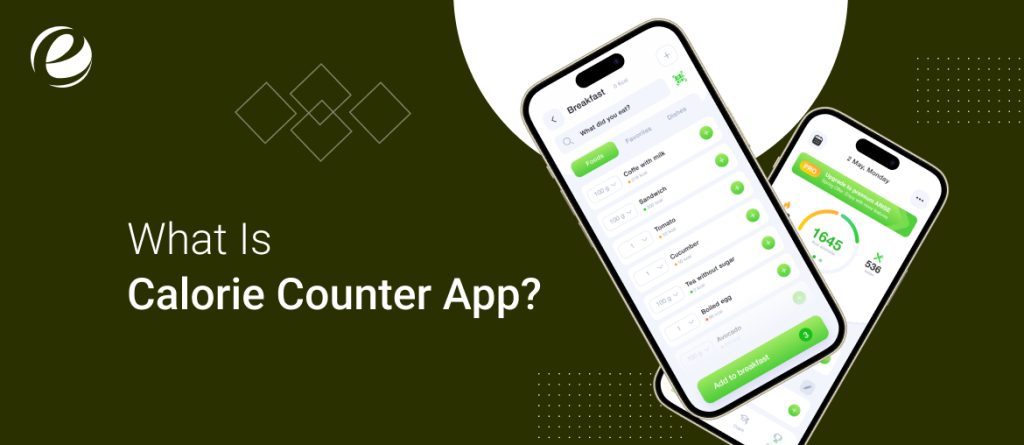
An application to count calories is designed to help human beings keep track of daily calorie consumption and track their food plan. In addition to calorie tracking, the applications assist in exercising scheduling and offer tips on the way to stabilize calorie consumption and expenditure. Through the use of in-depth charts and reports, it is possible to identify feeding patterns and enhance food selection.
Essentially, calorie counting is energy balance—tracking calories consumed by way of food and drinks versus to calories burned through bodily exercise and physical features.
- If you consume more calories than you burn, you’re in high quality strength balance, and you will gain weight.
- In assessment, burning extra calories than you consume puts you in a terrible energy balance where you will lose weight.
All of the most popular calculating calories app like MyFitnessPal, Lose It!, Fooducate, FatSecret, and Lifesum have become very popular because they are so easy to use when it comes to tracking what you are eating and letting people live healthier.
Calorie Counter App Market Intelligence:
Prior to calorie counter app development, one must understand the market size and market trends. Some of the key statistics are as follows:
- The mHealth apps market was worth USD 32.42 billion in 2023 and is likely to grow at a compound annual growth rate (CAGR) of 14.9% from 2024 to 2030.
- Revenue of Nutrition Apps is anticipated to rise to US$6.05bn in 2025.
- The market for fitness apps is expected to develop a CAGR of 21.6% during 2021 to 2028.
As the rising demand for health and fitness solutions, best calorie-counting apps are a profitable segment to create and expand.
How Does The Calorie Counter App Work?
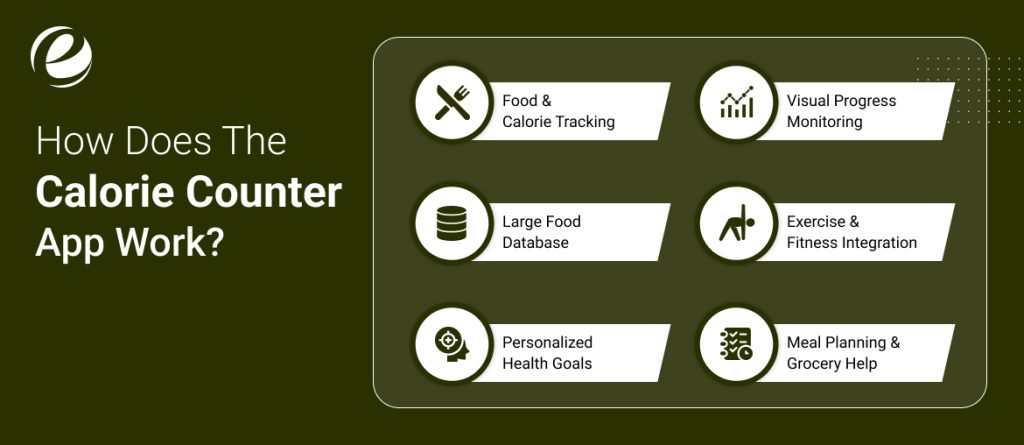
For individuals who choose to control their food regimen, keep a report on their food, and enjoy a healthy life, calorie counter apps have come to be a utility. The best calorie tracker app permits simple meals logging and exercising tracking, making it feasible for users to stay connected with their vitamins. Let’s discuss how they work and what they offer.
1. Food & Calorie Tracking
The main purpose of these apps is to assist their users with monitoring daily foods and beverages. This might be achieved through direct input as meals or through the use of a barcode scanner automatically presenting nutritional information in calories, carbohydrates, proteins, and fats.
2. Large Food Database
Most calculating calories apps have a huge food database that users can select from anything ranging from processed foods to restaurant foods. For instance, MyFitnessPal contains over 11 million food entries with the ease of seeing and logging food intakes in seconds. Personal entries for one’s home-cooked foods can even be added.
3. Personalized Health Goals
Users are also capable of setting unique desires, like dropping weight, gaining weight, or building muscle. Progress is monitored and remarks are provided to keep customers encouraged and on track.
4. Visual Progress Monitoring
With graphs and charts, users are able to view trends in caloric consumption, weight fluctuation, and overall progress. These visualizations assist with pattern identification and improved food selection.
5. Exercise & Fitness Integration
Most calorie tracker apps also integrate with fitness trackers to track physical activity and calories burned. This keeps users informed about calorie intake vs. burn—key to successful weight control.
6. Meal Planning & Grocery Help
Some advanced meal planning mobile apps take it a step further by providing features that help users to organise their meals and creating grocery lists from chosen meals so that users will have the proper ingredients to remain on their diet plan.
Key Features Of A Calorie Counter App Development
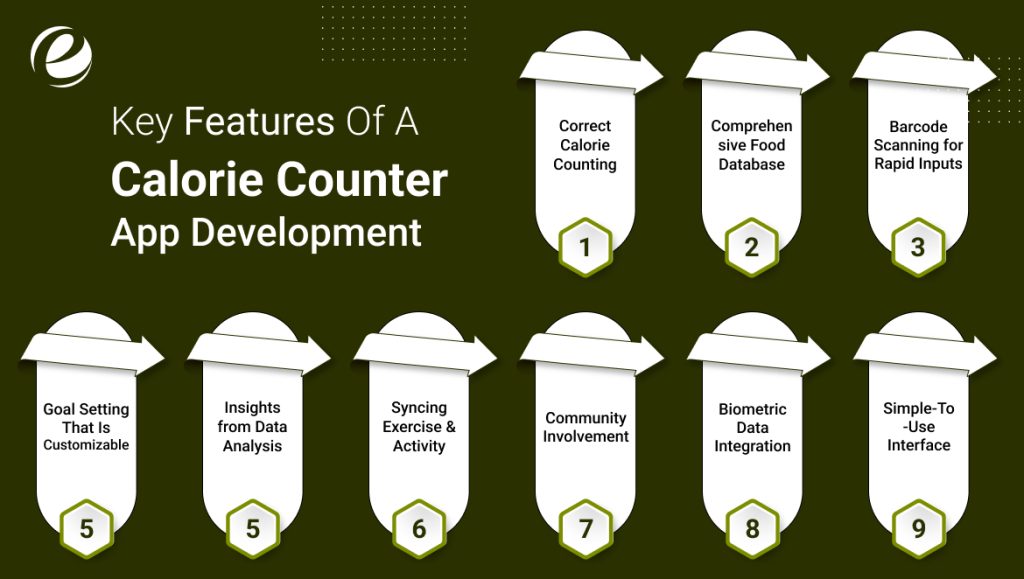
There are various categories of applications to count calories, yet there are specific features which the successful fitness applications share. You should ensure to have the below main features while developing one yourself:
1. Correct Calorie Counting
The main purpose of the best-calorie counter app is to provide individuals an opportunity to input food and water consumption daily. This makes calorie consumption as well as making wise dieting decisions simpler.
2. Comprehensive Food Database
An optimized food library feature enables smooth lookup of restaurant and user foods and home foods, and adds them directly to daily log.
3. Barcode Scanning for Rapid Inputs
Rather than typing in food details, users can simply scan the pack food barcode with ease, allowing the diet & nutrition app to instantly precise nutritional details in a snap.
4. Goal Setting That Is Customizable
Members can personalize their health targets, i.e., weight loss, weight maintenance, or gain in muscle mass. Progress is also monitored and recommendations changed accordingly.
5. Insights from Data Analysis
Users get a graphical display of calories consumed, trends, and fluctuations through charts and graphs. It is thus simple to understand trends and remain on course.
6. Syncing Exercise & Activity
The calorie calculator app should be able to integrate with exercise machines to count calories burned during exercise, thus keeping the users in balance between calories burned and calories taken.
7. Community Involvement
Social factors through which the users can get in touch with one another, exchange their experience, counsel one another, and even get inspired by a supportive society.
8. Biometric Data Integration
Through health monitor integration, the app is capable of collecting the full profile of a person’s health, tracking things like heart rate and water level.
9. Simple-To-Use Interface
An intuitive and minimalist interface permits effortless navigation. The user must be in a position to log meals, monitor progress, and view insights effortlessly.

Additional Features of a Calorie Counter App
To make your calorie counter application development more fascinating and competitive, the inclusion of additional features will help it differentiate. Some convenient additions that are capable of delivering better user experiences and making visitors return are explained below:
1. AI-Powered Recommendations
AI technology is changing the face of mobile apps, and calorie counters are not exempted either. AI has the ability to generate tailored meal plans and exercise recommendations using user activity and objectives. Not only does it make it more accurate but also keeps users engaged in their fitness journey.
2. Social Media Sharing
As social media like Facebook and Instagram are such an integral part of everyone’s lives, users adore sharing their fitness journey. A feature by which they can share success, meal tracking, or workout milestones will increase engagement as well as word-of-mouth marketing for your app organically.
3. Gamification for Motivation
It is hard to maintain a goal for health, but the feature of providing badges for achievement, weekly challenges, and reward points will make users active. It will turn it into a fun activity and not a chore and force users to make it habitual.
4. Integration of Smartwatch & Fitness Tracker
Smartwatches and fitness bands have changed the mode of monitoring individuals’ wellbeing. They receive instantaneous feedback on the number of steps, heart rate, and calorie burn if they have their devices connected. It helps them monitor with more precision and convenience.
Top Calorie Counter Apps
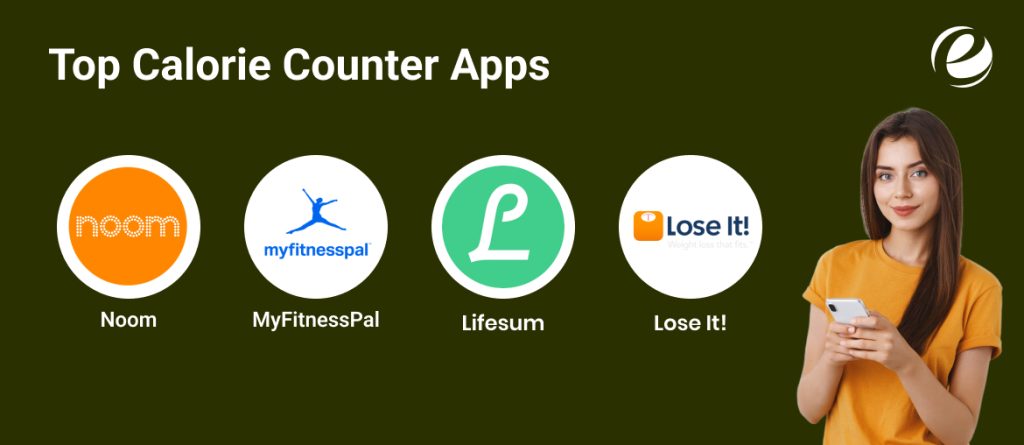
If you are considering calorie counter app development, it would be advisable to learn from the best apps in this category. Below are some of the most popular ones, their main features, and estimated costs of development.
1. Noom – A Personalized Health Companion
Noom differentiates itself from others through its behavior-based approach to weight management. It has such features as a calorie and macro calculator, stress management features, customized quizzes, and interactive lessons. Habit creation for the long term is still the draw that keeps customers returning.
2. MyFitnessPal – Smart Meal Tracking
One of the most widely used names in health and fitness, MyFitnessPal enables users to monitor what they consume, establish personal exercise objectives, and discover foods that suit their health objectives. The app promotes healthy eating by accurate calorie and macro monitoring.
3. Lifesum – Complete Diet & Macro Tracking
Lifesum is meant for those who are interested in weight management and nutrition tracking. It possesses a vast food database, macro tracking, and body composition. All these functions assist users in customizing their diet plans based on their fitness goals.
4. Lose It! – Simple & Effective Food Logging
Lose It!’s exercise logger and food diary is minimalist. It has the ability to track meals, sync with fitness trackers, and scan barcodes to add foods quickly. One of the best calorie tracking options is the minimalist, clean design that allows easy navigation.
| Top Calorie Counter Apps | Available Platform | Downloads | Ratings |
| Noom | Android | iOS | 10M+ | 4.1 |
| MyFitnessPal | Android | iOS | 100M+ | 4.2 |
| Lifesum | Android | iOS | 10M+ | 4.6 |
| Lose It! | Android | iOS | 10M+ | 4.2 |
All of these platforms approach health and nutrition monitoring in a slightly different way. When considering the development of a calorie counter, reviewing these sites can give a good idea of features, functionality, and budgetary expectations.
Step-By-Step Process of Calorie Counter App Development
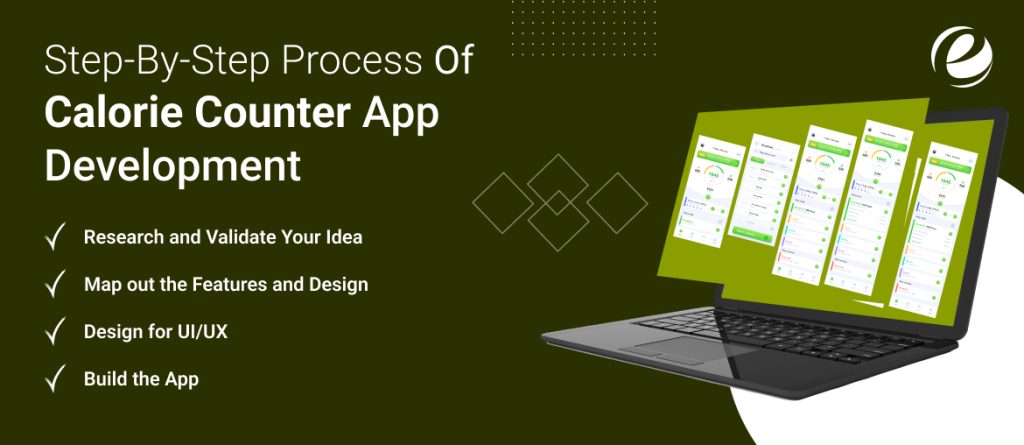
If you already have an idea for a calorie counter app development, then it’s the right moment to implement it. What comes below is a step-by-step guide to building an easy-to-use, responsive and user friendly app.
1. Research and Validate Your Idea
Take the time to research other calorie calculator apps before beginning development. Consider what the marketplace is missing and consider your target market—are they fitness buffs, busy professionals, or individuals who have specific dietary requirements? Understanding what sets your app apart will provide you with solid ground.
2. Map out the Features and Design
Next, design how you want the app to behave. Choose essential features like food entry, calorie tracking, and integration with health sensors. Decide if you’ll create a food database yourself or draw upon somebody else’s. Be prepared, and it’ll be a faster, easier process to build.
3. Design for UI/UX
A good design allows for user interaction. If the app is too complex or confusing, it drives users away. The idea is to have a simple, clean, and intuitive interface—like what apps do for MyFitnessPal. When executed well, it makes it easy to log meals and track a walk in the park.
4. Build the App
Finally is the development process. Choose to develop the app yourself or outsource it to a development team. Also, choose whether to release it for Android, iOS, or both. At this point, the developers get into coding, database integration, and making sure proper app functioning.
5. Test and Launch
Before launching, test the app on a couple of gadgets to make certain the whole thing runs smoothly. Check for bugs, enhance any weak regions, and get feedback from a small institution of users. Once you’re confident in its performance, release it on app stores. But remember, the work doesn’t stop there—keep updating and improving the app based on user feedback.
Cost to Develop a Calorie Counter App
If you are curious to know how much it will cost for a calorie counter app development, the answer is not as simple. The overall cost depends on many variables, such as the features you desire, the platform (iOS, Android, or both), the app’s complexity, and the developer’s location.
The usual price to develop a calorie or health tracker application may be between $20,000 to $250,000. To place this into perspective better for you, below is an approximate idea of what goes into building the cost:
| Category | Estimated Cost | Details |
| Basic App Development | $20,000 – $60,000 | Covers essential features like a food database, meal logging, and user authentication. |
| Medium Complexity App | $60,000 – $120,000 | Includes additional functions along with social media integration, advanced analytics, in-app purchases, or subscriptions. |
| Complex App Development | $120,000 – $250,000+ | Integrates AI-powered tracking, real-time statistics updates, wearable device connectivity, and personalised hints. |
Revenue Model of a Calorie Counter App
If you are investing money and time in creating a calorie counter app, making money out of it is as important as delivering value to the users. For your app to become a money spinner, you need to adopt the correct monetization strategies. Some of the most effective models that can make money for your app in the long run are discussed below.
1. In-App Advertising
One of the most popular monetization methods used in the majority of business models is in-app advertising. In this, companies are able to make money by adding advertisements inside the app. There are a variety of ads you can employ and they are:
- Banner Ads – Brief ads presented at the top or bottom of the screen.
- Video Ads – Brief ads the users watch in return for the privilege of receiving rewards or free functionality.
- Native Ads – Ads that have been integrated into the app content in order to deliver a non-intrusive experience.
In-app marketing is a great means of driving sales, but one has to be careful so that the ads don’t negatively impact user experience. Overloading your app with too many ads will annoy users and raise uninstall rates.
2. Subscription Model
Subscription apps generate their income by charging users a regular fee, which may be received monthly, quarterly, or annually. It is a strong model because it yields a steady and assured source of income.
To make users subscribe, you may provide special features like:
- Customized meal plans and dietary advice
- Insights and tracking through AI, and
- High-end access to content, such as fitness and nutrition advice from experts
Other competitors such as Lifesum and HealthifyMe have also adopted this model, providing various levels of subscriptions that offer varying benefits. By adopting the same model, you can increase user interaction while having a steady revenue stream.
3. Freemium Model
The freemium model is a combination of FREE and PREMIUM features. The users are provided with basic functionalities for free but must pay to access professional tools and services.
The most important in the freemium approach is providing free features to gain users but making sure premium features add a lot of value. The user needs to feel that the upgrade is totally worth it.
Leading the best app calorie trackers such as Fooducate, ShopWell, and Waterlogged successfully use this model. That said, considering the abundance of free apps out there, you need to provide distinct and useful premium features that distinguish your app from others. To have this successfully executed, you will need the services of professional calorie counter app developers.
4. In-App Purchases
As opposed to subscriptions, in-app purchases enable users to pay only for what they require, providing them with greater freedom and control over their spending. Rather than paying a monthly recurring fee, users can purchase individual features or services within the app.
In-app purchase options are:
- Dietary and exercise plans customized to their requirements
- One-on-one consultations with nutritionists
- Enhanced analytics and complete health reports
This model is effective when combined with freemium, where the app is downloaded for free but has useful add-ons that one can buy on demand. MyFitnessPal, ShopWell, and MyPlate Calories Tracker manage to capitalize on in-app purchases to increase their revenues.
Why Partner with EmizenTech for Your Calorie Counter App Development?

Calorie counter app development is not just a question of writing code—it takes smarts in the health and fitness space, user behavior, and innovative technologies. At EmizenTech, we are experts at developing tailored, feature-loaded apps that will capture users’ attention and deliver an excellent experience.
With years of experience in mobile app development, we craft scalable and intuitive apps that fulfill your business goals. For AI-powered insights, location tracking in real-time, or seamless integration with IoT devices and wearables, we future-proof your app and render it competitive. Our developers concentrate on user-centric interfaces, pioneering analytics, and customized features to drive engagement and retention, ensuring your health and fitness mobile app stand out and make a lasting impression.
Conclusion
Throughout this article, we’ve explored key aspects of calorie counter app development, including its benefits, market potential, and core features. With more people prioritizing their health, the best app calorie tracker intake has become an essential part of their daily routine.
By creating a calorie counter app, you’re not only releasing a product—you’re empowering users to manage their health and well-being. If you need skilled developers who can turn your concept into a working and interactive app, we’re here to assist. Let’s bring your idea to life!
Faq’s
Why Should You Create a Calorie Counter App?
A calorie counter app makes nutrition tracking simple, calorie tracking easier, and setting health objectives simpler for the user. It allows for healthier meal planning and eating, reminding the user to remain active on their fitness plan.
How Do I Keep My App's Data Secure?
Security of the user data is of utmost priority. Secure your connections with HTTPS, provide biometric login authentication, protect your sensitive health data, and establish session timeouts to prevent misuse.
How Do I Properly Market and Launch My Calorie Counter Application?
A good marketing campaign is held responsible for bringing the users by the application. Social media promotions, online marketing, influencer deals, and exercise forums are available for building awareness and downloads.
How Long Will It Take to Develop a Calorie Counter App?
The development time depends on the features, complexity, and integrations of the app. A simple app with basic tracking capability can be developed in a few months, but an advanced one with AI suggestions, wearable device integration, and social capabilities might take more time. Adequate planning and testing are required to deliver a smooth user experience and successful launch.
How Can I Enhance a Calorie Counter App?
If you have an app already listed in the store, it's not too late yet. Consider to add:
Advanced Features: Include AI meal planning, barcode scanning, or voice recording.
New Technologies: Introduce functionality to facilitate wearable devices or individual diet advice.
Digital Marketing Tactics: Leverage visibility through search engine optimization (SEO), social media advertising, influencer advertising, and pay-per-click to contact more customers.



 +1 (989) 535-9295
 info@emizentech.com
 emizentech


