 Add us as a preferred source on Google
Payroll used to be a filing cabinet problem. Timesheets in stacks, ink stamps, that smell old paper gets. Now it lives in a pocket. People check pay slips on the train. They clock in from a muddy job site, request Friday off while the kettle boils. The Paylocity app made all of that feel ordinary for millions of workers, and plenty of business owners have been watching with a certain envy. Some of them now want a payroll platform of their own. Built around their teams, their rules, their weird edge cases. Fair enough. This guide walks through what the Paylocity app actually does, why companies keep building lookalikes, which features matter, how a build unfolds from idea to launch, and what it all costs. No fluff, just the parts you need.
What is the Paylocity App and How Does it Work?
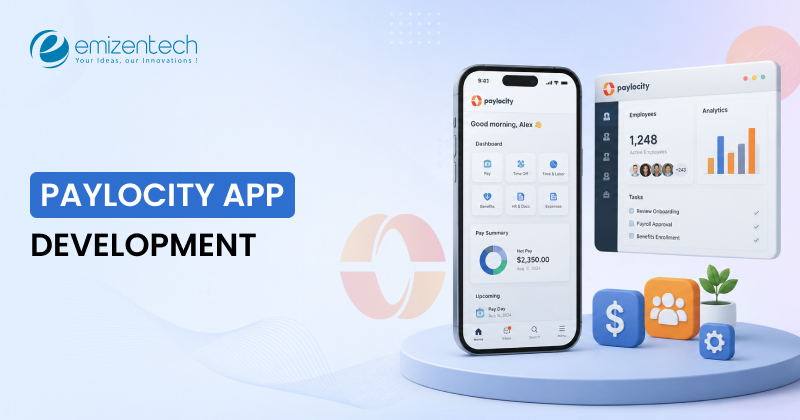
It is the mobile side of Paylocity, a US company selling cloud HR and payroll software to tens of thousands of businesses. The Paylocity mobile app hands employees, supervisors, and admins the same data as the desktop product, squeezed into a phone screen without feeling squeezed. An employee opens the app, signs in with a company ID, username, and password, and lands on a home screen built around them. Pay stubs, current and old. Clocking in and out. Schedules. Leave requests.
Personal details they can fix themselves instead of emailing HR and waiting three days. Supervisors approve timecards with a tap. A push notification pings when a check drops. Under the surface, the Paylocity app talks to cloud servers through encrypted APIs, and every punch or edit syncs in real time with the central payroll platform. So payday matches the hours actually worked. That sync sounds boring. It is also the single hardest thing to build well, and most failed payroll projects get affected right there.
Why Businesses Are Building Apps Like Paylocity
The global HR payroll software market sat around USD 9 billion in 2025 and is projected to hit USD 26.09 billion by 2035, per Market Research Future. Demand for hr payroll services keeps climbing for a dull but true reason. Manual payroll is slow, it breaks, and fixing the breaks costs real money. Subscription fatigue is the other push. Ready-made tools charge per user, per month, forever. A company with 500 people on the books can burn a startling sum each year and still find itself bending its own processes around someone else’s product roadmap. Owning a custom build flips the whole arrangement. Your code, your data, your call. And employees have opinions now.
Younger staff grew up on banking apps that show every transaction the second it happens, and they quietly expect the same from an employer. Searches for what is Paylocity app keep rising, which tells you something. People want pay they can see and poke at from a phone. Companies that deliver this keep staff longer. That is not a marketing line; it is just what the churn numbers show. Some founders take it further and build for others. Agencies selling hr payroll services to small firms. Staffing companies wrangling thousands of contractors. Regional players serving markets the giants never bothered to learn. All of them see room for something like the Paylocity app, only tuned to local tax rules and local languages.
Must-Have Features for a Paylocity-Like App
A great Paylocity-like app starts with the right features. These features help businesses manage employees, track time, and handle payroll with ease. Hire Mobile App Developers to build a simple, secure, and easy-to-use app that fits your business.
Payroll that Just Works
This sounds obvious. It isn’t. Gross-to-net math, multi-state taxes, garnishments, direct deposit, W-2s at year-end- get any of this wrong and people don’t get paid correctly, which is about the fastest way to lose a customer in hr payroll services. Everything else on this list is optional compared to this.
A Self-Service Portal Employees Actually Use
The whole point is fewer emails to HR. Someone should be able to go from the Paylocity sign-in screen to their latest payslip in under ten seconds. Add fingerprint or face login. Nobody remembers passwords anymore, and honestly, why should they?
Time Tracking
Clock in, clock out, from a phone. Geofencing if you’ve got field crews. And it has to feed straight into payroll. If a manager is exporting timesheets into a spreadsheet and re-typing them, you’ve built two products that don’t talk to each other.
Benefits Administration
Open enrollment, plan comparisons, carrier feeds. Dry stuff, but HR teams pick software based on it. Letting people pull some of their earned wages before payday used to be a novelty. Now it’s expected. Paylocity has it, Gusto’s got a version, everyone does. Skip it at your own risk.
Talent Tools and Social Feed
Recruiting, onboarding checklists, e-signatures, performance goals. This is what turns a payroll tool into an actual HCM product companies pay real money for. Paylocity’s “Community” feature announcements, shoutouts, and polls sound like fluff. It’s not. It’s the reason people open the app on days they don’t get paid.
Reporting and Security
Headcount, labor cost, turnover. CFOs live in these dashboards. You need a Paylocity app for Android and one for iOS, plus a web version. Flutter or React Native gets you both from one codebase, which is what most teams do now. SOC 2, encryption, role-based access. You’re holding salaries and social security numbers. Treat that with the paranoia it deserves.
Related Blog: Guide to Payroll Software Development
Top Alternatives to the Paylocity App
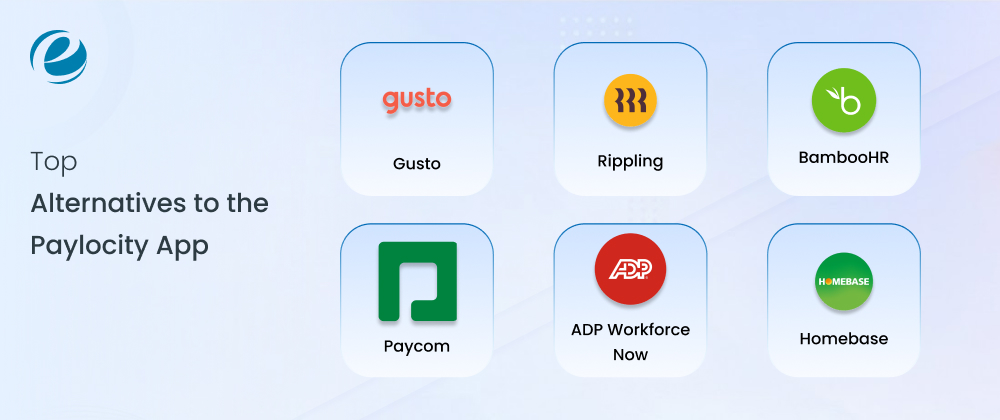
Paylocity has earned its place in the HR software market. It bundles payroll, benefits, time tracking, and talent tools into one platform aimed at midsize companies. Users often mention slow implementation timelines, patchy support, and workflows that feel heavier than they should. Setup can stretch across three to six months, and extra fees appear each time a new module gets added. If any of that sounds familiar, the platforms below deserve a look.
Gusto
Gusto suits small and midsize businesses that want payroll without the headache. The interface feels clean and simple. Pricing stays transparent, automation covers most routine payroll runs, and onboarding tools, team surveys, and performance reviews come standard. Most companies get running within one to two weeks. For teams tired of bundled complexity, Gusto is the obvious first stop.
Rippling
Rippling goes wider than most HR platforms. It connects HR with IT and finance, so a single new hire record can trigger payroll setup, benefits enrollment, and even device provisioning. Reviewers on G2 rate it around 4.8 stars across more than twelve thousand reviews. It fits companies with layered operations that want one system controlling everything from compliance to laptops.
BambooHR
BambooHR focuses on the human side of HR. Employee records, onboarding flows, time off tracking, and reporting all live in a tidy dashboard that staff actually enjoy using. Payroll is available as an add-on. It works best for growing companies that care about employee experience more than deep payroll mechanics.
Paycom
Paycom holds a 4.5-star rating on G2 from over six thousand reviews. Its pitch is single database architecture. Employees enter their own data once, and that data flows through payroll, benefits, and talent management without duplication. Companies that value accuracy and employee-driven data entry tend to appreciate this model.
ADP Workforce Now
ADP brings decades of payroll pedigree and serious compliance muscle. Workforce Now covers payroll, tax filing, benefits, and analytics at a scale that suits established midsize and larger organizations. Implementation takes time, much like Paylocity, but the depth of tax and regulatory support is hard to match.
Homebase
Homebase serves shift-based teams such as restaurants, retail shops, and service providers. Free scheduling, time clocks, and team messaging come included, even on the free plan. Paid tiers run from about $ 25 to $ 100 per month. Hourly workforces that need labor cost tracking more than a full HR suite will feel at home here.
Paylocity App Development Process
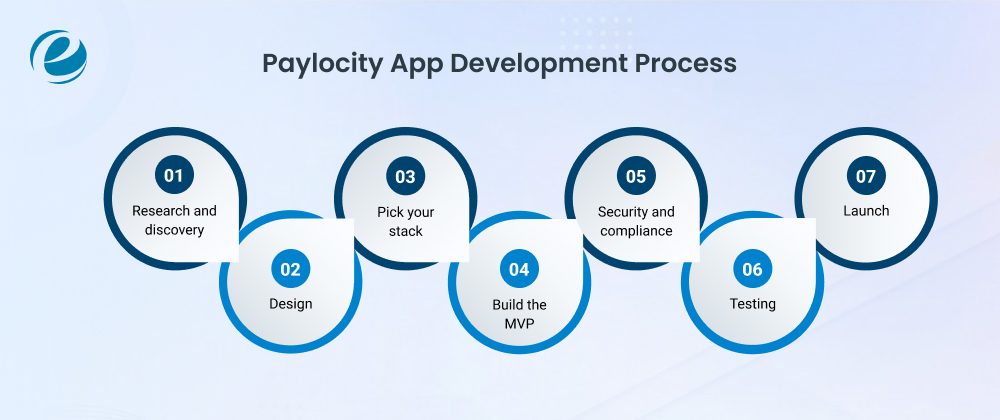
The development process should be simple and transparent development process, from the initial idea to the final launch. Every step is carefully planned around your business needs; the team should focus on building a secure, reliable, and easy-to-use Paylocity app with high standards of quality and performance, ensuring a seamless experience for your users.
Research and discovery
Figure out who you’re building for; SMBs and enterprises want very different things. Talk to real HR people. Map out the tax and labor rules you’ll have to handle, because in payroll, compliance isn’t a feature, it’s the floor. Three to five weeks if you’re focused.
Design
Two audiences here: admins running payroll and employees checking payslips. Payroll screens are dense with numbers, so hierarchy matters more than making things look slick. Prototype the sign-in flow early; it’s the front door.
Pick your stack
It is one of the most crucial steps in the development process: cloud infrastructure (AWS, usually), microservices so payroll can scale independently, and a cross-platform framework so Android and iOS ship together. Nothing exotic needed.
Build the MVP
Once the stack is finalized, it is highly suggested that the business should opt for an MVP: payroll engine, self-service portal, time tracking. Wire up ACH for deposits, a tax calculation service, and a QuickBooks integration because someone will ask for it in week one.
Security and compliance
Encryption, MFA, role-based permissions, and start the SOC 2 process early; the audit takes months, and enterprise buyers won’t sign without it. Encryption at rest and in transit, role-based access, penetration testing, checks against SOC 2, GDPR, and local wage laws.
Testing
The one payroll-specific trick: parallel runs. Process the same pay period through your system and a known-good one, then compare to the penny. Tedious. Also the thing that saves you.Functional tests, payroll math audited against known correct outputs, load testing for the payday spike, device testing across a drawer full of phones.
Launch
App stores, a handful of pilot customers, and hands-on help migrating their data. Payroll migrations are messy, and companies switch mid-quarter reluctantly, so make it painless. Store submission, phased rollout, training, and a maintenance plan for tax table updates and OS changes.
Read Also: Top 50+ Applications Like Perpay
Cost to Build a Paylocity-Like App
The cost to develop an app like Paylocity varies based on the features and integrations needed. A lean MVP lands somewhere around $60,000 to $1,20,000. A fuller product with benefits and talent modules runs $1,50,000 to $3,00,000. True enterprise-grade work starts around $4,00,000 and climbs past $7,00,000. Let’s understand this with a carefully curated phase-wise development table.
Here is a carefully curated phase-wise development table for the cost to build a Paylocity-like app.
| Development Phase | Key Features | Estimated Duration | Estimated Cost in US$ |
| Discovery & Research | Market analysis, compliance mapping, requirements | 3 to 5 weeks | $8,000 to $15,000 |
| UI/UX Design | Wireframes, prototypes, design system | 4 to 6 weeks | $10,000 to $25,000 |
| MVP Development | Payroll engine, self-service, time tracking | 16 to 24 weeks | $60,000 to $150,000 |
| Integrations | ACH banking, tax APIs, accounting tools | 6 to 10 weeks | $15,000 to $40,000 |
| Security & Compliance | Encryption, SOC 2, penetration testing | 6 to 8 weeks | $20,000 to $50,000 |
| QA & Testing | Functional, load, parallel payroll runs | 4 to 8 weeks | $12,000 to $30,000 |
| Launch | App store release, pilot onboarding | 2 to 3 weeks | $5,000 to $12,000 |
| Maintenance | Tax updates, support, new features | Ongoing | 15 to 20% of build cost per year |
It is important to note that Location affects the number a lot. US teams bill $100 to $250 an hour. Eastern Europe, $40 to $80. India, $25 to $50. Cheaper isn’t automatically worse, but whoever you hire, make sure they’ve shipped a Paylocity mobile app equivalent or at least worked in hr payroll services before, which is onboarding a Mobile App Development Company. Payroll punishes teams learning compliance on the job, and that lesson always costs more than the discount saved.
Why Choose EmizenTech for Payroll App Development
We at EmizenTech have spent over a decade building mobile products for businesses across the US, Europe, and the Middle East. HR tools, fintech apps, enterprise platforms where a rounding error is a firing offense. We handle the whole arc: discovery workshops through payroll engine architecture through store launch and the long tail of support afterward. Deep engineering benches across Flutter, React Native, and native stacks.
Pricing that is fixed or hourly with no scope games buried in the fine print. And security treated as a starting condition, not a checkbox, with encrypted architectures and audit-ready code from the first sprint. If your product needs the polish of the Paylocity app, you can hire mobile app developers from our team on flexible terms, as we understand that Trust isn’t built after months of working together; it starts with the very first interaction. When you hire dedicated developers backed by a 14-day money-back guarantee, you know the partnership matters as much as the project itself.
Final Verdict
To sum this up, the Paylocity app settled an argument. Payroll belongs on the phone, and the market keeps rewarding that idea with steady growth. Building your own version is serious work, though entirely doable with a sober plan. Keep the first feature set tight. Spend early on security and tax accuracy, because those two never forgive shortcuts. Budget for the product’s whole life, not the launch party.
Whether you are escaping subscription fees, starting your own HR payroll services, or chasing a corner the big vendors ignore, the road runs through careful discovery, disciplined engineering, and a partner who has walked it before. The thousands of people asking what the Paylocity app is every month are the users your product could serve next.
Frequently Asked Questions
Is there a Paylocity mobile app?
Yes, the Paylocity mobile app is available free on the App Store and Google Play, giving employees access to pay stubs, timesheets, schedules, and HR tools from any smartphone.
How do I access Paylocity sign-in?
Open the app or visit access.paylocity.com, then enter your company ID, username, and password. Your employer provides these credentials, and biometric login can speed up every future Paylocity sign-in.
How long does it take to develop a Paylocity-like app?
A basic MVP takes around four to six months, while a complete payroll platform with tax engines, integrations, and manager tools generally requires nine to twelve months of dedicated development.
What security measures are needed for a payroll app?
Essential measures include end-to-end encryption, multi-factor authentication, biometric login, role-based access control, regular penetration testing, audit logging, and compliance with SOC, GDPR, and local wage regulations.



 +1 (989) 535-9295
 info@emizentech.com
 emizentech


