 Add us as a preferred source on Google
 Are you struggling to choose the right CMS platform to meet your digital needs? According to Data Insights Reports, the global CMS market hits $47B by 2026 (CAGR 13.8%), surging to approx $79B by 2030. The ultimate CMS comparison guide shows the leading platforms, which include WordPress(62% market share), Shopify and headless innovators for the period from 2026 to 2032. In this blog, you will discover essential features, hidden pitfalls and expert recommendations that help you to launch your website quickly.
Essential Highlights
- The CMS comparison helps businesses choose the best platform according to specific requirements like scalability, cost, and ease to achieve success in 2026.
- WordPress leads (62% share) for versatility; Shopify excels in e-commerce; headless systems like Strapi serve developers.
- The comparison table helps users select platforms as per their needs, which include (Wix) ease of use, (Drupal) security, and (Webflow) customization options.
- The organization should prevent three errors, which include ignoring growth limits, skipping team input, and chasing “best” solutions that do not support their actual objectives.
- Emizen Tech provides professional web development services that guarantee flawless CMS deployment.
This CMS comparison guide explains how to choose the right CMS platform in 2026 by exploring flexible platforms like WordPress, e-commerce solutions such as Shopify, and headless CMS platforms built for scalable digital experiences. Consider our comparison table, common mistakes, and consult Emizen Tech’s web developers for an optimal setup. Future-proof your site today!
What Is a CMS and Why CMS Comparison Matter?
A Content Management System (CMS) is software that lets users create, edit, and publish website content without any coding expertise. The system operates all backend processes, which include storage and security, to support 60% of websites globally.
Choosing the wrong CMS can lead to slow performance, higher operational costs, and limitations as your website grows. A smart CMS comparison helps businesses evaluate platforms based on factors like ease of use, scalability, security, and customization. Selecting the right platform saves time and resources while reducing the need for costly migrations in the future.
Key Factors to Consider in a CMS Comparison
- Ease of use: Always check for intuitive interfaces like drag-and-drop editors vs. code-based setups that match your team’s skill level.
- Cost: The cost analysis should compare free open-source solutions, which require hosting, against subscription-based services to determine the complete ownership expenses.
- Customization: Evaluate the requirements to test whether available plugins/themes or built-in system customization options can meet specific design requirements.
- Scalability: The CMS Comparison needs to verify whether the system can maintain performance standards while managing increased user demand and additional system functionalities.
- Security: This comparison is required to check for strong security measures which include continuous system updates and methods to manage security weaknesses.
- SEO tools: The assessment needs to evaluate three elements which are native optimization capabilities, meta control functions, and system performance effects on search engine ranking results.
- Support ecosystem: The CMS Comparison required to evaluate all documentation and forum resources together with the availability of paid assistance to determine how effectively they solve problems.
CMS Comparison Overview: 10+ Best CMS Platforms for 2026
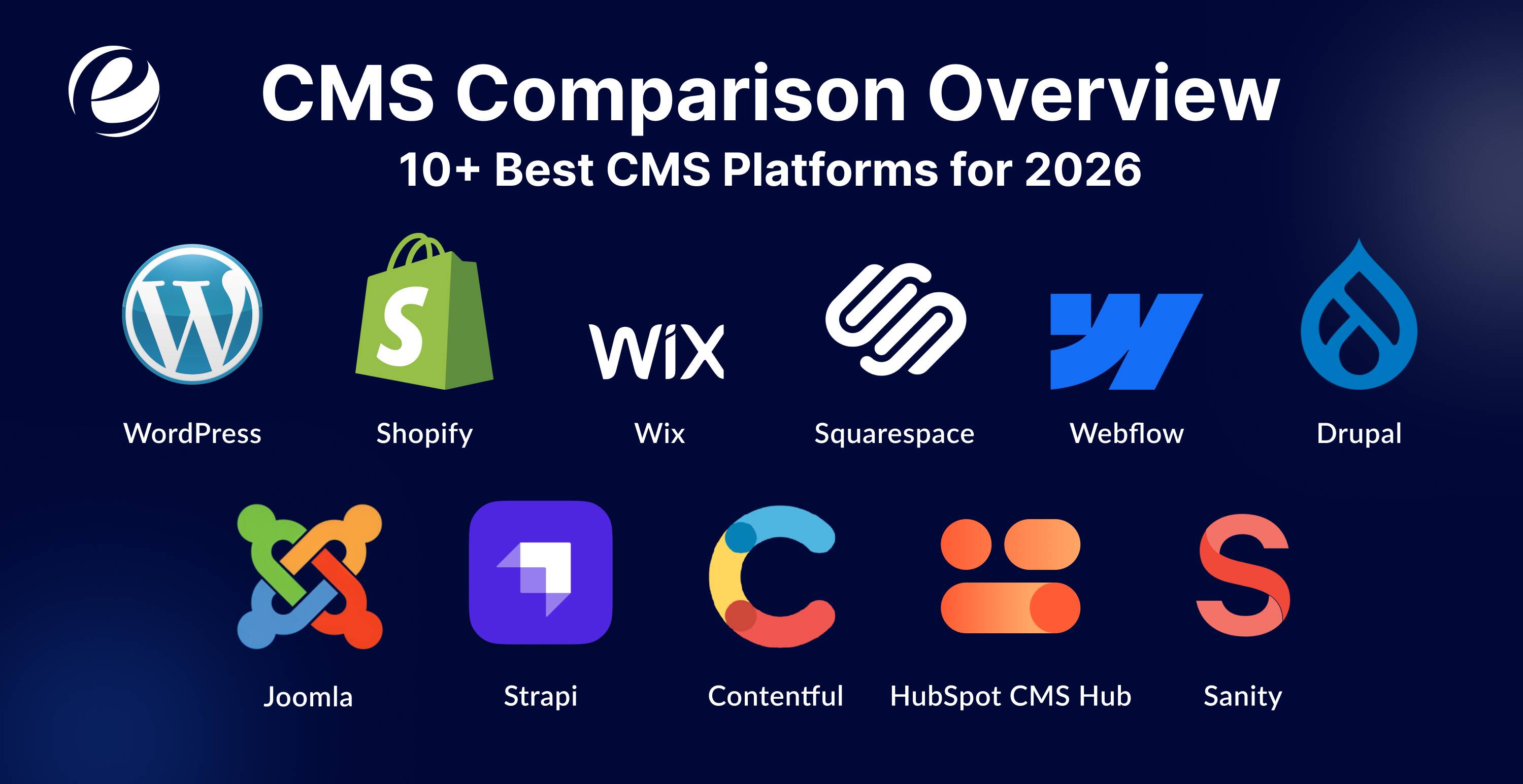
This CMS comparison reviews 10+ leading platforms for 2026, highlighting their features, strengths, limitations, and ideal use cases to help you choose the right solution for your website.
WordPress
WordPress holds 60% of the CMS market due to its flexible plugins, SEO tools, and block editor function that work best for blogs, SMEs and various types of other websites.
Pros: Vast plugins/themes, SEO-friendly, free core, versatile for any site.
Cons: Maintenance-heavy, security risks from plugins, performance issues if unoptimized.
Shopify
This e-commerce platform holds a 6 to 7% CMS market share while providing businesses with payment and inventory solutions that they can quickly set up and use for their growing operations.
Pros: E-commerce optimized, easy setup, secure payments, scalable hosting.
Cons: Monthly fees, transaction costs and limited non-store customization.
Wix
The Wix platform provides beginners with drag-and-drop functionality and AI site builder tools, templates that work for small businesses and portfolio projects, although users face some restrictions.
Pros: Drag-and-drop simplicity, templates, all-in-one hosting/apps.
Cons: Vendor lock-in, hard to migrate, limited scalability.
Squarespace
The platform offers design-focused features, which include its stunning templates and a complete analytics system that enables users to create portfolios and blogs for their small business creative projects.
Pros: Stunning designs, built-in analytics, and mobile-responsive.
Cons: Less flexible, higher costs for advanced features.
Webflow
Webflow enables users to design visually without coding and it is cloud-based, while its CMS is widely used for marketing websites and landing pages with complete control and SEO optimization.
Pros: Visual design control, no-code animations, strong CMS tools.
Cons: Steep learning curve, Higher pricing
Drupal
Drupal is a free, open-source content management system (CMS) and framework used to build and manage secure, scalable and flexible websites, ranging from personal blogs to large enterprise applications.
Pros: Enterprise security, custom content types, highly scalable.
Joomla
Joomla is a well-known platform because it offers a solid, free open-source CMS for mid-sized sites with strong access controls and extensions for community-driven projects.
Pros: Multilingual support, user management, balanced features.
Cons: Smaller ecosystem, moderate learning curve.
Strapi
Strapi operates as an open-source headless CMS that provides developers with their choice of REST and GraphQL APIs to create their applications on self-hosted environments.
Pros: Headless flexibility, API-first, open-source, customizable.
Cons: Self-hosting effort, dev-focused.
Contentful
The API-first product operates as a headless CMS that allows organizations to deliver content across multiple channels, while its enterprise solutions maintain high performance despite their costly pricing structure.
Pros: Omnichannel delivery, scalable APIs, and collaboration tools.
Cons: Expensive, requires frontend integration.
HubSpot CMS Hub
The system combines marketing tools with a CRM system, which allows B2B customers to create personalized experiences while they use marketing automation features.
Pros: CRM integration, marketing automation and personalization.
Cons: High cost, tied to the HubSpot ecosystem.
Sanity
The platform offers enterprises headless capabilities with AI-based workflows and systems, which allow flexible content creation for their modern and scalable applications.
Pros: Real-time editing, flexible schemas, AI-ready workflows.
Cons: Pricing scales quickly, setup complexity.
Quick Comparison Table
| CMS Platform | Best For | Ease of Use (1-5) | Cost | Market Share | Security |
| WordPress | Versatile sites | 4.6 | Free + hosting | 60% | Good/Excellent (Depends) |
| Shopify | E-commerce | 4 | $29–$39/month | 6-7% | High |
| Wix | Beginners/small sites | 5 | $17/mo | 3.6% to 5.8% | Excellent |
| Squarespace | Creatives/portfolios | 4.4 | $25/mo | 3% to 3.5% | Excellent |
| Webflow | Designers/marketing | 2 | $29/mo | 1.2% | High |
| Drupal | Enterprise/complex | 3.5 – 4 | Free + dev | 0.9% to 1.8% | Excellent |
| Joomla | Mid-sized/multilingual | 2 – 3.7 | $50–$500/year | 1.8% to 2.2% | Good |
| Strapi | Developers/headless | 4.7 | $15–$29/month | Less then 1% | High |
| Contentful | Omnichannel/headless | 3.9 – 4.4 | $300/mo | 0.03% to 0.1% | High |
| HubSpot CMS Hub | B2B/marketing | 4.5 | $20/mo | 0.2% to 0.22% | Excellent |
| Sanity | Modern apps/headless | 4.2 – 4.7 | $99/mo | 0.2% | High |
Common Mistakes to Avoid When Choosing a CMS Platform
- Ignoring scalability: Basic plans fail when traffic rises because they require expensive upgrades to handle increased use.
- Overlooking security: Security vulnerabilities exist because organizations use unprotected systems and fail to apply necessary software updates.
- No team input: When choosing a CMS platform, always take care of team participation, because non-technical people face challenges during usability.
- Chasing “best” hype: The current trend of selecting “best” options creates problems because it does not meet your particular requirements which include blogs and e-commerce.
- Skipping demos/tests: The process of testing platforms through demonstrations and tests should not be skipped because untested platforms will create difficulties during migration process when they do not match our requirements.
How Emizen Tech Helps You Implement the Right CMS?
Emizen Tech is the ultimate choice for CMS system services. Our experts deliver customized CMS solutions that range from WordPress migrations to headless Strapi system deployments. Our developers’ expertise enables efficient CMS software comparison, optimization, and scaling, which supports both e-commerce and enterprise operations.
We provide complex system integration services while optimizing both performance and search engine visibility. Our professionals offer CMS development services that create perfect and ideal business solutions for customers.
Final Words
The best CMS platform choice depends on your business objectives and your specified requirements. Well, WordPress provides flexible options, while Shopify delivers e-commerce capabilities and headless systems such as Strapi offer advanced scaling solutions. Your selection determines the success; therefore, you should select your security and development needs first. Emizen Tech’s web development experts will help you implement the ideal CMS solution, which will operate smoothly while protecting your digital assets for future needs. Choose smart, build the ideal one!
FAQs
What are the different types of CMS?
The different CMS types include traditional systems that use WordPress, headless systems that use Contentful, hybrid systems that use Optimizely, CCMS for component systems, and enterprise systems that use Sitecore.
Why is CMS comparison important before choosing a platform?
CMS comparison is important because by evaluation you can compare them and choose the perfect one that matches your requirements, scalability, cost, ease, avoiding future migrations, security gaps, and performance issues.
Which CMS is best for beginners?
Wix or Squarespace are best for beginners, as they provide simple drag-and-drop functionalities that allow them to create websites without programming skills.
What is a headless CMS and when to use it?
Headless CMS delivers content via APIs to any frontend (web, mobile, IoT), decoupling backend from presentation. This is used for omnichannel, high-performance sites needing flexibility.



 +1 (989) 535-9295
 info@emizentech.com
 emizentech


