 Add us as a preferred source on Google
 Are you struggling with rigid platforms that stifle your content vision? In this blog, you will get to know how to build a Custom CMS from scratch with complete control, scalability, and innovation customized to your brand.
According to S&S Insider, the content management system development market is exploding, valued at $35.16B in 2025, it’s set to hit $79.30B by 2033 with a 10.72% CAGR, fueled by AI, cloud, and omnichannel needs. Custom content management systems provide businesses with better operational efficiency through tailored workflow solutions, which create personalized operational functions that help customers gain a competitive advantage in the digital marketplace.
In this blog, you will discover everything about custom CMS, like what it is, its features, tech stack, cost, process and much more. Your content strategy needs a complete transformation, and you must read this blog before moving forward.
Essential Highlights
- The custom CMS system provides content management solutions that exactly match your requirements because it does not use standard content management systems.
- The system requires three fundamental components, which are WYSIWYG editors, role-based access, and headless architecture.
- It uses React for its front-end, Node.js for its back-end, and PostgreSQL as its database to achieve scalability.
- The project costs between $25K and $180K, depending on its complexity and the chosen location, which provides lower costs in India.
- The following five steps need to be executed: plan, design, develop, test, and deploy to achieve successful results.
- The organization recommends three best practices which include using modular design, implementing security measures, and performing continuous testing.
- Emizen Tech provides professional custom content management system development services to its clients.
What is a Custom CMS?
A custom CMS (custom content management system) is a tailored software platform built from the ground up to meet your specific business needs, unlike rigid off-the-shelf options like WordPress. The system allows non-technical users to create, edit and publish content through its user-friendly dashboard. It also supports advanced SEO and eCommerce functionalities. The system functions as your ideal digital infrastructure because it provides both permanent adaptability and complete operational authority.
Must-Have Features for a Custom Content Management System
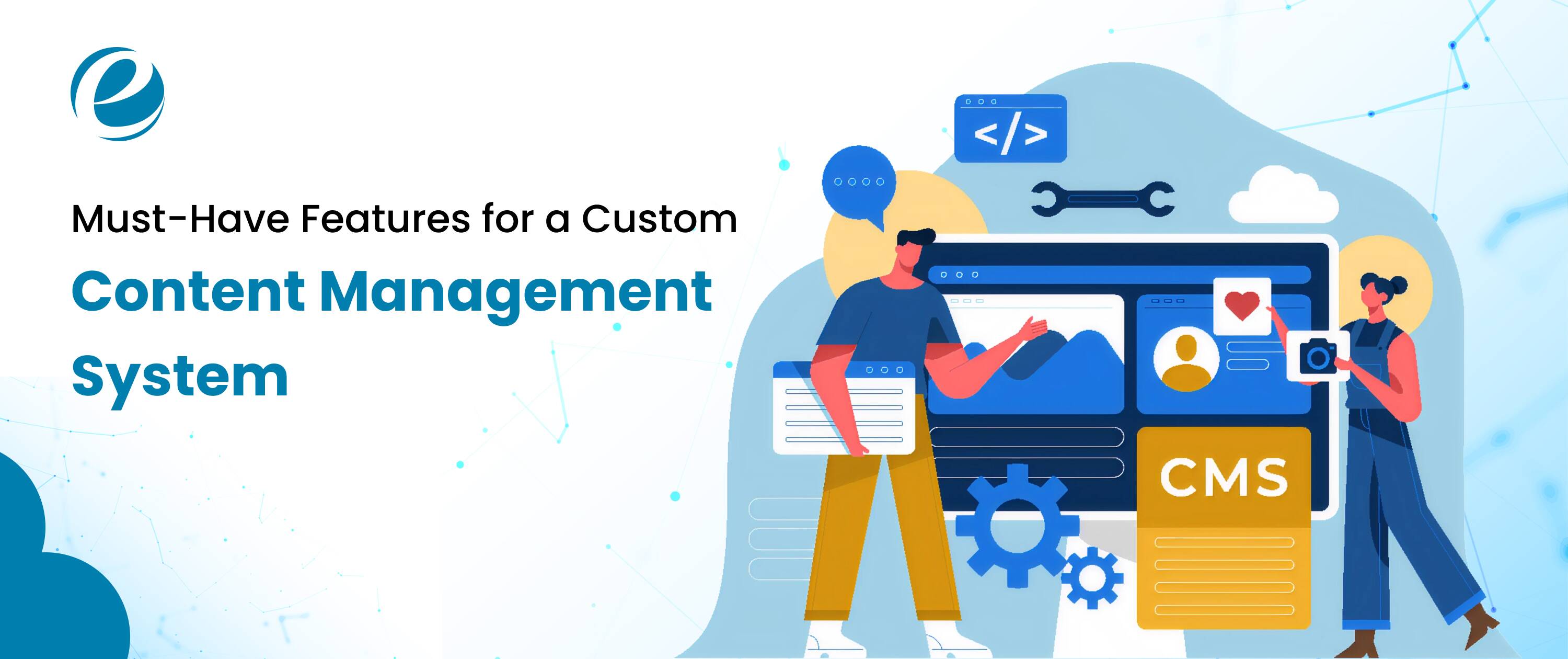
A custom CMS must include essential features that will help users accomplish tasks efficiently while delivering optimal system performance. These features serve as your complete content management solution for running your business.
User-Friendly WYSIWYG Editor
Non-technical users can create content with the help of a drag-and-drop feature that provides them with instant access to the actual content they build. This feature enables them to make immediate changes and publish their work.
Role-Based Access Control
With the help of this feature, some user roles like admin, editor and viewer will define specific permissions that safeguard data while permitting secure collaborative editing work.
Headless CMS Solution
A headless CMS solution separates backend functionality from frontend display through API connections, which enables businesses to deliver content on multiple digital channels, including web platforms, mobile devices, and Internet of Things (IoT) devices.
Built-In SEO & Analytics
The system automatically optimizes meta tags and sitemaps while executing performance metric tracking to enhance organic traffic and support data-driven content choices.
Version Control & Workflow Automation
The system enables content teams to preserve content integrity through change tracking and rollback functions while automating the content approval process.
Choosing the Right Tech Stack for Your Custom CMS
The selection of the right tech stack is very important for developing a scalable custom CMS. You need to choose the best technologies for your scalable custom content management system development.
| Layer | Recommended Technologies |
| Frontend | React.js, Next.js, Vue.js |
| Backend | Node.js, Laravel (PHP), Django (Python) |
| Database | PostgreSQL, MongoDB |
| API and Integration | GraphQL, REST APIs, Zapier |
| Cloud Infrastructure & Hosting | AWS, Google Cloud, Vercel |
| Security & Performance Optimization | OAuth2, Redis caching, Cloudflare |
| Additional Tools | Docker, GitHub Actions, AWS/GCP for hosting, Redis for caching |
How Much Does It Cost to Build a Custom CMS?
The cost of building a custom CMS depends on multiple factors like app complexity, features, tech stacks, development team’s location, and many more. The total project expenses range between $20,000 and $400,000+, depending on three main factors, which include project complexity, designer location, and selected system features.
Role-Wise Costs (Hourly Rates in USD)
| Role | US/Europe | India/Eastern Europe |
| Project Manager | $80-120 | $30-50 |
| Backend Developer | $70-150 | $25-60 |
| Frontend Developer | $60-130 | $20-50 |
| UI/UX Designer | $50-120 | $20-45 |
| QA Tester | $40-90 | $15-40 |
Region-Wise Total Project Costs (USD)
| Complexity | US | India |
| Basic | $30K-60K | $15K-35K |
| Medium | $60K-120K | $30K-70K |
| Advanced | $120K+ | $70K+ |
Complexity-Wise Breakdown (USD, Medium Project)
| Feature Set | Cost Range |
| Core CMS + UI | $20K-40K |
| Integrations (API, SEO) | $15K-30K |
| Security & Scalability | $10K-25K |
| Testing & Deployment | $10K-20K |
Platform -Wise Breakdown
| Platform Type | Average Cost Range (USD) |
| Web App | $15K-$60K |
| Android or iOS | $20K-$80K |
| Both (Native) | $40K-$150K+ |
| Cross-Platform | $25K-$90K |
Step-By-Step Process to Build a Custom CMS
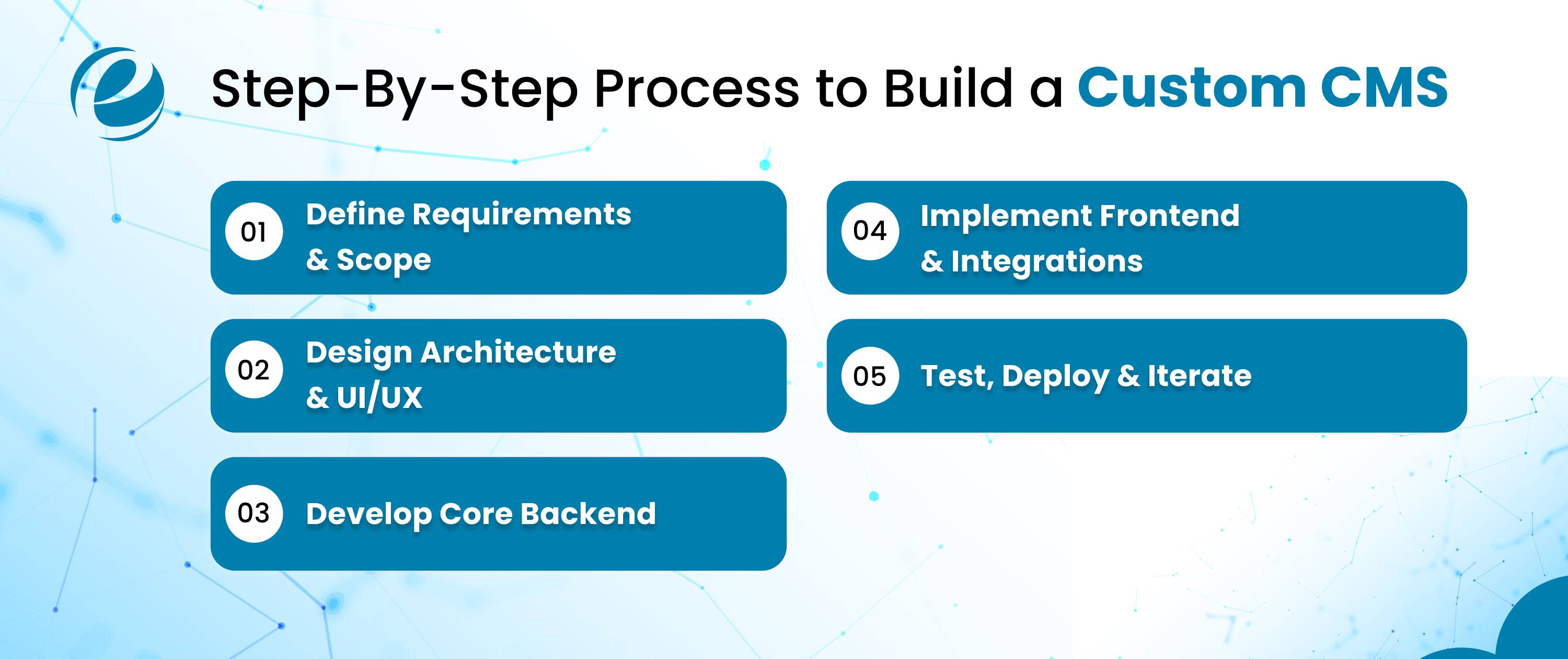
Building a Custom CMS requires a structured approach to develop content management systems efficiently, ensuring scalability and user needs are met from the start.
Define Requirements & Scope
The custom content management system project requires analyzing business goals, user roles, and content types, which will allow us to create a comprehensive project plan that prevents scope expansion.
Design Architecture & UI/UX
The team needs to create wireframes and database design documents that will serve as the basis for building user-friendly interfaces for seamless content editing and admin workflows.
Develop Core Backend
The team builds APIs, content models and authentication mechanisms through the use of modular coding methods, which enable various content delivery methods across different platforms.
Implement Frontend & Integrations
The team develops interactive dashboard systems that show real-time updates while connecting with search engine optimization tools and external platforms to provide users with better capabilities.
Test, Deploy & Iterate
The team performs extensive quality assurance testing, which checks both security and system performance, before launching their product on cloud-based systems, while they collect user opinions to improve their product.
Best Practices for a Successful Custom CMS
The implementation of proven strategies in custom content management system projects guarantees extended project duration and operational effectiveness through custom CMS development while reducing project risks and increasing return on investment (ROI).
Prioritize Modular Architecture
The development team should create design components as separate units which will allow them to update the system and expand its capabilities without impacting the core CMS structure.
Emphasize Security from Day One
The system should use encryption together with regular security audits and access control mechanisms to safeguard both sensitive information and personal data of users.
Focus on Mobile-First Responsiveness
The development team should create friendly user interfaces that function properly on all devices so that both editors and viewers can access their content without any obstacles.
Integrate Automation & AI Tools
The system will achieve better team performance through automated workflow processes that include approvals and personalized content recommendations that match individual user needs.
Plan for Continuous Testing & Feedback
The team will conduct user testing by using agile sprints to gather feedback, which will be used to enhance both usability and performance through ongoing improvements.
How Emizen Tech Helps Build Custom CMS Solutions?
Emizen Tech is the best choice as your trusted partner in developing Custom CMS solutions. Our team follows a step-by-step process to build the final content management system. Our developers provide the best web development services to our clients. You can also check proven content management guides that will help you to match your specific business requirements.
- Comprehensive discovery and planning require in-depth audits to determine requirement specifications, which will create a technology roadmap that matches your content workflow vision.
- Here you will find the professional developers who use modern technologies to create high-performance CMS Solutions.
- Your system can establish links with CRM systems, eCommerce platforms, and analytics tools to improve its operational capacity while maintaining its system performance and security.
- Our expert team conducts multiple testing stages together with performance optimization work to build a reliable system that can handle actual user requirements.
- The company provides ongoing support that includes post-launch system maintenance, digital platform updates, and future scalability options.
Final Thoughts
Investing in a CMS transforms how businesses manage content, offering unmatched flexibility over generic platforms. The CMS Guide covers all the required elements that are essential to develop an efficient and scalable custom CMS.
Content management system development starts with requirement analysis and continues through deployment, resulting in an operational system that can support future business growth. The Emizen Tech team provides expert CMS development services that enable businesses to execute their operations smoothly. Create your custom content management system today, which will enable you to control digital experiences while achieving long-term growth.
FAQs
What is the average cost of a custom CMS?
The average cost for a custom CMS varies between $25,000 and $100,000 based on the project's complexity, the team's work location, and the required integration features.
Is there a free CMS?
Yes, Open-source software solutions provide free basic versions through WordPress and Strapi but users must pay for additional customizations, hosting services and premium plugins.
Is a CMS good for beginners?
Yes, modern CMS platforms offer beginner user-friendly content management systems, which enable them to create content through drag-and-drop editors and templates without requiring programming skills.
What are the top 5 CMS platforms?
The top five CMS platforms include WordPress, Shopify, Wix, Drupal and Joomla because these platforms offer simple use and capacity to grow. It also supports multiple business requirements through their plugin systems.



 +1 (989) 535-9295
 info@emizentech.com
 emizentech


