
 Add us as a preferred source on Google
 Video calls are no longer just digitized face-to-face meetings; this segment of communication platforms has seen a significant increase in pace over the past decade. So, if you want to launch the next video chat app, you are entering a busy market.
While convenience remains the primary focus of video calling platforms, these solutions differ in how they craft user experiences. The global video conferencing market is expected to reach $53.52 billion by 2035. The rise is linked to various factors, including demand for secure interactions, group call support, multi-platform support, and more.
How would you redefine the space? This section provides an ultimate guide to video chat app development and the top video call apps that have set new standards for communication.
What is a Video Chat App?

As the name implies, a video chat app is a digital tool designed to facilitate video-based communication between users. Whether it is a personal chat with a best friend or a work call, a virtual date, or a meet-up with strangers, these apps are the go-to platform for all sorts of chit-chat.
Advanced video calling apps are more than just showing up on someone’s screen. These tools offer an immersive experience and a wide range of features. From enterprise-grade platforms used by global teams to free video chat apps that let casual connections flow smoothly, the capabilities of these solutions have evolved dramatically over the years.
Key Features of Top Video Chat Apps
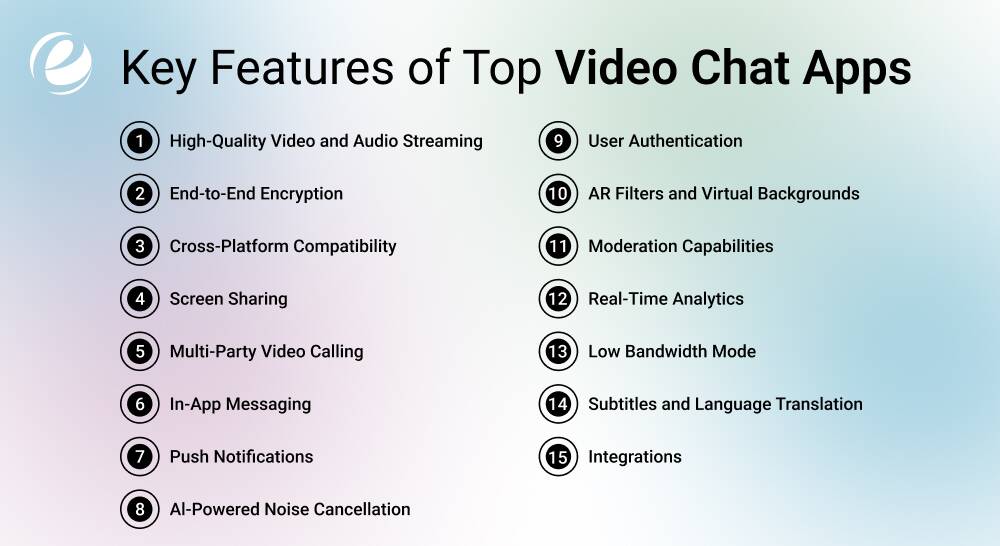
Guess what’s common among all the best video chatting apps? A range of features that serve a purpose or another, making interactions not only easier. The app should also be secure, user-friendly, and interactive, optimized for high performance.
Let’s catch up on the key features of top video calling apps that you can also consider.
High-Quality Video and Audio Streaming
Yes, this feature is the core of any video chatting app and must not be understated. The app platform should support 4K and HD video with crystal-clear audio and low latency. It must also adapt to network conditions and adjust resolution for a seamless, consistent experience across all devices.
End-to-End Encryption
Privacy is a focus area on communication channels and is non-negotiable. Enter end-to-end encryption. This feature ensures that only users (sender and receiver) can access the content. It is a must-have for anyone looking to develop a video chat app, irrespective of the type or industry.
Cross-Platform Compatibility
It’s one of the main features of top video call apps. Whether it is an iOS, Android, or web tool, it must offer users the ease of connecting across all platforms (or at least the most common ones). Platform-specific optimization and responsive design are the elements that lead to a smooth user experience, which is super important for user retention.
Screen Sharing
Don’t all the best video chatting apps have this option nowadays? They do, and for all the right reasons. Screen sharing takes collaboration to a whole new level. Whether it’s a student attending virtual class or a team of professionals discussing product demos, this feature ensures users can share visuals. This feature simplifies communication, making it even more engaging.
Multi-Party Video Calling
The best video chat apps allow users to engage in group discussions. Think Google Meet? Or WhatsApp?
Multi-party calls add more richness to the app for all use cases, be it online get-togethers or business meetings.
In-App Messaging
Yes, video-enabled communication is the whole point of these apps, but feature-rich chat apps remain key. In-app messaging lets users exchange texts, emojis, and documents on video calls. This enhances interactivity and facilitates sharing feedback if a video or audio call is disrupted.
Push Notifications
A video call app user should always be up-to-date with the incoming calls/texts they receive. And to ensure this, you’ve got push notifications. Instant alerts for missed chats, calls, or other app-related updates keep users engaged and informed. This feature also drives user activity and reduces drop-offs.
Al-Powered Noise Cancellation
Background noise disrupts the calling experience. That’s why we have an AI-integrated noise suppression option, one of the advanced features of video call apps. By implementing this feature, you can ensure that users can join the session from busy settings, like airports, cafes, or co-working spaces.
User Authentication
Secure logins through biometrics, OTP, or social media signups enable experiences. This feature minimizes the risk of impersonation and spam. Whether it’s a dating platform or work calls, user authentication is crucial for all use cases to maintain safety.
AR Filters and Virtual Backgrounds
Could you spruce up video calls? Do it with AR filters and custom backgrounds. These fun features can boost user engagement and are especially popular among Gen Z users. If you plan to build a video call app for entertainment or personal use, this is a must-have feature.
Moderation Capabilities
Even the best video chat apps with strangers can attract inappropriate content/gestures. That’s why moderation tools are important. These tools block, report, or even scan Al content. Moderation ensures safe video calling and a welcoming space for everyone.
Analytics
While it is a backend feature for business users and admins, analytics is crucial on many levels. It lets users access insights into user activity, session duration, call quality, and more. This helps optimize app performance and improve efficiency and scalability.
Low Bandwidth Mode
Not all users have access to a high-speed internet connection. Thus, you may implement low-data mode on your app to ensure users can call without lag. This feature is handy for users living in rural or tier-2 regions.
Subtitles and Language Translation
Auto-generated subtitles and live translation are the top features you can consider when building a video call app. In international communication, these features are the game-changing components of a call. These tools eliminate language barriers and improve accessibility for people with hearing impairments.
Integrations
Video calling solutions must integrate CRMs, cloud storage, calendars, and other third-party platforms. This enhances usage and productivity. If you plan to develop a tool for businesses, this feature is non-negotiable.

Common Types of Video Chat Apps
Video chat apps can vary depending on their purpose, and one app might not serve all purposes. This is because different industries and users have different needs, from professional interactions to casual meet-ups. So, it is crucial to understand different types of video calling apps, whether you are looking for one for personal use or are planning to launch one.
On that note, let’s discuss the main categories of these tools.
1. One-on-One Video Chat Apps
These video calling apps are designed to facilitate direct, private communication between two users. Whether it’s family members calling from different locations or two friends catching up, this type of video chat app helps everyone enjoy a hassle-free, personal communication. In this case, the performance is typically light, and the interface is clean, with focus being on personal use.
2. Group Video Calling Apps
This type of video call app is used when multiple users are joining a single call. It caters to remote team collaborations, virtual classrooms, and other such use cases. Group-focused video chatting apps require a strong infrastructure to ensure data compression, good bandwidth, and user synchronization.
3. Video Conferencing Apps for Businesses
This one is quite common in the industry. Business-oriented video conferencing apps are the go-to for remote teams and enterprise communications. These apps demand high security and productivity standards. The key features of these solutions include role-based access, calendar syncing, session recording, screen sharing, and analytics.
4. Social Video Calling Apps
Video calling solutions for social purposes are focused on discovery and entertainment. These apps are designed for spontaneous calls among users. Filters, emoji, games, virtual gifts, etc., are the notable features of social video chat apps. Also, some of them often allow users to match with a random person or spark impromptu chats.
5. Dating/Random Video Chat Apps
These apps are used when someone seeks a personal or romantic connection or wants to connect with strangers. As the demand for secure and meaningful online interactions grows, dating app development increasingly focuses on features such as facial verification, privacy controls, and anonymity options that enhance user trust and safety.
Top Video Chat Apps You Must Try
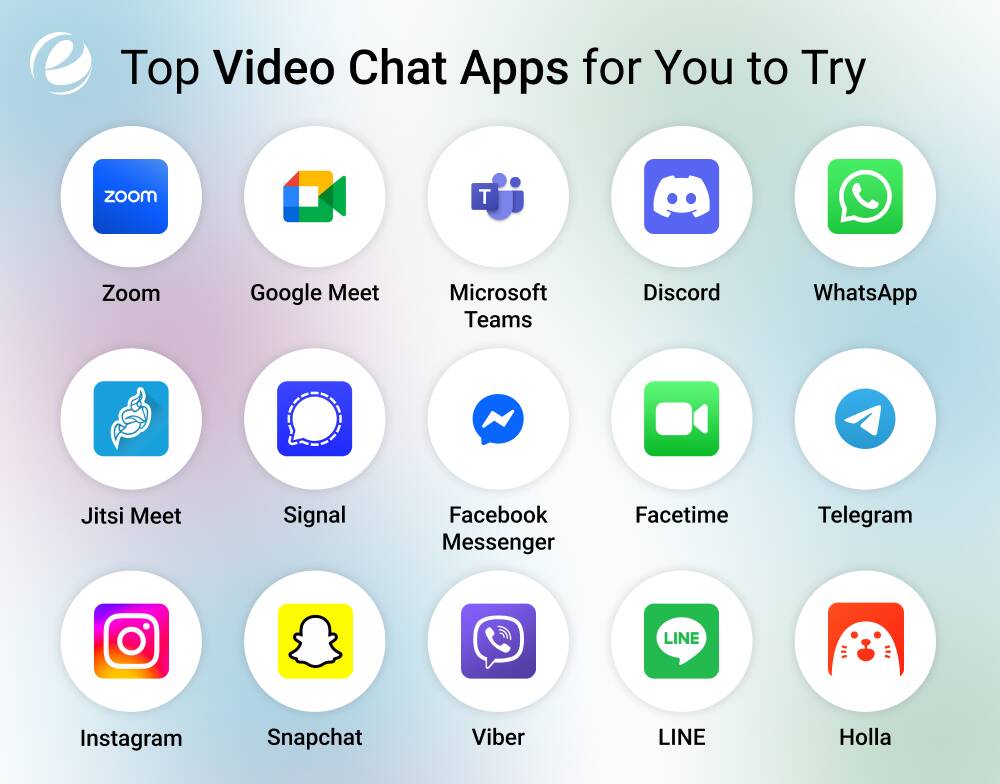
Whether you are managing remote work, catching up with new people online or simply looking for inspiration for your own video chat development plan, we have got you a list of apps that help you do it all. From enterprise-level platforms to free video chat apps and more, here’s everything that you need to know.
1. Zoom
From educators to professionals to families, Zoom has emerged as the go-to live video call app for everyone. The platform supports screen sharing, virtual backgrounds, and whiteboards in addition to HD video conferencing. Whether it is a large webinar or small team huddles, Zoom is one of the best platforms or all sorts of meet-ups. It’s also known for reliability and scalability.
2. Google Meet
Another popular free video chat app, Google Meet, integrates well with Google Calendar and Gmail, which makes it a solid platform for hosting workplace calls. With a free plan, the app supports up to 100 participants, whereas it can allow up to 500 people with Google Workspace. It features live captions and end-to-end encryption, catering to both office and school requirements.
3. Microsoft Teams
Commonly referred to as Teams, Microsoft Teams is a mix of chat, video chat, and document sharing turned into one power-packed platform. The space is made for collaboration via Office 365 and supports recorded sessions, screen sharing, and large meetings. If you are planning video chat app development for business, this app must be on your inspiration board.
4. Discord
Discord was once popular among gamers and today, it caters to creators, educators, and communities. The main features of this app include virtual rooms, screen sharing, and high-quality video calling. It’s one of the best video chat apps for Android and desktop users that also offers the option to create “servers” for discussions on different topics.
5. WhatsApp
WhatsApp is effortlessly one of the best apps for millions of people worldwide. And it is for all the right reasons. The app offers one-on-one and small group calls. It features a mobile-first design and end-to-end encryption. It caters to everyday communication needs and personal use. To top it all off, it is lightweight and a go-to chat platform for many. These are reasons enough to make it a hit in the lineup.
6. Jitsi Meet
Jitsi Meet is a browser-based, open-source platform that does not require any downloads or registration. The solution supports features like screen sharing, unlimited participants, YouTube streaming, document sharing, etc. It is ideal for educators and developers looking for a customizable platform.
7. Signal
Signal is one of the best free video chat app for those looking for a private space. This standout solution offers fully encrypted voice and video calling options. It lets no ads, no trackers, or data logs show up. Besides, it has a simple interface.
8. Facebook Messenger
Facebook Messenger is a high-quality video calling platform packed with features like reactions and screen sharing. The popular social media app lets users connect with their Facebook friends. It’s popular and is easily accessible, which makes it great for personal use.
9. FaceTime
Arguably the best video chat app for iOS and macOS, FaceTime offers high-quality calls exclusively for Apple users. It seamlessly supports group calls and filters. Not to mention, it also has integration with SharePlay, which allows users to watch content together. Clean interface and top-notch performance are also the reasons why many people in the Apple ecosystem would give it five stars.
10. Telegram
Telegram is widely known for messaging, but that doesn’t make it any less capable for hosting video calls. The platform offers encrypted, high-quality calls, scheduling, and animated emojis. It facilitates performance, privacy, and speed, making it a great tool for both formal and casual communication
11. Instagram
Instagram allows spontaneous video chats through its DM section, supporting both one-on-one and group video calls. It’s ideal for creators who want to engage followers or chat with friends while browsing. The integration with Instagram’s content ecosystem adds an engaging layer to the interaction.
12. Snapchat
Snapchat is not a typical messaging app. If anything, it is the go-to channel for all the fun. The credit goes to the app’s advanced features, like AR lenses and Bitmoji reactions. Besides, it is also quite popular as a platform that enables the option for disappearing messages. It supports video group chats with up to 15 people and allows you to add effects. Also, it’s one of the best video chat apps to connect with strangers in a secure but fun way.
13. Viber
Viber is yet another app that offers encrypted voice and video calling. It also comes with features like disappearing messages, international calling, and stickers, which make it one of the best apps for people looking for specific aspects. It supports up to 20 people in a group call and is available on multiple platforms.
14. LINE
LINE blends chat, video calls, stickers, and mini-games into one app. Popular in Japan and Southeast Asia, it offers vibrant video effects and interactive calling features. It’s one of the most engaging video call apps for Android and iOS users in the social communication space.
15. Holla
Holla connects users via random video chats with matching across the globe. It uses face filters, language translation, and safety moderation to offer an exciting experience. If you’re seeking spontaneous conversations, Holla is the one to consider.
Here’s a quick glimpse of the key features, pricing, and platforms for each of the above-mentioned apps:
| App Name | Key Features | Platform | Pricing |
| Zoom | HD meetings, breakout rooms, webinar features | Android, iOS, Web, Desktop | Free & Paid Plans |
| Google Meet | Gmail integration, secure calls, and captions | Android, iOS, Web, Desktop | Free & Paid Plans |
| Microsoft Teams | Collaboration, chat, and video in one app | Android, iOS, Web, Desktop | Free & Paid Plans |
| Discord | Video calls and voice calling, and screen sharing in communities | Android, iOS, Desktop | Free |
| Encrypted video calling for mobile users | Android, iOS, Desktop (limited) | Free | |
| Jitsi Meet | Open-source, no login needed | Android, iOS, Web | Free |
| Signal | End-to-end encrypted private calls | Android, iOS, Desktop | Free (IAPs) |
| Facebook Messenger | Facebook-based filters, reactions, and screen sharing | Android, iOS, Web | Free |
| Facetime | Seamless video chat for Apple users | iOS, macOS | Free |
| Telegram | Secure, animated video calling | Android, iOS, Web | Free |
| Video via DMs, a media-first platform | Android, iOS | Free | |
| Snapchat | AR lenses, instant video messages | Android, iOS | Free |
| Viber | HD calls, secure chats, stickers | Android, iOS, Desktop | Free |
| LINE | Stickers, effects, games, chats | Android, iOS | Free |
| Holla | Random matching, face filters, chat | Android, iOS | Free |
How to Develop a Video Chat App in 2025
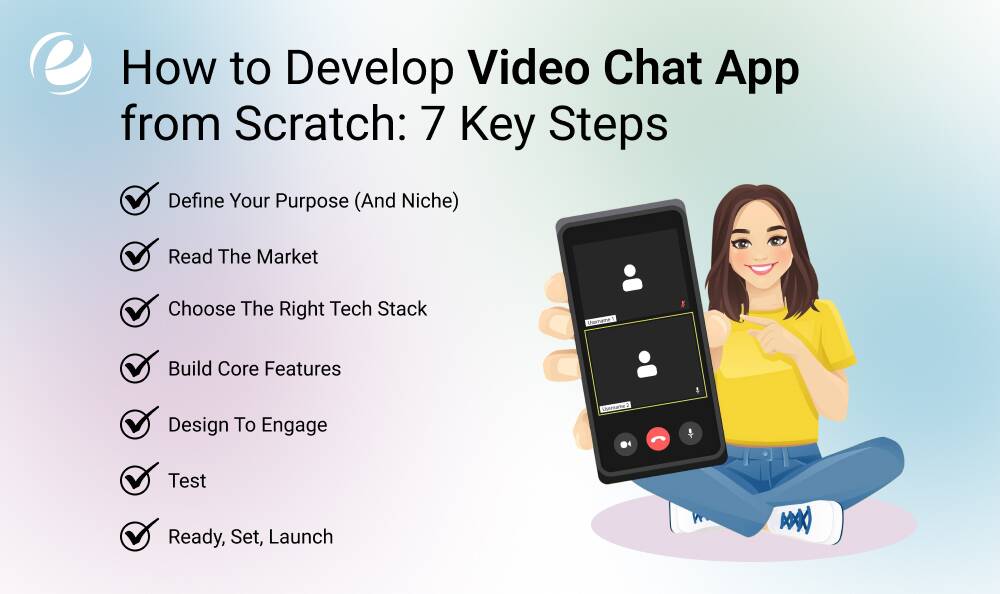
It takes more than just technical skill or an idea to develop video chatting apps in today’s saturated market. The process is rather strategic and involves user-first design, smart integrations, and a concept that would make users stick to the solution. Here are the key steps involved in video chat app development.
Define Your Purpose (and Niche)
The first and most obvious step in the process is to decide what the purpose of your app is. You must have clarity on questions like:
- What drove you to make a video calling platform in the first place?
- Who is the user? Is it business? Healthcare?
- Are you aiming to enter the random video calling app market? Are you looking to provide a free solution?
- What is the most standout thing about your app?
These are not just reflections but considerations that set the tone for the process ahead and help you choose the right features, design, monetization, and tech.
Read the Market
Studying the top video chatting apps in your category is also crucial to ensuring the success of your product.
Read deep into the available apps. Spot the gaps that users are dealing with. Identifying what they are complaining about and what keeps them engaged. This competitive research will allow you to find your unique value proposition and develop a video chat app that stands out from the crowd.
Choose the Right Tech Stack
The set of technologies you choose for developing premium/free video chat apps is your project’s ‘make or break.’ It will determine the performance, scalability, and security of your solution. And you might also want to implement advanced technologies like AI and ML to stay ahead of the game. Consulting with the best app development company can help you make the right decision here.
Build Core Features
This step prioritizes critical features like high-quality video calling, user login, chat, and notifications. Once your MVP is live, you can scale with add-ons like AR filters, noise suppression, and third-party integrations based on honest user feedback.
Design to Engage
User experience is one of the essential aspects of video chatting apps. Your solution should have clear call-to-actions, intuitive navigation, and minimal clutter. Define screen hierarchy. feedback loops, and button placements, too. For instance, you can incorporate sleek design for free video chat apps and team it up with striking features that keep users hooked.
Test
Thorough testing is all about making sure that your app is ready for the user. This step involves testing and checking if the app runs smoothly across devices, geographies, and bandwidth levels. Perform unit testing, performance testing, and UX testing. Pay special attention to video quality, lag issues, and battery optimization. Iterative tweaks post-launch help keep your app competitive.
Ready, Set, Launch
Once you have ensured your app is doing perfectly well and is bug-free, it is time to go live!
Start promoting it on the App Store/Google Play Store, social media channels, and app review sites. Opt for influencer marketing, referral campaigns, and SEO. You can also offer a free video app model with premium upgrades to create buzz and attract early adopters.

Cost to Develop a Video Chat App
Video calling app development cost varies vastly depending on various factors. From Ul and UX to tech stack and your app development partner, several checkpoints must be considered to arrive at a specific number.
Nevertheless, a basic app with features like 1-on-1 calling, texting, and user registration can cost between $30,000 and $40,000. On the other hand, a fully loaded app development, including features like screen sharing, group calling, filters, and more, can cost up to $100,000 or more.
In addition, custom app development is one of the primary factors determining the budget.
That said, it is ideal to consider all the areas, including design, deployment, and post-maintenance, and consult with your technology partner to get the final quote.
Why Partner With Emizentech for Video Chat App Development?
Choosing the right technology partner to develop video chat apps is as crucial as the earlier steps. From design to maintenance, a team of the best mobile/web app developers can help you seamlessly complete everything. At Emizentech, a mobile app development company, we deliver standout solutions that make users stick to the app in the long run.
Here’s what you can expect from our end-to-end development services:
- Custom development from scratch
- UI/UX for engagement and conversion
- Proven expertise in communication technologies
- Scalable solutions designed to cater to the global user base
- Transparent coordination throughout the process
- Agile delivery model
- Competitive pricing
From basic features to implementing advanced technologies, we brainstorm, plan, and bring the most winning mechanics to make the app a scalable product in the future. Want to build video chatting apps that take communication to new heights? Talk to us!
How to Make Money with Video Chat Apps?

There are multiple ways to make money from video chat app development, while offering value to users.
Freemium
The Freemium model is when the basic video chatting features are free, and the premium services are available in exchange for a fee. Users can access messaging, video calls, limited call durations, etc., for free. In-app purchases can offer advanced features like HD video, custom filters, and recording. This model can attract a larger user base over time.
Subscriptions
In this type of monetization, users pay a recurring fee to unlock unlimited access to premium features. This model works well in professional and productivity video calling apps that offer value-added services, such as CRM integrations and transcriptions. Subscriptions can also ensure a steady monthly income.
In-App Purchases
If you implement in-app purchases, users can buy features like AR filters, gifts, avatars, and other add-ons, which is a great way to engage the audience on social or random video chat apps.
Advertisements
You can display ads in your free random video chat apps to monetize users without charging them a dime. Banner ads, rewarded video chat ads, or interstitials can be used depending on the app’s UX. The catch is to ensure these ads are non-intrusive so they don’t disturb user engagement or retention.
Pay-Per-Use
If you monetize video chat app development through this model, users will be charged per minute, per video/voice call session, or more. This model can work well in use cases like law, healthcare, and astrology.
Wrapping Up!
Whether you are building random video chat apps or niche-based apps like healthcare or legal consultation, the secret to beating the competition is understanding pain points and providing the most viable solutions. Success depends on striking the perfect balance between functionality, usability, security, and scalability.
Are you ready to build your own scalable video chatting app? Contact us for the ultimate roadmap.
FAQs
Which app is safe for private video calls?
WhatsApp, Zoom, and Signal are some of the best apps for private video calls. For secure calling, you can choose apps that feature end-to-end encryption and minimal data collection.
How much does it cost to develop a chat app?
The cost of video chat app development can range from $30,000 to $100,000. The exact budget varies depending on a range of factors, like features, technology, use cases, etc. Custom app development may also significantly contribute to the cost.
How can I create my own chatting app?
To develop video chat apps, you must first decide on the use case, target audience, and core functions. Choosing the right tech stack, integrations, and implementing strong security features are also integral parts of the development process.
Is building a chat app hard?
While it can be challenging to develop a video chat app without technical skills, using no-code tools and SDKs can simplify the job.
Can I make a free video call?
Yes, there are the best video chat apps like WhatsApp, Google Meet, and Zoom that allow you to make free calls over the internet.
Do messaging apps make money?
Yes, you can monetize video chatting apps with ads, in-app purchases, premium features, and subscriptions.



 +1 (989) 535-9295
 info@emizentech.com
 emizentech


