
 Add us as a preferred source on Google
 Picture a software team on a Friday afternoon: someone’s manually running deployment scripts, another person is copying config files between servers, and everyone’s hoping nothing breaks before the weekend. That scenario plays out in hundreds of companies every week. It’s exactly what is DevOps automation keeps coming up in engineering discussions, hiring decisions, and boardroom conversations alike.
Teams that figured this out ship features daily. Teams that haven’t adopted the new approach are still using the old method. In this blog you will learn what DevOps automation actually means, how pipelines work, which tools matter, and what separates teams that do it well from teams that struggle with it.
What is DevOps Automation and How Does It Work?
Now the main question occurs: What is DevOps automation, at its core? So basically it is a practice of using tools and scripts to eliminate the manual steps across the software development lifecycle. It speeds up the development by smoothly integrating tasks to ship the high-quality software safely.
The DevOps automation generally operates through a CI/CD pipeline, which functions as an automated assembly line for your code. This is how DevOps automation works:
- Version Control: the developers push the code to a shared repository. The system automatically compiles the code and builds an application artifact.
- Automated Testing: The pipeline triggers a battery of tests to catch the bugs early before they create problems in the system.
- Continuous Delivery: If all the tests pass, the validated code is automatically pushed to a staging or production environment with no human intervention.
- Continuous Monitoring: The software is continuously monitored for performance, generating automated feedback loops to identify and solve issues.
The plumbing behind it is APIs, webhooks, and configuration files that connect your tools together. Once it’s working, the system runs itself and flags problems as they happen, rather than three days later when a user complains.
Key Benefits of DevOps Automation
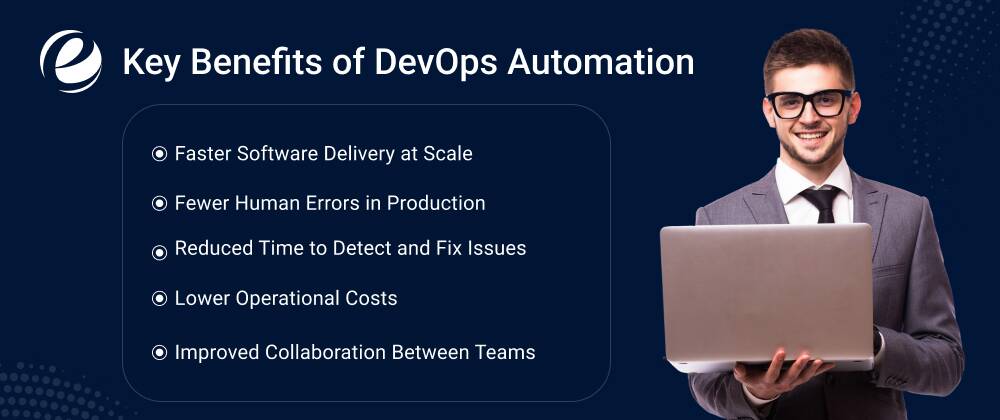
Teams that get DevOps automation right don’t just go faster. They have fewer incidents, spend less time firefighting, and generally have a better time at work. Below, you will learn about the benefits of DevOps automation:
Faster Software Delivery at Scale
Waiting for a quarterly release window kills momentum. With automation in place, teams ship when code is ready, not when someone has time to manually walk it through a deployment checklist. According to the State of DevOps report by Google Cloud, elite DevOps teams deploy 973 times more frequently than low performers. It comes from removing the manual bottlenecks that slow everything down.
Fewer Human Errors in Production
Manual deployments have a lot of steps. When you’re tired, rushed, or covering for someone, steps get missed. A wrong command in a production database is a very bad day. Automation runs the same sequence every time; it doesn’t get distracted, doesn’t skip steps, and doesn’t misread a config value. That alone is worth a lot.
Reduced Time to Detect and Fix Issues
When something breaks in production, every minute counts. Automated testing catches the obvious problems before code ever ships. Automated monitoring catches the subtle ones right after it does. Instead of finding out about a bug through a customer complaint two days later, your team knows about it within minutes of deployment. That’s a very different recovery experience.
Lower Operational Costs
Running tests manually, managing deployments by hand, and provisioning servers through a ticketing system—all of that takes time, and time costs money. Automation handles the routine work so engineers can spend their hours on things that actually require a human. For companies managing complex infrastructure, the difference in operational cost can be substantial.
Improved Collaboration Between Teams
One underrated benefit: automation creates a shared, visible process. Developers, testers, and ops people are all looking at the same pipeline. When something fails, everyone can see exactly where and why. That transparency cuts down on the “works on my machine” arguments and makes postmortems a lot more productive.
What Is an Automation Pipeline in DevOps and Why Does It Matter?
Do you want to know What is automation pipeline in DevOps? Well, it is the defined path your code travels automatically from a developer’s code commit to a running production deployment. Every step is scripted, every handoff is automatic, and nothing moves forward unless the previous stage passes.
Here are some common reasons why the automation pipeline in DevOps is experiencing an increase:
- Speed to Market: Developers can push smaller, more frequent updates to end users instead of waiting months for large releases.
- Reduced Human Error: Automating repetitive build and deployment tasks makes sure of consistency and prevents configuration mistakes.
- Faster Bug Detection: The automated testing catches issues early while the code is still fresh in the developer’s mind.
- Better Team Alignment: It breaks down the silos between developers and IT operations to make the entire organization jointly responsible for shipping secure software.
Top DevOps Automation Tools in 2026
DevOps automation tools are helping businesses to improve software development with more advanced technologies. There are many tools in this space, and these are the ones developers are actually using nowadays:
CI/CD Platforms
- Jenkins is still the most widely deployed open-source CI/CD tool. Its plugin ecosystem is massive, and it integrates with virtually everything. It takes real effort to set up and maintain, but teams that need flexibility keep coming back to it.
- GitHub Actions has become the preferred choice for teams already on GitHub. Workflows live as YAML files in your repo, so they’re versioned alongside your code. It’s easier to get started with than Jenkins and has a large library of community-built actions.
- GitLab CI/CD appeals to enterprise teams who want everything in one place: source control, pipelines, security scanning, and container registry without stitching together multiple tools.
- CircleCI and TeamCity are solid alternatives for teams that need advanced parallelism or have specific performance requirements in their build process.
Infrastructure as Code (IaC) Tools
- Terraform is what most teams reach for when they need to provision cloud infrastructure. You define what you want in config files; Terraform figures out how to create, update, or clean it up.
- Ansible handles configuration management well, setting up and maintaining servers without needing agents installed on them. It’s particularly popular in environments with a lot of existing infrastructure.
- Pulumi is gaining ground with teams that want to write infrastructure code in languages they already know, such as Python, TypeScript, and Go, rather than learning a DSL.
Containerization and Orchestration
- Docker has made the phrase “it works on my machine” a solvable problem. Packaging an application with everything it needs to run means that environments are no longer the variable that causes problems.
- Kubernetes handles running those containers at scale: deployment, scaling, and self-healing. It has a steep learning curve, but for teams managing complex distributed systems, there’s not really a comparable alternative.
Monitoring and Observability
- Prometheus paired with Grafana is the most common open-source monitoring setup. Prometheus collects metrics; Grafana puts them in dashboards your team can actually read.
- Datadog and New Relic are the commercial options more integrated out of the box, with APM, logging, and infrastructure monitoring in one product. They cost more, but they save setup time.
So, choosing between these tools depends on your team’s size, stack, and how much maintenance you want to take on.
DevOps Automation Best Practices That High-Performing Teams Actually Follow

Knowing what is DevOps automation theoretically is one thing. Doing it well in practice is another. These are the habits that separate teams that get real value from automation from teams that build pipelines that nobody trusts.
Start Small, Automate Incrementally
The teams that struggle most with automation usually try to do everything at once. Pick the one task your team finds most painful and most repetitive. Automate that. Get it stable and trusted. Then move to the next thing. Trying to automate your entire SDLC in one sprint is how you end up with half-finished pipelines and skeptical engineers.
Treat Everything as Code
Config files, infrastructure definitions, pipeline scripts, and security policies if it’s not in version control, it doesn’t really exist in a reliable way. Keeping everything as code means you can review changes before they happen, roll back when something goes wrong, and actually understand what changed when something breaks.
Build Security Into the Pipeline Early
Security gates bolted on at the end of a pipeline don’t work well. By then, the code is ready to ship, and nobody wants to hear about a vulnerability. Integrate static analysis, dependency scanning, and secret detection directly into your pipeline stages. A vulnerability caught in CI costs almost nothing to fix. The same vulnerability caught in production is a different story.
Use Feature Flags for Safe Deployments
Feature flags let you deploy code to production without turning it on for users. You can expose a new feature to 1% of your user base, watch the metrics, and expand from there. This separates deployment from release, which takes a lot of pressure off the deploy process itself.
Monitor Everything Post-Deployment
Deploying without monitoring in place is like launching a product without a support email. You’ll find out something went wrong, just not in a way you can control. Automate your alerting alongside your deployments. Error rate spikes, latency increases, and infrastructure issues set up alerts that catch these before users do.
Document Your Pipelines
Pipelines are infrastructure. Infrastructure needs documentation. What does each stage do? Why was it built that way? How do you debug the most common failures? Teams that skip this end up with pipelines only one engineer understands, and inevitably, that engineer is the one who leaves.
Common DevOps Automation Mistakes (And How to Avoid Them)
If you want to build a truly resilient system, you must avoid the fundamental pitfall of automating a broken process. Even teams with noble intentions run into these issues when implementing DevOps automation:
Over-Automating Before Processes Are Stable
If your deployment process is inconsistent and poorly understood, automating it doesn’t fix that. It just makes the inconsistency happen faster.
- Solution: You should nail down the manual process first. Then automate because it amplifies whatever the underlying process is, good or bad.
Neglecting Pipeline Maintenance
Pipelines need ongoing attention because the tools release new versions, APIs change behavior, and dependencies pick up vulnerabilities.
- Solution: You must treat pipeline maintenance the same way you’d treat maintaining any other production system.
Creating Pipeline Silos
When every team builds its own pipeline from scratch with no shared standards, you have a dozen different approaches and no one who can help anyone else debug their setup.
- Solution: To overcome this issue, you can create shared templates. Document the standards. It pays off quickly.
Ignoring Secrets Management
Credentials hardcoded in pipeline scripts are found. Whether by an attacker, a new hire who shouldn’t have access, or an audit, they get found.
- Solution: You can use a proper secrets manager, like HashiCorp Vault, AWS Secrets Manager, or Azure Key Vault, to keep credentials out of code entirely.
So, these are the issues that developers face at the time of DevOps automation.
Future Trends in DevOps Automation
The future of DevOps automation is changing from manual to agentic AI. Still, it keeps evolving, and a few directions worth paying attention to when you are learning “What is DevOps automation?” are mentioned below:
AI-Augmented Pipelines
AI is starting to show up inside pipelines in practical ways, not just in test execution but also in analyzing results, flagging suspicious code patterns, and predicting which changes are likely to cause failures based on historical data. The next wave will embed more of that intelligence into the CI/CD itself.
GitOps as the Standard for Kubernetes
GitOps uses Git as the single source of truth for both application and infrastructure states. What’s in Git is what’s running, and if the live environment drifts, automation corrects it. Tools like ArgoCD and Flux have made this practical. For Kubernetes environments, it’s increasingly the default approach.
Policy as Code
As the infrastructure grows, the manual reviewing of every change for compliance stops being realistic. With the help of tools like Open Policy Agent, let the teams define security and governance policies in code and have them enforced automatically at every stage of the pipeline.
Continued Shift Toward Platform Teams
The model of a single centralized “DevOps team” that owns everything is slowly giving way to platform teams that build the internal tools and pipelines that product teams use. It is a cleaner ownership structure, and it helps to produce better automation because the people building it are close to the people using it.
So, these are the future trends that are making a huge difference in this competitive market. If you are struggling in some part of automation, then you consult professional teams.
How EmizenTech Can Help You with DevOps Automation?
You have to understand this: getting DevOps automation right is not just a tooling decision; it involves rethinking how your delivery process works, how your teams collaborate, and what your infrastructure actually needs to support proper development.
EmizenTech works with organizations at various stages of that journey, from teams setting up their first real CI/CD pipeline to those looking to mature an existing DevOps practice. The work spans pipeline architecture, container orchestration, infrastructure as code, and security automation across major cloud platforms.
For teams with broader product development needs, Emizentech also offers software development services covering the full lifecycle architecture, development, QA, deployment, and support.
And for companies investing in their digital products, the web development services practice handles everything from frontend work to backend systems to cloud-native application development.
If your team is spending more hours managing manual processes than building actual products, that’s a reasonable place to start the conversation.
Conclusion
What is DevOps automation, ultimately? It’s what lets a two-person team ship as reliably as a fifty-person team and what lets a fifty-person team ship without needing five hundred people managing deployments.
The core ideas aren’t complicated: automate what’s repetitive, test everything, keep infrastructure in code, and watch what happens after you deploy. Doing it well takes time and deliberate choices about tools and processes.
But the teams that put in that work ship better software, faster, with fewer incidents. Start with the most painful part of your release process. Automate that. Build from there.
FAQs
What is DevOps automation in simple terms?
It utilizes tools and scripts to automate the repetitive tasks of software delivery testing, building, and deployment, thereby eliminating the need for manual intervention each time.
What is an automation pipeline in DevOps?
A pipeline is an automated sequence of stages build, test, security scan, deploy, and monitor that code moves through on its way from a developer's commit to a live production environment.
What are the most popular DevOps automation tools?
Jenkins, GitHub Actions, GitLab CI/CD, Terraform, Ansible, Docker, Kubernetes, Prometheus, and Datadog are the ones you'll see most often in practice.
How is DevOps automation different from traditional software deployment?
Traditional deployment relies on people manually running through steps every release. DevOps automation replaces that with scripted, version-controlled processes that run the same way every time, regardless of who's on the team that day.
Is DevOps automation only for large companies?
Not at all. A two-person startup with automated testing and deployment ships more reliably than a larger team doing it manually. The tools are accessible at any scale.
What skills do you need to implement DevOps automation?
A solid foundation includes Git, scripting in Bash or Python, familiarity with at least one CI/CD platform, Docker, and a major cloud provider. Networking and security basics become important as pipelines get more complex.


 +1 (989) 535-9295
 info@emizentech.com
 emizentech


