
 Add us as a preferred source on Google
 Managing high-value client accounts does not have to feel like chasing loose papers in the storm. And if this reads like a challenge that your team has to face, it’s a sign to develop account management software.
First thing, the best account management software is not just a clean, well-organized dashboard. If anything, it is a world of databases that can help you tackle a major chunk of your everyday agenda. It is a solution that you reach for when you no longer want to deal with lost files, errors, security, and other such risks.
From startups to enterprises, many businesses are already leveraging the benefits of accounting tools. To underscore the research, the global account management software was valued at $4.8 billion in 2024, and it is estimated to reach $10.5 billion by 2033.
The spike is driven by aggressive reliance on data-backed decisions, demand for productivity, and the end goal to enhance customer experience. Add to that the fact that the emergence of AI in accounting has further unlocked an all-new row of features, upping the benchmark. Intrigued to find the best account management software? Or better build one?
Keep reading as this guide explores all that you need to know about the tool.
What is Account Management Software?
Account management software, as the name implies, is a digital solution that helps businesses and accounting professionals streamline several tasks, including customer account handling, sales pipeline management, client relationships, and service activities. The best account management software is just like a command center of the team, where everything from sales updates and billing details to service requests and client interactions is logged, monitored, and analyzed in a well-organized manner.
Whether your business involves managing thousands of customers or just a few high-value enterprise accounts, you can implement and leverage account management software development to centralize the data as well as communication history in one place. One of the best things about this system is that it’s accessible, which means account managers, customer service representatives, and sales teams can enjoy better collaborations and stay up-to-date.
Here’s the most important thing to note about an account management app: It’s not only a contact database but also a system that integrates automated follow-up sequences, customer segmentation, forecasting tools, and more.
How Does Account Management Software Work?
The account management software starts at a centralized system where you can store all your customer-related and process-related data. The platform is accessible and can be managed in real time.
After a lead finally turns into a customer, you can create their profile in this software. It involves their contact details, communication logs, transaction history, relevant documents, etc. The software monitors everything, including emails, calls, and other aspects linked to that account, consistently. Here’s the amazing thing: It can be integrated with CRM systems, customer support portals, and more such tools, which makes it an even better platform to access 360-degree details of each customer.
The software allows account managers to log in and check which stage of the pipeline a customer is at or which customer requires more attention, and so on. They can also check whether or not any pending issues need to be resolved. Thanks to advanced technologies, automated account management software comes with features like renewal alerts, reminders, etc., that help managers tackle cases proactively. We’ll read more about the account management software features in the section below.
Key Benefits of Account Management Software
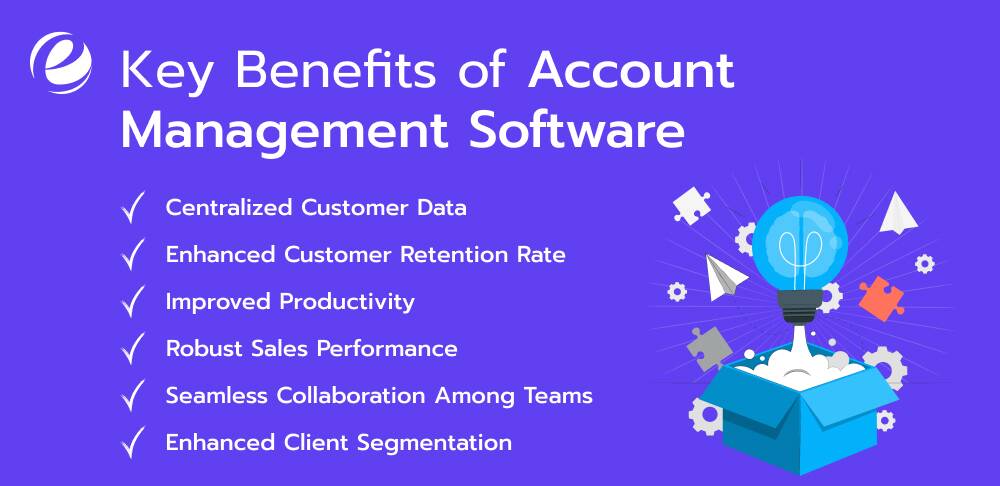
The right tool can make all the difference in the way you achieve customer loyalty or scale operations. That’s how the best account management apps come into the picture. This tool can help you work smarter, not harder, whether you are juggling multiple important accounts or trying to retain loyal clients.
On this note, let’s walk through the key benefits of account management software, understanding how they can help businesses achieve a range of goals:
1. Centralized Customer Data
To have every little and big detail related to customer interaction (emails, payment history, etc.) in one place is no longer a feel-good thing, but rather a necessity. That’s where one of the main benefits of account management software kicks in. It offers businesses the ease of centralized data, eliminating the tedious process of searching for an email thread or switching platforms to access a customer history.
The best account management software not only saves time by providing everything in one place but also facilitates clarity and transparency. This means your team can access the accurate and updated customer records whenever it’s needed. To top that, it even eliminates the risk of slip-ups or errors.
2. Enhanced Customer Retention Rate
Customers don’t just look for great product quality; they also expect responsiveness and consistency in service. Is it possible for you to unlock that with accounting software? Yes, indeed. Account management software benefits you by helping you track customer interactions and reminding managers automatically to check in or follow up.
Thanks to sentiment analysis and lifecycle tracking, these advanced account management app features facilitate a proactive approach to addressing issues before they become a challenge. And here’s the best thing: You can leverage these features to even personalize communications for each customer.
3. Improved Productivity
Why would you spend hours on completing a task manually when you’ve got the best account management software to do the same job quickly? Manual labor is not exactly friends with productivity. You can swap this hard work for smart work with accounting software.
This system helps you streamline repetitive work, like reporting, data entry, follow-up scheduling, etc. Automated workflow means your team has more time for doing something strategic and not ojustthe same basic work. This efficiency culminates in reduced overhead, amazing accuracy, and faster response times, which is a win-win for all.
4. Robust Sales Performance
One of the most important benefits of account management software is its ability to close more and more deals. You read that right. Your sales team can leverage the best account management software to look into insights they need to cross-sell and up-sell products/services.
But where do these insights come from? The software provides you with valuable data by analyzing customer purchase patterns, interaction history, and engagement levels. Moreover, a real-time dashboard ensures your team members are all in sync with goals and development.
5. Seamless Collaboration Among Teams
From sales and support for finance and marketing, many departments in your organization would benefit a great deal from streamlined accounting operations. The only catch: There has to be uninterrupted collaboration among them all. And the best accounting apps facilitate that.
With shared access to action items, timelines, and notes, the system ensures members from different departments are on the same page. Be it client onboarding or a query resolution, the software reinforces real-time collaboration, eliminating miscommunications.
6. Enhanced Client Segmentation
Your account management software will treat each of your customers the way they need to be treated, as per their unique needs and expectations. Not all customers are the same, and thus, tailored services are the only ‘smart’ way to meet all their requirements.
The best account management software makes this happen by segmenting customers based on behavior, value, engagement level and history, industry, and more such filters. As a result, you make sure all your customers get what they want, with spot-on personalization.
Must-Have Features of Account Management Software
Looking to build an account management software? The real deal is there in the features. Let’s quickly understand the features of the best account management software that you can consider for your tailor-made solution, too.
1. Client Database
A centralized database is the most basic and essential feature of an account management software. This one is simply about consolidating all customer-related information (contact details, transaction history, service agreements, custom preferences, and more) into one system. What makes this system special is accessibility. It is easily searchable, with your teams having access to it. This feature saves time, streamlines operations, and takes productivity and collaboration levels up.
2. Custom Dashboard
Dashboards are less about a pretty layout and more about productivity,y and customization makes them a whole lot better. Account management systems with customizable dashboards let your teams personalize the data view with charts, widgets, shortcuts, or more filters relevant to their specific needs. It may vary from team to team. The ease of adjusting and rearranging data panels allows users to check what’s there on their agenda, saving time and enhancing decision-making.
3. Sales Pipeline Tracker
To ensure smooth client retention and revenue management, you must know exactly where your accounts are in the sales funnel. Enter the sales pipeline tracking feature. Users can leverage this function to check account progress in real time. They can segment opportunities based on stage, expected close date or conversion. This feature ensures effective resource allocation and even more accurate forecasting for nurturing and upselling scope.
4. Automated Task Management
Automated task management is one of the crucial features of the best account management software, given that you’d like to achieve as much efficiency as you can in this fast-paced market. With this feature, the system can receive reminders, set deadlines, assign tasks, track progress, and do more, all automatically. Whether it’s a product demo or a review, the software never misses a beat and keeps team members in the loop. As a result, you can unlock more productivity, reduce manual effort, and ensure consistent engagement.
5. Access Control
Be it any software, security and data privacy are the non-negotiable elements of every digital solution. This makes role-based access one of the most important features of an account management software. This feature implies that users can only access information that’s relevant to their department, role, or perhaps seniority. For example, access to communication history and client details for account managers or access to payment records and invoices for a finance professional. This approach helps safeguard data and even keeps the system more organized.
6. Account Segmentation
As we discussed above in the benefits of account management software, account segmentation is the key to keeping things clutter-free and tailored. This feature lets your teams segregate accounts based on filters like purchase history, engagement rate, etc. The segmentation helps personalize communication based on the type and needs of customers.
7. Calendar and Scheduling
Built-in calendar and meeting scheduling tools ensure users can book, track, or reschedule appointments without switching to another platform. You can consider integration with Outlook or Google Calendar to leverage this feature. This feature can help minimize no-shows and with a shareable calendar, you can also check into your team’s availability.
8. File Management
File and document storage has to be one of the obvious features of the best account management software. A centralized repository ensures all the important documents related to clients are in one place and easily accessible. This feature also comes with a control option, meaning that you can restrict or enable access, track changes, and even set alerts or expiration dates for critical documents.
9. Built-in Communication Channels
When collaborating with colleagues, it can be overwhelming for the user to constantly switch between platforms to send communication. That’s why built-in communication tools make one of the most powerful features of account management tools. This can involve integrated voice calling, email, or even Zoom messaging. So, if a user wants to quickly catch up on a client with their co-workers, they can drop a message right from the tool instead of switching to another.
10. Activity Logs
Detailed activity logging is one of the critical features of an account management app. It involves every single call, email, meeting, note, and document real related to your customer. This feature is crucial for accessing transparent timelines of all the interactions and ensures continuity even after the account goes into other hands. It’s an important function for teams managing various accounts with complex histories and streamlines collaborations across departments.
11. Feedback Tracker
Customer feedback is the ‘make or break’ for the future of customer relationships. The integration of feedback modules or tools makes the app an even better platform for you to access post-purchase and post-interaction insights. And this information becomes the tool itself for teams to check dissatisfaction levels and address problem areas.
12. Automated Workflow
There are loads of repetitive tasks within an organization on a day-to-day basis and accounting has a strong share in that. From onboarding and escalation to contract renewals and so on, several tasks take up a lot of time, often leaving employees to burnout. Enter workflow automation. The best accounting software tools let you set up logic-driven sequences that update statuses, create tasks, trigger emails, and more automatically. It culminates in efficiency, speed, and productivity.
13. Third-Party Integrations
The best account management software tools are the byproduct of smart features and seamless integrations. In the tech-first world, you want to look out for an accounting tool that plays well with other solutions within the organization. Integration with ERPs, CRMs, email tools, customer support software, accounting platforms, and more make working a lot easier, across all departments. This prevents risks like errors and duplication while keeping the system data up to date.
14. Performance Analytics and Reporting
In the end, account management is all about strategic operations that rely on data. With a built-in analytics system, the app enables users to obtain detailed reports on engagement metrics, sales trends, account performance, and in fact, client satisfaction scores too. You can leverage this feature in the accounting software to create your own dashboards to deep-dive reports or conduct rigorous overviews. These insights serve as a torchlight for teams across departments towards smart, data-backed decision-making. Moreover, it identifies underperforming accounts, unveils new opportunities, and forecasts renewals.
Best Account Management Software Tools in 2025
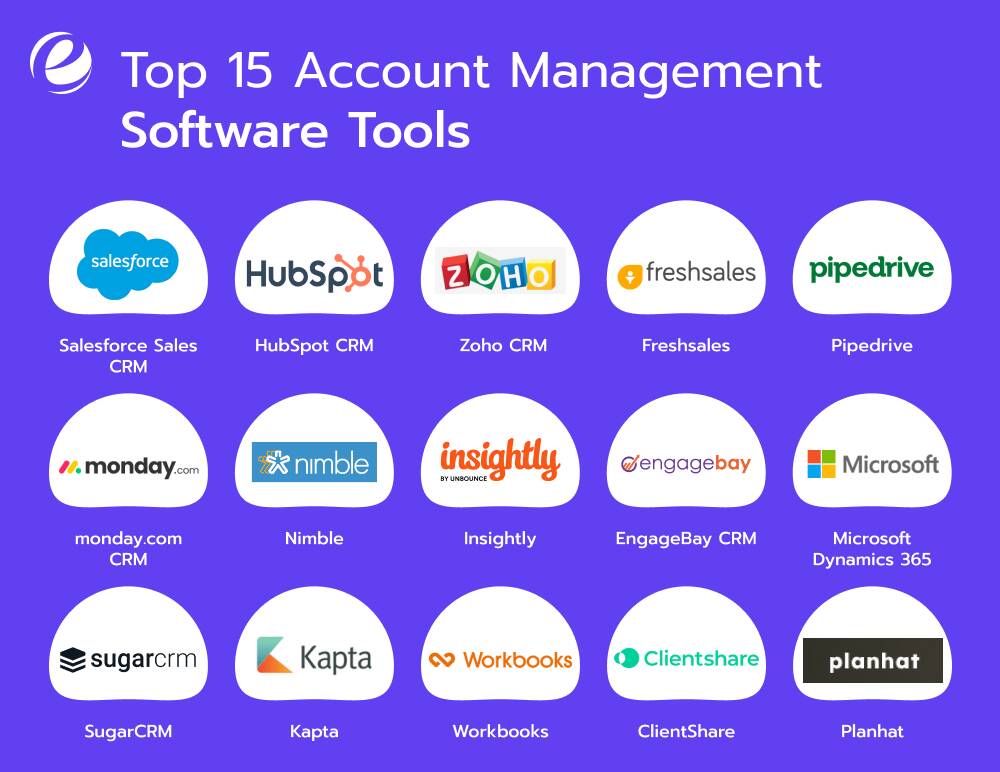
| Tool | Key Features | Pricing Model |
| Salesforce Sales CRM | Advanced AI insights, customizable workflows, detailed analytics, scalable integrations | Plans start at $25/user/month |
| HubSpot CRM | Pipeline tracking, email templates, reporting dashboards, third-party integrations | Free plan available; Paid plans start at $45/user/month |
| Zoho CRM | Workflow automation, AI-powered assistant (Zia), multi-channel communication, custom dashboards | Plans start at $14/user/month |
| Freshsales | Lead scoring, built-in telephony & email, workflow automation, territory management | Free plan available; Paid plans start at $15/user/month |
| Pipedrive | Visual pipelines, activity-based sales tracking, automated follow-ups, lead segmentation | Plans start at $14.90/user/month |
| monday.com CRM | Custom workflow automation, timeline views, team collaboration, task tracking | Plans start at $10/user/month |
| Nimble | Contact enrichment, social profile sync, activity reminders, team collaboration | $19/user/month |
| Insightly | Unified project & sales management, relationship linking, customizable pipelines | Plans start at $29/user/month |
| EngageBay CRM | Marketing + sales + support suite, visual deal pipelines, email templates | Free plan available; Paid plans start at $14.99/user/month |
| Microsoft Dynamics 365 | AI-driven recommendations, advanced forecasting, Office & Teams integration, sales accelerator tools | Starting at $65/user/month |
| SugarCRM | AI-driven predictive analytics, omnichannel campaigns, real-time insights | Plans start at $19/user/month |
| Kapta | Key account management, customer health tracking, and strategic account plans | Custom |
| Workbooks | Sales & marketing automation, order processing, reporting & insights | Plans start at $30/user/month |
| ClientShare | Secure collaboration spaces, automated client reports, and feedback tracking | Custom |
| Planhat | Customer onboarding, usage analytics, churn risk prediction, and success planning | Custom |

How to Build Account Management Software?
Here’s the thing about building account management software: It is an intricate process that demands a mix of the right technologies, careful considerations, and the right software development company to watch everything. While the account management software development varies from business to business, here are the steps involved in the process.
1. Define Your Goal and Catch Up on the Market
The process starts with the discovery phase, the stage that’s all about defining ‘what’ and ‘why’. Before you map out the steps ahead, it is important to define what purpose you want to develop an account management software tool in the first place. What challenges are you solving? Who are the users? Is it the sales team or cross-functional departments? Defining the specifics is crucial for ensuring everything aligns with your vision.
Apart from that, study the best account management tools and solutions that are already present in the market. Analyze them on the basis of what works and what doesn’t. Look closely, understand where the opportunities are hiding, and understand how you can leverage them. This will give you the direction to create something useful yet distinct.
2. Craft User Journeys
The next thing you need to do is map out the structure of the accounting tool that you have envisioned. Develop wireframes and user flows. These are the blueprints of how a user will interact with the tool, where each feature leads, and what screens they will come across. This roadmap will get the team to design the interface accordingly, focusing on a user-friendly and intuitive approach.
3. Decide on Features
As and when you finalize the features, start with the ones that form the core of your account management tool. These features may include a dashboard, task manager, and account database. Approach this stage with an agile methodology in order to split the process into sprints. This will allow your team to develop, test, and iterate the solution promptly and smartly.
4. Choose the Right Tech Stack
Technology defines the flexibility, scalability, and overall performance of a solution. At this stage, the focus is on deciding what tech stack you will use to develop account management software. Is it React or Angular for the frontend? Would you implement Python or Node.js for the backend? Taking these factors into consideration is one of the core steps to ensuring that the solution turns out to be exactly what you have planned.
5. Implement Integrations
After the core of your app has been built, you can start with the integrations. This stage implies the process of integrating external tools that make your tool even more robust and helpful for users. Ensure seamless integration with email tools, CRM, invoicing, and cloud storage services. You may want to make the solution more flexible by offering native integrations as well as an open API.
6. Conduct Testing
From stress testing to usability testing, the app must be tested from every angle in the quality assurance process. One of the most important steps in the account management software development process, functional testing ensures that the features, design, and everything else that you have implemented so far work just as expected. If not, you can fix the issues proactively and make sure that the tool is ready to move forward.
7. Deploy
After you have shown the green light to the first-ever version of your account management tool, it is time to deploy it to production environments. It can either be on-premises or cloud-based, depending on the user’s needs. You can also set up dashboards to monitor errors, track usage, and feature adoption, all in real time.
8. Update and Maintain
Launching the solution isn’t the end of the story. After deployment, the next step is to ensure your tool stands out as the best account management software. Continuous monitoring, regular updates, and maintenance are the essentials for making that happen. Check up on customer support tickets, feedback channels, and usage analytics to see where your tool can do better. Ensure timely fixes and improvements, based on real-world demands. These continuous efforts will pay back in the long run as customer engagement and loyalty.
Best Practices to Secure Account Management Software
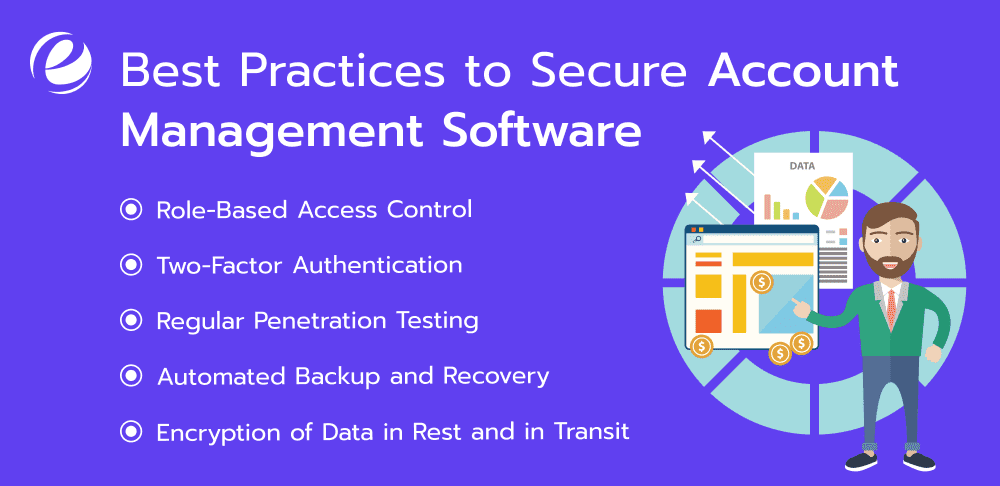
Robust security is one of the pillars of the best account management software. As you plan to build a tool of your own, there are security checkpoints that you don’t want to miss. That said, here’s a roundup of the best practices to ensure a highly secure account management tool.
1. Role-Based Access Control
Role-based access control is one of the most important security features across best account management software tools. It ensures that users only see the data and tools they need or are allowed to, simply by assigning permissions based on their roles in the organization. This reduces the risk of misuse and ensures clutter-free access.
2. Two-Factor Authentication
Two-factor authentication adds yet another layer of security to account management software. It is basically an extra mile in the login process where the user receives a code on their device. This measure prevents hackers from breaking in. Even if the password is compromised, the data remains safe with the second layer of verification.
3. Regular Penetration Testing
Regular testing is the most basic yet crucial practice that you can adopt to secure your account management tool. Using security tools or hiring ethical hackers to simulate cyberattacks can help reveal vulnerabilities in the system. And going forward, you will be able to fix the problem areas before they invite real threats.
4. Automated Backup and Recovery
This one goes without mentioning. Setting up scheduled backups and restore protocols will ensure that you can recover data instantly in case of ransomware attacks, accidental deletions, or server crashes. Not to mention, this practice also reinforces data integrity.
5. Encryption of Data in Rest and in Transit
By encrypting your data when it is stored and when it is being shared, you can prevent unauthorized access to the system. Industry standards, namely AES-256 and SSL/TLS protocols safeguard the data against breaches and cyber threats.
Mistakes to Avoid During Account Management Software Development Process
In addition to the must-know stages of the accounting software tool development process, here are the common mistakes that must be avoided at all costs:
1. Underestimating Integrations
An account management software without seamless integrations lacks substance and limits efficiency. If it can’t connect with CRMs, communication platforms, and other tools, the chances are that the solution will not benefit the teams as per its potential. That said, you must ensure API-ready architecture so that your accounting tool works perfectly with your tech stack.
2. Ignoring Data Structures
Disorganized databases can result in chaos when it comes to reports, syncing, and analytics. The key to avoid all of this is planning your data models upfront. Doing this will ensure accuracy, consistency, and hassle-free operations.
3. Poor UI/UX
In the midst of a rigorous accounting software development process, it might be easy to overlook the UI/UX part of the solution. However, even a feature-rich tool looks outdated and complex if it doesn’t have clean design and responsiveness. Thus, it is non-negotiable to make sure the layouts are easy to navigate and the platform has intuitive flows.
4. No Feedback Loops
Building an accounting tool without actually validating the features and functionality can result in a half-baked solution. It’s important to check up on the feedback of both stakeholders and users and fix the tool accordingly to ensure that it is at par with expectations.
5. Neglecting Security
A non-negotiable part of the development process, security should never be treated as an afterthought. In the absence of authentication practices, encrypted storage, and role-based access, the software becomes an open invite for breaches. That said, you must prioritize and implement stringent security protocols.

How Much Does It Cost to Build Account Management Software?
The cost of developing the account management software has a lot to do with features, complexity, integrations, tech stack, and more such aspects that you consider.
A basic account management software development can cost from $30,000 to $50,000. On the other hand, a tool with comprehensive features can cost up to $140,000 and even beyond.
Here are the main factors involved in determining the cost of account management software development:
- Features and scope of functionality
- Tech stack and infrastructure
- UI/UX Design
- Security and compliance
- Development time
- Integrations
To add to that, maintenance costs also form an important share in the overall cost of accounting software cost. It can approximately add 15-20% of initial development costs annually. Nevertheless, the upfront investment in the tool can seem steep but a well-built platform enhances efficiency, minimizes churn, and pays off well in the long run.
Why Partner with Emizentech for Account Management Software Development?
The development partner you choose to build account management software plays out to be a major role in the success of the solution. You not only want to develop an account management software that’s highly functional and advanced; but it should be ready to sync in with future trends as well. At Emizentech, a leading account management software development company, we help you create the best solution in the lot.
At every step of building an accounting software, we make sure the strategy aligns with your business goals to the T. We create solutions that keep customer engagement and retention moving up. Whether you’re looking to scale or just planning to launch a lean MVP, we will help your goals steer towards a strategic development, with services including:
- Custom account management software development
- UI/UX design and prototyping
- Third-party integrations
- Enterprise-grade security and compliance
- Real-time dashboards
- Scalable architecture development
- Automation
- Ongoing support and maintenance
At Emizentech, we thrive on the balance between expertise and innovation, which goes beyond just ticking some boxes off the list.
What Lies Ahead: Future Trends in Account Management Software
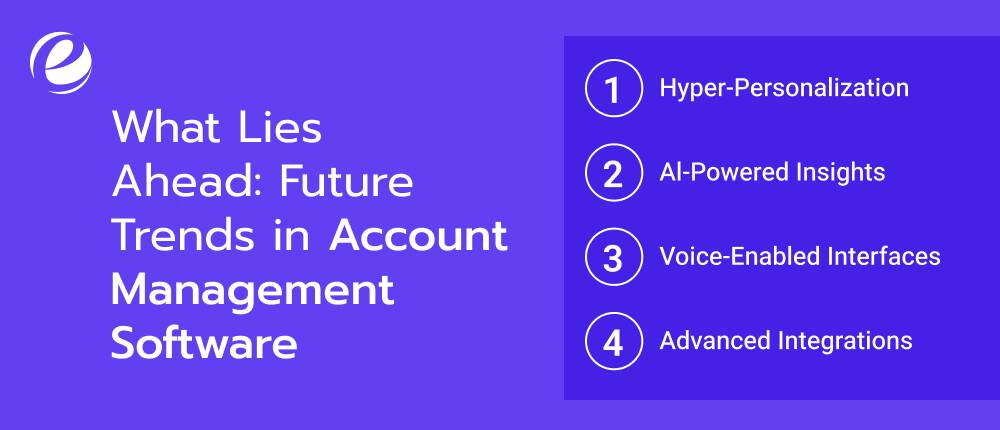
Now that we have read what account management software is and how to develop the best tool of your own, let’s understand the trends that are expected to push the tool a level up in the future.
1. Hyper-Personalization
Personalization is all set to become an essential and one of the clear signs of the best account management software tools. In fact, the platforms are already leveraging it for dashboard data views and workflows based on the preferences and account type. This will make account management even more organized and error-free in the future.
2. Al-Powered Insights
Al will surpass the tag of automation and evolve to become a strategic support for businesses. Machine learning is expected to play an important role in the advancement of account management software by offering real-time recommendations, prioritizing follow-ups, and spotting risks of customer churn.
3. Voice-Enabled Interfaces
One of the most anticipated trends in the account management software market, smart assistants are expected to spruce up the B2B world. From updating client notes to generating reports on the go, they will manage a good share of day-to-day tasks without having human employees to touch the keyboard.
4. Advanced Integrations
Juggling disconnected tools not only takes up time but also puts the work at risk of errors, miscommunication, and clutter. Future-ready accounting tools are expected to prioritize seamless integration with CRMs, support tools, analytics, and invoicing tools. Plug-and-play and open APIs will operate in a fully connected environment for every user role.
Let’s Build Feature-Rich Account Management Software
Managing and scaling accounts in the absence of tech can be tiresome. For starters, it slows down your team and drains productivity levels. Then, it boils down to hurt margins, customer dissatisfaction, clutter, and whatnot. With the best account management software, you can keep these potential haphazards away. From data to workflows to conversations to appointments, it facilitates everything in one place. And here’s the outcome: Improved productivity, enhanced collaboration, spiked up customer satisfaction and retention, and well, the list may go on depending on your unique business goals.
Ready to build the best account management software ever to take your business operations to the next level? We are here to help. Let’s discuss your requirements and goals today and kickstart the development journey of an affordable yet effective business solution.
FAQs
What type of software is accounting management software?
Accounting management software is a financial tool that helps businesses track expenses, income, taxes, and overall payroll. The software automates the bookkeeping process and facilitates accurate financial reports.
What is the difference between CRM and account management?
CRM emphasizes the management of overall customer interactions and data. Account management software, on the other hand, is focused on nurturing existing client relationships to upsell opportunities and drive retention.
What is key account management?
Key account management refers to the strategic process of managing as well as fostering relationships with a company’s high-value clients to drive retention and boost revenue.
What is the difference between CS and account management?
Customer Success ensures that customers achieve the outcome as per their expectations of a product. Accounting management is all about maintaining relationships, identifying growth opportunities, and renewals within existing customer accounts.



 +1 (989) 535-9295
 info@emizentech.com
 emizentech


