 Add us as a preferred source on Google
Selecting the appropriate IDE can be quite challenging because one must consider whether their system can handle full-fledged IDEs, the resource demands, and if it meets all requirements, including compatibility with features and programming languages.
IDEs range from free and open-source to proprietary paid options, with hundreds of IDEs available. Some of these, like LunarVim, Emacs, NeoVim, and Vim, are command-based and primarily designed for CLI users; however, they often require a steep learning curve that can sometimes be found a way around.
IDEs are created to cater to specialized programming languages such as jupyter notebook, Arduino IDE, PyCharm and android studio but they cannot be used for writing programs in other programming languages, so those languages should also be avoided.
Choosing the correct version of Builder is a key element for your IDE landscape in this blog we will do in depth comparison of Anypoint Code Builder vs Salesforce Code Builder.
What is Anypoint Code Builder? Features and Benefits
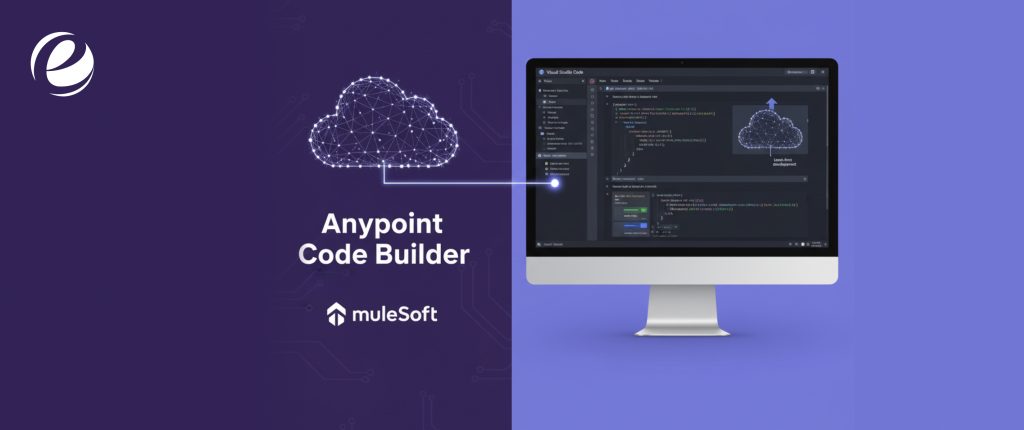
MuleSoft IDE is a next-generation Integrated Development Environment (IDE) for API and integration development called Anypoint Code Builder (ACB). Anyone using Code Builder has the ability and adaptability of Visual studio code (VS code) merged with the new Anypoint extension that gives you the option of a modern integrated developer experience. IDEs are very convenient to use and easily tailored with interfaces, debugging tools, highlighted syntax and flawless integration IDE with external tools like version control.
You can get started in minutes using your favorite browser, or continue with an existing desktop instance of VS Code. You simply need to log in to your Any point account and there you go you can design APIs using OAS, implement APIs using the graphical editor, test your implementations with debugger and finally deploy them with a few easy clicks. Using Einstein’s generative AI, you can create APIs and flow through conversations.
Integration of Anypoint Code Builder Enhances Developer Productivity
Developers want their tools to be adaptable for their work. Any Code Builder enables you to customize your experience, whether through a zero-install web-based interface or by using it on your desktop.
Here is the list of productivity features Any code builder allows for
- Gives you the leverage of working from anywhere with an IDE based browser
- Simplfies the Visual Code
- Defined integration of flows with graphical user interface
- Interactive Debugging
- Linting support for validation
- Test creation of Munit from a flow
Key Features: Architecture and Flexibility in the Cloud
You can use it as a cloud-based IDE that you can access directly from a web browser. You don’t need to install anything on your computer as it is available as a desktop extension for VS Code, which lets developers work in the environment they like best. Any code has other varied features which simplifies every functioning such as:
Einstein Generative AI: Imagine having an AI that significantly boosts your productivity. Generative AI works exactly in that manner for Anypoint Code Builder with its maximized reach from all the way, such as API specs and seamless integration of flows for mapping fields in DataWeave expressions as well as generating transformation scripts. Einstein AI allows you to build complex connections and applications by using AI for fast-tracked results.
Graphical Canvas: Graphical canvas allows you to integrate flows with the usage of reusable building blocks and interfaces that are built from API specifications by adding connectors, API specifications, routers, and transformation of data using a user interface, which is very intuitive. The Graphical Canvas gives you the visual representation of processes and routes that will occur when integration endpoints receive messages.
Command Palette: One of the key elements of the Command palette is the development in VS code. You simply need to open the command palette and access all of the MuleSoft-specific commands that will assist you in testing your Mule application as you build and design faster than ever before.
Snippets: These are templates that simplify entering repeating code patterns that is why developers frequently use snippets to change Mule applications with the use of IntelliSense. VS Code incorporates code completion, enabling the utilization of pertinent snippets. AnyPoint Code builder works with some pre-built snippets out-of-the-box. You also have the ability to create your own to use in future projects.
DataWeave: A programming language that is designed by MuleSoft for easily transforming and accessing data that goes through Mule applications. AnyPoint code builder gives you the capability to interact with DataWeave libraries and previews the transformation live.
Test Mocking Service: Anypoint Code builder simplifies your API specifications by frequent testing using the built-in mocking service. Even before the implementation, you can test and preview your API’s functionality. Get defined responses by sending a specification request. Simulate varied scenarios such as errors and timeouts.
| Benefits | Description |
| Enhanced Productivity | Developers can write, test, and deploy integrations much faster with the help of AI and a simpler VS Code interface. |
| Flawless collaboration | Cloud-native and Git-based features make it easier for development teams to work together, share work, and keep track of code history from any location. |
| Quick Rollout | ACB cuts down on development time by a lot by making complicated integration tasks easier and giving designers and developers one place to work from design to deployment. |
| Innovative Tools | Moving to the popular VS Code platform gives you a familiar, customizable experience and lets you use its huge library of extensions. |
| Sustainability and Safety | Its design makes it easier for organizations to get their APIs ready for AI interactions on their own, which will help them move to AI-agent-based integration. |
What is Salesforce Code Builder? Features and Benefits
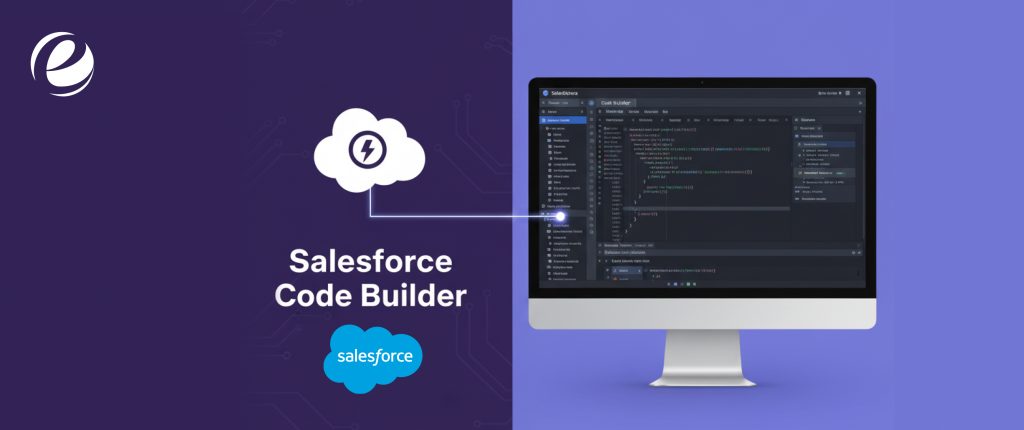
Salesforce Code Builder is a cloud-based Integrated Development Environment (IDE) made specifically for building applications and CRM systems in the Salesforce ecosystem. It puts all of the power and ease of use of Visual Studio Code (VS Code) right in a web browser, so you don’t have to worry about setting it up on your own.It’s for developers and admins who create, change, and add to Salesforce Platform apps.
Key Features:
No Setup Needed and Works in a Browser: It runs completely in a web browser, so developers can start coding right away from any device.You don’t have to install VS Code, the Salesforce CLI, Java, or other developer tools on your computer anymore.
Salesforce Tooling that is already set up: It comes with all the important Salesforce developer extensions for VS Code already installed. The Salesforce CLI, Org Browser, and SOQL Builder are all included right away.
AI-Powered Capabilities (Einstein for Developers): Uses natural language prompts to suggest Apex code, finish lines, make unit tests, and improve code quality. These features are called Einstein for Developers.
Full Salesforce Development Support: This service works with all of the main Salesforce development tools, languages and frameworks, such as Apex, Visualforce, Lightning Web Components (LWC), and Aura Components.
Makes source-driven development easier and works well with Git for version control.
Direct Org Connection: This lets developers quickly connect to a Scratch Org, Sandbox, or Developer Edition org to get metadata, write code, and make changes.
How it relates to Anypoint Code Builder?
Salesforce Code Builder and Anypoint Code Builder are both built on the same basic idea:
Shared Infrastructure: Both IDEs use the same cloud infrastructure from Salesforce and are built on the same modern framework, Visual Studio Code. Based on one of the most popular code editors in the world, this makes sure that users have a familiar and consistent experience.
Different Tools and Focus: Salesforce Code Builder is all about CRM and building apps on the core Salesforce platform. It comes with extensions for Apex, LWC, SOQL, and other languages already installed.
Anypoint Code Builder is a tool for building APIs and integrations using MuleSoft’s Anypoint Platform. It has tools for Mule flows, DataWeave transformations, and designing API specifications (RAML/OAS).
They are separate products, each with its own set of extensions and tools that are best for the different types of developers who work in the larger Salesforce/MuleSoft ecosystem.
Key Differences Between Anypoint Code Builder and Salesforce Code Builder

MuleSoft and salesforce are the most influential platforms that are compatible with businesses of different frameworks for seamless operations. Salesforce automates the process of sales and customer relationship management, while on the other hand, MuleSoft simplifies the process of API management and integration.
The selection of the appropriate salesforce and MuleSoft depends on your specific business framework, which seamlessly caters to your business needs. MuleSoft’s pipeline got about 90% validity and 80% correctness in testing, while baseline LLM calls only got about 20% and 17%, respectively. A baseline LLM is a way to generate code from models like GPT4, GPT5, Claude Sonnet 4, and so on.
Tools & Features: Anypoint Extension Pack vs. Tools Made Just for Salesforce
The main difference in tools comes from the main goals of the platforms.
Anypoint Extension Pack powers Anypoint Code Builder, which is an IDE made just for developing API-led connectivity and integration. Its extensions, such as API, Integration, DataWeave, and MUnit components, make it easy to build Mule applications, design API specifications (RAML/OAS), and create complicated data transformations with DataWeave. The tools are designed to handle the entire API lifecycle and connect systems that are on-premises or in the cloud.
Salesforce Code Builder, on the other hand, is the best IDE for building apps on the Salesforce Platform. Its tools are mostly for building and customizing the Salesforce Customer 360 platform. These include tools for Apex, Lightning Web Components (LWC), Visualforce, and SOQL. The Salesforce Extension Pack and the Salesforce CLI are two important parts that let you do things that are specific to the platform, like deploying metadata to Salesforce orgs, running anonymous Apex, and managing scratch orgs. In short, ACB’s tools are for connecting systems, and Code Builder’s tools are for making apps on the Salesforce platform.
AI Capabilities: Einstein for Anypoint Code Builder vs. Salesforce’s AI Tools
Both tools use Salesforce’s powerful AI, Einstein, but they use its generative abilities to speed up the development tasks they are working on.
Einstein for Anypoint Code Builder is an AI assistant that works with specific integrations. The Agentforce generative flow feature is one way it shows up. It can quickly set up complex connectors, suggest DataWeave transformations, and write Mule flow code using natural language prompts. The AI is trained specifically on MuleSoft patterns, which lets it create the framework for integrations, APIs, and automations. This saves integration developers a lot of time by cutting down on boilerplate code.
Salesforce’s Code Builder environment has more AI tools that are focused on speeding up platform development. This includes tools like Einstein for Developers, which gives suggestions for Apex code in-line, helps make unit tests, and helps with LWC development. ACB’s AI makes integration logic, which is how systems connect and data changes. Salesforce Code Builder’s AI makes application logic, which is how the platform works, how data is checked, and how UIs work. Both use the Einstein Trust Layer to keep data safe and private while the AI is being made.
Integration Help: Salesforce APIs vs. MuleSoft Connectors
The way integration is done is the most important thing that sets them apart.
The core function of Anypoint Code Builder is made possible by the large library of MuleSoft Connectors (over 300 pre-built connectors), which are the building blocks for making connections. These connectors hide the complexity of different systems (like SAP, ServiceNow, NetSuite, and third-party APIs) so that developers can focus on the business logic of the flow without having to worry about differences in protocols and data formats. ACB makes strong, reusable APIs that make up the core of an application network.
Salesforce Code Builder (and the platform it works with) mostly uses Salesforce APIs to connect to other systems. The REST API, SOAP API, and Bulk API are some of the built-in ways to get to Salesforce data and metadata from outside the platform. The main way that developers in Code Builder get data from the platform is through these native APIs. They also use MuleSoft APIs to connect to systems outside of the platform. To sum up, MuleSoft connectors are used for enterprise integration that goes both ways, and Salesforce APIs are the built-in ways to work with the Salesforce data model.
Which IDE Offers Better Performance and User Experience?
Anypoint Code Builder (ACB) and Salesforce Code Builder both use Visual Studio Code (VS Code) as their base, which gives users a modern, flexible, and fast experience.
Speed and how much of your resources it uses Both IDEs are built on the lightweight VS Code engine, which means they usually start up faster and use fewer resources than older Eclipse-based IDEs like Anypoint Studio. They offer both desktop and cloud-based options, so developers can pick a cloud environment with few installations or a desktop experience that is tailored to their needs.
Design of the User Interface Both UIs are based on the well-known and highly customizable VS Code interface, which makes for a consistent experience. This design favors a code-first, keyboard-driven approach, which experienced developers often find faster and more efficient than interfaces that are only graphical and drag-and-drop.
The ability to grow the architecture of VS Code is its best feature. The huge VS Code marketplace (or Open VSX) makes it easy for developers to find and install extensions. This lets them customize their environment with tools for Git, syntax highlighting for different languages, linters, and more. This is very different from older, closed IDEs that could only be changed in a few ways.
When to Choose Which IDE
Choose Anypoint Code Builder (ACB) for projects that mostly involve connecting and managing data between systems. This includes making enterprise APIs, making complicated MuleSoft IDE integrations IDE (like syncing SAP and Salesforce data), making API specifications that can be used again, and using complicated DataWeave transformations.
Choose Salesforce Code Builder when you need to make changes to and add to the Salesforce CRM platform. This is great for making CRM apps, writing custom Apex code and triggers, making complex user interfaces with Lightning Web Components (LWC), and keeping track of metadata in a certain Salesforce org. Code Builder is for CRM features, and ACB is for connecting.
Migration Considerations: Moving Between Anypoint and Salesforce Code Builder
Moving projects from Anypoint Code Builder (ACB) to Salesforce Code Builder isn’t really a migration in the traditional sense. Instead, it’s more of a strategic separation of concerns.
Anypoint Code Builder is all about integration assets, like Mule apps, APIs, and DataWeave transformations. These are usually put on Anypoint Platform runtimes like CloudHub and Runtime Fabric.
Salesforce Code Builder, on the other hand, is meant for platform application assets (Apex, LWC, metadata) that are directly deployed to a Salesforce Org.
The most important consideration is the project type:
Mule Projects: ACB must keep the integration flows and connectivity logic because this is where the specialized Anypoint Extension Pack and Mule runtime support are.
Salesforce Platform Projects: You should use Salesforce Code Builder to write custom application code and metadata. This tool has all the Salesforce-specific tools you need for deployment and org management.

Conclusion: Which IDE Should You Choose?
Now that you have dived deep into IDEs, you will be wondering what is the most suitable and it can be overwhelming for you with this many options. Selecting the correct IDE heavily relies on your coding style; you can go for a mix of two as well as your preferred one. Visual Studio Code is adaptable and provides plenty of support during the initial phase. JetBrains Fleet or windsurf are the first choice of advanced teams for seamless integration of AI and business features. One should understand what caters to their specific business needs, as the role of IDE is to keep you updated with the rapidly changing world of software development and, most importantly, simplify the process of coding for you.
Is Anypoint Code Builder better than Salesforce Code Builder?
Anypoint Code Builder suits API/MuleSoft workflows, while Salesforce Code Builder is best for Salesforce apps and CRM.
Which IDE supports AI-assisted API development?
Anypoint Code Builder uses Einstein AI to automate DataWeave transformations, Mule flows, and connector generation, speeding up API development and improving accuracy.
Can Salesforce Code Builder be used for MuleSoft integrations?
No. Salesforce Code Builder is designed for Salesforce platform development and CRM apps. MuleSoft integrations require Anypoint Code Builder.
Which IDE is better for Salesforce app development?
Salesforce Code Builder is the best choice for developing Salesforce apps, Apex code, and Lightning Web Components (LWC).
Can I access Anypoint Code Builder in a browser?
Yes, Anypoint Code Builder is cloud-based and accessible via a web browser, with no installation needed, or as a VS Code desktop extension.





 +1 (989) 535-9295
 info@emizentech.com
 emizentech


