
 Add us as a preferred source on Google
 In today’s world, photography is everywhere. Thanks to smartphones and easy-to-use cameras, snapping a photo takes just a second, and sharing it online is even faster. Whether it’s selfies, travel shots, or pet pics, most people like to give their photos a little extra polish before posting. That’s where photo editing apps like Remini comes in. From filters and stickers to fixing blurry images, editing has become a normal part of how we share our lives.
One popular photo editing app is Remini that uses AI to enhance and improve your images with just a tap. It’s perfect for anyone who wants fast, great-looking results. Remini has made a name for itself with over 100 million downloads on Google Play.
While Remini is popular, it’s not perfect for everyone. Some users find it limited in features or slow at times. Others want more creative tools, better AI effects, or free options without watermarks. That’s why exploring Remini alternatives can be a smart move. Many apps now offer faster performance, advanced editing tools, and unique filters that suit different styles and needs making them great options beyond just Remini.
In this comprehensive guide, we’ll explore top photo enhancer apps like Remini and also discuss how to develop an app like Remini.
So, let’s get going.
Market Statistics For Photo Editing Apps Like Remini
The increasing use of smartphones, as well as high-quality cameras, has resulted in the widespread use of photo editing apps like Remini. These apps help users make necessary corrections and enhance the aesthetics of their pictures. Are you also planning to develop app similar to Remini? If so, you need to look over these market statistics.
- The AI global market for photo editors was estimated at $1,717.9 million in 2023. It is projected to reach $5,369.7 million by 2033. The market is expected to grow at an annual growth rate of 12.4% over the forecast period between 2024 and 2033.
- The market for photo editing apps is expected to grow to around $402.37 million before 2031 an increase from $303.92 million in 2023
- Based on a January 2025 survey, the Remini AI app ranks #38 among all photography apps globally.
- The AI market for image editors is expected to witness incredible growth, projected to grow at a CAGR of 10.5% through 2034. During this time, the market is expected to surpass the $217.9 million mark, an increase from $80.3 million in 2024. This offers lucrative opportunities for players within the market.
What Is Remini, and Why Is It So Popular?
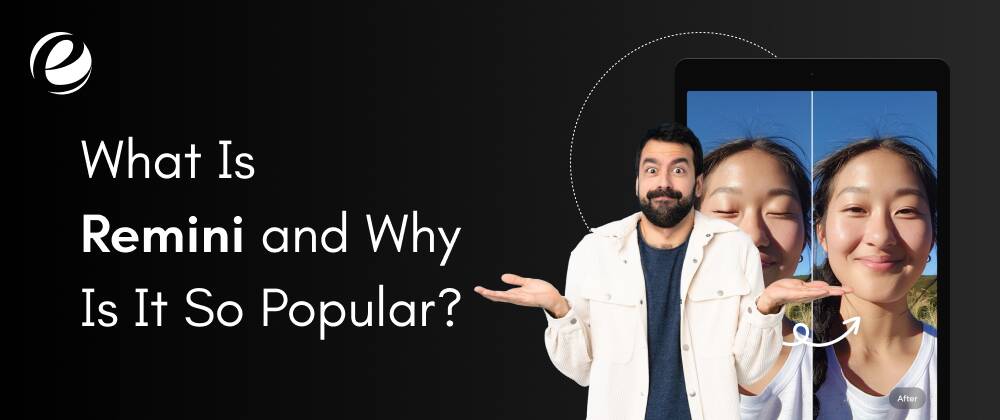
Remini is an AI-powered photo editing application that provides a simple way to enhance the quality of blurry or low-resolution images in just a few seconds. It can transform old, blurred, pixelated, and damaged images into astonishingly high-quality photos with just a single click.
The app allows users to create amazing AI-generated images of themselves. Remini is a powerful tool for creating stunning AI avatars. The app became especially popular on social media. Users started sharing their before-and-after pictures, and others wanted to try it too. It’s also used a lot by content creators and influencers who want better-looking photos.
Another reason for its success is that it’s available on both Android and iPhone. While some features are free, there are also paid options for better tools and results. The success of Remini app has fueled the desire of many businesses to develop an app like Remini.
Top Features To Look For In a Remini Alternative
If you’re in search of online photo enhancer app like Remini, here are the most important features to look for in a great Remini alternatives:
1. Easy To Use
The best app needs to be easy for anyone to use. The design should be clear and simple to comprehend. Users should be able to upload photos, edit one, and then save it in just a few steps. There’s no need for a complicated application. Simple steps allow for faster processing and more fun.
2. AI Photo Enhancement
AI technology can improve images instantly. It makes low-quality or blurry photos appear much more appealing. It should be intelligent enough to spot flaws in the picture and correct them. With AI, you get clearer faces, sharper backgrounds, and more vibrant hues without having to fix anything on your own.
3. Before-and-After Comparison
This feature shows how a photograph looked before and after editing. It helps users see the differences clearly. An easy slider or side-by-side view works well. It’s a fun and engaging way to see how much better the picture looks after using the app. Everyone loves seeing progress.
4. Search Option
A search bar helps users find features quickly. You can type in keywords like “face fix” or “color change,” and the app like Remini will display relevant tools. It saves time and keeps things organized. This is especially useful when there are many templates or features to choose from.
5. Old Photo Restorer
This feature improves old and damaged photographs. If a photo is faded, blurry, scratched, or broken, the app can fix the issue using AI. It brings old memories to life by adding details and color. It’s a great tool for family photos, making older images look brand new.
6. Face Enhancer
The apps like Remini should make faces look attractive and clear. It adds detail to the eyes, skin, and hair, while removing small flaws or spots. This makes portraits look beautiful and smooth. It’s a great way to ensure you look your best before sharing photos on social media.
7. Unblur and Sharpener
If your photo is fuzzy, this feature can fix it with a single tap. It sharpens the image and adds depth. This is ideal for pictures taken with shaky hands or older phones. It creates high-quality, crisp photos that look like they were taken with a professional camera.
8. Image Enlarger
This feature allows you to make photos larger without losing quality. Normally, zooming in or resizing can blur photos. However, with this tool, images stay clear and sharp even when doubled or quadrupled in size. Perfect for prints, zoom-ins, posters, and banners.
9. Denoiser
Sometimes, photos contain “noise,” or tiny dots that make them look messy. The denoiser removes that noise. It smooths the image while keeping all the fine details. Your photos become cleaner, clearer, and easier to view. It’s perfect for night shots or low-light images.
10. Color Fixer
This feature adds bright, beautiful hues to your photos. If a picture looks dull, it enhances the colors to make it pop. The sky looks bluer, the grass greener, and faces fresher. With just a swipe, the picture gets a vibrant, refreshed look.
11. Background Enhancer
Some apps only fix the subject of the photo, but the background matters too. This tool makes the background more vibrant and sharp. It brings out trees, skies, and everything around the subject. The whole photo looks polished and balanced, not just the person.
12. Store (Feature Library)
Your app should provide access to all features in one place. This keeps everything organized. They can be grouped into categories like “Face Tools,” “Color Tools,” and more. It keeps the app tidy, and users can easily find what they need.
13. Integration with Cloud Storage
Save and share pictures directly with cloud services like Google Drive and iCloud. This allows users to access their photos on different devices, like laptops or tablets. It also protects photos if they’re deleted from the phone. It’s extremely practical and modern.
10 Best Apps Like Remini in 2025
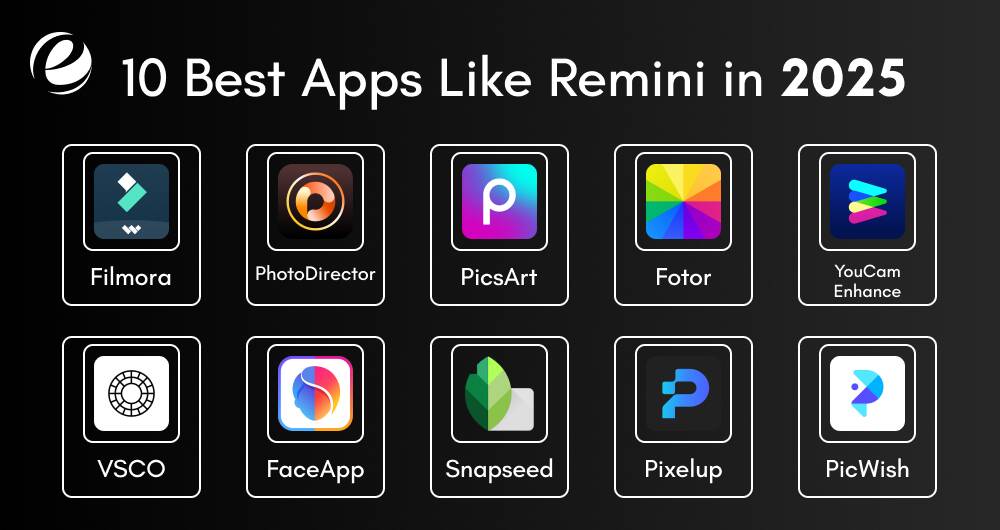
If you’re in search of apps like Remini, you can choose from a variety of applications that make videos and pictures more appealing. No matter if you’re looking for a photo enhancement tool, video upscaling, AI removal of objects, or advanced color correction, these apps similar to Remini have a wide range of options for different editing needs.
In this section, we’ll review the most effective Remini alternatives.
1. Filmora
Filmora is a complete and powerful editing application. Much like Remini, it combines standard editing tools along with AI-powered functions. It also comes with an enhancement tool that can automatically boost video quality through adjusting the brightness, contrast, and clarity. Furthermore, its AI object remover enables users to remove unneeded parts of videos without leaving any trace.
2. PhotoDirector
PhotoDirector is a smart application for editing photos that makes use of AI to make your images look better effortlessly. It can help you improve poor-quality images by increasing the resolution and making them appear sharp. Also, you can remove objects in your image that you do not want, for example, objects and people. The app has effects that can make your photos appear professional. It is simple to use and transforms ordinary images into extraordinary photos.
3. PicsArt
PicsArt is an enjoyable and effective photo editing application that is suitable for all. It offers easy tools for novices as well as advanced features for those who have experience. The collage maker lets you make awesome stickers, draw designs on the photos, or alter your background or face. PicsArt also has its own social media platform that lets you share edits to your photos and view the work of others. It’s easy to use, creative to use, and an excellent option to Remini.
4. Fotor
Fotor is a simple-to-use but robust photo editing app, as well as a fantastic Remini alternative, which includes a wide range of AI-driven tools that can enhance photos quickly. Advanced AI tools offer automatic adjustments to the brightness, contrast, sharpness, and balance of colors, which makes it simple to enhance the quality of your photos with just a few taps. Fotor is also equipped with the ability to retouch images using AI, remove backgrounds, which allows you to improve your photos immediately without the expertise of an editor.
5. YouCam Enhance
YouCam Enhance is a powerful app and one of the top apps like Remini that makes images appear clearer and sharper. It makes use of AI to correct blurry photos, sharpen the details, and enhance the quality of your photos. If you’ve got old or poor-quality images, this app can repair the images and make them appear like new. The app also eliminates noise, making your pictures appear sleek and clear. This is a fantastic option for those who want fast, simple photo editing.
6. VSCO
VSCO is a well-known online photo enhancer like Remini if you like artistic filters as well as stylish editing. This app is ideal for photographers, people who use social media, and people who create content that want to make their images look classic, cinema-like, or contemporary. Although VSCO isn’t equipped with AI-powered enhancements such as Remini, it is great for creating unique effects, altering colors, and creating an original visual look.
7. FaceApp
FaceApp is a great AI application for editing photos and is one of the apps similar to Remini to enhance selfies as well as change faces using AI-powered effects and filters. You can smooth skin, put on makeup, alter hairstyles, and even view your former or future self using authentic AI-powered edits. FaceApp lets you edit your photos quickly and simply. Although it’s designed to be used for photos of portraits, it has a variety of creative tools for enhancing your appearance.
8. Snapseed
Snapseed, which is owned by Google, is a renowned app as a high-quality editing tool for professional photo editing and makes it comparable to apps like Remini. Snapseed is greatly adored by photographers seeking editing controls due to its capability in RAW editing as well as its overall application power, similar to Remini. The user interface for Snapseed is contemporary and well-organized, which makes it easy to edit images quickly.
9. Pixelup
Pixelup is an AI-powered photo editing app and is a good Remini alternative for restoring and enhancing images that are old and low resolution. It makes use of advanced AI technology to enhance blurred photos, increase resolution, and give vibrant detail to photos that have faded. It doesn’t matter if you’re trying to resurrect images from your childhood or boost the quality of your photos, Pixelup can help by providing a simple and easy-to-use interface.
10. PicWish
PicWish is an AI-powered application for background removal, enhancement of photos, as well as color correction. It’s ideal for editing quickly as well as enhancing photos with ease. If you want to eliminate backgrounds, increase clarity, or change hues, PicWish delivers simple and efficient outcomes.

Remini vs Other AI Photo Enhancer Apps: Key Differences
To help you clearly understand the differences between each app, here’s a comparison table that highlights their key features. This will make it easier for you to choose the best alternative to Remini based on your specific needs.
| App Name | Key Features | Pros | Cons | Platform compatibility | Why It’s a Great Remini Alternative |
| Remini | AI photo restoration, face enhancement, noise reduction, colorization, resolution boost, restoration of old photos | Excellent for restoring old photos, Improves resolution, AI-based enhancements, Simple interface, Fast results | Limited features in free version, Watermark on free version, Slower processing on older devices, Requires internet connection, | iOS, Android | |
| Filmora | AI video enhancer, object remover | All-in-one editor for video and photo enhancement, Great AI-powered tools, User-friendly interface | Free version has watermark, Not focused on photos, Requires a powerful device for smooth operation | iOS, Android, Windows, macOS | Great for both video & photo enhancement with AI |
| PhotoDirector | AI photo enhancer, object remover, special effects | Easy to use, Pro-quality results, Variety of filters and effects | Some features require premium, can be slow with large images, Limited advanced tools | iOS, Android | Fast, smart, and fun editing for all skill levels |
| PicsArt | Filters, stickers, collage maker, retouch tools | Fun, creative tools, Social sharing, Wide selection of effects and stickers | Ads in free version, can be cluttered with options, Requires a good device for smooth performance | iOS, Android | Combines editing, creativity, and community |
| Fotor | AI photo enhancer, background remover, one-tap fix | Easy UI, Fast edits, Great for quick pro-style photo touch-ups | Advanced edits are limited, some premium features locked, Limited creative options | iOS, Android, Web | Best for quick pro-style photo touch-ups |
| YouCam Enhance | Photo sharpening, noise remover, resolution boost | Excellent for enhancing old or blurry photos, Intuitive interface, Fast results | Not as many filters or fun tools, Limited advanced editing features, Only suitable for photo correction | iOS, Android | Quick fixer for blurry or old photos |
| VSCO | Filters, color grading, artistic edits | Stylish, aesthetic-focused, Great for artistic edits, Wide selection of filters | Lacks AI enhancements, Limited tools without subscription, can feel repetitive | iOS, Android | Best for aesthetic edits & creators |
| FaceApp | Face edits, aging filters, AI makeup/hair tools | Fun and creative face transformations, AI-powered effects, Easy to use | Not for general photo edits, can be limited to selfies, Requires a good device for smooth processing | iOS, Android | Great for selfies and AI face magic |
| Snapseed | Pro editing tools, RAW support | Precise controls, No ads, Great for professional-level editing | Steeper learning curve, lacks some AI tools, some tools require fine-tuning | iOS, Android | Perfect for users who want total editing control |
| Pixelup | AI restoration, upscaling, colorizing | Great for restoring old photos, High-quality upscaling, Fast and easy | Fewer fun filters, Limited creative features, some tools need an internet connection | iOS, Android | Ideal for reviving vintage or low-res photos |
| PicWish | Background remover, photo enhancer, color fix | Super simple and quick results, Intuitive interface, Great for batch editing | Limited editing tools, Few creative options, Basic photo enhancements only | iOS, Android, Web | Fast, efficient tool for background removal and quick edits, ideal for casual users |
How To Choose The Right AI Photo Enhancer App for You?
The advancements in technology have reduced costs of cameras, and smartphones equipped with high-quality cameras enable users to take a top-quality photo at any time. Since the field of photography has grown, it’s not surprising that the AI Photo Enhancer app like Remini has gained popularity with it.
There are a lot of other apps like Remini in the marketplace, therefore it’s really difficult to pick the most effective one. This section will discuss the most important factors to take into consideration when selecting the most effective AI photo enhancement app.
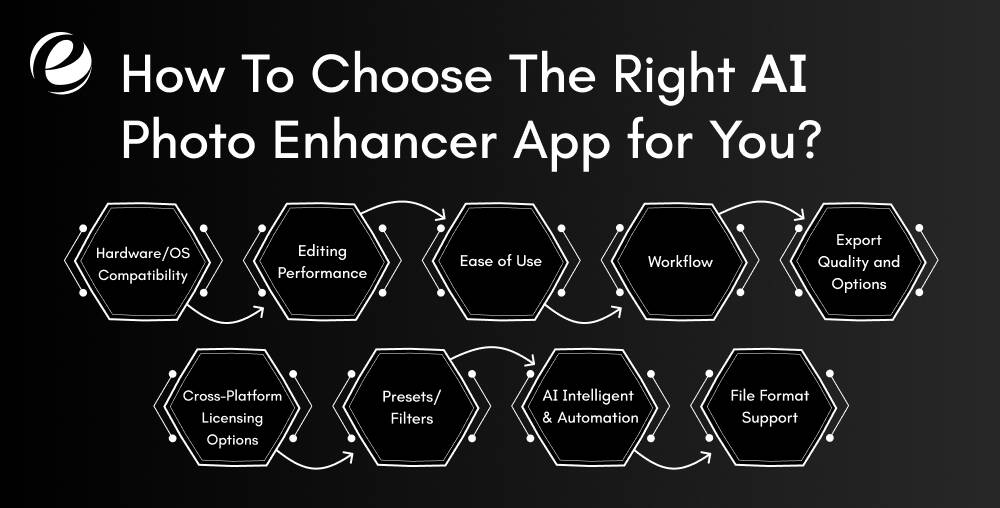
1. Hardware/OS Compatibility
Check that the application works seamlessly with your device’s operating system as well as hardware. Verify the requirements of graphics and RAM as well as processors to prevent lags or crashes. The compatibility of the system ensures smooth operation and lets you make the most possible performance from your app without having to deal with frustrating problems.
2. Editing Performance
Different photographers will require various equipment. Pick an app that can accommodate your style of editing, regardless of whether you prefer natural-looking images or more creative filters. Apps like Remini should have options like noise reduction, details enhancement, and smart adjustments that are tailored to your specific photographic style.
3. Ease of Use
An AI image enhancer app must be simple to master and use, even for those who are new to the field. Make sure you have clean design, straightforward controls, as well as helpful tools. The more simple the app is to operate, the faster editing photos will be, and you’ll be able to concentrate on your creativity rather than trying to figure out complex software.
4. Workflow
The best app will have a simple and intuitive user interface. Choose apps like Remini that permit batch editing of your work, speedy processing, as well as cloud storage. An efficient workflow increases efficiency and lets you work longer creating, instead of figuring out how to use its functions.
5. Export Quality and Options
Make sure the application maintains high-quality images when exporting. Additionally, check if the app has options to export different size, compression, and web-optimized formats. Quality exports are crucial to print, share, or even delivery to clients.
6. Cross-Platform Licensing Options
If you are using different devices or are switching between different systems, choose an application which works with Windows, Mac, or mobile devices without additional costs. Flexible licenses are practical and affordable for those operating across platforms and upgrading the hardware frequently.
7. Presets/Filters
Filters and presets that save time are essential. Pick an app that has many options and an ability to personalize these. It allows you to quickly create your own style for photos without having to start from scratch each time. It makes editing quicker and more consistent.
8. AI Intelligent & Automation
Find an application that is truly using AI automated enhancement, intelligent editing, and subject recognition. The features will cut down on edit time manually while increasing image quality. The more advanced the AI is, the more time you can save, as well as the higher the results you will get.
9. File Format Support
The best app will accommodate multiple formats, specifically RAW images. If you’re a professional photographer, working in RAW will result in better quality. It is essential that your application allows you to import, edit, or export to various formats including JPEG, TIFF, PNG, as well as other formats.
How AI is Revolutionizing Photo Enhancement in 2025
Recent years have seen AI become an empowering technology in photography. It is changing the way we take, edit, and interact with photographs. AI-powered tools have revolutionized the process of editing, making it more efficient, effective, as well as accessible to a wider population.
This section will examine how AI is Revolutionizing Photo Enhancement. So, let’s have a look:
1. Streamlined Image Editing and Processing
AI has changed how photographers deal with processing and editing images, especially through its capacity to automate tedious jobs. Editing each image independently could take several hours, even in high-volume areas such as event photography.
AI’s ability to batch edit allows photographers to make constant adjustments, like color correction, adjustments to exposure, or scaling across several images at once. This method is not just efficient in time, but it also guarantees uniformity in the quality of an entire collection of photographs. AI’s capacity to manage this essential edit automatically has revolutionized the process of editing. It allows photographers to focus on their creative projects instead of intensive editing.
2. Enhancing Image Quality and Resolution
AI technology is now indispensable for photographers looking to enhance the quality of images, specifically for sharpening, upscaling, and clearing images. For instance, AI-powered software and apps are able to upscale low-resolution photos into superior prints without sacrificing detail. This is an important benefit when it comes to landscape photographers who want larger-sized prints.
When it comes to portrait photography, AI’s sharpening features assist in highlighting important details like eyes or hair textures, resulting in clarity without the graininess often caused by traditional sharpening methods. Professional photographers use AI to eliminate noise and increase sharpness, producing images that show the products in an appealing and precise manner.
3. Live Analysis and Feedback in Real-Time
Instead of waiting for the post-production process to be complete, AI tools now assist directly on the spot. About 60% of professional photographers utilize AI to analyze images immediately. The tools give quick advice for improving lighting, composition, and focus.
One can also anticipate the best time to snap a picture, which is particularly useful with fast-moving subjects. This allows photographers to make smarter choices when shooting, thereby saving time as well as enhancing the quality of their photos. As AI gets more sophisticated, it is now an important tool for capturing stunning images of high quality in real time.
4. Creative Manipulation and Artistic Effects
AI can open new possibilities for artistic manipulation, allowing photographers to create results that were difficult without the technology. AI software can create complete backgrounds, fill blank spaces using realistic elements, or use a range of effects that alter the look of a photograph.
In particular, the AI-driven background generation feature can be extremely useful for composite photography, in which photographers have to mix multiple elements to create a single image. The AI tools and apps let photographers explore the possibilities of art and challenge the boundaries of creativity.
Why Consider Building Your Own AI Photo Enhancer App?

With more and more people taking photos, editing them and posting on social media has become very common. People like to make their pictures look better by removing things they don’t want, cutting out parts, changing the size, or adding fun effects. Here are some main reasons why you should think about making your own AI photo enhancer app like Remini.
1. High Market Demand
AI photo enhancer apps are very popular, especially with social media users and content creators. People want quick and simple ways to improve their photos. Building your own app lets you tap into this growing demand and reach a broad audience looking for smart photo editing tools.
2. Brand Growth and Recognition
Developing successful apps like Remini can help grow your brand. As more people use and share it, your name becomes more recognized. You can use the app to build a business identity, gain followers, and even expand into other AI or photography-related products and services in the future.
3. Multiple Revenue Streams
Your app can make money in different ways: subscriptions, one-time purchases, ads, or premium features. You can even partner with photographers or businesses for custom solutions. This flexibility helps create steady income and grow your business over time without relying on just one source.
4. Competitive Advantage
By building your own photo enhancer like Remini, you can provide unique features that set you apart from other apps. This gives you a competitive edge in the market. You can also focus on a particular niche like selfies, real estate photos, or old photo restoration to attract a loyal group of users.
Steps To Develop an App Like Remini
Making an AI-powered image enhancer app like Remini could be an enlightening project. Below are the steps that will guide you through the development process of Remini like app.
1. Understand Your Target Audience
Begin by thinking about those who use your application. Are they regular users or media enthusiasts? Look up similar apps like Remini and read user reviews and collect feedback. This helps you to understand what users like and dislike. Being aware of your audience’s preferences will allow you to design things they will actually want and will lead to greater participation and satisfaction.
2. Plan The Features
Create a list of essential features of your app. Concentrate on the automatic enhancement of photos that makes blurry images more clear, as well as fixing color, reducing the noise, and smoothing skin. Include options to upload and share images quickly. Your app must be easy and efficient. Be aware of what people expect from an AI image enhancer, and make sure your application provides those vital tools efficiently.
3. Choose The Right AI Technology
Your app’s brain is its AI, so you must choose the most reliable technology tools. Utilize deep learning algorithms like GANs (Generative Adversarial Networks) for enhancing images effectively. Explore tools such as TensorFlow or PyTorch for developing. If you need to, utilize already trained models to cut down on time. Its AI is expected to learn from images and continue to improve as time passes. The strong AI is what sets your application apart from other editors.
4. UI and UX Designing
Make sure your app is easy to use, clean, and easy to use. Allow users to upload images, enhance them, and be able to see the changes happening in real-time. Do not overload users with buttons or unclear design layouts. Make sure you have clear labels and a seamless navigation. An appealing user interface will make people stay for longer and appreciate the overall experience. Concentrate on speed, simplicity, as well as visual appeal, to draw both novices and experts.
5. Develop an MVP Version
Make the basic version of your application which is also known as a Minimum Viable Product or MVP. It should contain only basic features like uploading images, improving the image, then keeping the outcome. Start it up for a handful of users to check the functionality. This helps you understand which features users enjoy and the areas that need to be improved prior to creating the final version of the application.
6. Testing
When your MVP is complete, make sure you test it carefully. Check the app out on different smartphones and operating systems to ensure it runs well. Be aware of any issues and slow functions, as well as crash issues. Request real users to test it out and offer their feedback. Testing your app properly helps you identify issues early, and also improve the overall efficiency. This will ensure that your app looks polished and is fully functional for use by the public.
7. Deployment
Once you’ve completed your testing, you’re ready to make your app available for download. Make sure you follow app store rules and upload your application with a good description, images, along with a brand. Be sure that your description of the store explains what your app can do in detail. When your app is approved, users are able to begin downloading and using your application.
8. Maintenance
It doesn’t end once you launch. Regular updates are important to ensure that your app is functioning smoothly. Make sure you fix bugs, include additional features on the basis of user feedback, and increase performance and stability. Be sure to keep an eye on what your users are saying in their reviews and emails, and then use the information to improve your app.
Revenue Models for Apps Like Remini in 2025
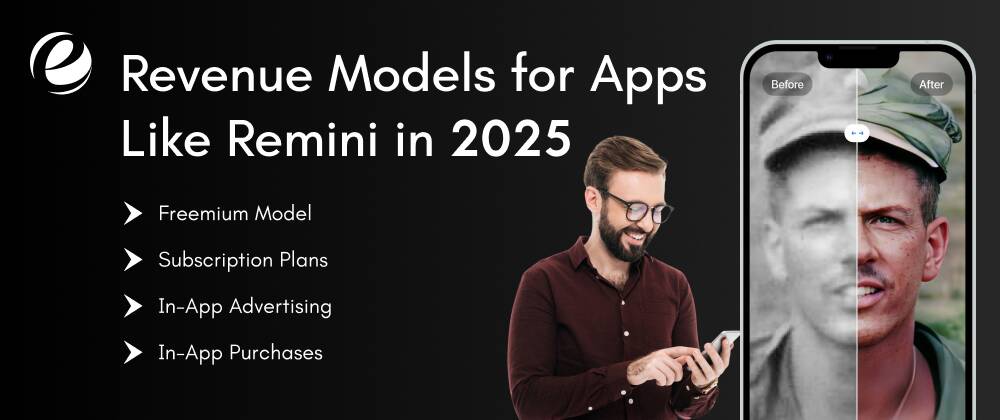
If you are thinking of creating an app like Remini, then you should also think about the ways to earn money through the app. Below are the most efficient and user-friendly methods to earn money from apps like Remini:
1. Freemium Model
The freemium version allows users to try the application without cost, with the basic enhancement tools. If they wish to access more features such as HD photos, older photo colorizing, and batch edits, users will have to purchase. The photo editing app gives the user an opportunity to try the application before they commit financially. This is a clever method to draw new customers and encourage customers to upgrade to the latest AI-based image enhancement tools.
2. Subscription Plans
Give users the choice to sign up for a monthly or annual subscription for additional advantages. Basic subscriptions could provide unlimited restorations of photos, whereas an upgrade could grant cloud storage capacity, prioritized processing, and early access to the latest AI tools. This type of model is ideal for casual users as well as professional photographers. It guarantees a constant revenue stream while also keeping customers interested and committed over the long run.
3. In-App Advertising
It is possible to show advertisements to users who don’t want to sign up for subscriptions. You can try non-intrusive advertising like banners and rewarded videos. In this case, watching a video for a few minutes can give access to an HD enhancement to their photos. So, you’ll still generate revenue without forcing users to leave. Limit ads to a minimum and make them optional so that users feel at ease and aren’t frustrated, inducing them to stay or even upgrade later to premium.
4. In-App Purchases
In-app purchases allow users to purchase certain features or tools within your app. You are able to offer premium filters, or even extra storage for your edited images. This gives customers the option of flexibility and doesn’t require a complete subscription, but still allows access to advanced tools. It is important to clearly label these purchases with the word “Premium” so users know the difference between what’s free and paid.

Why Choose EmizenTech for Building an App Like Remini
EmizenTech is a reputable mobile app development company with years of expertise in building high-quality, feature-rich mobile apps. We have expert app developers who understand how to create apps like Remini that use advanced technologies such as AI and image enhancement. We focus on seamless performance, user-friendly designs, and the highest level of security in each app we create. From concept to release, we work closely with you to bring your ideas to life.
Our team ensures the app is compatible with every device and is ready for future updates. With decades of experience and a passion for innovation, EmizenTech is the perfect partner to help you create an efficient and effective apps like Remini. Let us take your idea to the next level with creativity, quality, and reliable support.
Conclusion
The use of social media apps is becoming increasingly popular. Photo editing apps like Remini are also gaining recognition across the globe as users want to post fantastic and creative images on social media. With the rise of AI in editing and photography, photographers must adapt to new roles and develop new skills to thrive in the industry. Embracing AI editing tools is essential to staying relevant and productive in this rapidly evolving landscape.
Creating a photo editing app means staying updated with the latest trends and designing a user-friendly interface to improve the editing experience. A smooth, easy-to-use design makes the app more enjoyable and effective. We hope this article has helped you explore the best alternatives to Remini, and now you have a better idea of how to develop a photo editing app like Remini.
FAQs
What do people use Remini for?
The Remini application is an AI enhancement tool that removes blurring and noise from photos and restores old photographs. It can upscale images and includes tools for improving facial features by removing flaws. You can also use it to make fun edits.
How long does it take to build an app like Remini?
The time required to develop an AI photo enhancer app like Remini is typically between 2 to 6 months or more. However, the exact timeline depends on your business needs.
What languages can be used to develop an app like Remini?
Languages such as Python, Java, Swift, Kotlin, and C++ can be used, along with platforms like TensorFlow for AI features and Flutter or React Native for UI development.
Why do we need Remini alternative apps?
We need Remini alternatives to offer additional features, competitive pricing, offline access, or better performance to meet different user needs and preferences.



 +1 (989) 535-9295
 info@emizentech.com
 emizentech


