 Add us as a preferred source on Google
 The digital age of today has made photo and video editing an essential aspect of our daily lives. Photo and video editing apps like Picsart allow users to modify photos and create visually pleasing designs. Whether you’re a novice or a professional, these platforms provide basic but powerful functions. They make designing enjoyable and simple, allowing anyone to create stunning images effortlessly. One platform that’s most popular among people is Picsart.
It’s a mobile-friendly application that has transformed photo editing by offering a wide range of tools and features such as AI photo enhancement, facial retouching, and background (BG) removal. It was launched in 2011 and quickly became a top choice for those looking to enhance their images with innovative effects, AI-powered tools, and a user-friendly interface.
While PicsArt is popular, it may not suit everyone’s needs or budget. People often seek alternatives for more flexibility, unique tools, better pricing, or improved user experience. Exploring other options also can greatly help you find a platform that better aligns with your style, offers extra features, or simply provides better value. Looking for PicsArt alternatives ensures you find the best fit for your creative goals.
In this blog, we are going to explore the best Picsart alternatives for creative photo & video editing.
What is PicsArt?
PicsArt is a highly popular mobile application that allows photo editing and graphic design. It’s favored due to its extensive feature list and easy-to-use interface. Users can enhance and alter their images using a broad range of tools which includes filters, effects, and advanced editing features. PicsArt also includes a drawing tool and collage-making tools, which allow users to easily create unique and visually appealing images.
With its vast library of design templates, as well as a huge assortment of stickers, fonts, and clipart, it caters to both professionals and casual users. Furthermore, PicsArt fosters a vibrant community where users can share their designs and gain inspiration. Its blend of creativity, functionality, and social interaction makes it a top choice for background removal and more.
What Makes PicsArt So Popular?
PicsArt is extremely popular because it’s both easy to use and fun. People love it because it allows them to edit images and videos easily using their mobile phones. It comes with a variety of tools including stickers, filters, text, and effects. You don’t need to be a professional to create amazing edits, anyone can learn how to use it!
PicsArt provides multiple range of features for free. You can cut backgrounds, create or draw collages, and even add music to videos. It’s like several apps combined into one, which is why users enjoy it so much. Another major factor is the PicsArt community. Members can share their work and see others’ creations. It’s a great social network for creative people. You can even remix other artists’ work and make it your own.
PicsArt is compatible with both phones and other devices. It’s ideal for students, content creators, and anyone who enjoys editing in a fun way. There are always innovative updates, including AI tools, that make editing even simpler. You can confidently say that PicsArt is easy, effective, and creative. That’s why so many people use it daily. Whether you’re making a fun edit or serious artwork, PicsArt is a great place to start.
Benefits of PicsArt
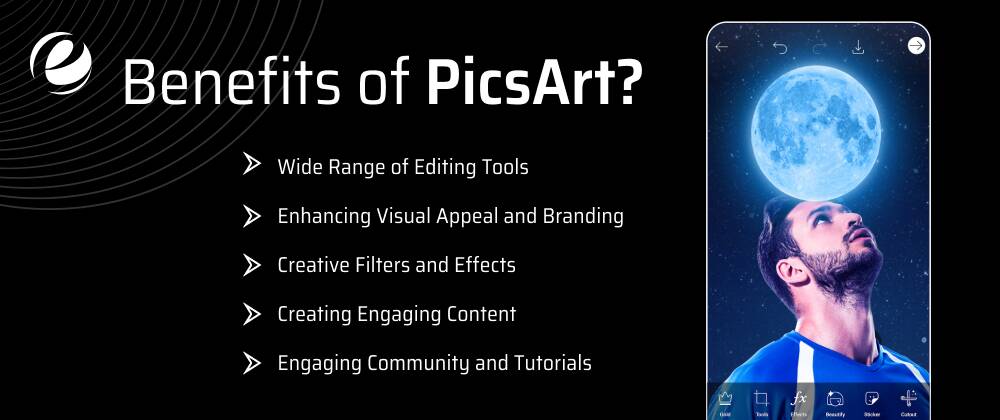
In this section, we’ll explore the advantages of using PicsArt and how it can enhance your photo editing experience.
-
Wide Range of Editing Tools
If you’re into photo editing, having access to a variety of tools is essential. PicsArt provides a broad selection of editing tools that allow to easily express their creativity and also transform ordinary photos into stunning works of art. From basic adjustments like contrast, brightness, and saturation to advanced options such as curves and color grading, PicsArt offers it all.
The app also includes unique tools like the Dispersion Tool, which allows users to create dramatic dispersion effects with just a few taps. With features like these, you can elevate your photography and produce eye-catching visuals that stand out.
-
Enhancing Visual Appeal and Branding
In social media marketing, eye-catching visuals are very important for grabbing attention as well as conveying your message through the design effectively. PicsArt Photo Editor offers a wide range of tools and effects to enhance the aesthetic appeal of your photos. Whether you’re adjusting brightness and contrast, applying filters, or creating striking collages, PicsArt gives you endless possibilities to stand out.
Additionally, an app like Picsart lets you seamlessly integrate branding elements into your visuals. You can easily add logos, watermarks, or text overlays that align with your brand’s style guidelines. Consistently branded visuals help create a cohesive look across your social media platforms, making your brand easier to recognize and remember.
-
Creative Filters and Effects
PicsArt offers a diverse collection of filters and effects that add flair to your photos. Doesn’t matter if you want to give your images a vintage vibe or enhance lighting for a more polished look, there are countless options in the app.
PicsArt also regularly updates its filter library with new effects that reflect the latest photography trends. This ensures you always have access to the freshest looks and can experiment with various styles without having to switch between different apps or software.
-
Creating Engaging Content
In today’s competitive digital landscape, connecting with your audience is essential for building loyalty and increasing conversions. With PicsArt’s vast collection of stickers, fonts, frames, and backgrounds, you can create compelling content that sparks interest and encourages interaction.
For example, if you’re organizing a contest or promoting a brand-new product on social media, you can use PicsArt’s drawing tools or text overlays to create engaging call-to-action graphics. These can drive users to participate or click through to learn more. By using PicsArt’s creative features, you can boost user engagement and foster lasting connections with your audience.
-
Engaging Community and Tutorials
One of PicsArt’s standout features is its lively, supportive community. The platform enables users to showcase their work, discover new talents, and connect with like-minded creatives from around the world. You can follow your favorite artists, join challenges, and even collaborate on projects.
Moreover, PicsArt offers an extensive library of tutorials covering everything from basic editing to advanced photo manipulation techniques. These tutorials, often created by skilled artists, provide stepwise guidance to help you master different aspects of photo and video editing.
Top 20 Apps Like PicsArt in 2025
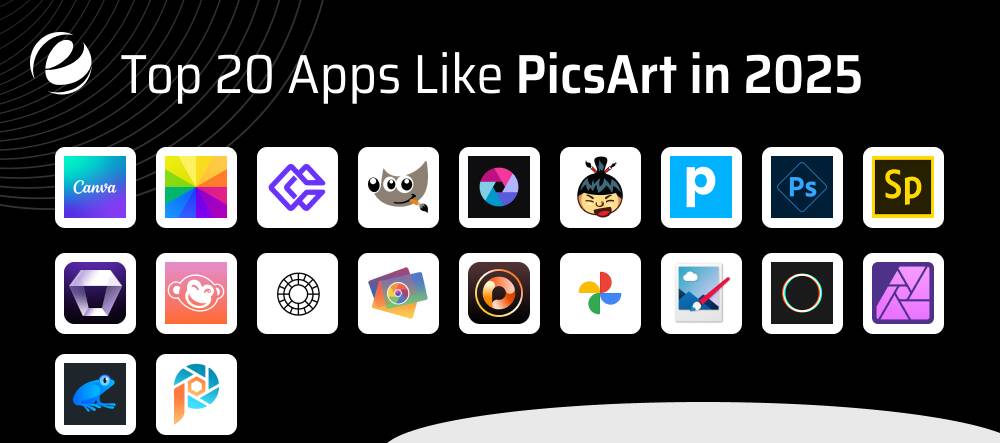
Are you looking for the best apps like Picsart that can meet your creative desires? Today, getting the best software can help make your images and designs more attractive. No matter if you’re a fanatic, a social media influencer, or an expert designer, locating the right editing software is vital.
This section will explore apps like PicsArt, ranging from easy-to-use web-based platforms for free to powerful editing software.
1. Canva
Canva is more of a graphic and social media tool as opposed to purely a photo editor, however, it does have the tools for editing photos that most users want, including changes to contrast and color, highlights, shadows, cropping, and more. Canva helps you edit your photos, remove or add objects with AI similar to Photoshop’s Generative Fill, and use your photos in over 20,000 professionally designed templates.
Apart from editing images, you can create fully AI photos and paste them into Canva Documents, create a presentation using text prompts, or create a site. Beyond photos, you can create AI text-to-video videos without requiring a camera. This is an excellent option in the world of social media as well as a cost-effective alternative to buying stock images or videos.
2. Fotor
Fotor is a comprehensive and simple-to-use app like Picsart for editing photos. It’s like a blend between Photoshop and Canva. The tools are advanced, yet everything is simple to utilize. Just one button and you’ll be able to make cool adjustments. Fotor offers AI-based tools that are smart as well. It can be used to remove text, logos, or even backgrounds.
Also, you can change backgrounds and make pictures larger and more clear. It’s an excellent tool for fixing portraits, such as removing skin imperfections and adding makeup or applying filters. Fotor lets you make videos or photos from texts using AI. It’s ideal for anyone looking for quick, innovative, high-quality editing.
3. Erase.bg
Erase.bg is the ultimate AI-powered application that effortlessly removes backgrounds from photos. No matter, if you’re a professional photographer, designer, or even an entrepreneur in e-commerce, Erase.bg, simplifies the process with speed and precision.
Upload your photo and enjoy smooth background removal in a matter of moments without sacrificing quality. Increase your productivity with the ability to process large quantities as well as API integration. This makes Erase.bg the ideal choice for rapidly changing your images.
4. GIMP
GIMP is an extremely powerful open-source solution for editing images and graphic design. Popular for its ease of use and extensive set of features, GIMP offers professional-level capabilities without the cost.
No matter if you’re a professional photographer, designer, or illustrator, GIMP provides a robust system for manipulating images, designing artwork, or enhancing photos. With support for a variety of operating systems and an active community that contributes to its growth, GIMP remains a go-to solution for users who want versatile software for digital creation.
5. Pixlr
Pixlr is an incredibly versatile and user-friendly online editing software that provides powerful features similar to desktop applications. With its amazing interface and powerful features, Pixlr caters to both novice users and professionals looking for quality edits without complexity.
Whether you’re enhancing personal images or creating graphics for social media and marketing material, Pixlr provides a seamless user experience. Available through web browsers and mobile applications, Pixlr supports a wide variety of editing tasks, from basic edits to sophisticated effects.
6. Sumopaint
Sumopaint is a flexible online image editor designed to satisfy the demands of both professional and amateur graphic creators. With its extensive tools and easy-to-use design, Sumopaint empowers users to make and edit photos quickly.
Whether you’re editing photographs, designing digital artwork, or creating illustrations, Sumopaint offers a variety of features to support your artistic endeavors. Available directly through your web browser, the Sumopaint app provides smooth editing without the requirement for complicated software installations.
7. Photopea
Photopea is an incredibly versatile and efficient app like Picsart. With its extensive collection of features and user-friendly design, Photopea caters to both beginners and professionals who want quality editing tools without needing to download or install software.
Whether you’re editing photos, creating graphic designs, or working with PSD layers, Photopea provides a seamless experience accessible through your internet browser. Supporting a broad range of formats as well as offering advanced functions, Photopea empowers users to make professional-grade adjustments and designs in no time.
8. Adobe Photoshop Express
Adobe Photoshop Express offers simple and easy photo editing, well-suited for intermediate and novice users. Its intuitive user interface, combined with an extensive set of editing tools, allows users to enhance their photos effortlessly. Tools like filters, adjustments, and collage creation let users apply unique effects, fix flaws, and merge multiple photos seamlessly.
Although it doesn’t have as many features as its desktop counterpart, Photoshop Express excels in providing an efficient and convenient option for editing photos on the go making it an excellent tool for anyone looking to enhance their mobile photography.
9. Adobe Spark
Adobe Spark is a dynamic and user-friendly design tool that lets users create stunning graphics, web pages, and videos with ease. As part of the Adobe Creative Cloud family, Adobe Spark is designed for both beginners and experts, offering an intuitive platform with powerful capabilities.
Whether you’re designing social media posts, marketing materials, or personal projects, Adobe Spark provides a variety of templates and customizable options to bring your concepts to life. Available on desktop and mobile devices, Adobe Spark simplifies content creation, allowing users to produce high-quality visuals quickly and efficiently.
10. Aiarty Image Enhancer
Aiarty Image Enhancer is a powerful AI-driven tool designed to enhance and upscale all kinds of images and photos. This includes real-life photos, AI art, graphic designs, product images, and more. It provides features like AI enhancement, AI upscaling, AI denoising, AI deblurring, and AI sharpening helping improve image quality with stunning results.
Its three specialized AI models effectively repair and recreate details, eliminate blur and noise, and provide super clarity and precision, even under challenging conditions. Though it may not offer the same level of manual control as some editing software, it remains an efficient solution for quickly enhancing and resizing images.
11. PicMonkey
PicMonkey is a multi-functional app like Picsart that allows users to create stunning visuals quickly. Known for its rich feature set, PicMonkey caters to everyone right from casual users to professional designers.
Whether you’re editing photos, creating social media graphics, or producing marketing content, PicMonkey offers a variety of tools to bring your vision to life. With a seamless interface available on both mobile and desktop platforms, PicMonkey simplifies the creative process and enables high-quality results with ease.
12. VSCO
The VSCO is similar apps like Picsart is a full-featured image editing and sharing platform with a user-friendly interface as well as a broad selection of filters, presets, and editing tools. The extensive library of presets and filters allows users to quickly apply unique styles to their images. It also offers various editing options such as intensity, contrast, saturation, and temperature, giving users precise control over the final look of a photograph.
Alongside its editing tools, the community-driven feature of VSCO like PicsArt’s community is an outstanding characteristic. It fosters a sense of community and provides an amazing platform for photographers to share their images, receive feedback, and connect with like-minded individuals.
13. Photoscape
Photoscape is a highly flexible and user-friendly photo editing application designed to make image enhancement accessible to everyone. With a variety of tools and options, Photoscape is ideal for both beginners and experienced photographers too.
Whether you need to edit your photos, create collages or animated GIFs, or process images in batches, Photoscape provides all the necessary functions in one platform. With its powerful editing capabilities, Photoscape simplifies the creative process and also helps you achieve professional results quickly.
14. PhotoDirector
PhotoDirector is a powerful and easy-to-use app like Picsart designed for both professional and amateur photographers. Developed by CyberLink, PhotoDirector offers a comprehensive set of editing tools and functions that help enhance and transform your photos. Whether you’re editing images, applying creative effects, or organizing photo libraries, PhotoDirector provides everything within a streamlined interface.
With advanced features such as layer editing, AI-powered enhancements, and HDR effects, PhotoDirector enables users to achieve stunning results with the ease of traditional photo editing software.
15. Photos
Photos is the default photo management application available on Apple devices. It provides users with a smooth and intuitive experience for organizing, editing, and sharing pictures. Its clean and simple interface, along with powerful features, makes it a top choice for both casual users and professionals.
Photos automatically organize images into albums based on date, location, or people, making it easy to find specific shots. Like the apps like PicsArt, it also offers various editing tools including filters, adjustments, and cropping for easy photo enhancement.

16. Paint.NET
Paint.NET is a free photo and image editing software for Windows that strikes a balance between powerful features and user-friendliness. Created as a lightweight alternative to more complex graphic programs, Paint.NET offers all the important tools for editing photos, creating eye-pleasing digital art, and enhancing images.
Its intuitive interface and simplicity make it easily accessible for beginners while also still meeting the needs of advanced users. Whether you’re retouching photos, applying effects with layers, or using plugins for extra functionality, Paint.NET gives you a creative edge.
17. Polarr
Polarr is an intuitive photo editing tool that is designed to cater to both casual users and professionals. Known for its feature-rich environment and sleek interface, Polarr offers a full suite of editing tools that help users enhance their photos with accuracy and creativity.
Whether you’re looking to adjust colors, apply filters, or fine-tune image details, Polarr delivers a seamless editing experience across both desktop and mobile platforms. With advanced features such as AI-driven enhancements and batch processing, Polarr simplifies the editing workflow for users of all skill levels.
18. Affinity Photo
Affinity Photo is a high-end photo editing application offering powerful tools tailored for designers, photographers, and digital artists. Developed by Serif, Affinity Photo combines desktop-level performance with user-friendly features for handling complex editing tasks.
Whether you’re retouching photos, crafting intricate compositions, or creating digital artwork, Affinity Photo supports your creative vision with speed and precision. With non-destructive editing, robust layer support, and a complete professional toolkit, Affinity Photo lets users produce stunning results without the need for a subscription.
19. Ribbet
Ribbet is an exciting and easy-to-use app like Picsart catering to both beginners and those with a creative flair. It offers a broad range of editing tools and creative effects, simplifying the process of enhancing and transforming photographs with its intuitive interface. Whether you’re retouching photos, creating collages, or applying artistic effects, Ribbet provides a seamless editing experience directly within your browser.
With features designed to boost efficiency and spark creativity, Ribbet stands out as a versatile software for editing images quickly and producing professional-quality results without requiring complex software installations.
20. Corel PaintShop Pro
Corel PaintShop Pro is a powerful and versatile photo editing software specifically designed for both amateurs and professionals who seek advanced editing capabilities. With a user-friendly interface complemented by an extensive feature list, PaintShop Pro enables users to enhance images, create stunning designs, and perform precise retouching.
Whether you’re editing RAW images, correcting imperfections, or applying creative visual effects, PaintShop Pro offers comprehensive tools for achieving professional results. It’s ideal for photographers, graphic artists, and designers who work with digital images. PaintShop Pro stands out as a dependable, feature-rich design solution for all your photo and video editing design needs.
Compare Key Features of Leading Photo & Video Editing Apps
Explore the best other apps like Picsart with standout features and ideal use cases.
| App Name | Best For (Purpose) | Standout Features |
| Canva | Making ads, blogs, and quick video edits |
|
| Photos | Fixing portraits with one-click touch-ups, AI editing |
|
| Photopea | Photoshop-style editing, graphic design |
|
| Pixlr | Quick photo edits, online Instagram/Facebook filters |
|
| GIMP | Professional editing, digital painting |
|
| PhotoDirector | AI effects for photo and video editing |
|
| Photoshop Express | Quick photo edits on the mobile |
|
| Affinity Photo | Professional photo editing and digital art |
|
| Polarr | Advanced photo styling |
|
| PicMonkey | Social media posts, YouTube thumbnails |
|
| VSCO | Editing photos with stylish filters |
|
| Paint.NET | Basic and some advanced photo edits (Windows) |
|
| Corel PaintShop Pro | Professional photo editing |
|
| Erase.bg | Quickly removing backgrounds |
|
| Picsart | Edit photos, create art, and design easily. |
|
| Aiarty Enhancer | Fixing blurry or low-quality photos |
|
| Ribbet | Quick photo editing, collages, and stickers |
|
How To Develop An App Like Picsart
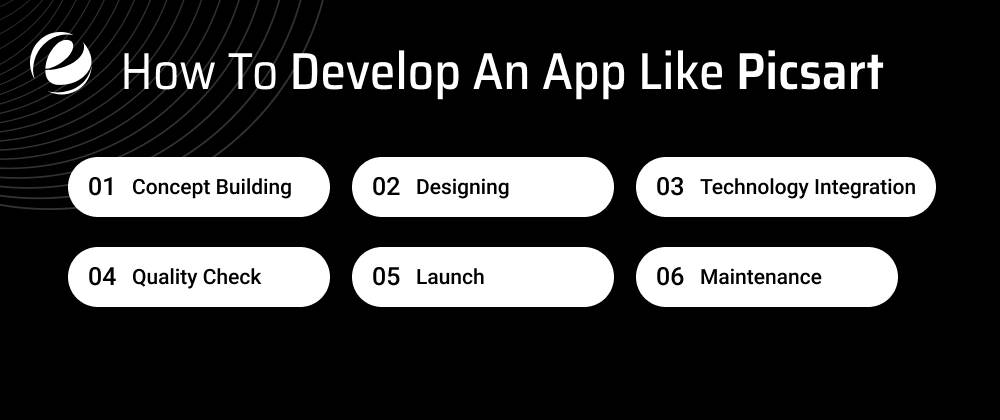
The process of developing other apps like Picsart requires a step-by-step procedure, which ranges from planning to testing. Below are the guidelines for creating a highly effective photo editing app like Picsart.
1. Concept Building
Before establishing your plans to develop an app like Picsart for editing videos, it is essential to research the market thoroughly. Write down the issues of users and attempt to resolve them through the product. Research will aid in defining the functions such as UI, UI, the technologies you will incorporate, as well as its strengths.
2. Designing
Once you have a clear understanding of the cost and time required for the development of a feature-rich, AI-integrated app like Picsart, then it’s time to develop the application. Wireframing or creating a model can help to define the design of the app. This is also helpful in gathering feedback relevant to the app and implementing any needed adjustments.
3. Technology Integration
To ensure that front-end functions run smoothly and smoothly, it’s important to integrate the appropriate technology tools. Frameworks and languages such as Flutter, Java, Kotlin, Python, Rust, PHP, and many more let applications function effortlessly on every device.
4. Quality Check
The most important factor to ensure smooth application moving is to test the entire functionality and features. It’s not enough when you don’t test every aspect of your app before releasing it on the marketplace.
5. Launch
When you’ve completed the performance testing and compatibility, you are the time to put your application to the marketplace. If you submit your application to popular marketplaces Google Play Store and Apple’s App Store you can draw prospective customers. Make sure to include its distinctive characteristics, images, as well as relevant marketing material.
6. Maintenance
To ensure scalability for the apps like Picsart, it’s important to continue to offer maintenance and maintenance. Regular bug-fixing versions help ensure uninterrupted performance and greater customer satisfaction.
Cost To Develop An App Like Picsart
With the demand for advanced editing tools such as PicsArt increasing, so does the need to build similar tools. If you’re looking to get into the market, it’s important to know the costs involved in building an AI application for photo editing such as PicsArt that ranges between $40,000 and $300,000 based on a myriad of variables and additional factors to consider.
In this section, we will break down these elements in depth:
1. Choice of Platform
Develop apps for iOS or Android. Single-app platforms cost less than a cross-platform app. Choose the requirements for your app and decide on the users, and based on these facts, choose the platform. But, the tech stack is dependent on the selection of the platform. In addition, cross-platform development is strongly recommended to ensure more visibility to everyone who uses it; however, it may cost a little more than if the app is created on one platform.
2. Number of Features
The variety of options for editing software, editing features for video, as well as collage-making capabilities, are among the main features of the photo-video editing software. Costs vary based on these capabilities. In the case of apps like Picsart, the development costs depend on the model chosen. AI models and machine learning. Costs associated with integrating AI to develop apps can be a little higher than the typical application.
3. UI/UX Design
The price of the project can differ according to the design of the user interface. The amount of screens, the design complexity, animations, as well as other custom graphics, are driving factors for the costs. It is a race and will need to have an app that is well-designed and easy to use to be competitive. Employ a UI/UX design team to create apps similar to Picsart.
4. Development Team
The cost also varies based on the size and geographical location of the team responsible for development. The cost also depends on the knowledge and experience of developers who are hired. You can hire a development team that includes UX/UI designers, developers, project managers, and testers in areas with less cost of labor.
5. Backend Development
In the process of developing an AI-based app ensure that you have the most robust backend in place to guarantee an efficient app’s performance, and process the user’s data and resources. Choose AI developers based on their experience in the field and portfolio.
App development costs will vary depending on the complexity of your app as well as cloud-based services and storage requirements for data. Integration of third-party services like the sharing on social media, cloud storage as well as payment gateways, adds the price.
6. Maintenance and Updates
It is very important to conduct regular maintenance to identify and fix issues and ensure that the application is kept up-to-date. In the age of AI devices, it’s important to be aware of the AI model, its behavior, and its relevance to the key matrix. The maintenance costs can be higher for AI-integrated video and photo applications. Employing an AI development company with after-launch assistance is crucial.
Why Choose EmizenTech for the Development of Your App Like PicsArt
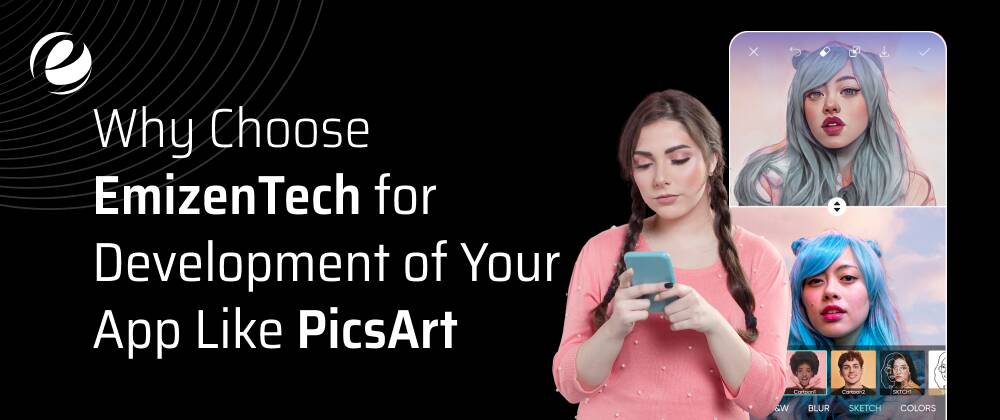
EmizenTech is an acclaimed application development company that can help develop amazing apps like PicsArt. Our experts app developers as well as designers utilises the most advanced tools and technologies to develop applications for editing video and photos which are enjoyable, simple to use, and packed with tons of options. Our focus is on making your application quick, easy to use, and fun ensuring users will be able to edit their images and videos using stunning effects, filters, as well as AI-powered tools.
Through years of expertise, we know exactly what it takes to develop a distinctive application. Our team works closely with you to fully understand your concepts and then turn your ideas into an effective, top-quality application. Choose EmizenTech to help bring your application idea to life. We’ll give your users an amazing editing experience they’ll enjoy and continue to return to.
Conclusion
In a time when visual storytelling has taken over, apps like PicsArt are now indispensable instruments for amateur as well as professional photographers. With a variety of editing tools like filters and templates, these platforms allow users to make ordinary pictures into amazing masterpieces.
Apps like PicsArt provide a variety of powerful and diverse tools for photo editing and creativity. You can choose between simple editing, powerful tools for editing, or a unique effect, each option provides an appealing choice to satisfy a variety of desires and needs, making sure that you can easily improve or alter the quality of your pictures.
If you’re interested in creating an app like PicsArt. Connect with our experts for a comprehensive guide!
FAQs
How long does it take to build an app like PicsArt?
The development of an app like PicsArt will typically take between 2 and 5 months for a basic photo editing application. The complexity of the app could increase the development time to 5–9 months.
What are the differentiators between the above-discussed alternatives?
Each option has its unique options, features, interfaces, and pricing plans. A few may concentrate more on professional-quality editing, whereas others are more focused on accessibility and user-friendliness.
How to choose the best app for my requirements?
Take into consideration your goals for editing, your level of proficiency, your budget, and your preferred device (desktop or mobile). Check out demos or free trial versions to determine the software that best meets your requirements.
Can an app like Picsart be used by anyone with any level of proficiency?
Most options cater to a wide range of users from novices to pros. The majority of them offer different levels of functionality, from basic editing tools to sophisticated features.



 +1 (989) 535-9295
 info@emizentech.com
 emizentech


