 Add us as a preferred source on Google
 There is a specific kind of frustration that comes from opening the app store with a goal in mind, learning Spanish, starting investing, and finally getting consistent with workouts and walking away 20 minutes later having downloaded nothing because the options were just too overwhelming. Most people have been there.
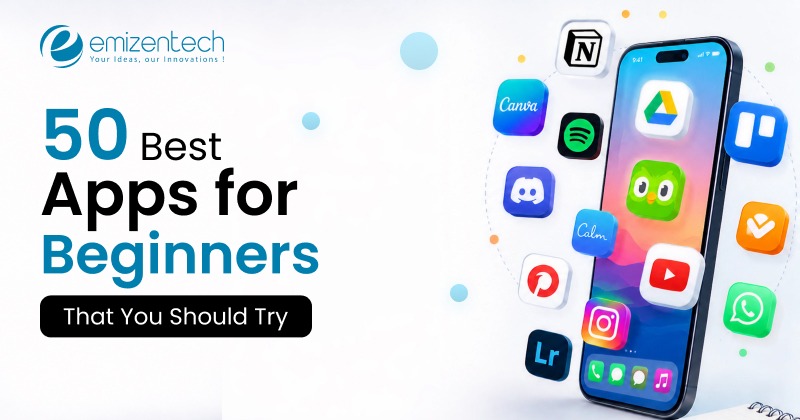
The good news is that in 2026, the best apps for beginners are genuinely better than they have ever been. Not just simpler, but smarter about easing new users in without making them feel like they are using a watered-down version of the real thing. This list covers 50 of them popular, well-rated, and actually worth your time.
What Makes an App Ideal for Beginners?
Not every highly rated app is suitable for someone just starting out. A 4.9 star app built for power users can still leave a beginner completely lost.
What actually matters is a bit more specific:
- Onboarding that holds your hand early: The first session should feel guided, not like you are trying to solve a puzzle without any instructions. Good beginner apps walk you through the core flow before leaving you alone.
- An interface that does not require a manual: If you have to hunt for basic features or watch a YouTube tutorial just to use the main function, it is not a beginner app; it is just a complex app with a good marketing team.
- Room to grow: The best apps for beginners do not cap out fast. They start simple but have enough depth that you don’t switch to something else as soon as you get comfortable.
That last one matters more than people realize. An app a beginner outgrows in two weeks is not really serving them well; it is just delaying the learning.
50 Best Apps for Beginners in 2026
It is understandable that as a beginner navigating the world of apps can be overwhelming. This collection of lists features the best apps for beginners, organized by category. It is collected after evaluating things like its focus on the tools that are intuitive and directly solve the core problem.
Best Productivity Apps
1. Notion
Notion has a reputation for being complicated, and honestly, it can be if you go looking for complexity. Start with a template though, and you can have a working planner or study dashboard in under five minutes. The AI assistant in 2026 lets you describe what you want and builds the structure for you.
- Starting Price: Free / $10 per month
2. Todoist
Type “dentist appointment next Thursday at 3pm,” and Todoist creates the task, sets the date, and schedules the reminder no dropdowns, no date pickers. For people who have tried and quit other task managers, this natural language input is often what finally helps them build the habit.
- Starting Price: Free / $5 per month
3. Google Keep
Google Keep is a digital sticky note, and that is exactly what a lot of beginners need. Quick to open, quick to type in, synced across all your devices automatically. No system to learn, no features to configure.
- Starting Price: Free
4. Trello
Boards, lists, and draggable cards: if you have ever organized sticky notes on a table, you already understand Trello. The free tier comes with templates for job hunting, travel planning, content calendars, and more so you never start from a blank screen.
- Starting Price: Free tier / $5 per month
5. Forest
Forest has one mechanic: plant a virtual tree, stay off your phone, watch it grow. Leave early and it dies. That tiny emotional hook is surprisingly effective for beginners trying to build a focus habit without anything complicated.
- Starting Price: Free
6. Microsoft OneNote
OneNote feels like an actual notebook with a free-form canvas, sections, pages, audio recording, and stylus support. For anyone already in the Microsoft ecosystem, it fits in without requiring anything new to learn.
- Starting Price: Free / $6.99 per month
7. Clockify
Most people who start freelancing have no idea where their hours actually go. Clockify answers that question with one-click time tracking, zero setup, and a weekly breakdown that is often more eye-opening than you might expect. Completely free.
- Starting Price: Free / $3.99 per month
Best Learning Apps
8. Duolingo
Duolingo is the default answer to “How do I start learning a language?” and it has earned that. Each lesson takes two minutes, feels more like a puzzle than a class, and the streak system creates just enough pressure to keep you returning. As the best language learning app for beginners, over 40 languages are available, and the 2026 AI tutor adapts specifically to where you are struggling.
- Starting Price: Free / $12.99 per month
9. Simply Guitar
Most guitar apps assume too much. Simply Guitar assumes nothing starts with how to hold a pick, listens through your microphone as you play, and will not move you forward until you get a chord right. For complete beginners, that real-time feedback is what makes it the best guitar app for beginners rather than just another video library.
- Starting Price: $14.99 per month
10. Yousician
Yousician covers piano, guitar, bass, and ukulele, but the piano track is where it earns its spot as the best piano app for beginners. It listens to your playing, slows down when you are struggling, and gives specific note-by-note feedback through the frustrating early weeks when most beginners typically quit.
- Starting Price: Free tier / $7.49 per month
11. Chess.com
The Learn section teaches each piece through interactive puzzles rather than text, and bots start at genuinely easy difficulty. As the best chess app for beginners, Chess.com never assumes you already know something, and there is always a clear next step after every lesson.
- Starting Price: Free
12. Khan Academy
Free, curriculum-aligned lessons across math, science, history, and computing, with mastery exercises that confirm you have actually understood before moving forward. For self-learners of any age, it remains one of the most reliable places to start anything academic.
- Starting Price: Free
13. Brilliant
Where Khan Academy explains concepts, Brilliant makes you figure them out through interactive problems before the theory arrives. Beginners who find passive learning boring tend to respond well to that approach.
- Starting Price: Free tier / $13.49 per month
14. Udemy
Thousands of beginner-level courses on coding, design, marketing, photography, and more taught by practitioners, bought once, and owned forever. For structured human-taught instruction on a specific skill, it is worth checking what is available before paying for something more expensive.
- Starting Price: Free / $9.99 (for individual course)
Best AI Apps
15. Claude
Claude is built by Anthropic and is notably good at explaining things clearly, thinking through problems step by step, and being upfront when it is uncertain. For beginners using AI for the first time, that honesty matters more than it might seem. It is also one of the best AI coding tools for beginners.
- Starting Price: Free / $17 per month
16. ChatGPT
Still the most recognized AI assistant out there, and the interface has barely changed because it barely needs to. Open it, type a question, get an answer. Almost no learning curve, which is exactly why it works as one of the best apps for beginners approaching AI for the first time.
- Starting Price: Free / $8 per month
17. Perplexity AI
Perplexity shows its sources inline, which makes it significantly more trustworthy than an AI answer with no attribution. For beginners doing research, students, especially knowing where information came from, change how useful it actually is.
- Starting Price: Free / $17 per month
18. Otter.ai
Otter records conversations and turns them into searchable text while you listen. Transcription quality in 2026 is accurate enough that most users stop taking manual notes within a week. Setup takes under a minute.
- Starting Price: Free / $8.33
19. Canva AI
Magic Design, text-to-image, and AI-generated copy are all layered on top of an editor that already makes sense for beginners. First-time designers are not learning an AI tool on top of a hard design tool. The design part is already accessible.
- Starting Price: Free / $12.99 per month
20. Google Gemini
Gemini’s main advantage is that it lives inside Gmail, Docs, and Search places beginners already frequent. For people who find separate AI apps overwhelming, that integration removes most of the friction.
- Starting Price: Free / $4.99 per month
Best Fitness Apps
21. Nike Training Club
Hundreds of workouts in strength, cardio, yoga, and mobility are completely free, with video demonstrations and clear form cues throughout. The level filter is what makes it practical: set it to beginner and you’ll only see workouts that are actually appropriate for your level. Easily one of the best fitness apps for beginners available right now.
- Starting Price: Free
22. MyFitnessPal
Point your camera at any packaged food and the nutritional information populates automatically from a database of over 14 million items. For beginners trying to understand what they are actually eating, a week with MyFitnessPal tends to be genuinely informative.
- Starting Price: Free / $19.90 per month
23. Couch to 5K
Eight weeks, walk-run intervals, and audio coaching that tells you exactly when to run and when to walk. The best running app for beginners is not the one with the most features; it is the one that gets you across a finish line you did not think you could reach, and C25K does that consistently.
- Starting Price: Free / $4.99 per month
24. FitOn
Free fitness classes across HIIT, Pilates, dance, yoga, and strength, with a beginner filter and the option to invite a friend to join the same class remotely. That social layer makes a real difference for beginners who struggle with motivation alone.
- Starting Price: Free
25. Down Dog Yoga
Down Dog generates a different yoga class every session so you never repeat the same sequence. The beginner mode slows everything down, keeps poses accessible, and builds sessions short enough to actually complete on a busy morning. It is the best yoga app for beginners; no prior flexibility or experience is assumed.
- Starting Price: Free / $9.99 per month
26. Peloton
Beyond the bike, Peloton’s app covers cycling, strength, running, stretching, yoga, and meditation with instructors who are noticeably good at making newcomers feel welcome. Achievement badges and leaderboards give first-timers something to engage with beyond the workout itself.
- Starting Price: Free / $12.99 per month
27. Strava
Strava tracks every run and ride with GPS and puts it in front of a community that cheers for your first kilometer as much as your fiftieth. Personal bests get flagged automatically, and route discovery helps new runners find somewhere to go without planning a trip in advance.
- Starting Price: Free / $11.99 per month
Best Personal Finance Apps
28. Mint
Mint pulls data from your bank accounts, cards, and loans and builds one clear picture without you having to do much. Transactions categorize automatically, budget alerts fire before you overspend, and the monthly summary shows exactly where the money went. For beginners avoiding their finances because they felt complicated, Mint makes the first honest look much less painful.
- Starting Price: Free
29. YNAB
YNAB teaches one method: every dollar gets assigned a job before you spend it. The learning curve is slightly steeper than Mint, but people who commit to a month with it typically report a genuine shift in how they think about money, not just better tracking.
- Starting Price: $9.08 per month
30. Robinhood
Robinhood removed the commission barrier and built an interface simple enough that someone with zero investing background can place their first trade without calling anyone. Fractional shares mean you can buy into any company for a dollar. It remains the best stock trading app for beginners because starting actually feels possible rather than intimidating.
- Minimum to start: $1
31. Acorns
Acorns rounds up everyday purchases and invests the spare change automatically in a diversified portfolio. You never pick stocks, read reports, or make decisions beyond your risk level which makes it the best investment app for beginners who keep meaning to start but keep finding reasons to wait.
- Starting Price: $3 per month
32. Coinbase
Coinbase’s Learn and Earn program rewards beginners with small amounts of actual crypto for watching short explainer videos about digital assets. It is the best crypto app for beginners because the education happens before the spending, not after. The technical side of how crypto wallets work is covered in this multi-cryptocurrency wallet development guide.
- Starting Price: $4.99 per month
33. Betterment
Answer a few questions about your goals and risk tolerance, and Betterment builds and manages a portfolio on your behalf, buying, rebalancing, and tax-loss harvesting all of it. It is the best beginner investing app where no financial knowledge is required to benefit from it.
- Minimum Deposit: $5 per month for balance under $24,000.
34. DraftKings
DraftKings explains each bet type before you place it, shows responsible gaming limits upfront, and makes the potential win and loss clear before you commit. For beginners exploring sports wagering, it is the best sports betting app for beginners who want to understand what they are doing before the money is on the line.
- Minimum Deposit: $5
Best Creativity and Design Apps
35. Canva
The starting point is always a template, and Canva’s templates actually look good. Swap the text, adjust the images, and change a color if you feel like it. Background removal, platform resizing, and basic photo correction are one click each. As the best photo editing app for beginners who are not designers and do not want to become one, it removes every obstacle between having something to say and making it look decent.
- Starting Price: Free / $12.99 per month
36. CapCut
Auto-captions in seconds, AI background removal on video, trending templates that give new creators a structure to work inside while they are still finding their style. For anyone making their first social media videos, CapCut is the best video editing app for beginners and it is not a particularly close competition.
- Starting Price: Free tier / $9.99 per month
37. Adobe Lightroom Mobile
The preset system lets you apply a consistent color grade across photos with one tap, while the sliders teach exposure and tone through experimentation rather than tutorials. Most beginners find they are making intentional edits within a few weeks without sitting through a single class.
- Starting Price: Free / $11.99 per month
38. GarageBand
Free on every iPhone and Mac, and smart instruments play correctly in whatever key you set so your first session sounds better than it has any right to. For beginners curious about music production before investing in paid software, GarageBand is the right starting point.
- Starting Price: Free
39. Procreate Pocket
Procreate Pocket handles touch input well enough that beginners can make things they are actually satisfied with. The undo gesture is forgiving, the canvas is responsive, and the automatic time-lapse of each drawing is the kind of small detail that keeps new illustrators motivated.
- Starting Price: $5.99 for iOS
Best Communication Apps
40. WhatsApp
Two billion users, and the reason is simple: it does the basics without making any of them complicated. Group chats, voice notes, video calls, and file sharing are all exactly where you expect them. The switch from SMS takes about ten minutes.
- Starting Price: Free
41. Slack
Conversations organized by topic rather than person make professional threads far easier to follow than email chains. Beginners entering a workplace that uses Slack typically find it more intuitive than expected, and the search function keeps important information findable.
- Starting Price: Free / $7.25 per month
42. Zoom
Joining a meeting from mobile requires one tap on a link. No account, no download, no settings. That simplicity is why Zoom became the default for remote meetings and why it remains the most beginner-accessible video option around.
- Starting Price: Free / $20 per month
43. Discord
Study groups, creative communities, local hobby groups Discord handles all of them well. Server templates help beginners set up organized spaces quickly, and the free tier covers everything most newcomers will actually use.
- Starting Price: Free
44. Google Meet
Meet lives inside Gmail so there is nothing new to install or log into. Click a link and enter a meeting. For beginners who find new software stressful, Meet barely feels like a separate product; it is just there when you need it.
- Starting Price: Free / $7 per month
45. YouVersion Bible
Reading plans designed for first-time readers break scripture into short daily passages with context and reflection prompts, audio versions read every verse aloud, and a global community lets beginners ask questions without leaving the app. It is the best bible app for beginners who have no idea where to start with the text.
- Starting Price: Free
46. Telegram
Larger groups, better file sharing, searchable history, channels that work like newsletters. For beginners who have started feeling the limits of basic messaging apps, Telegram is the natural next step, powerful enough for advanced use and clean enough that newcomers rarely need a guide.
- Starting Price: Free / $4.99 per month
47. Signal
Signal looks like a standard messaging app because it is designed to. The only real difference is that everything is end-to-end encrypted. For beginners interested in privacy who assumed it would mean learning something complicated, Signal is a pleasant surprise.
- Starting Price: Free
48. Skype
Skype has been around long enough that most people’s parents know how to use it, which says something about its accessibility. Free video calls between Skype accounts and cheap international calling to phones and landlines. Low-friction for first-time international callers.
- Starting Price: Free / $2 per month
49. Microsoft Teams
Chat, meetings, file storage, and Office apps in one place. For beginners entering a corporate environment where Teams is the standard, having everything together significantly reduces the overwhelm of a first week.
- Starting Price: Free / $4 per month
50. Google Chat
Chat lives inside Gmail and connects with Docs, Sheets, and Meet. For beginners already in Google Workspace, it is the fastest way to move from email to quick conversation without opening anything new.
- Starting Price: Free / $6 per month
How to Choose the Right App as a Beginner?
The honest answer is to pick based on one specific problem, not a category. Not “I want to get more productive” but something more concrete, like “I want to stop forgetting tasks at work.” That clarity makes the choice obvious and makes it easier to actually commit.
After that, a few practical filters help:
- Check when it was last updated. An app untouched for eight months is a warning sign, especially in categories that move fast.
- Read the one and two-star reviews. That is where you find out whether the problems people are reporting are ones you would hit too.
- Use the free tier first. Two weeks of real use tells you more than any review will.
Most beginner frustration with apps is really just first-week frustration. It almost always eases once the basic flow becomes familiar; give it a real chance before writing it off.
Future Trends in Beginner-Friendly Apps for 2026
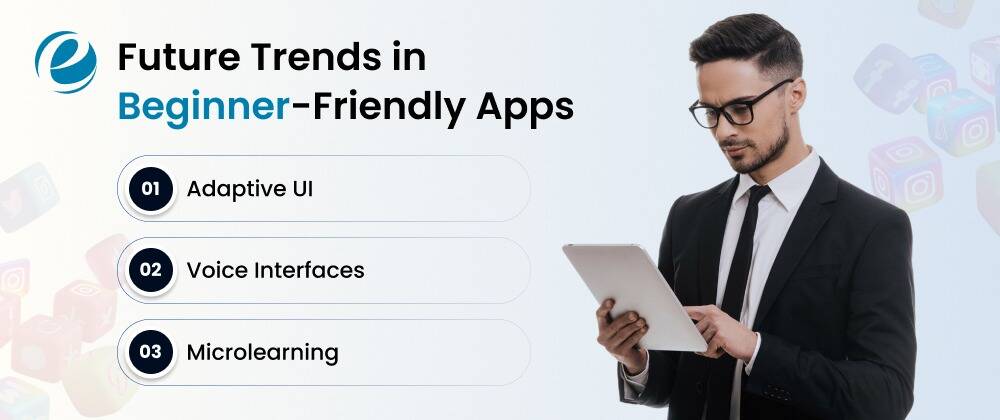
The direction the best apps for beginners are heading in 2026 is clear if you look at where the investment is going. These are some trends in beginner-friendly apps that the businesses will include in the apps to make them more engaging for the users:
Adaptive UI
A beginner who keeps replaying the same Duolingo lesson, skipping a step in a workout app, or abandoning a budgeting entry halfway, the app detects it and adjusts. This kind of behavior-driven adaptation is moving from a premium feature to a baseline expectation across categories.
Voice Interfaces
Voice interfaces are also maturing fast. Not just voice search but also full navigation opening menus, completing forms, and moving through apps by talking. This is particularly significant for older users and people with accessibility needs, who have historically found touch-based apps harder to use.
Microlearning
The micro-lesson format is becoming structural rather than optional. Most beginners have five minutes on a commute or ten minutes before bed, not a dedicated learning block. Apps that build content around that reality retain users.
According to Statista, global mobile app revenue is expected to surpass $935 billion by 2026, with health and productivity leading growth. That money follows users, and users are voting clearly for experiences that treat them well from the very first session.
Thinking About Building Your Own App for Beginners?
If reading this best apps for beginners list sparked an idea, the timing is genuinely good. The market for well-designed beginner apps is large, user expectations are well-documented, and the development tools in 2026 make building a solid first version more accessible than ever.
What separates apps that stick from ones that get deleted after three days almost always comes down to early decisions:
- Solve one problem well. Apps that try to be everything for beginners end up being the right choice for none of them.
- Spend as much time on the first five minutes as you do on the full product. Most users form their opinion in the first session.
- Build for someone who knows absolutely nothing going in, not the person you hope will read the documentation first.
Working with an experienced mobile app development team means onboarding logic, personalization, and retention mechanics are built into the architecture from day one, not retrofitted later when users are already leaving.
Why Choose EmizenTech for App Development?
EmizenTech has been building mobile products for over a decade across fintech, health, learning, consumer categories, and many more. Our work is not just about writing clean code; it is about understanding the product decisions that determine whether a new user stays or leaves.
First-session experience, notification strategy, feature sequencing, and the UX details that most shops treat as afterthoughts are central to how our developers approach every project. If you are building something where the user you are designing for is starting from zero, that experience matters.
You can hire mobile app developers from EmizenTech as a dedicated extension of your team, with flexible engagement, transparent timelines, and a portfolio in the categories where beginner UX is the hardest problem to get right.
Conclusion
There is no shortage of apps. The shortage is time and the patience to figure out which ones are worth it. Every app on this list made the cut because real beginners use it, rate it well, and come back to it. The best apps for beginners in 2026 are not the flashiest or the most feature-rich.
They are the ones that make you feel like you are actually moving forward from the first session rather than spending your energy figuring out the tool itself. Pick the one that fits what you are trying to do right now. That is genuinely all the strategy you need.
FAQs
Where can I safely download these applications?
You should only download mobile applications from the official Apple Store or the Google PCMag Android store to guarantee the software is free from malware and secure.
What are the best apps for learning something every day?
If you want to learn something daily, users often recommend Duolingo for languages and Blinkist or Headway for bite-sized reading and audiobooks.
Are there best workout apps designed for beginners?
Yes, Nike Training Club is widely considered the best free workout app for beginners. Additionally, apps like Caliber and Aaptiv offer video tutorials and movement cues that let you move at your own pace.



 +1 (989) 535-9295
 info@emizentech.com
 emizentech


