
 Add us as a preferred source on Google
 Today, there are countless chat and messaging apps available worldwide. Each country has its own famous app that people use to communicate with each other. To name a few: WhatsApp, X, Facebook Messenger, and Arattai. These applications require an internet connection to send or receive messages. Also, if you are a sender, you send an encrypted message; if you are a receiver, you decrypt it. Since we have flourished massively in the tech sector, there are still some loopholes that need to be addressed. In areas with zero or almost negligible internet connectivity, communication becomes a challenge, and sometimes, in emergencies, the required person may not be able to reach you on time when needed most because the text never gets delivered.
The solution: BitChat. Yes, BitChat is a decentralized peer-to-peer application developed by Jack Dorsey, co-founder of Twitter (now known as X). It’s a free, open-source messaging app on Apple’s App Store named Bitchat Mesh, or simply BitChat. Now the other question that may arise in your mind is why there is a need for this application. Well, it’s a Bluetooth messaging application that works when two people are in close proximity, typically within 30 feet, to communicate without hassle. There are times when nothing works, but even a strong Bluetooth signal can save you and your loved ones in extreme situations. In this blog, we will discuss everything related to the BitChat app.
What is BitChat?
As discussed earlier, BitChat is a decentralized peer-to-peer messaging application that runs over Bluetooth mesh networks to send or receive messages. For this, you don’t need an internet connection, a server, or phone numbers. If you compare it with other traditional messaging apps, you will notice that they rely entirely on centralized infrastructure that can be censored, monitored, or disabled. However, BitChat creates ad hoc communication networks using devices in physical proximity.
Each device acts as both client and server, automatically discovering peers and relaying messages across multiple hops to increase the network’s availability. Following this approach means you will receive censorship resistance, surveillance resistance, and infrastructure independence. Also, the network will remain functional during internet outages, natural disasters, protests, and regions with limited connectivity. The software is available on both platforms, i.e., Android and iOS, under the names Bitchat Android and Bitchat iOS.
| Advantages of Bitchat App | Disadvantages of BitChat App |
| Facilitates offline communication and support | You may require devices for offline messaging |
| Supports enhanced privacy with encryption | Mainstream adoption is limited here as compared to big players |
| Offers free usage, i.e free to use | Various advanced features under development |
How Does the BitChat App Work?
Most real-time chat messaging apps follow the same basic route: your text leaves your phone, travels to a company server somewhere, and then gets pushed to the other person’s device. Bitchat throws that entire model out. There’s no server, no account, no phone number, and no internet connection required. Instead, the app turns your phone into a small radio node that communicates directly with nearby phones.
Here’s the flow of what actually happens when you send a message on Bitchat.
Step 1: Your Phone Becomes a Node
The moment you open Bitchat, your phone starts using Bluetooth Low Energy (BLE) to quietly scan for other devices running the app. You don’t sign up or hand over any personal details. The app generates encryption keys right on your device, and those keys are your identity. Every Bitchat user within Bluetooth range automatically joins a local network called a mesh.
Step 2: The Message Hops From Phone to Phone
When you hit send, your message doesn’t go up to the cloud. It goes sideways, to the nearest Bitchat device it can find. If your friend is standing across the room, the message travels directly. If they’re farther away, say, on the other side of a stadium or a few blocks down during a street festival, the message hops through other users’ phones until it reaches them.
A single Bluetooth connection typically covers about 30 feet indoors and up to 100 meters outdoors under good conditions. Bitchat exceeds that range by relaying messages across up to seven devices in a chain. The more people running the app in one area, the farther and more reliably messages can travel. That’s why Bitchat works best in crowds and struggles in empty spaces.
Step 3: Encryption Keeps Relayed Messages Private
You might wonder: if my message passes through a stranger’s phone, can they read it? No, your messages are private and end-to-end encrypted before they ever leave your device, through the Noise protocol with Curve25519 key exchange. Phones in the middle of the chain only pass along scrambled data. Only the intended recipient holds the key that unlocks it.
The app also uses ephemeral peer IDs rather than fixed identifiers, which makes it harder to track who is talking to whom. And if you ever need to wipe everything quickly, a triple-tap on the logo triggers panic mode, erasing your data.
Step 4: Offline Delivery, Even When the Recipient Isn’t There
Bitchat uses a store-and-forward system. If the person you’re messaging isn’t currently reachable on the mesh, nearby devices can hold the encrypted message temporarily and deliver it once that person’s phone comes back into range. So a message sent at 2 p.m. can still land at 4 p.m. when your friend walks back into the network.
Covering Long Ranges
Newer versions of Bitchat added an optional bridge for people you’ve mutually marked as favorites. Those private conversations can travel over the internet through decentralized Nostr relays when both of you are online, then automatically switch back to Bluetooth when you’re close again. The core of the app, though, remains the local mesh, which is exactly why it keeps working during internet blackouts, natural disasters, and packed events where cell networks collapse.
In short, BitChat works by treating every user’s phone as both a messenger and a mail carrier. No towers, no servers, no middleman. Just phones passing encrypted notes through the crowd.
Key Features That Set BitChat Apart
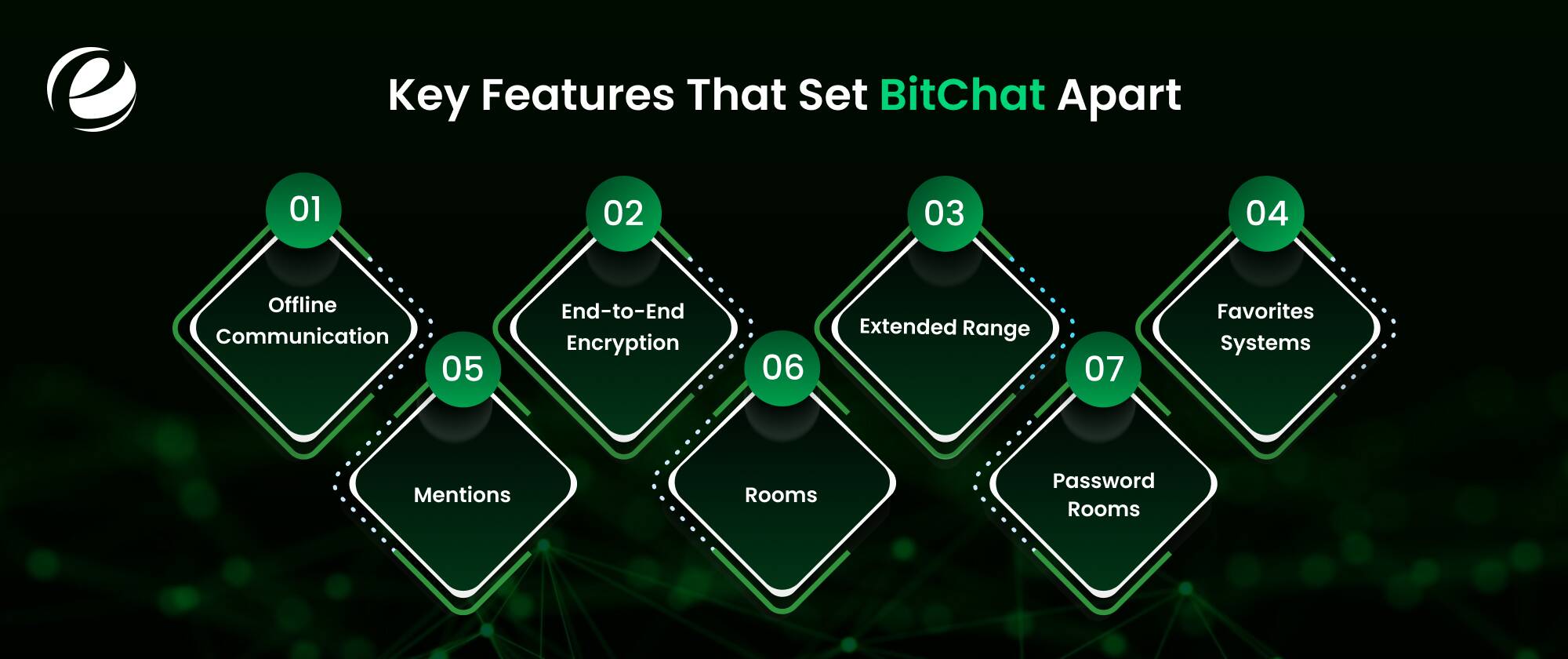
During mobile app development, you will notice a stronger emphasis is given on features, security, performance, and user experience. Every app has its own set of features that set it apart from others. The key features of the BitChat app are as follows:
- Offline communication: You don’t need an internet connection, as BitChat works without one via Bluetooth mesh networking.
- End-to-End Encryption: Encryption is one of the most needed security layers. All your messages in BitChat (the Bluetooth messaging app) are encrypted using Curve25519 and AES-GCM.
- Extended Range: Here, messages relay through peers, reaching up to 300m+.
- Favorites Systems: You can store and forward messages indefinitely.
- Mentions: Use nicknames to notify specific users.
- Rooms: Create and join chat rooms in Bitchat for topic-based conversations.
- Password Rooms: These are among the secure spaces that require a password and AES encryption.
Real-World Use Cases for Offline & Mesh Chat Apps
The real-world use cases for offline and mesh chat apps will help you understand why you need them when you start to feel lost or stuck and don’t know where the exits are. To ensure you are safe and have clear communication channels with your knowns, here are some real-life examples illustrating the features of a Bluetooth messaging app like BitChat that runs on a mesh network.
Emergency Response and Natural Disasters
Global warming continues to rise, and the risk of natural disasters is increasing significantly. This itself is a threat, but what’s even worse are the network disruptions and lost internet connectivity that wreak havoc. At such times, people only wish for an application like BitChat that works offline and keeps you and your family coordinated. Emergency response is crucial in situations involving cell tower failures, search-and-rescue operations, or network throttling outages.
Large Events and Crowded Venues
You may lose connection with the other individual who came with you to attend ther large events or be in crowded venues. Since there are good networking channels and strong signals, the chances are low that you will be in situations where you go missing. However, crowded places slow connectivity, and messages or texts intended to be received instantly can take more than half an hour, especially when BitChat downloads are at their maximum, making peer-to-peer discovery easier.
Censorship and Internet Outages
There are often times when your country goes to war with another country, and the first thing to go offline is internet connectivity. It is something we are heavily dependent on in our daily lives, from work to research to personal use; without the internet, everything comes to a halt. It is crucial for public safety, serverless safety, and the absence of metadata tracing. This is when BitChat is used. One of the safest and most reliable options for maintaining the link with your peers and family.
Remote Work and Off-Grid Industries
When you are traveling with your family or friends to a remote location where there is no scope for connection, a complete disconnection from the outer world, then what works is BitChat or an app similar to it. Generally, hikers, mountaineers, and bikers use the application to connect with fellow travelers.
BitChat vs. Different Offline & Mesh Messaging Apps
BitChat didn’t invent offline messaging. Apps like Briar and Bridgefy have been passing messages phone-to-phone for years, and FireChat did it back in 2014 before shutting down. What Bitchat changed was the way it worked: no account, no phone number, nothing to set up. You open the app, and you’re on the mesh.
Still, “works without internet” means something different in each of these apps. Some lean on Bluetooth alone, some mix in Wi-Fi or Tor, and one of them isn’t even a pure app; it needs a small radio in your pocket. Here’s how they stack up.
So Which One Should You Use?
It depends on what you’re solving for. If you want zero-friction, anonymous messaging at a concert, a protest, or during an outage, Bitchat is the easiest on-ramp; everyone with a smartphone can join in seconds. If your priority is hardened security and you’re on Android, Briar has the longest track record and an independent audit to back it up. Bridgefy is simple and proven in dense crowds, though privacy purists dislike its closed-source code. And if you need to reach someone miles away in the backcountry, none of the phone-only apps will cut it; that’s Meshtastic territory.
One thing unites all four: they only work if the people around you have them too. A mesh network with one node is just a phone. Whichever app you pick, install it before you need it, and get your friends on it as well.
How to Build a Custom P2P Mesh Messaging App Like BitChat
BitChat proved something important: you can ship a serverless, account-free messenger that ordinary people actually use. And because the project is open source, its architecture is a public blueprint. If you’re planning a custom mesh messaging app of your own, whether for a workforce, an event platform, or a disaster-response tool, here’s the path from idea to working product.
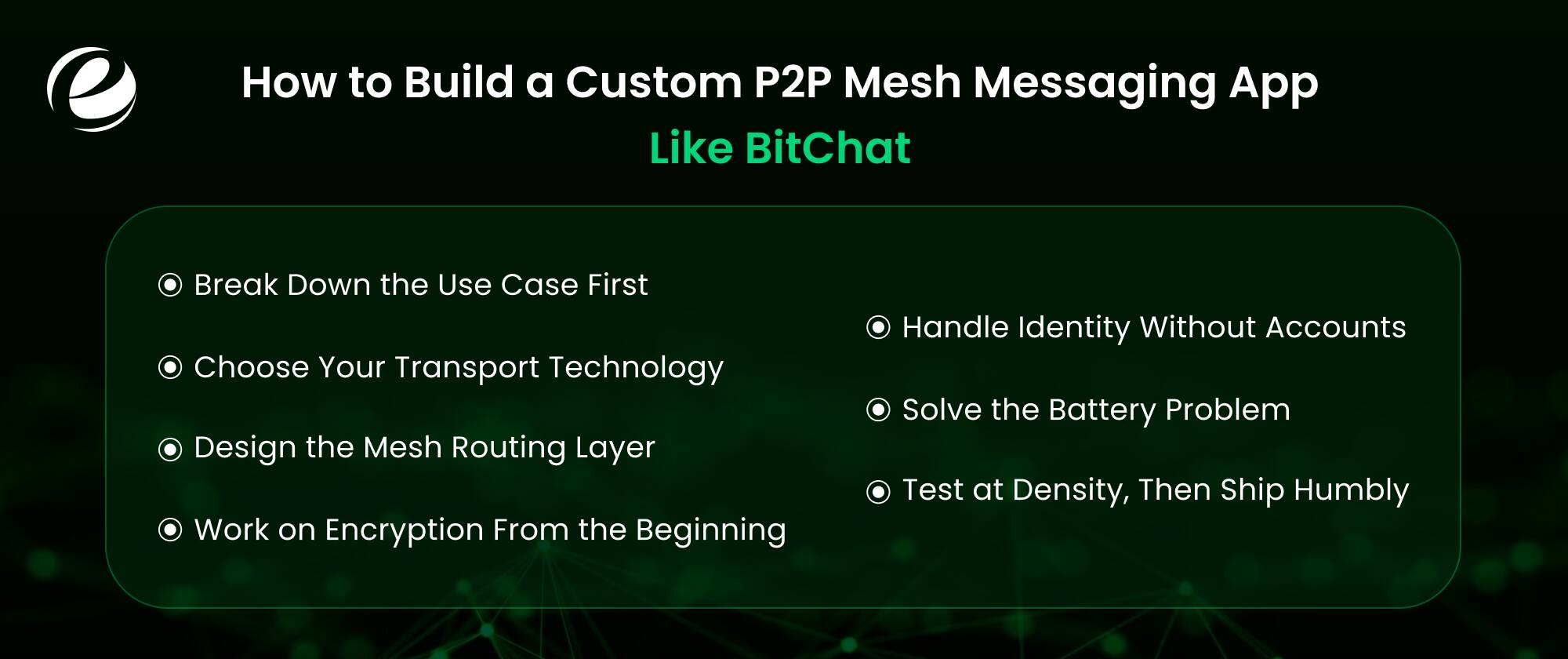
Step 1: Break Down the Use Case First
Mesh messaging lives or dies by device density, so start by asking where your users will be physically. An app for festival crowds, warehouse teams, or cruise ships plays to the technology’s strengths. An app for people spread across a city does not; messages can’t hop across empty streets. Your use case also decides your transport layer, which is the single biggest technical choice you’ll make.
Step 2: Choose Your Transport Technology
You have three realistic options, and each carries trade-offs:
- Bluetooth Low Energy (BLE) is what Bitchat uses. It’s built into every modern smartphone, requires no extra hardware, and sips battery. The catch is the range: roughly 30 feet indoors and up to about 100 meters outdoors per hop.
- Wi-Fi Direct moves data faster and farther than BLE, which matters if you want to send photos or voice notes. Briar combines it with Bluetooth for exactly this reason. It drains batteries quicker, though, and iOS support is more restrictive than Android’s.
- LoRa radio can reach over kilometers, but it requires users to carry a separate device, as Meshtastic does. It only makes sense for niche audiences like hikers, sailors, or field crews.
Many teams hedge by building a multi-transport app that tries Bluetooth first and falls back to other options, which is more engineering work but yields a far more resilient product.
Step 3: Design the Mesh Routing Layer
This is the heart of the app. When a message enters the mesh, nearby devices need rules to forward it without flooding the network or creating loops. In practice, that means:
- A hop limit: Bitchat caps relays at 7 hops so a message can’t bounce around indefinitely.
- Duplicate suppression: Each message carries a unique ID, and devices ignore copies they’ve already relayed.
- Store-and-forward caching: If the recipient is offline, nearby nodes cache the encrypted message and deliver it when the recipient reappears on the mesh.
You don’t have to deploy it from scratch. Bitchat’s code is publicly available on GitHub, and studying how it handles relay pacing and delivery receipts will save you months of trial and error.
Step 4: Work on Encryption From the Beginning
In a mesh network, your message physically passes through strangers’ phones, so end-to-end encryption isn’t a feature; it’s the foundation. The two proven approaches are the Noise protocol framework (Bitchat’s choice) and the Signal protocol (which Bridgefy adopted in 2020 after researchers tore apart its original homegrown design; let that be the cautionary tale). Generate key pairs on the device, never on a server, and if privacy is a selling point, plan for ephemeral peer IDs so observers can’t map who talks to whom.
Step 5: Handle Identity Without Accounts
Part of Bitchat’s appeal is that there’s nothing to sign up for. Cryptographic keys generated on the device serve as identity. For a custom business app, you may want more control, such as verified employee identities or QR code pairing between trusted devices, but resist the urge to bolt on a central login server. The moment you add one, you’ve reintroduced the single point of failure the mesh was supposed to eliminate.
Step 6: Solve the Battery Problem
Constant Bluetooth scanning is the silent killer of mesh apps. Users will delete anything that visibly drains their phone. Plan for adaptive scanning intervals, paced relay traffic, and background-mode behavior that respects each platform’s limits. Apple in particular restricts what apps can do with Bluetooth in the background, so test on iOS early rather than porting from Android late.
Step 7: Test at Density, Then Ship Humbly
A mesh app that works between two phones on a desk tells you almost nothing. Real testing means dozens of devices in a crowded, interference-heavy space, because that’s where routing collisions, duplicate floods, and dropped hops reveal themselves. And before launch, budget for an independent security audit. Bitchat’s own biggest criticism in its first year was launching without one, and in this category, trust is the product.
The Build-or-License Shortcut
One last option worth knowing: you don’t always have to build the mesh layer yourself. Bridgefy licenses an SDK that adds offline mesh messaging to existing apps, and open-source projects like Bitchat can be forked as a starting point. For most companies, the smart move is to customize proven mesh plumbing and spend your budget on the experience layered on top, because that’s the part your users will actually see.
How Much Does It Cost to Build an App Like BitChat?
To build an app like BitChat, you need to understand the development phases and the necessary costs associated with each stage. The estimated range is between $45,000 and $120,000 for a single platform you opt for; it can be either BitChat Android or BitChat iOS.
Why Partner with Emizentech for Mesh & Custom Messaging App Development?
Before jumping into why partner with us. Let’s understand what mesh and custom messaging app development means. Mesh eliminates the need for a central server by transferring messages directly from device to device. If your device is within reach, it acts as a node for sending, receiving, and relaying messages.
Custom messaging app development is a broader term that covers customizing a chat application or creating a use case specific to your business. When you merge both together, you get custom mesh messaging app development.
This is what Emizentech does: it makes the work much easier than before, and it doesn’t matter whether it’s fintech app development or a peer-to-peer application; your specialized experts are always focused on delivering the best product that serves your users’ needs.
Find More: Peer to Peer Payments App Guide
Final Words
BitChat has left a strong impression on its users by offering internet-free communication, especially when you are stuck in an emergency situation or have lost contact with your peers or loved ones. In this blog, we have covered everything related to BitChat, including the steps for building a custom P2P mesh messaging app like it. Also, Briar, Bridgefy, and Meshtastic are its alternatives.
FAQs
Is BitChat free to use?
Yes, absolutely, BitChat is completely free to use. It runs on both Android and iOS platforms.
How long does it take to build a Bluetooth mesh messaging app?
If you are planning to build a basic MVP for a Bluetooth mesh messaging app, it will take roughly 3 to 6 months.
Does BitChat drain the battery?
Since BitChat uses Bluetooth Low Energy, the battery drain is modest.
Can BitChat-like apps be monetized?
Yes, you can monetize apps like BitChat through crypto micropayments, enterprise hardware and software licensing, and freemium feature tiers. However, currently it’s completely free to download and use.



 +1 (989) 535-9295
 info@emizentech.com
 emizentech


