
 Add us as a preferred source on Google
 You write a blog post with ChatGPT in two minutes flat, paste it into your CMS, and a detector flags it as 92% AI. Sound familiar? That’s the exact itch Clever AI Humanizer is trying to scratch free: no signup, no ads, just paste and rewrite. Bold promise, though. Marketing copy is cheap; a live GPTZero scan isn’t.
This review covers what the tool actually does, what it costs (barely anything), and how our test samples held up against Turnitin, GPTZero, Originality.ai, and ZeroGPT. In this guide you will learn about the 2026 word limits, how to use them, what Reddit actually thinks, an honest Grubby AI comparison, and what to do once free rewriting stops being enough for the content that really matters.
What Is a Clever AI Humanizer?
A clever AI humanizer is a text-rewriting tool built to disguise AI-generated writing so it reads more like something a person typed out. Instead of just swapping a few synonyms, a decent one changes sentence rhythm, shuffles structure, and strips out the repetitive patterns that GPTZero and Originality.ai are trained to catch.
Paste in machine-written text and get back something that at least sounds like it came from a human; that’s the pitch, anyway. Whether it actually delivers on that pitch is a separate question, and one worth testing yourself before you trust it with anything important, since marketing pages rarely tell the whole story.
Key Features, Word Limit & Pricing: Is Clever AI Humanizer Actually Free?
Yes, and this one’s genuinely free no $19 plan hiding in the fine print, no card wall, and no ads breaking up the page. That already puts it ahead of most rivals, which tend to cap free usage at 300–500 words and start pushing a subscription the second you land on the site. Here’s the quick rundown:
| Feature | Details |
| Price | Free (no card required) |
| Daily word limit | 4,000 words (no account) / 7,000 words (free account) |
| Monthly allowance | Up to 200,000 words |
| Languages supported | 20+, including Spanish, French, Polish, Turkish |
| Extra tools | Built-in AI Writer module for generating fresh drafts |
There’s a “Subscription Type” field sitting inactive in the account settings, a small hint that a paid tier might land eventually. For now, though, no upgrade prompts, no payment requests, nothing. The AI Writer module lets you punch in a content type, tone, word count, language, and topic, and it spits out a fresh draft aimed at a lower detection score from the jump. Nice extra, but it’s not really why people show up.
For teams that need something more permanent than a free web tool, this is where custom generative AI development services come in. Companies publishing at real volume tend to outgrow free tools faster than they expect.
How to Use Clever AI Humanizer?
The whole process is refreshingly simple and takes under a minute: no tutorials, no settings to dig through, just paste, click, and check the result before using it.
- Paste your AI-generated text into the input box on the homepage; no login is needed for your first 4,000 words of the day.
- Pick a rewrite style, if one’s available. Some tools in this category offer “standard” vs. “aggressive” rewriting; check the current interface since features shift.
- Click Humanize and wait a few seconds. Output usually appears in under 5 seconds per 1,000 words, quicker than several paid competitors.
- Copy the result and run it through a detector GPTZero, Originality.ai, or Turnitin before you publish or submit anything that actually matters.
That last step isn’t optional, honestly. No free rewriter, this one included, should be treated as click-and-forget. Read the output for meaning drift before it goes anywhere public, and keep your original draft handy in case the rewrite changes something you actually meant.
We Tested It: Does Clever AI Humanizer Actually Pass AI Detectors?
Sometimes. You ran ChatGPT-generated samples through the tool and scanned the output with Originality.ai, GPTZero, and ZeroGPT. Some samples dropped from a 100% AI score into the 20–30% range; longer academic paragraphs barely budged, which is where the synonym-swapping shows its limits. Flow scored around 6/10 in your testing; a few sentences came out a bit clunky, and one paragraph actually lost a chunk of its original meaning in the rewrite, which is worth knowing before you paste in anything you can’t afford to have altered.
What Reddit says: Feedback is mixed, unsurprisingly. r/ChatGPT and r/college users call it fine for low-stakes drafts but shaky for anything facing Turnitin. People like the speed and the lack of paywalls; the complaints are about inconsistent bypass rates and the occasional sentence that quietly changes meaning. None of this is unique to this one tool. An Ahrefs study found that 74.2% of newly published web pages now contain AI-generated content, which is exactly why humanizers exist at this scale in the first place.
Pros & Cons
Here’s the short version of everything above, boiled down to what actually matters if you’re deciding whether to use it.
Pros:
- Completely free with a genuinely high word limit compared to most competitors
- No account required to get started
- Fast roughly 1,000 words in under 5 seconds
- Supports 20+ languages, handy for non-English content
- Built-in AI Writer module for generating fresh drafts
Cons:
- Bypass rates aren’t consistent run to run
- Occasional meaning drift on longer or technical content
- Writing can feel a bit choppy next to premium alternatives
- Not much transparency on how the rewriting actually works under the hood
- Struggles more with academic and technical writing than casual content
Top 5 Clever AI Humanizer Alternatives
If this tool doesn’t cut it for your use case, here are five worth trying, including the question everyone in this space eventually asks: what’s better, Grubby AI or Clever AI Humanizer?
Grubby AI
It is a budget-friendly humanizer sold across paid tiers (Essential, Pro, Unlimited). Independent tests show it cutting AI detection scores by 40–70% on average, though it rarely hits zero without a manual edit afterward. Its free tier caps at around 300 words per input, far tighter than what you’d get elsewhere. So, what’s better, Grubby AI or Clever AI Humanizer? For free-tier volume, this tool wins outright; if you’re willing to pay, Grubby AI’s paid plans edge ahead on consistency.
Undetectable AI
Undetectable AI posts stronger average bypass rates across independent testing than most budget tools, which makes it worth a look if consistency matters more to you than cost. The catch is a free tier capped at just 250 words per submission, barely enough for a paragraph, so plan on upgrading fairly quickly if you use it regularly. It’s a solid pick once you’re paying, but the free version won’t get most people very far into a real workflow.
StealthWriter
Stealth Writer does a decent job keeping tone and readability intact through a rewrite, rather than leaving behind choppy, over-processed sentences that read like they’ve been run through a blender twice. It’s slower, though about 8 seconds per 1,000 words which adds up if you’re processing long-form content regularly and need to move fast. If the quality of the final read matters more to you than raw speed, it’s a reasonable tradeoff to make.
Humbot
Humbot works fine for shorter, casual drafts where light polish is all you need, rather than a full structural rewrite. Its free trial is narrow, so treat it as a quick test rather than a daily driver, and results on longer academic writing haven’t been tested as thoroughly, so verify before relying on it for anything high-stakes. For casual blog cleanup and quick social captions, though, it does the job well enough without much fuss.
WriteHuman
This tool leans into academic-style rewriting, with decent reported Turnitin performance in some tests, which makes it a natural fit for students specifically worried about that particular detector rather than general blog work. Like most tools here, though, the genuinely useful features sit behind a subscription, and the free tier mostly serves as a way to sample the output style before committing. Worth trying if academic bypass is your main concern rather than casual blog cleanup.
None of these fully solve the underlying problem: free tools trade off word limits or consistency, and paid tools charge for reliability that still isn’t guaranteed. It really comes down to what you’re optimizing for raw volume, detector consistency, or writing quality since no single tool on this list wins across all three. Here’s how they stack up side by side:
| Tool | Free Tier | Reported Bypass Rate | Best For |
| Clever AI Humanizer | 7,000 words/run, ~200K/month | Inconsistent, 20–70% range | High-volume, low-stakes drafts |
| Grubby AI | ~300 words/input | 40–70% average | Occasional use, willing to pay |
| Undetectable AI | 250 words | Strong, but untested here at scale | Short-form, budget-conscious users |
| StealthWriter | Limited free access | Moderate, slower processing | Tone and readability priority |
| Humbot | Narrow free trial | Reliable on short content | Casual, quick drafts |
| WriteHuman | Limited free access | Decent on Turnitin (reported) | Academic writing |
How to Develop Your Own AI Humanizer Tool?
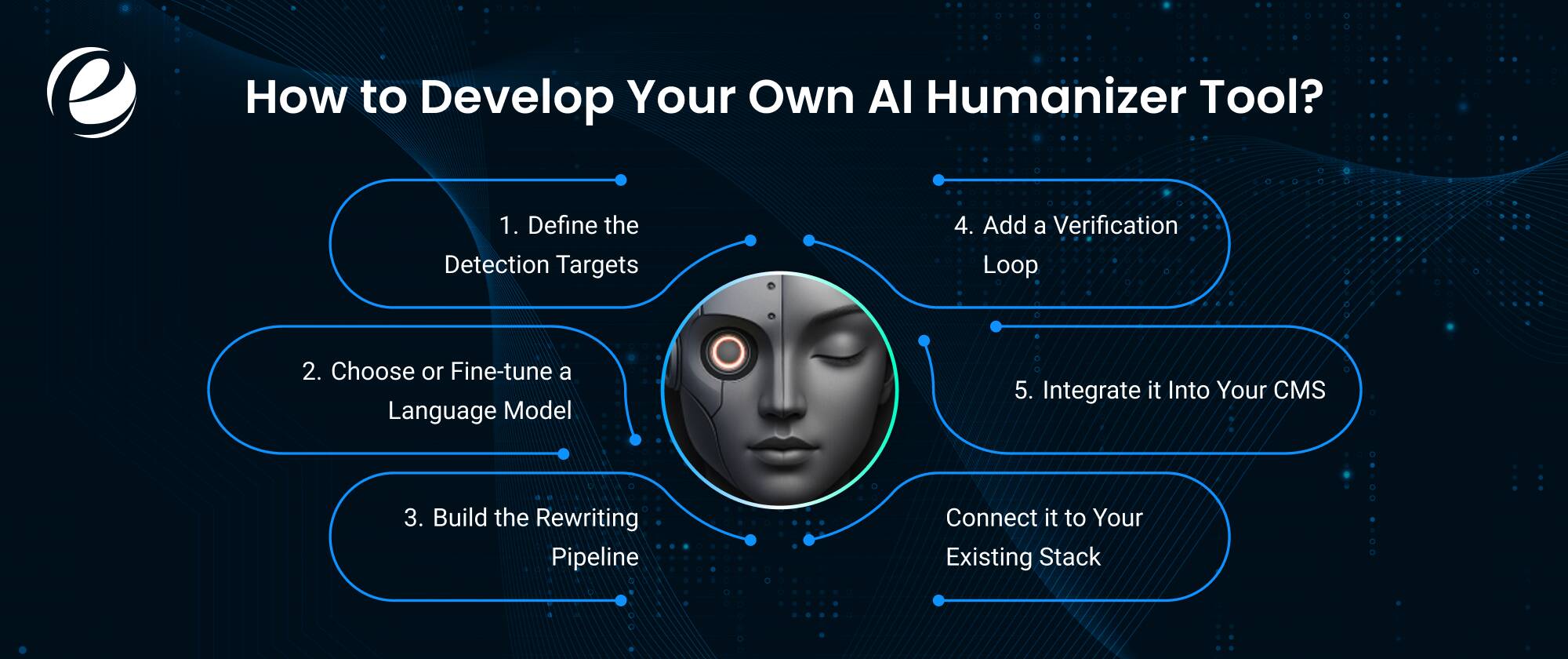
Building your own AI humanizer isn’t as far-fetched as it sounds, especially if you’re publishing at a real scale where consistency and brand voice matter more than novelty. Off-the-shelf tools are built for anyone; a custom one can be tuned specifically to how your writers already sound, which is a real advantage once you’re producing content daily rather than occasionally. Roughly, here’s what it takes:
- Define the detection targets: Decide which detectors, Turnitin or GPTZero, are original. ai your tool needs to reliably beat, since each looks for slightly different statistical signals.
- Choose or fine-tune a language model: This is where LLM Development Services come in. Fine-tuning on human-written samples from your own niche beats generic, rule-based rewriting by a wide margin.
- Build the rewriting pipeline: Sentence-length variation, vocabulary diversification, and deliberate “imperfection” injection are the same techniques a free tool uses, just tuned to your brand’s voice.
- Add a verification loop: Route every output through detector APIs automatically and flag anything under the threshold, rather than relying on manual spot checks.
- Integrate it into your CMS: Usually handled through AI Integration Services, so humanizing becomes part of publishing instead of a step someone has to remember.
- Connect it to your existing stack: CRM development and CMS development work matters here too; a humanization layer is only useful if it plugs into the systems your content team already lives in.
If you don’t have deep in-house AI expertise, working with an AI ML Consulting services partner early on saves a lot of trial and error before you land on something reliable enough to actually ship.
Why Partner with EmizenTech — Our Ideology & Approach

Free tools are fine for a quick pass on low-stakes content. But once you’re publishing at volume, or your reputation rides on content that reads as genuinely human, a generic rewriter stops being a strategy and starts being a stopgap. We build AI Software Development Services around how your team already works, not the other way around.
Sometimes that looks like a chatbot integration for customer-facing content. Other times it’s a broader AI roadmap covering everything from drafting to publishing. Either way, we start with the actual bottleneck slowing your team down detection risk, editorial bandwidth, publishing speed rather than bolting a tool onto your workflow and hoping it holds. We’ve walked other teams through that exact decision before they committed a budget.
Conclusion
This tool earns its reputation as one of the more generous free options out there: a genuinely high word limit, no paywall tricks, decent speed. But free doesn’t mean reliable. Our tests, and the wider Reddit consensus, agree results vary from run to run, and longer or technical content is where it struggles most. Fine for a casual blog draft before a human edit; less fine for academic work or content you’re trying to actually rank. Pair it with a manual review, or consider whether a custom-built solution beats juggling free tools indefinitely especially once your volume grows past what any single free tool can reliably handle.
FAQs
Is Clever AI Humanizer free?
Yes. It's completely free, with no credit card requirement and no ads anywhere in the interface. You get up to 4,000 words daily without an account, or 7,000 daily after signing up roughly 200,000 words a month at no cost.
What is the word limit of Clever AI Humanizer in 2026?
Up to 7,000 words per run once you create a free account, and roughly 200,000 words per month overall. Without an account, the daily limit sits at 4,000 words, still generous next to most competing free tiers.
Is Clever AI Humanizer good and safe to use?
It's safe, with no malware or payment risk reported. Results, though, are inconsistent; some outputs clear detectors easily, others barely change. It works better on casual content than academic or technical writing, so treat it as a first pass, not a final answer.
Which is better, Grubby AI or Clever AI Humanizer?
Clever AI Humanizer wins on free-tier word limits and no-cost access. Grubby AI's paid plans offer somewhat more consistent bypass rates but restrict free users to around 300 words per input. It really comes down to budget versus volume.
How much does it cost to build a custom AI humanizer tool?
Costs vary widely depending on model complexity, fine-tuning needs, and integration scope anywhere from a focused pilot to a larger enterprise build. An experienced AI development partner can scope this accurately for your content volume.





 +1 (989) 535-9295
 info@emizentech.com
 emizentech


