
 Add us as a preferred source on Google
 Running an online store without ecommerce analytics tools is like driving with your eyes closed and hoping the road stays straight. Every click, cart addition, and checkout drop-off shows what works and what quietly costs you sales, but only if you capture it.
The global ecommerce market is projected to cross $6.88 trillion in 2026, making up 21.1% of all retail sales worldwide, according to SeoProfy, and with millions of stores competing for the same shoppers, guesswork is no longer viable. Companies that rely on real-time analytics report a 29% improvement in decision speed and a 21% cut in operational costs, per Hydrogen BI. This guide covers what these tools actually do, how to sort them by category, and the mistakes that quietly damage reliable data.
Key Takeaways
- Ecommerce analytics tools track customer behavior, sales performance, and marketing return, giving a factual picture of store health instead of a hopeful one.
- No single platform covers everything. Most growing stores run two or three analytics tools for ecommerce together: one for traffic, one for behavior, one for attribution.
- Free tools like Google Analytics 4 cover the basics well. Paid ecommerce monitoring tools earn their price once you need behavioral data or cross-channel attribution.
- The average cart abandonment rate sits at 70.22% (Baymard Institute), which is where most of these tools earn their keep.
- To see the tools designed to meet this requirement, choose the best 8 ecommerce analytics tools in 2026 across various categories.
What Ecommerce Analytics Software Actually Does (And How It Differs From Regular Web Analytics)
Ecommerce analytics tools are software platforms built to track, measure, and interpret the data your online store generates, from the first visit through repeat orders. General web analytics tells you how many people visited a page and how long they stayed. These platforms go further by connecting that behavior to revenue, tracking product views, cart additions, checkout steps, and completed orders so you see exactly which actions lead to sales and which lead to abandonment.
The distinction matters because a store with high traffic and low revenue looks identical to one with low traffic and high revenue in basic web analytics. Ecommerce specific tracking separates the two by tying every session to an outcome and if your team needs this set up correctly from day one, an data analytics company handles the execution and setup process so the numbers you see are accurate from the start.
Why Native Store Reports Are Not Enough on Their Own
Every major platform ships with built-in reporting. Shopify shows sessions and orders, WooCommerce shows sales and stock, and even a basic storefront gives some sense of traffic, but the problem is that native reports tell you what happened but rarely explain why.
A sudden spike in traffic with no matching rise in sales, or a checkout step where customers quietly disappear, and none of that shows up in a default dashboard. This is exactly the gap ecommerce analytics tools are built to close, and ecommerce monitoring tools sit alongside your platform and pick up right where native reports stop.
Tracking a broader set of ecommerce KPIs reveals patterns native reports miss entirely. Logistics-heavy operations feel this gap the most. Proship, a shipping aggregator for ecommerce sellers, needed visibility into delivery performance beyond order counts, and a real-life work example on the Proship platform shows how purpose-built monitoring in native reports closes that gap.
Types of Ecommerce Analytics
Not all ecommerce analytics tools do the same job. In practice, nearly every tool falls into one of four categories, which makes it easier to figure out what your store needs, instead of buying a tool just because it looked good on a list.
- Store and traffic analytics: Track sessions, traffic sources, and conversion rate at the site level, and answer where visitors come from and what they do at a session level. This is the foundation, and almost every store needs at least one tool here, such as Google Analytics 4 and native platform dashboards.
- Behavior analytics: Show what happens after someone lands on a page, through heatmaps, session recordings, and scroll tracking, answering the why behind a drop in conversions.
- Product and funnel analytics: Follow specific actions, like product views, add to cart events, and checkout steps, to pinpoint exactly where shoppers give up. Goods Fulfill, an electronics dropshipping brand built on Shopify, leans on this category to decide which products deserve more shelf space.
- Attribution and profit analytics: Connect marketing spend to actual revenue and margin, correcting for ad platforms that tend to overstate their own results rather than platform-reported clicks, often through custom Power BI development services for enterprise stores.
Ecommerce Analytics Tools Compared at a Glance
The table below compares the best ecommerce analytics tools 2026 by category, pricing, and who each one suits best.
| Tools | Analytics Category | Best For | Starting Price | Free Tier |
| Google Analytics 4 | Store and traffic | Any store needing a free foundation | Free | Yes |
| Shopify Analytics | Store and traffic | Shopify merchants | Included in standard plan | With plan |
| Adobe Analytics | Store and traffic | Large enterprise retailers | Custom enterprise quote | No |
| Hotjar | Behavior | Diagnosing on-page friction | Free tier available | Yes, limited |
| Microsoft Clarity | Behavior | Unlimited free heatmaps | Free | Yes |
| Mixpanel | Product and funnel | Funnel and retention analysis | Free up to 1M events/month | Yes |
| Glew | Attribution and profit | Multichannel sellers | Scales from $79/mo based on annual store revenue | Trial only (No true free tier) |
| Triple Whale | Attribution and profit | DTC brands tracking ad ROI | Free tier or from $219/mo scaling by store GMV | Yes (Basic first/last-click reporting only) |
*Pricing changes often, so consider this table as a starting shortlist rather than a final decision.
Best 8 Ecommerce Analytics Tools by Category
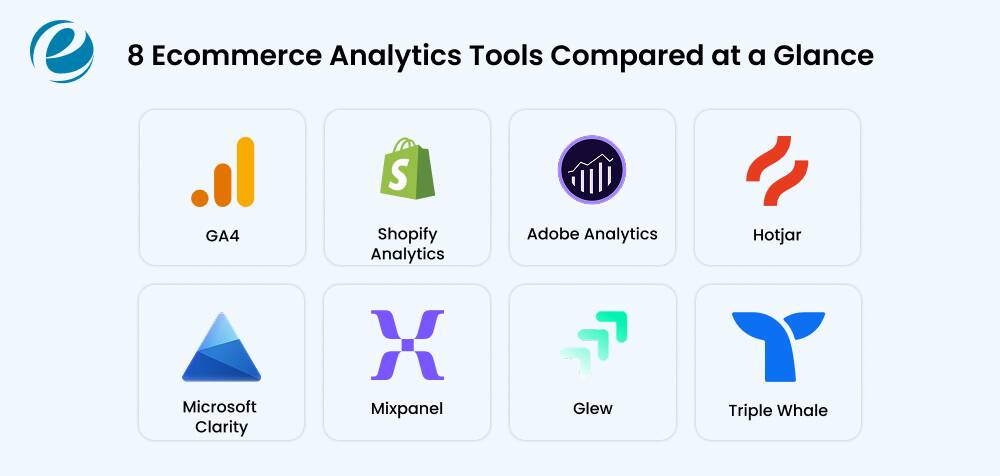
With the categories mapped out, here is a closer look at eight tools worth considering, organized by the question each one answers best. Most stores combine two or three from different categories for a complete representation.
Store and Traffic Analytics
1. Google Analytics 4
Best for: Any store that needs a free foundation for traffic and conversion data.
GA4 remains the most widely used option among ecommerce analytics tools, running on the vast majority of websites worldwide. It tracks product views, add to cart actions, and purchases at no cost, and connects natively with Google Ads. The tradeoff is a real learning curve for first-time users.
Pros
- Free for virtually unlimited use
- Connects directly to Google Ads and Search Console
Cons
- Data sampling appears at high traffic
- Steep learning curve for beginners
2. Shopify Analytics
Best for: Shopify merchants who want native reporting with zero setup.
Built into every Shopify plan, this tool reports on sessions, orders, and revenue with no extra installation, reading straight from your store’s backend to match your actual order history. Stores looking for a developer to extend these reports often turn to Shopify development services for custom dashboards.
Pros
- Zero setup, tied to order data
- Product-level performance reports
Cons
- Report depth locked behind pricier plans
- Limited value outside Shopify
3. Adobe Analytics
Best for: Large enterprises & multi-brand retailers that need advanced classification and identification.
Adobe Analytics handles massive data volumes and advanced classification, which is why it mostly shows up at enterprise retailers with dedicated analytics teams. Pricing is custom and typically requires a significant annual investment for large enterprises.
Pros
- Handles massive data volumes without sampling
- Deep integration with the wider Adobe stack
Cons
- Enterprise-only pricing, no public rate card
- Implementation typically needs a specialist
Behavior Analytics
4. Hotjar
Best for: Understanding why visitors abandon a product or checkout page.
Hotjar shows exactly where shoppers click, scroll, and hesitate through heatmaps and session recordings, and pairing it with on-page surveys is one of the fastest ways to learn why a high-traffic page is not generating sales.
Pros
- Surveys capture direct shopper feedback
- Funnel view highlights the worst drop-off step
Cons
- Free plan caps recordings quickly
- Advanced filtering needs a paid tier
5. Microsoft Clarity
Best for: Stores that want unlimited heatmaps and session recordings for free.
Microsoft Clarity is a free behavior analytics tool and offers unlimited session recordings and heatmaps at no cost, plus automatic flags for outraged clicks. For budget-conscious stores, it covers most of what paid behavior tools charge for and the built-in Microsoft Copilot features summarize your session patterns to save you manual review time, which makes it one of the easiest ecommerce monitoring tools.
Pros
- Free with no session limits – No subscription tiers, credit cards or traffic-based pricing upgrades required.
- Automatic flags for rage as well as dead clicks.
Cons
- Lacks native customer feedback widgets, net promoter score (NPS) polls or user surveys
- No built-in survey tool, fewer integrations and plug-ins than paid tools
Product and Funnel Analytics
6. Mixpanel
Best For: Teams that want detailed funnel and retention analysis.
Mixpanel tracks specific events rather than page views, making it well suited to mapping exactly where shoppers drop off during checkout. The free plan covers a generous volume of monthly events & session replays.
Pros
- Generous free plan up to a million events
- Strong retention and cohort reporting
Cons
- Steeper learning curve than simpler tools
- Costs climb quickly as volume grows
Attribution and Profit Analytics
7. Glew
Best for: Multichannel sellers who want everything in one dashboard for several channels.
Glew pulls data from your storefront, ad accounts and marketing tools into a single warehouse view, positioning itself as a premium automated alternative to manual spreadsheets. It has no permanent free tier and requires annual commitments for its advanced multi-source intelligence.
Pros
- Strong multi-source data aggregation (150+ integrations)
- Automated dashboards reduce manual data mapping
Cons
- No transparent public pricing (requires annual prepayment and a sales quote)
- Longer setup than single-platform tools
8. Triple Whale
Best for: Shopify-based DTC brands tracking accurate, first-party ad ROI across platforms.
Built specifically for e-commerce ecosystem tracking, Triple Whale analyzes what ad platforms report against actual store revenue by using its proprietary Triple Pixel. It offers a permanent free dashboard for basic tracking, but its most valuable recognition tools scale in cost based on your store’s total revenue.
Pros
- Smooth & specialized onboarding for Shopify brands
- Combines marketing, first-party pixel tracking and finance data in one view
Cons
- Pricing scales with your GMV, meaning your monthly bill automatically increases as your business grows.
- Paid plans require a strict 12-month commitment.
Features to Check Before You Buy Ecommerce Analytics Tools
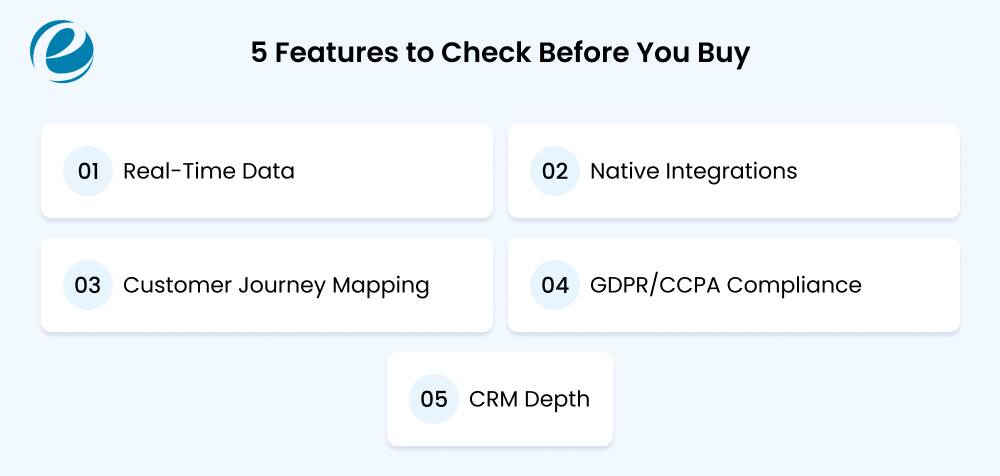
Before adding another subscription to the stack, run any suitable ecommerce analytics tools through a short checklist:
- Real-time data catches problems the same day, not in a weekly export.
- Native integration with your storefront, payment processor, and email or ad tools, since a tool needing manual CSV exports will quietly stop getting used.
- Customer journey mapping across sessions, not just single visits, so returning shoppers get counted correctly.
- Privacy compliance for regulations like GDPR and CCPA, which matters more each year as enforcement tightens.
- CRM depth matters if customer relationships are as important as raw traffic. This is where best CRM solutions for ecommerce become relevant, since a CRM with strong analytics can replace a standalone tool for smaller stores.
How to Choose the Right Ecommerce Analytics Stack for Your Store
Start with your business size and technical resources before looking at any specific tool. A small store with one person handling marketing has very different needs than an enterprise retailer with a dedicated analytics team.
Next, write down the actual questions you need answered. Where does revenue come from? Where do shoppers abandon the funnel? Which products deserve heavier promotion? Vague goals lead to buying tools that sit unused.
Most stores end up running two or three analytics tools for ecommerce together rather than one platform doing everything. A common starting stack looks like GA4 for traffic, a behavior tool for on-page friction, and a reporting layer that ties it together for the team.
Finally, check how each tool fits your existing systems. A dashboard that requires manual exports every week rarely gets used past the first month. For stores that want a unified view built around Power BI, working with a team that can hire Power BI developers to connect every data source often saves more of your time than adding another individual tool.
Common Mistakes That Affect Ecommerce Analytics Data
Even with the right tools installed, a few common mistakes quietly affect ecommerce analytics data.
- Tracking installed incorrectly: Duplicate tracking codes or missing checkout events create numbers that look complete but are not.
- Ignoring bot and internal traffic: Unfiltered staff visits and bot crawlers inflate session counts and distort conversion rate.
- Treating every metric as equally important: Watching twenty dashboards with no clear priority slows decisions instead of speeding them up.
- Comparing mismatched date ranges or currencies: Such comparisons create false trends that look like growth when nothing actually changed.
- Skipping an audit after a site redesign: A new theme or checkout flow can silently break tracking that worked fine before.
Getting the technical setup right avoids most of these problems. If your team needs that groundwork done correctly, hire ecommerce developers who can set up tracking that holds up through redesigns and platform migrations across Shopify, WooCommerce, and Magento.
How EmizenTech Helps Businesses Make Smarter Ecommerce Decisions
Smarter ecommerce decisions only happen when data is built into daily operations rather than left in disconnected dashboards, which is exactly where EmizenTech turns scattered, fragmented store data into decisions your team can act on the same day, building tracking, dashboards, and reporting systems around the platform you already run.
With 12+ years of service, 1200+ projects and a 4.9 Clutch rating, the team studies your sales funnel, connects your CRM, storefront, and ad accounts, and brings everything into one clear view your business can use daily instead of separate logins, rather than a generic setup.
In practice, this process includes the following:
- CRM software development that ties customer data directly to sales decisions.
- Enterprise ecommerce integration across Adobe Commerce, WooCommerce and BigCommerce, placing dashboards where teams actually work.
- ERP software development connecting inventory and fulfillment to the same view.
- Proven results on live projects like Buitanda, a multivendor marketplace running on clean, reliable data
Start with the free consultation and bring the decision that costs you the most.
Conclusion
Choosing the right ecommerce analytics tools comes down to matching each platform to a specific question, rather than chasing the most popular name in the market. Start with a free analytics tool, add behavior and attribution tools as real gaps appear, and audit your tracking setup regularly so the numbers stay trustworthy. A store that tracks the right five or six metrics consistently will outperform one drowning in twenty dashboards nobody checks.
FAQs
What is the difference between ecommerce analytics and web analytics?
Web analytics tracks general site traffic and page views. Ecommerce analytics tools go further, connecting traffic to purchase behavior, tracking product views, cart activity, and revenue by channel.
Which ecommerce analytics tool is best for a small business just starting out?
Google Analytics 4 paired with Microsoft Clarity covers most small business needs at no cost. GA4 handles traffic and conversions, while Clarity adds heatmaps and session recordings.
Do I need more than one ecommerce analytics tool?
Most stores do. A single platform rarely covers traffic, on-page behavior and profit attribution equally well. Combining two or three analytics tools for ecommerce typically gives a fuller picture.
Is Google Analytics enough for an online store?
GA4 covers traffic sources, conversions, and basic ecommerce events well, and it is free. It does not show why visitors behave a certain way, so many stores add a behavior tool like Hotjar alongside it.
What metrics matter most in the first 90 days?
Focus on conversion rate, cart abandonment rate, and traffic source performance first. These show whether visitors are arriving, whether they convert, and where the friction sits.
Are free ecommerce analytics tools reliable enough to use long-term?
Yes, for many stores. Free tools like GA4 and Microsoft Clarity are stable and widely used long-term. Limitations tend to show up in data retention and segmentation, not core accuracy.



 +1 (989) 535-9295
 info@emizentech.com
 emizentech


