
 Add us as a preferred source on Google
 In today’s fast-paced world, startups or established enterprises are always looking for smarter ways to operate their business. One area that often gets overlooked but holds major potential for improvement is payroll processing. While it’s essential, payroll can also be one of the most time-consuming and error-prone tasks for HR teams and business owners. Manual calculations, inaccurate records, and delayed payments not only eat into valuable time but can also lead to compliance issues and frustrated employees. That’s where custom payroll software development steps in.
Custom payroll software can automate everything from calculating salaries and deducting taxes to processing direct deposits and filing reports with government agencies. This means less paperwork, fewer errors, and more time for HR to focus on strategic initiatives like employee engagement and growth. Cloud-based platforms also make it easier for teams to access payroll data securely from anywhere.
Is your business also struggling with payroll management? Building your payroll solution to you is a clear roadmap.
In this blog, we will walk you through the steps involved in payroll software development.
So, let’s get started.
What is Payroll Software?
Payroll software simply refers to a tool that helps businesses easily manage the process of paying their employees. Instead of doing everything by hand, payroll software makes it easier and faster to handle all payroll-related tasks. This covers calculating how much each employee should be paid based on hours worked or salary, figuring out taxes and deductions, and making sure employees get paid on time through direct deposit or checks.
It also keeps track of important information like work hours, bonuses, sick leaves, and vacation days. The software can automatically generate pay slips, submit payroll taxes, and create reports that help businesses stay organized and compliant with the law.
Payroll software development is helpful for small businesses, large companies, and even accountants. It reduces errors, saves time, and makes sure employees are paid correctly. It also helps businesses avoid penalties by filing tax forms and payments on time. Overall, payroll software is an essential tool that makes managing employee payments easier and more accurate.
Key Statistics About Payroll Software Usage
Recent advancements in technology and shifting workplace dynamics have transformed HR and payroll software. Let’s take a closer look at some key market statistics to better understand the industry.
- The HR Payroll Software Market worldwide is expected to be at $55.21 billion by 2031, which is a growth rate of 9.30% over the time frame (2024–2031).
- The worldwide cloud-based payroll application market grew to $10.0 billion in 2024. The market is expected to grow to $19.1 billion in 2033. It will show an increase (CAGR) in the range of 7.15% between 2025–2033.
- 74% of businesses use or have implemented cloud-based payroll solutions, an indication of the marketplace moving towards more modern, versatile options.
- A majority, 38% of the payroll managers worldwide, are adamant about improving data security over the next few years.
- Nearly 9/10 world-class business executives believe that they’d prefer to see their payroll program integrate with all HR platforms.
Top Features of Payroll Software
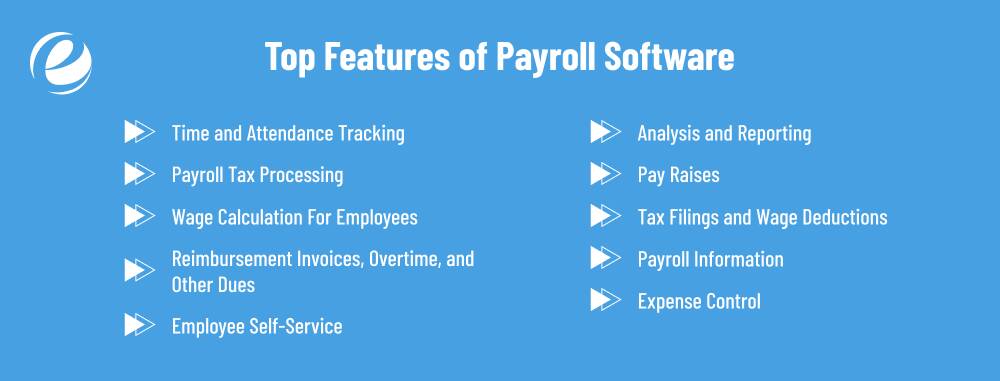
Custom payroll software goes beyond the standard one-size-fits-all model. It offers features that are designed to meet the unique needs of your business. Here’s an overview of the important features and functions that can be integrated into your software:
1. Time and Attendance Tracking
Payroll software should help businesses track employee work hours, including start and end times. It also monitors break times, days off, and late arrivals. This ensures the business always knows how many hours each employee has worked. The software then uses this information to calculate the correct pay. Additionally, it saves time and reduces errors compared to manual attendance tracking, whether on paper or by hand.
2. Payroll Tax Processing
This feature helps in automatically calculating the correct tax for each employee. It deducts the appropriate amount of tax from the employee’s paycheck and sends it to the federal government. This helps businesses avoid tax-related errors and late payments. Instead of manual calculations, payroll software efficiently handles tax processing. Tax season becomes much easier for both employers and employees.
3. Wage Calculation For Employees
Payroll software ensures that each employee receives the correct payment. It calculates the total hours worked, checks the hourly or monthly rate, and factors in bonuses or additional hours. The program does all the calculations, so employers don’t have to worry. This saves time and helps prevent errors in wage calculations.
4. Reimbursement Invoices, Overtime, and Other Dues
This feature helps track additional hours worked by employees, as well as expenses such as transportation or equipment. It calculates overtime pay and tracks reimbursable items. For example, if an employee is paying for health insurance, the payroll software helps the business pay the amount owed.
5. Employee Self-Service
With payroll software, employees can log in to check their wages, tax details, work hours, and time-off balances. The software allows them to download payslips and request leave without having to go through HR. This saves time and gives employees control over their work-related details. Payroll software makes it simple and easy for employees to manage their payroll information.
6. Analysis and Reporting
Payroll software should generate tables and reports that display important payroll figures, such as wages or taxes. These reports help managers understand payroll expenses and identify potential issues. A good payroll system can highlight trends, such as which month had the highest overtime. These easy-to-read reports help companies plan more effectively and make better financial decisions.
7. Pay Raises
When employees receive a raise, the payroll software records the raise amount along with the start date. The software also keeps a record of previous raises. If the company doesn’t announce raises to everyone, the software stores the information. This helps businesses manage their finances and motivates employees by showing them the possibility of salary increases.
8. Tax Filings and Wage Deductions
This feature helps manage deductions from employees’ pay, such as taxes, insurance, or penalties. It clearly outlines the amounts deducted and the reasons for them. The software generates the correct tax forms for the federal government, and employees can view or download their tax reports. Payroll software simplifies everything, leaving no doubt about the employee’s pay.
9. Payroll Information
Payroll software should generate reports detailing wages, taxes, and other benefits. These reports are valuable for business planning and staying on track with budgets. Some payroll software integrates with accounting programs to ensure smooth data flow. It keeps all financial information in one place, helping businesses stay organized and prepared for tax filings.
10. Expense Control
Sometimes, employees may incur personal expenses, such as travel or equipment. Payroll software allows employees to submit receipts to the company for reimbursement. The company can review and approve these receipts promptly. Some payroll systems even track each expense within the software. This helps businesses stay organized and ensures timely reimbursement for employees.
Steps To Develop Payroll Software
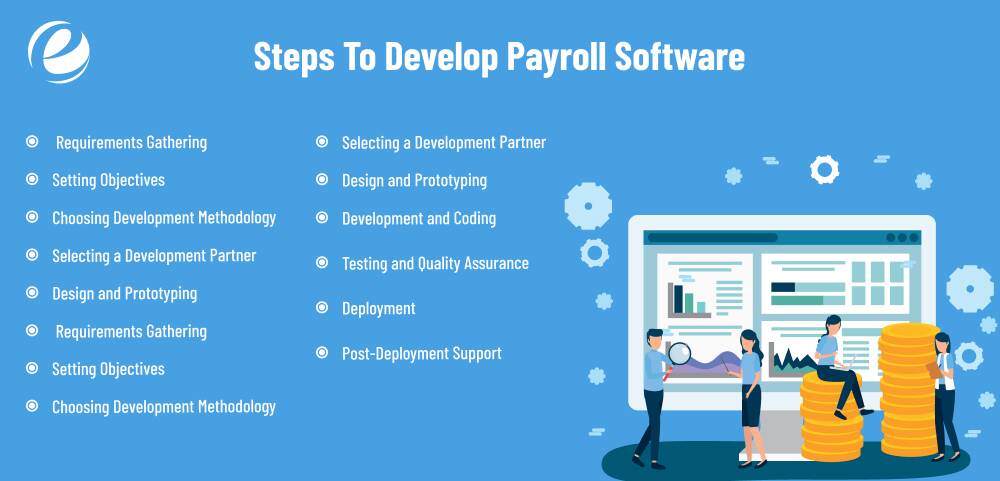
Are you still relying on spreadsheets to handle your payroll? It’s time to invest in payroll software development. Developing payroll software requires an organized approach to ensure it meets business expectations and complies with legal requirements. Here are the steps to develop payroll software:
1. Requirements Gathering
Start by investigating the current issues with your payroll and identifying what’s lacking or not working. Speak with Finance, HR, and IT personnel to determine each department’s expectations. Ask for feedback on what’s important to them, such as automated tax calculations or self-service portals. Review your competitors’ software to see what works for them. This is a good way to ensure you understand the specific needs of your business and its legal requirements.
2. Setting Objectives
Once you have a clear understanding of your requirements, define what the payroll software should accomplish. Goals could include increasing payroll accuracy, reducing processing time, and simplifying tax reporting. Note specific objectives, such as integrating payroll systems or generating payslips promptly. Setting objectives will help define the project’s goals, budget, and timeline. Make sure your goals are measurable and achievable so you can track progress and make adjustments if necessary.
3. Choosing Development Methodology
Decide how the project will be managed. Agile methods are flexible and ideal for situations where software needs may change. It allows for frequent feedback and updates. Waterfall, on the other hand, is structured and works best when requirements are set. Choose the methodology that best suits your work style and the scope of the project. The right method will help the team stay on track, meet deadlines, and develop the program in manageable steps. This choice affects the entire project process.
4. Selecting a Development Partner
Choosing the right payroll software development company is crucial for the success of your payroll software. Look for companies with experience in payroll systems and proven results. Request references and client portfolios. An experienced partner will understand compliance issues, user experience, and integration requirements. Find a partner who can communicate, understands your business, and works within your budget.
5. Design and Prototyping
This phase brings your software to life visually. Designers create wireframes and mockups that show how each screen and feature should appear. The prototype allows users and the team to experience the interface before coding begins. This early feedback helps spot design flaws and improve usability. A well-designed layout improves the user experience, boosts productivity, and reduces mistakes. A simple, clear layout helps users navigate payroll processes easily while minimizing learning time.
6. Development and Coding
Once the design is finalized, the payroll software developers begin creating the software. They implement the features outlined in the specifications using frameworks, programming languages, and other tools. This is when the payroll software takes shape. Developers also create databases, connect APIs, and ensure the software runs efficiently. Clean, maintainable code makes it easier to scale and update the system. Weekly progress reports and code reviews help keep the project on track.
7. Testing and Quality Assurance
Testing ensures the application functions as expected and complies with legal and corporate specifications. Developers test individual components, while QA teams evaluate workflows through integration and user acceptance testing. This helps identify problems and ensures calculations, tax deductions, and reporting tools are accurate. Real-world testing helps spot usability issues. Addressing problems in this phase reduces the risk of long-term issues and prevents disruptions once the system is live.
8. Deployment
Your software is now ready for release. It’s time to deploy the final version from the development stage to your company’s server or cloud platform. Train employees, especially in Finance, HR, and payroll departments, on how to use the software. Provide user guides and documentation. Some companies opt for a pilot launch with a small group before expanding to more users. Ensure everything runs smoothly before a full-scale launch.
9. Post-Deployment Support
After launch, ongoing support is essential to ensure the payroll system runs smoothly. This includes fixing issues, updating features, and assisting users with questions. Set up a helpdesk or support team that users can easily contact. Monitor system performance and gather user feedback for future updates. Regular maintenance ensures the system stays compliant with evolving regulations and tax laws. Continuous support builds trust and maximizes your return on investment.

How Much Does It Cost to Develop Payroll Software?
Well, the cost to develop payroll software is not fixed. It can vary based on various factors, including the complexity of features, the technology stack, and the development team’s rates. On average, developing payroll software can cost anywhere from $50,000 to $250,000, depending on the complexity of the features, project scope, and platform. This estimate can vary significantly based on the specific needs of the client and the level of customization required. Numerous factors affect the cost of payroll software development. Let’s have a look at the factors associated with payroll software development:
1. Feature Complexity
The more advanced features you want in your payroll software, the more expensive it will be. Features like generating detailed reports, handling complex tax calculations, or supporting multiple currencies require more development time. The more functions needed, the higher the cost, as it demands greater expertise and additional resources.
2. User Interface Design
The design of the user interface (UI) is another factor. A simple, intuitive interface might cost less to design, but if you need a complex, user-friendly UI with various customizations, it will require more time and effort. A good UI also requires thorough testing to ensure it works as intended.
3. Customization Needs
If you need payroll software specifically to meet your business needs, like special processes or integrations with other software, the development will be more costly. Customization involves extra time for design, coding, and testing. Each business has unique requirements, and ensuring the software matches those needs adds complexity and cost.
4. Technology Stack
Choosing the right technology stack (the programming languages and frameworks) impacts the software development cost. Using modern, cutting-edge technologies often means needing highly specialized developers, who might charge more. On the other hand, using older or more common technologies might lower the overall cost but could limit flexibility.
5. Maintenance and Updates
Once the payroll software development is done, there are ongoing costs for maintenance and updates. As regulations change or new features are needed, the software may need adjustments. Regular updates to ensure everything works smoothly and remains compliant with laws will add to the long-term costs.
Top Payroll Software in the Market
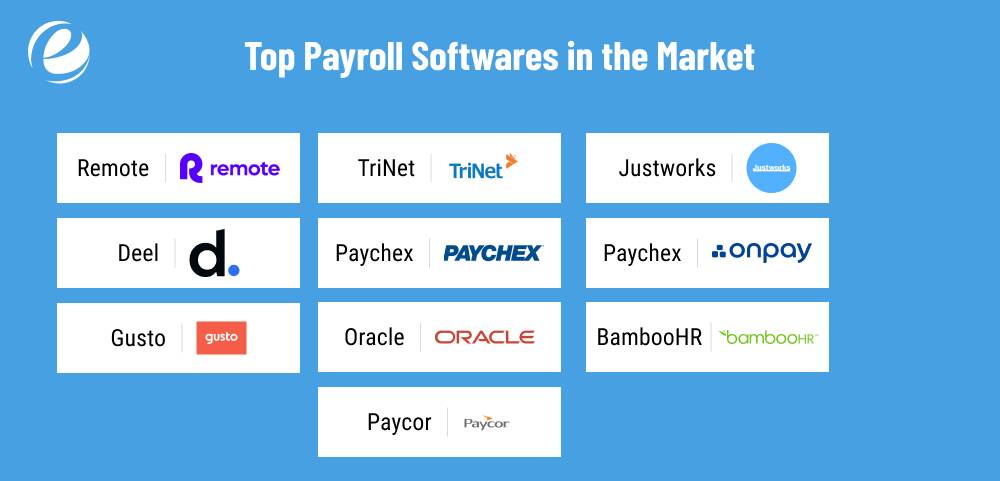
Here are some of the most effective payroll software applications that businesses can use in 2025. Each has unique strengths when it comes to processing payroll.
1. Remote
Remote is an excellent payroll software and can be used to hire and pay employees in more than 150 countries, utilizing its legal entities, and without relying on third-party vendors. This configuration allows for greater control, quality, and cost efficiency. Remote also offers exceptional customer support with 24/7 live chat, along with HR software.
It is particularly beneficial for businesses with a distributed workforce that require individualized benefits and smooth experiences for employees. Remote is ideal for companies seeking to grow globally for the long term without the hassle of compliance.
Key Features
- Legal entities owned by residents
- 24/7 live chat support
- Free HR tools
- Self-service employee dashboard
Pros
- Ideal for teams with a global reach
- No third-party suppliers
- Simple onboarding process
Cons
- Higher price for startups
- Overkill for small teams
- Complex setup at the start
2. Deel
Deel is a comprehensive global HR and payroll platform used by both large and small companies. It is designed to make hiring easier for workers, whether as contractors or full-time staff, anywhere around the world. Deel can handle taxes, compliance, benefits, and visas, helping teams expand internationally without legal concerns.
The clean interface, automatic HR tools, and HR enhancements like onboarding and equity management make it particularly beneficial for rapid-growth companies. Deel is also frequently updated with new tools for global work flexibility, hiring across the globe, and custom workflows.
Key Features
- EOR & PEO services
- Payroll for employees and contractors
- Global tax compliance
- Benefits, equity, and onboarding tools
- Immigration and visa assistance
Pros
- Easy to hire remote employees
- All-in-one HR software
- Expanding feature set
Cons
- It can get pricey quickly
- Not the best option for U.S. only teams
- Has a learning curve for beginners
3. Gusto
Gusto is renowned for its simplicity and solid support for mid-sized to small companies. It handles benefits, payroll, and time-tracking with an easy-to-use interface. It’s great for businesses with basic HR needs, but it’s not scalable for larger companies.
Gusto lacks advanced reporting tools and can’t manage multi-entity or complex global configurations. If your business is growing quickly or integrating multiple systems, Gusto may not meet your needs. However, for everyday benefit and payroll tasks, it’s a reliable and affordable choice.
Key Features
- Simple payroll processing
- Time tracking and benefits
- Easy self-service for employees
- Direct payment and tax filing
- Essential HR functions
Pros
- Extremely user-friendly system
- Ideal for small teams
- Affordable starter plans for beginners
- Fast payroll processing
Cons
- Lacks advanced reporting tools
- No Excel integration
- Limited third-party connections
- Can’t handle multiple EINs
4. Paycor
Paycor is an ideal choice for U.S.-based businesses that need more than just payroll. It combines benefits, payroll, recruitment, and performance management into one system. Businesses can start by handling payroll and expand to full HR functions as needed.
The platform supports complex payroll situations across all U.S. states and offers international options. It’s a user-friendly platform that provides employees with self-management tools. Paycor is a great option for small businesses that need payroll and HR automation in one modern system.
Key Features
- U.S. payroll with tax assistance
- Performance and recruitment tools
- Scalable HR modules
- Employee self-service portal
Pros
- Scalable features
- Rich HR functionality
- Modern, clean interface
Cons
- Global payroll outsourcing is required
- The basic plan has limited reporting
- Slow customer service response
- It can become expensive with upgrades
5. TriNet
TriNet is an all-inclusive payroll software, making it the perfect choice for mid-sized to small businesses that require assistance in the areas of benefits, payroll, HR, compliance, and more. It’s ideal for rapidly growing teams that need HR expert support, but it becomes prohibitive and costly as your business grows.
TriNet charges per employee, and there are hidden costs, which can add up quickly. If you decide to leave TriNet, it can be both challenging and costly, as you would need to rebuild all the software. However, it’s a great option when businesses need immediate HR assistance.
Key Features
- Full-service PEO support
- Compensation and compliance management
- Tax processing and payroll
- Self-service access for employees
Pros
- Manages all administrative tasks
- Fantastic HR support and assistance included
- Expert compliance help
Cons
- Very expensive at scale
- Difficult to part ways with the PEO
- Extra hidden fees
- Not built for large enterprises
6. ADP
ADP is one of the longest-standing and most trusted payroll companies, providing comprehensive solutions for both small and large companies. It supports payroll automation, benefit tracking, and compliance management.
However, it doesn’t handle the automation of different modules, and lacks unified data, making the creation of customized workflows and cross-functional reports challenging. ADP is dependable and extensible, but its rigid design and limited flexibility make it less attractive for companies that require more customization and automation.
Key Features
- Small to enterprise-level support
- Payroll, benefits, and compliance tools
- Time tracking and tax handling
- Customizable pay structures
Pros
- Trusted brand name
- Broad HR tool suite
- Reliable and secure payroll system
Cons
- No unified data system
- Limited reporting features
- Certain features may incur additional costs
7. Paychex
Paychex is well-known as an HR and payroll platform that simplifies payroll, benefits, onboarding, and more. However, it has limitations, especially for larger companies. Its outdated software lacks modern features such as advanced self-service capabilities and extensive integrations.
Companies with larger budgets may soon outgrow the software due to its limited HR functions and customization flexibility. Paychex is ideal payroll software for small businesses needing basic HR tools, but it may not meet the needs of large enterprises.
Key Features
- 24/7 customer support
- Tax compliance and filing
- Time tracking and benefits management
- Modular platform options
- Payroll reporting
Pros
- Flexible platform options
- Great for small to mid-sized businesses
- Easy to set up
Cons
- Outdated system architecture
- Lacks deep integrations
- Not ideal for scaling
8. BambooHR
BambooHR is best known for being a user-friendly HR system with additional payroll functions. It’s designed specifically for small businesses and includes features like time tracking, onboarding, and employee self-service. However, it’s not built to scale efficiently for larger companies.
BambooHR lacks essential enterprise-grade features such as advanced permissions, automation for compliance tracking, and global support. While its ease of use is ideal for smaller teams, larger companies may find it difficult to use and not flexible enough.
Key Features
- Self-service employee portal
- Payroll and HR reporting
- Time tracking
- Clean mobile interface
- HR data analytics tools
Pros
- Simple-to-use platform
- Transparent, straightforward pricing
- Ideal for smaller teams
- Clean, intuitive design
Cons
- Limited compliance tracking
- Not built for large enterprises
- Lacks automation features
9. Oracle
Oracle offers a robust, professional-grade payroll feature within its HR suite. It supports global compliance and can handle complex payroll situations and reporting across nations. However, Oracle is complex to install and slower to set up than many other modern and agile competitors.
The software lacks the integration flexibility required by many organizations to use a modern technology stack. Additionally, customization options are limited by your IT infrastructure. Oracle is an excellent choice for companies already using its ERP suite, but for other businesses, it may feel overwhelming and difficult to adapt.
Key Features
- Global tax assistance and global payroll management
- Built-in analytics and reporting
- Embedded within the Oracle HR suite
- Enterprise-grade scalability
Pros
- Secure for global use
- Strong brand reputation
- Powerful enterprise features
- Suitable for large multinational companies
Cons
- Long implementation timeframe
- Limited third-party integrations
- Steep learning curve
10. Justworks
Justworks software solution handles payroll, benefits, and compliance requirements for mid-sized to small businesses. It’s simple to use, manages tax and paperwork, and provides growing businesses a great way to outsource HR duties.
However, it cannot customize, automate, or provide sophisticated reports. It’s ideal for teams in transition, but not the best choice for large businesses with extensive needs. As your business grows, Justworks may start to feel too limited.
Key Features
- Payroll, including tax filing
- PEO services and compliance tools
- Benefits administration
- Basic HR tools
Pros
- Easy onboarding process
- Great for growing businesses
- PEO model simplifies compliance
- Modern, clean design
Cons
- Not scalable for large enterprises
- No custom workflows
- Limited reporting tools
11. OnPay
OnPay is a cloud-based HR and payroll system known for its ease of use and clear pricing. OnPay supports both contractors and employees with payroll, benefits administration, tax filing, and HR tasks, all in one place. While it is cost-effective for small businesses, OnPay isn’t built for enterprise-level operations.
It lacks scalability, configurable workflows, and the sophisticated features required by larger companies. Its pricing model also becomes more expensive with an increase in headcount. It’s ideal for small and startup companies, but not suitable for large-scale operations.
Key Features
- Payroll services for staff at all levels
- Benefits tracking and onboarding
- Tax compliance across every state
- Employee self-service
- One-plan pricing model
Pros
- Very easy to use
- Excellent tax tools and compliance instruments
- Includes core HR features
Cons
- Limited customization options
- Costs increase with team size
- Not designed for large companies
Benefits of Payroll Software for Small Businesses
While it can be beneficial for enterprises of all sizes, the payroll software will be of particular benefit for small-scale businesses. We will look into how payroll software for small companies streamlines HR processes for small-sized companies.
1. Saves Time and Reduces Errors
Payroll software can automate the calculation and tax returns, thus eliminating the necessity for manual entry. Small business owners and employees can save hours of their time during every payroll cycle. Automating payroll helps reduce the possibility of human errors, which could lead to unpaid salaries or tax refunds that are delayed. Payroll software’s efficiency assists small-sized businesses to stay in conformity and assures that employees are paid, with no tension.
2. Increased Efficiency
Payroll software can automate manual calculations as well as data entry, which allows HR and finance departments to focus on other crucial duties. Payroll software specifically can automate the calculation of earned wages as well as tax deductions, as well as process direct deposits. Companies can cut down on time and work that might have required days to finish are now completed within a couple of hours.
3. Scales Alongside Businesses
When companies expand a row, row Payroll software can adapt to the requirements of an increasing number of employees as well as the constantly changing demands of the regulatory requirements. If you’re a business that requires hiring more workers quickly, you can rest assured that the new hires will be able to join the company quickly and get their first pay on time.
4. Ensures Compliance
Unintentional violations can cost businesses substantial amounts of money, in the form of fines and penalties for non-payment or deferred tax payments, and violations of labor law or improper management of leaves could quickly mount up. Payroll software assists businesses in navigating the requirements of compliance to ensure local, state, and federal regulations are adhered to and avoid penalty fees.
5. External Expertise Available
It’s normal to find HR employees in small businesses to be juggling different roles. But nobody should expect to be aware of each state, local, and federal deadline for tax filing, or regulations for compliance. The good news is that small-sized businesses have payroll systems that are up to date with all the most recent compliance changes, which means you do not have to. Notifications and alerts through the platform can inform you that certain matters require attention, like taxes due shortly, and will allow you to act and remain compliant.
6. Cost-Effective
Payroll software removes the necessity to hire high-priced payroll specialists or outsource payroll functions to third-party service providers. Through the automation of payroll procedures, small companies can run their payroll on their own, saving costs associated with outsourcing. Many payroll companies also offer the option of tiered pricing that allows businesses to select the features they require without incurring additional costs, which makes the service cost-effective.
Why Hire Emizentech for Payroll Software Development?
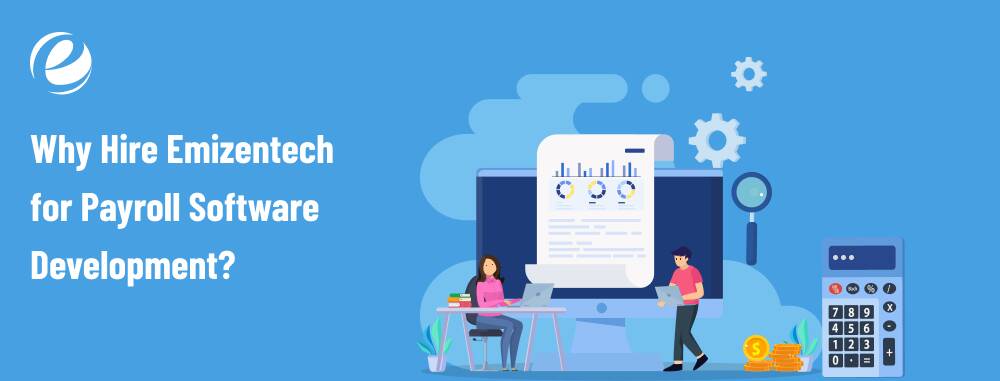
Emizentech is a reputable payroll software development company with years of expertise in building robust, scalable, and easy-to-use payroll software for all types of businesses. Our expert team knows the ins and outs of how to create software that fits your exact needs.
We use the best and latest technology stack to build powerful, fast, and secure payroll systems. From frontend to backend, every part of your software is developed using trusted, modern tools that ensure high performance, data safety, and easy integration. Whether you run a small shop or a big company, we can build the right payroll solution for you. We also offer support and updates to keep your software running well.
Conclusion
Payroll is at the heart of a well-connected HR system. With so many moving parts, managing it manually can be a challenge. The right payroll software not only ensures accurate and timely payments but also connects all your HR tasks in one place. It helps automate repetitive tasks, reduces the chance of mistakes, and keeps everything organized in one system.
Most importantly, it saves valuable time and allows business owners and HR teams to focus on strategic growth. Investing in payroll software development is a smart, long-term decision that boosts efficiency, accuracy, and peace of mind.
FAQs
Why Do You Need Payroll Software?
Payroll software is essential for businesses to streamline the payment processes and avoid costly mistakes, stay tax-compliant, and free up time for more valuable tasks. This will ultimately boost efficiency and employee satisfaction.
Can payroll software be customized for my business needs?
Yes, payroll software can be fully customized to match your business size, industry, pay structure, and specific workflows. It can also integrate with your existing systems like HR and accounting software.
What features should payroll software for small businesses have?
Payroll software for small businesses should include features such as employee data management, automated salary and tax calculations, payroll creation, direct deposits, and compliance with labor regulations. Simple dashboards and reporting tools are also helpful for ensuring efficient operations.
How long does it take to develop payroll software?
The time required depends on the complexity, features, integrations, and layout. A basic payroll software typically takes about 3 to 6 months to develop. Systems with more advanced features and customized modules may take longer.



 +1 (989) 535-9295
 info@emizentech.com
 emizentech


