 Add us as a preferred source on Google
 In 2026, over 43% of all websites run on WordPress, making it the most popular CMS worldwide. But one question still confuses beginners and businesses alike: How Long Does It Take to build a WordPress Website? The answer isn’t as simple as a fixed number. A basic WordPress site can take 2–4 weeks, while more complex websites, such as eCommerce stores, may take up to 10 weeks or more, depending on feature and content readiness. With AI tools and templates, some sites can even be launched in days, but quality and customization still require time. In this blog, you will learn about some factors and phases that affect the timeline for developing a WordPress website.
WordPress Website Build Time by Site Type
The time to build a WordPress website mainly depends on the type of site you want to build. A simple blog takes less time, while larger or more complex websites require more work. Below, you will get a basic idea of timelines for different types:
Personal Blog or Hobby Site
This type of website is simple and more focused on sharing ideas, articles, and personal experiences. It includes basic pages like Home, Blog, About, and Contact. However, this approach is the reason businesses choose ready-made themes with little customization.
Timeline: 3-5 days
Small Business Website
A small business website is created to showcase the services, build trust, and attract customers. It includes service pages, testimonials, contact forms, and basic SEO setup. The focus is on providing clear information to the visitors.
Timeline: 1-3 weeks
Portfolio / Creative / Freelancer Website
These websites are designed to highlight the work, skills, and creativity. They include image galleries, case studies, and unique layouts because the major focus is on visual presentations to make a strong impression on the visitors of the website.
Timeline: 2-4 weeks
Corporate / Business Website
The corporate and business websites are larger and more detailed to represent established companies. They include multiple pages, detailed services, team information, and sometimes integrations like CRM or analytics tools.
Timeline: 5-10 weeks
WooCommerce eCommerce Store
An e-commerce website allows you to sell products online. It includes product listings, shopping carts, payment gateways, shipping setup, and security features. However, product management and a smooth buying experience add complexity.
Timeline: 8-16 weeks
Membership, LMS, or Booking Website
These websites include advanced features like user registration, login systems, online courses, and booking functionality. They require proper setup or user roles, dashboards, and automation, which complicates the development process.
Timeline: 6 to 12 weeks
Enterprise or Fully Custom WordPress Build
This is the most advanced type of website that is built for large organizations or unique business needs. It involves custom design, complex features, high performance, and strong security. For this project, businesses require multiple teams.
Timeline: 4 to 6 months
Ways to Build a WordPress Website and How Each Affects Your Timeline
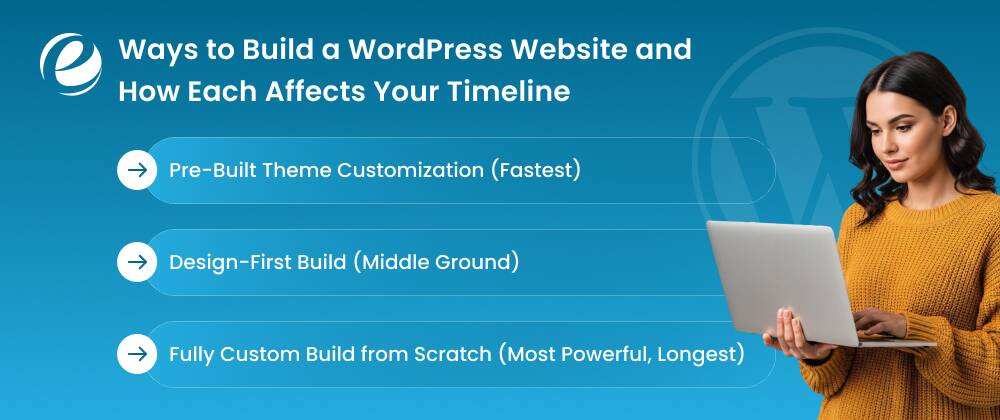
There are different ways to build a WordPress website, and each one takes a different amount of time. Some methods are quick and simple, while others need more work. Below are three methods that show the average time to build a WordPress website:
Method 1: Pre-Built Theme Customization (Fastest)
This is the fastest method of creating a website since you have to make use of pre-designed WordPress themes, which you can personalize with your own information, colors, and logos. Because much of the designing and formatting has already been completed, this process will be faster, and it may take just 1 to 3 weeks to develop your website.
Method 2: Design-First Build (Middle Ground)
In this approach, the design is created first based on your brand and needs. After the approval, it is developed on WordPress. It gives you more control over the website design and structure to decide the suitable one for your business. It takes around 3 to 6 weeks because both design and development are done carefully.
Method 3: Fully Custom Build from Scratch (Most Powerful, Longest)
This method involves building everything from the ground up, including design, features, and functionality. It is best for complex websites like large businesses or custom platforms. The reason is that everything is tailored so it takes more time, usually 6–12 weeks or more, but it offers maximum flexibility.
The WordPress Website Development Process: Phase by Phase
Every WordPress website starts as an idea and slowly turns into a fully working site through different stages. The following phases give you a proper idea of how long does it take to build a WordPress website:
Phase 1: Discovery & Planning (1-2 Weeks)
It is the foundational phase of website development; you have to decide the purpose of the site, target audience, features, and goals. Also, you have to plan the site structure, including its pages, menu, content flow, and visual elements.
Phase 2: Design / Wireframing (1-3 Weeks)
In this phase, you have to create a sitemap to define the website’s hierarchy and navigation. The wireframes are the basic layouts that are made to show the content flow. Then the visual designs make the website user-friendly using colors and fonts.
Phase 3: Development (2-8+ Weeks)
This stage is the phase when the actual website starts building using WordPress. The developers set up the themes, add features, and make things more functional. Also, it includes the key technical tasks of setting up the CMS and configuring databases.
Phase 4: Content Integration (1-2 Weeks)
All your content, like text, images, videos, and blogs, is added to the website. The pages are properly formatted to make them look clean and easy to read. It is the crucial phase because good content placement improves the user experience.
Phase 5: QA & Testing (3-7 Days)
The website is tested before going live to detect any bugs or errors. This test involves the speed, mobile optimization, link, form, and performance. You should correct any errors or bugs detected to ensure smooth operations.
Phase 6: Launch & Post-Launch (2-5 Days)
This is the fastest phase when the website goes live on the internet. After launch, small fixes, updates, and performance checks are also done. This phase ensures that your site runs properly without any slow loading for the visitors.
Key Factors That Determine How Long Does It Take to Build a WordPress Website
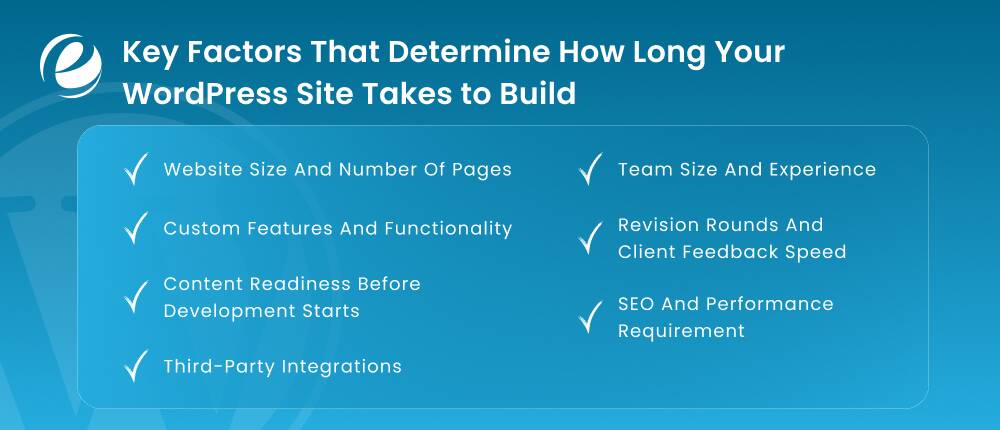
A WordPress website is not a quick process because there are several crucial things that can affect the timeline. Before starting your project, you must know about these factors to avoid unnecessary delays.
- Website Size and Number of Pages: A simple 5-page brochure website is much faster to build than an eCommerce website development with hundreds of product pages.
- Custom Features and Functionality: Using themes and plugins is quicker than creating custom calculators, membership portals, or unique booking systems.
- Content Readiness Before Development Starts: The process gets slower when the clients do not provide text, images, or branding before the initial coding starts.
- Third-Party Integrations: When you connect your site to external tools like CRM, payment gateways, or email marketing platforms, it requires extra time for testing.
- Team Size and Experience: A solo freelancer might take longer than an agency with specialized designers and developers because they will work faster.
- Revision Rounds and Client Feedback Speed: Every time a design is sent back for changes, the timeline stretches because limited revision cycles keep the project moving.
- SEO and Performance Requirements: The advanced optimization for fast loading speeds and high search engine rankings needs technical work after the initial design is finished.
DIY vs. Freelancer vs. WordPress Development Agency: Timeline Comparison
In general, how long does it take to build a wordpress website depends on the teams because they can make a huge difference. Some developers work faster but handle less, while others take more time because they manage everything in detail from start to finish.
| Website Type | DIY | Freelancers | Agency |
| Basic Brochure | 1-3 days | 1-2 weeks | 2-4 weeks |
| Simple Business | 1-2 weeks | 2-5 weeks | 6-10 weeks |
| eCommerce Store | 3-6 weeks | 4-8 weeks | 8-16 weeks |
| Complex Custom Site | 4-6+ months | 2-4 months | 4-12 months |
Therefore, each option comes with its own time and effort. If you choose the right option, it helps you to save your time in analyzing things more deeply for your business growth.
How to Speed Up Your WordPress Website Build Without Sacrificing Quality?
If you want to build an interactive website design for WordPress in less time, then you must focus on combining a high-performance foundation with automated optimization tools. In the section below, you will learn some methods to speed up the process without affecting the quality:
Use Caching
The cache can store temporary copies of the data so that you can access the content faster in the future. It reduces server loads by skipping the dynamic page generation process for repeat visitors.
Minimize Plugins
To speed up your WordPress website, you can audit your plugins and remove poorly coded ones. Using too many plugins can increase the number of HTTP requests.
Utilize a Content Delivery Network
You can use the CDN to distribute your site’s static assets across global servers. It serves the content from the locations that are closest to the visitors.
Choose Lightweight Themes
If you select a lightweight theme that is under 50KB, use clean code and minimal HTTP requests; you can easily improve the speed to build a website.
Set up GZIP Compression
You can activate GZIP to reduce the file sizes of your HTML, CSS, and JavaScript by up to 70%. It allows the data to travel faster over the internet by removing duplicate characters from your files.
Keep Features Updated
It is the best way to improve your website performance and build speed. You must regularly update the themes, plugins, and features using advanced tools to take benefit from the latest security patches.
Optimize Database
You can use tools like WP-Optimize to clear out the bloated data from your website. This will remove post revisions, spam comments, and transient options to speed up your site.
So, these are some strategies that you can use to speed up the development process of your WordPress website. These strategies will keep your site engaged for the users and reduce the chance of bounce rates.
How Much Does It Cost to Build a WordPress Website?
Many factors can affect the prices, like features, design complexity, web hosting, plugins, and professional expertise. In the table below, you will get a quick overview of the approximate upfront and ongoing costs to build a WordPress website:
| Business Type | Average Upfront Costs (one-time) | Average Running Costs (per year) |
| Small Business | $75 to $2,500 | $300 to $700 |
| Mid-Sized Business | $5,000 to $55,000 | $1,000 to $3,000 |
| eCommerce Business | $7,500 to $35,000 | $2,000 to $5,000 |
| Enterprise Business | $10,000 to $150,000 | $5,000 to $15,000 |
So, this table provides a general breakdown of the cost of building a WordPress website. However, there are some additional factors, which include the location from where you hire WordPress developers and website maintenance costs.
Conclusion
In the end, the time it takes to build a WordPress website depends on its complexity, as well as the content and ideas of businesses. However, you can build a simple website quickly, but custom or large websites will take more time to build properly. The most crucial thing is to focus on quality, planning, and clear goals instead of rushing the process. When you plan everything properly, your website can perform better for the users because, at the end, your goal is the satisfaction of your target audience.
FAQs
Can I build a WordPress website in one day?
Yes, you can build a WordPress website in one day with the help of a simple structure. However, you can use templates and then change the colors and typography according to your industry needs.
How long does it take to build a WooCommerce store?
The average time to build a WooCommerce store is 1 to 4 hours for a minimum viable store. For the more professional small stores, it can take 1 to 3 days, and for enterprise stores, it takes between 1 to 8 weeks.
How long does a WordPress website redesign take?
A WordPress website redesign for simple sites can be completed in 2 to 4 weeks and for mid-size business sites in 4 to 8 weeks, while large eCommerce sites take 2 to 6 months.
Does using a page builder like Elementor or Divi make it faster?
The use of page builders like Elementor or Divi makes the website development process faster because of drag-and-drop interfaces. However, they also make the loading speed slower compared to native coding or learner themes.
How long does WordPress SEO setup take?
The initial time to set up WordPress SEO takes 1 to 3 days for basic optimization, while the comprehensive technical setups on the website can take more than a week.
What slows down a WordPress project the most?
Certain factors slow down WordPress projects, which include poor hosting, too many plugins, unoptimized images, and a lack of caching.



 +1 (989) 535-9295
 info@emizentech.com
 emizentech


