 Add us as a preferred source on Google
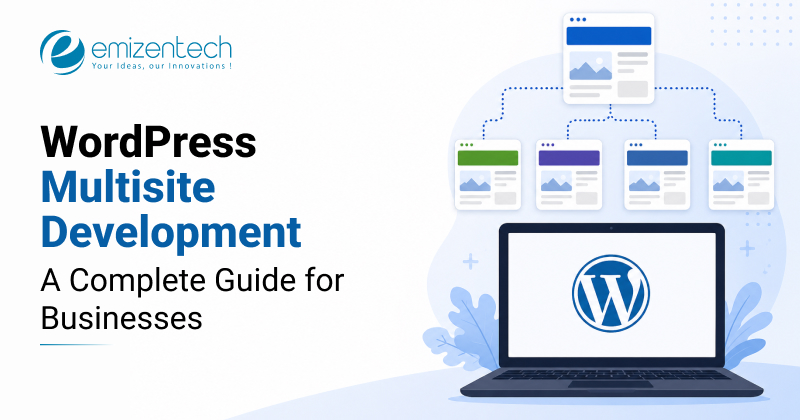
Scaling your digital presence shouldn’t feel like juggling a dozen different websites at once. That’s exactly where WordPress Multisite starts to make a lot of sense. With a solid WordPress Multisite development approach in place, you can manage multiple sites from one dashboard, without the usual mess of logins, updates, and duplicated effort. It’s simply more efficient.
According to Mordor Intelligence, the CMS market is expected to grow at over USD 33.28 billion through 2026, which says a lot about how businesses are leaning toward flexible, scalable systems like WordPress Multisite.
In this guide, I’ll walk you through what WordPress Multisite actually is, how WordPress Multisite development works in practice, where it fits best, how to set it up, and a few things you’ll want to think about before deciding if it’s right for you.
What Is WordPress Multisite And How It Actually Works
WordPress Multisite is a feature that lets you create and run multiple websites from a single WordPress dashboard. Instead of logging into different sites every time, you manage everything in one place. It is called WordPress Multi-User (or WPMU). It is not a new feature; it’s been around since WordPress 3.0 launched.
It’s more of an advanced setup than a basic feature, and people use it in different ways. Some like the convenience of updating all their sites at once. Others even build networks where users can create their own websites and manage them within the same system, sometimes with subscriptions.
Now that you understand what is WordPress Multisite, it is time to proceed with how it actually works efficiently.
How it actually works:
Once Multisite has been enabled on a single installation of WordPress, it becomes a network of sites. Below is an explanation of what happens in the background:
Single Installation: You install WordPress one time and enable Multisite via the wp-config.php file (in conjunction with other server settings like .htaccess) so that you can create a network of sites.
Shared Resources: All websites in your network use the same core WordPress files, themes, and plugins, but every site will contain its own content, configurations, and media assets.
Structure:
- Subdirectories: example.com/site2, example.com/site3
- Subdomains: site2.example.com, site3.example.com
Database Management: network uses one database; however, WordPress creates separate tables for each subsite, wp_2_posts, wp_3_posts etc., and keeps the data isolated.
Network Admin (Super Admin): The administrator will be able to control the themes, plugins, and settings of the entire network. In such a case, it will be important to have skills in WordPress plugin development since custom functionality will be needed across various websites.
WordPress Multisite vs Single Site – Which One Does Your Business Actually Need?
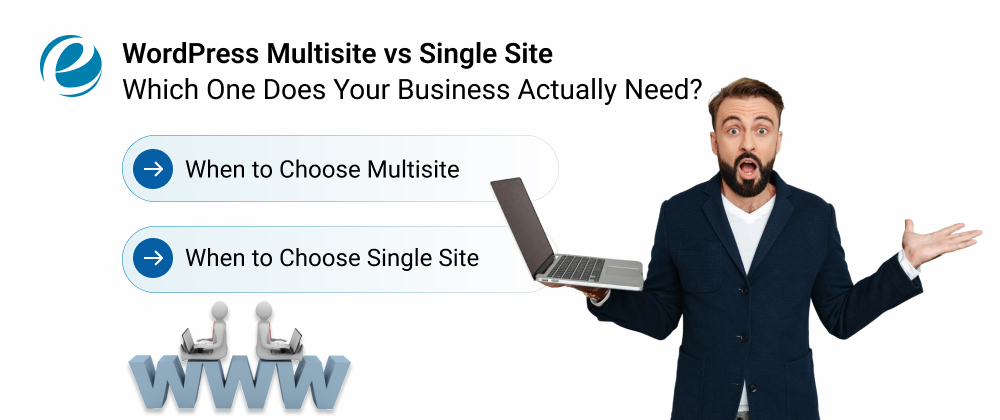
The comparison, WordPress multisite vs. single-site configurations, can assist you in deciding what suits your business requirements.
When to Choose Multisite:
- Highly Related Sites: When managing a series of blogs or sites with common themes and shared plugins.
- Centralized Management: Upgrading a theme or a plugin only needs to be done for each type of site once.
- Shared Userbase: When users should log on to all sites with 1 account.
- Efficient Scaling: Instantly generate new types of sites such as offices in other places or using new languages.
When to Choose Single Site
- Independence: Plugins, functionality, and themes will differ between individual websites.
- Risk Management: You must make sure that a breach in security or plugin problems on one site do not affect others.
- Diverse Ownership: Different groups or businesses own and manage their respective sites.
- Simplicity: You want to maintain all of your sites easily because you don’t have many.
Deciding whether to use WordPress multisite vs Single Site system is dependent on the objectives of your business; here is a simple comparison to guide you in making the right choice.
| Feature | WordPress Multisite | Single Site Installation |
| Best For | Affiliate Websites, Franchise Websites, Multilingual Websites, Internal Company Intranet Websites | Independent Websites, Unique Business Websites, Unique Project Websites |
| Management | One Centralized Dashboard for Management of all Sites | Multiple Dashboards: You Have to Log into Each Individual Site to Manage |
| Updates | Update All Sites Simultaneously With a Single Click | Update Each Individual Site; Cannot Update All Sites At Once |
| Resources | All sites share the same themes, plugins, users, and tables. | Each site has its own separate database, themes, plugins, and files; none are shared with other sites. |
| Performance | If a performance issue affects one of your sites, it may also affect all of your other sites. | If a Performance Issue Affects One of Your Sites, it Affects Only that Site (not all your other sites). |
| Migration | Moving a Website from One Multisite Installation to Another is Complex and difficult. | Moving a website from one independent installation to another is easy and straightforward to do. |
7 Business Use Cases Where WordPress Multisite Delivers Real ROI
A WordPress multisite network is one of those setups that just makes life easier when you’re handling more than one website. Instead of juggling logins and repeating the same work, everything sits in one place. Here’s where it actually proves useful across different business models and where it delivers real ROI.
Franchise Businesses
The franchise business uses Multisite to run all its sites under one network. This allows the firm to keep the same branding but give individual branches the ability to customize some local information.
Enterprise / Multi-Brand Companies
Large companies with various brands have the ability to operate their own websites using the same infrastructure. Multisite allows central management to ensure design, security, and maintenance while keeping brands independent regarding their content.
Media Publishers & Content Networks
For publishers that run several blogs or websites, there is a definite advantage in having control centralized. They can post in different places, use the same theme, and update easily, without replicating themselves technologically.
Universities & Educational Institutions
Universities often have dozens of departments needing their own sites. Multisite keeps things organized. Each department gets control over its content, while the main IT team keeps everything secure, updated, and consistent across the board.
Digital Agencies Managing Client Sites
Organizations that have to manage several websites for their clients can manage all of them at once in a single dashboard. This saves time and effort and enables quick deployment of new websites without setting up anything from scratch again.
International / Multilingual Businesses
Businesses running operations in various nations can effectively manage regional sites. Multisite enables businesses to incorporate localized content, language, and domain while maintaining their branding and technical management across the globe.
SaaS Platforms & Membership Networks
Multisite can be used to build a platform that allows users to build websites themselves. It has features like user management, scalability, subscriptions, and control; thus, it is perfect for any membership-based business or website-as-a-service business.
WordPress Multisite Pros and Cons
WordPress Multisite development allows you to manage several WordPress sites using a single dashboard and installation process, which suits networks that use common themes. Here is a list of the pros and cons associated with WordPress Multisite to give you an easy grasp of where it shines and where it can feel limiting.
Pros:
- Centralized Management: Updating WordPress core, plugins, and themes can be done easily with just one click.
- Cost Efficiency: Rather than purchasing hosting accounts for each site, you can use one shared resource that will save you money.
- Shared Resources & User Management: You can manage all user accounts (i.e., creating, deleting, deactivating, etc.) from one account and access multiple subsites with only one login.
- Rapid Deployment: You can create new sites in seconds, which is perfect for users who manage large numbers of sites.
- Consistent Branding: You have full control over the theme and functionality used across hundreds or thousands of subsites; it will help you enforce a consistent theme across many of your sites.
Cons:
- Single Point of Failure: If the network fails, all of the sites become unavailable as well. A security breach can make all of the sites available to an attacker.
- Resource Sharing: When a site receives a lot of traffic at once, it will consume a lot of resources. It will cause all of the sites to perform poorly within the network.
- Complex Migration: It may be very difficult to migrate a single site from a multisite set up and create it as an independent single WordPress instance.
- Plugin and Theme Limitations: Network-activated plugins may fail when trying to work with sub-sites that have customized settings. Some plugins are not compatible with multisite configurations.
- Technical Complexity: The large number of servers demands a lot of technical expertise from the administrator as far as administering servers is concerned.
How to Set Up WordPress Multisite – Step-by-Step Overview
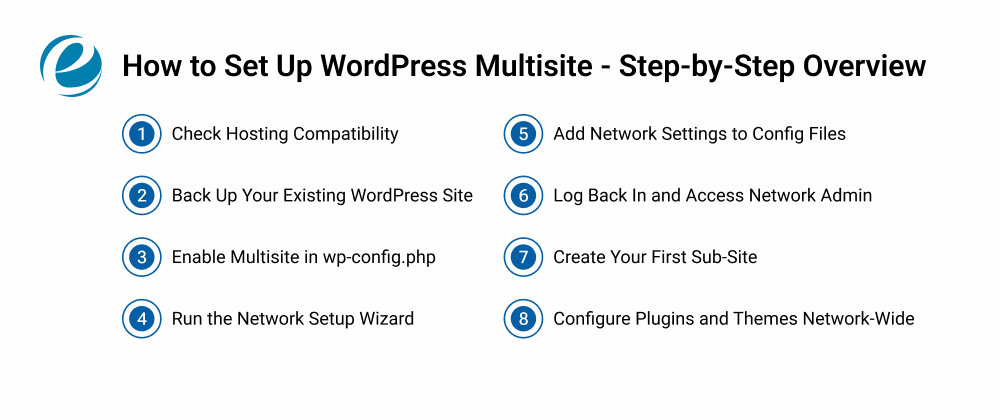
The following list gives you an overview of the set up process that a WordPress multisite developer follows-
Check Hosting Compatibility
To begin, ensure that your host is compatible with WordPress Multisite. Not all hosting environments have good support for multisites, so this will prevent any potential problems in the future.
Back Up Your Existing WordPress Site
Have a backup of your existing WordPress website before moving forward. This makes sure when an error happens in the WordPress multisite development process, so this will guarantee that you don’t lose your data.
Enable Multisite in wp-config.php
Navigate to your wp-config.php file and activate Multisite within it by entering the corresponding code line.
Run The Network Setup Wizard.
Head into your dashboard and run the setup. This is where you decide the structure: subdomains or subdirectories. It’s not complicated, but it does matter later.
Add Network Settings to Config Files
WordPress will show you a couple of code snippets. You’ll need to paste them into wp-config.php and .htaccess. It’s a bit manual, but that’s how the network gets properly wired.
Log Back In and Access Network Admin
After saving everything, log in again. You’ll notice a new option called Network Admin. That’s your main control panel for the whole WordPress Multisite setup.
Create Your First Sub-Site
From the Network Admin dashboard, adding a new site is quite quick. Just a few clicks and you’ve got another website running inside the same system.
Configure Plugins and Themes Network-Wide
Now decide which plugins and themes will be accessible on the entire network. This is where WordPress Multisite development starts to feel structured.
Note: For any production environments that use custom domain mapping, WooCommerce network setups, or enterprise-level installations, it is highly recommended to hire WordPress developers.
WordPress Multisite SEO – What You Need to Know Before You Build
Before setting up WordPress Multisite on your platform, it is imperative to learn about how it influences the SEO capabilities of your entire network of sites, since everything operates from one single network. Let’s have a closer look:
Domain Structure Matters
The decision about whether to use subdomains or subdirectories has an important effect on how the search engines will handle your website. Subdirectories usually lend themselves more easily to building authority; on the other hand, subdomains may act like separate websites.
Avoid Duplicate Content
As multiple websites are easily generated, you should make sure that all websites have different content on them. This is because duplicate content may adversely affect ranking and trustworthiness.
Centralized SEO Tools
Using SEO tools support multisite to provide consistent optimization for title, description & sitemap across your network of sites.
Internal Linking Strategy
Using an internal linking strategy across your network sites can help create a single authority (increased search visibility). Be sure to use links only when relevant and provide real value to visitors.
Performance Optimization
Your entire network needs improved page load speeds. Therefore, you need quality hosting and good caching to achieve maximum SEO performance.
SEO on WordPress Multisite will be most effective if structure, uniqueness of the content, and performance go hand in hand, providing insight into whether WordPress Multisite or one theme suits you better.
Is WordPress Multisite Right for Your Business?
Not every website requires WordPress Multisite setup. In fact, in some situations, implementing this technology when it’s unnecessary may complicate your project unnecessarily. Here is a breakdown if it’s right for your business or not.
Multisite Is Right If-
- You have multiple websites that each reflect one aspect of your company.
- You want to be able to manage your website updates, users, plugins, and themes from one single point.
- Your websites have functionalities, structures, or themes that are similar to each other.
- You require a scalable infrastructure that can help you quickly launch new sites without starting fresh every time.
Multisite Is Not Ideal If-
- Your website serves different purposes, distinct audiences, or industries
- You require extensive customization to your sites due to their unique technical setup
- You have limited or no team technical resources available to properly support a networked system
- You would like each site to function independently of the others as far as functional dependency and risk.
In short: The idea behind WordPress Multisite is that all your sites should act as part of one single entity. If they don’t, then it would make more sense to keep them separate.
Conclusion
WordPress Multisite will be an ideal platform to choose if you manage many websites and wish to integrate all of them within one platform. Proper WordPress Multisite development will make it possible for businesses to grow quickly and save on costs. This solution may work perfectly for companies that are seeking efficiency without compromising their control.
However, the success of your venture will depend largely on the proper installation of the platform. Many businesses rely on professional WordPress development services to prevent costly mistakes and ensure long-term performance. If you’re thinking about scaling smartly, WordPress Multisite is definitely worth serious consideration.
FAQs
What Can Be Done Using WordPress Multisite?
WordPress Multisite development enables you to manage diverse websites from one dashboard, ideal for franchises, global brands, & agencies that need centralized control, faster scaling, and reduced maintenance costs.
Will the Use of WordPress Multisite Have an Impact on SEO?
WordPress Multisite will not negatively impact your SEO when implemented correctly. All sites will be able to rank independently with their respective domains, yet the implementation, the quality of the content, and proper link building will play a great role.
Can I Build eCommerce Websites Using WordPress Multisite?
It is possible to use WordPress Multisite for developing eCommerce websites through the use of WooCommerce stores in each sub-site.
How Many Sites Can a WordPress Multisite Network Support?
A WordPress Multisite network can support thousands of sites. It depends on the hosting infrastructure, server resources, and optimization practices that are used during development and scaling.
How Much Does WordPress Multisite Development Cost?
The cost of WordPress Multisite development can broadly range from $1,000 to $10,000. It depends on complexity, customization, integration, and whether you need enterprise-level scalability.




 +1 (989) 535-9295
 info@emizentech.com
 emizentech


