
 Add us as a preferred source on Google
 It’s 11 p.m., and your phone buzzes with motion at the front door. A few years back that meant sprinting to a clunky desktop dashboard for ten seconds of grainy black-and-white footage, usually too late to matter. Now you tap the alert, the feed loads almost instantly, and you can tell whoever’s standing on your porch that help’s on the way before they even ring the bell.
That’s basically the whole shift. The cameras didn’t change that much. The camerabewaking app did. And the market backs that up: 61% of U.S. households now own at least one security camera, up from 52% just two years ago. Which apps actually hold up in 2026, and what does it take to build one yourself? Let’s get into it.
What Is a Camerabewaking App and How Does It Work?
A camerabewaking app is the bridge between your camera and your phone. It streams live video, fires off alerts when something moves, and stores footage for later; basically, every interaction you have with a security camera runs through this app, not the hardware.
The mechanics stay similar across brands: the camera grabs footage, sends it over Wi-Fi to the cloud or a hub, and the app pulls it onto your screen with a second or two of lag. Motion triggers an alert, footage gets stored, and the better apps add AI to tell a person from a passing cat.
What to Look for in the Best Camerabewaking Apps?
Not every app holds up once you actually need it, usually at 2 a.m., not during a demo. Below are some crucial things that you must look for when you are selecting a camerabewaking app for your home security:
Video Quality and Frame Rate
Resolution gets the marketing attention, but frame rate is what stops a face from blurring during fast motion. There are also some camera apps for high-FPS photos that provide quality features.
Real-Time Alerts and Notification Accuracy
An app that pings you for every leaf blowing past the lens gets uninstalled fast. AI-based activity zones and person/vehicle filtering are what separate apps people actually keep using.
Storage Options
Cloud storage backs up your footage off-site for a monthly fee. Local storage (SD card or hub) is free but useless if someone walks off with the camera itself.
Two-Way Audio and Live Talk
Being able to talk through the camera to scare off an intruder or just tell the delivery guy to leave the box by the side gate isn’t a luxury feature anymore. It’s expected.
Smart Home Integration
If the app plays nice with Alexa, Google Assistant, or HomeKit, one voice command can lock the door and pull up the porch camera at the same time. Convenient, when it works.
Data Privacy and Encryption
A camera sitting by your front door is a real privacy question, not a footnote. Look for end-to-end encryption, a clear data-retention policy, and the option to keep footage local.
Subscription Cost vs. Free Tier
Some apps work fine for free; others lock cloud recording and AI detection behind a paywall. Test the free tier for a week before paying for anything; the difference shows up fast.
So, these are some crucial factors that you must evaluate before you select a camerabewaking app.
Top 10 Camerabewaking Apps in 2026
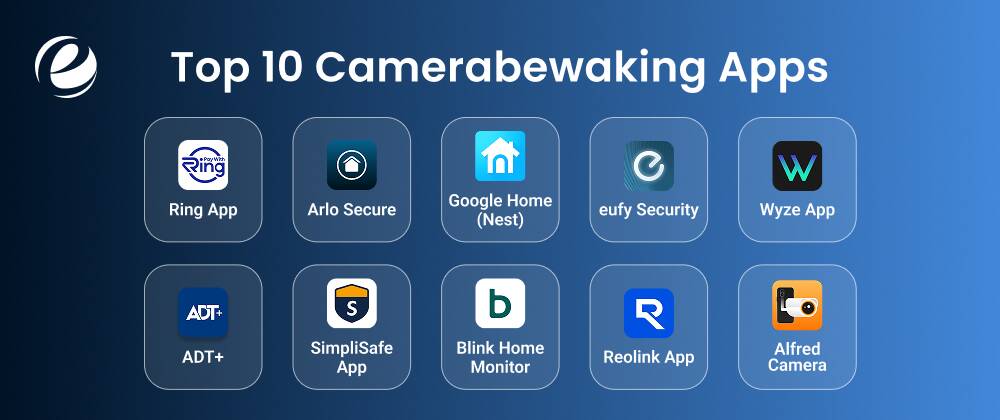
This list runs the gamut, from single-apartment setups to properties bristling with cameras, so there’s something here no matter your budget. Below, you’ll find what each app actually does, who it fits best, and roughly what it’ll cost you to get going.
Ring App
The Ring app is probably the name most people think of first when camerabewaking apps come up, mostly thanks to how well it plays with Alexa. The lineup is huge: doorbells, indoor cams, outdoor cams, you name it. Motion alerts, two-way audio, and the Neighbors feature, which shares local safety updates, all come standard. Want recordings or smarter detection, though? You’ll need a Ring Protect plan; live view alone stays free. Good fit if you’re deep into Echo gear.
- Best for: Households already invested in Amazon Alexa and Ring hardware.
- Starting Price: Free live view; Ring Protect plans from $4.99/month
Arlo Secure
Arlo Secure is the companion app for Arlo’s pricier cameras, and it shows sharp video, person and vehicle detection, and an SOS button for emergencies. Built for people who don’t mind paying for the good stuff: custom activity zones, familiar-face recognition, and fire alerts pulled from video analysis. Every camera ships with a free trial, but once that ends, cloud recording and the smarter alerts sit behind a paid plan. Worth it if video quality is your top priority.
- Best for: Users who want high-resolution video and advanced AI detection.
- Starting Price: Free trial included; Arlo Secure Plus from $7.99/month (single camera)
Google Home (Nest)
Google Home, if you’ve had it a while, folds your cameras into the same app running your speakers and thermostats. Check feeds, set automations, and chat with Gemini, all in one place. The free tier covers live view, two-way audio, and basic alerts; for event history or familiar-face recognition, you’ll need Google Home Premium. It plays nicely with the rest of the Nest lineup, the obvious pick if you’re already living in Google’s smart home world.
- Best for: Existing Google Home / Nest device owners wanting one unified app.
- Starting Price: Free live view; Google Home Premium from $10/month
eufy Security
eufy Security skips the subscription model almost entirely; most cameras just save footage to the HomeBase hub or a microSD card sitting right in the device, and person/pet detection is free, no catch. The app handles live streaming, activity zones you set yourself, and a timeline that pulls in multiple cameras at once. Want cloud backup too? That’s extra, per camera. Good option if you’re the type who’d rather not pay a monthly fee just to feel secure.
- Best for: Privacy-focused users who want local storage without monthly fees.
- Starting Price: Free app; optional cloud storage from $2.99/month per camera
Wyze App
The Wyze app runs one of the cheapest camera lineups out there: free 12-second cloud clips, full live streaming, and no cost at all. Of the camerabewaking apps aimed at first-timers, this one keeps prices lowest by a fair margin. Bump up to Cam Plus, and you get continuous recording, AI detection for people, pets, and packages, plus longer cloud history. Not bad for an app that doesn’t charge much for hardware or the subscription.
- Best for: First-time buyers on a tight budget.
- Starting Price: Free app; Cam Plus from $2.99/month per camera
ADT+
ADT+ is for people who want an actual professional watching their back, not just an app pinging their phone. It controls Google Nest or ADT Blu cameras, smart locks, and alarm sensors and throws in extras like Trusted Neighbor access and live video verification when something goes wrong. You can self-monitor less, sure, but the real point of ADT+ is the 24/7 professional monitoring behind it; that’s what you’re really paying for here.
- Best for: Homeowners who want 24/7 professional monitoring, not just self-monitoring.
- Starting Price: Self-monitoring from $9.99/month; professional monitoring from $24.99/month
SimpliSafe App
SimpliSafe’s app does double duty: camera monitoring and full alarm control, all from one screen, sensors and keypads included. The free tier lets you arm, disarm, and watch live feeds; pay for a plan and you get camera recording, video verification, and even a live agent stepping in during an actual break-in. Most camerabewaking apps stick to cameras, but SimpliSafe is really building a whole alarm system around them better suited to someone planning a full DIY setup, not just a camera or two.
- Best for: Buyers who want a complete DIY alarm system alongside cameras.
- Starting Price: Free self-monitoring; camera/video plan from $9.99/month
Blink Home Monitor
Blink Home Monitor, the Amazon-owned one, doesn’t overcomplicate things: live view, motion alerts, and a short live clip are all free; no subscription is needed. Pay for Basic or Plus and you unlock 60 days of cloud storage, AI person detection, and Blink Moments, which strings related clips into a single video. It’s a fine, cheap entry point if you’re renting or living somewhere small and just need solid doorbell or indoor camera coverage, not a whole alarm system.
- Best for: Renters and apartment dwellers who need basic camera coverage.
- Starting Price: Free app; Basic plan from $3.99/month per device
Reolink App
Reolink’s app is all about flexibility: Wi-Fi, PoE, and even 4G cellular cameras, handy if your camera spot doesn’t get decent internet. Most models record straight to a microSD card, AI detection runs on the device for free, and a cloud plan stays genuinely optional. Out of all the camerabewaking apps out there, Reolink might be the only one that works completely fine with zero ongoing cost: buy the hardware once, no monthly bills after that.
- Best for: Users who want zero ongoing fees and flexible connectivity options.
- Starting Price: Free, no subscription required; optional cloud storage from $3.49/month
Alfred Camera
Alfred Camera does its own thing entirely; it turns old smartphones into security cameras instead of selling you new hardware. Free version gets you live streaming, motion alerts, and basic recording; Premium throws in HD video, no ads, and continuous recording on devices that support it. It’s a clever, cheap option if you’ve got old phones gathering dust somewhere, though how well it actually works depends a lot on which device you end up repurposing.
- Best for: Users who want to repurpose old smartphones instead of buying new cameras.
- Starting Price: Free app; Premium from $5.99/month
Quick Comparison Table
If you still have any doubts about any app, you can refer to this table to compare them based on your needs, so you don’t have to scroll back up and read again.
| App | Best For | Local Storage | Prices | Subscription Needed? |
| Ring | All-around video security | No | Free (view-only) | For recording |
| Arlo Secure | Outdoor coverage | No | Free (view-only) | For AI features |
| Google Home (Nest) | Smart home bundling | Yes (6 hrs free) | Free | Optional |
| eufy Security | Subscription-free storage | Yes | Free | No |
| Wyze App | Budget-friendly entry point | SD card | Free | Optional |
| ADT+ | Professional monitoring | No | $24.99/mo | Yes |
| SimpliSafe | Easiest setup, live agents | No | Free (basic) | For full features |
| Blink Home Monitor | Battery life, simplicity | USB option | $3.99/mo | Optional |
| Reolink App | Multi-camera coverage | Yes | Free | No |
| Alfred Camera | Phone-as-camera | Yes | Free | No |
How to Choose the Best Camerabewaking Apps in 2026?
There’s no universal “best” among the top camerabewaking apps it depends on what you’re actually monitoring and how much you want to fuss with settings. There are some factors that you can consider when choosing a camerabewaking app as per your requirement:
- One entryway, renting? Alfred or Wyze covers it without buying hardware.
- Multiple cameras, bigger property? Reolink or Eufy skips the per-camera subscription stacking.
- Want a real person responding to alerts? SimpliSafe or ADT+ is built for that.
- Already living in the Google or Amazon ecosystem? Stick with Nest or Ring: one app, one login.
Test the free tier for a week before paying for anything. Notification accuracy looks great in marketing screenshots and behaves very differently during an emergency.
Want to Build Your Own Camerabewaking App? Here’s Where to Start.
Camera adoption keeps climbing, and that’s opening real opportunity for hardware brands, security companies, and startups chasing a specific niche: rental properties, small retail, and warehouse perimeters. Some owners want even more: controlling cameras, locks, and lighting from one screen, which is exactly the ground covered in this guide to smart home automation app development.
Building one starts the same way any connected app does: a tight scope and a team that actually understands real-time video, not just typical apps. An experienced mobile app development company earns its fee here, since streaming, push notifications, and cloud storage all come with their own failure points.
One of the most popular choices for app development is Emizentech, which has experience in building custom IoT and surveillance solutions that combine mobile applications with connected hardware. The right development partner can help you integrate advanced features while making sure that the platform remains secure.
How to Develop a Camerabewaking App – Steps and Cost?
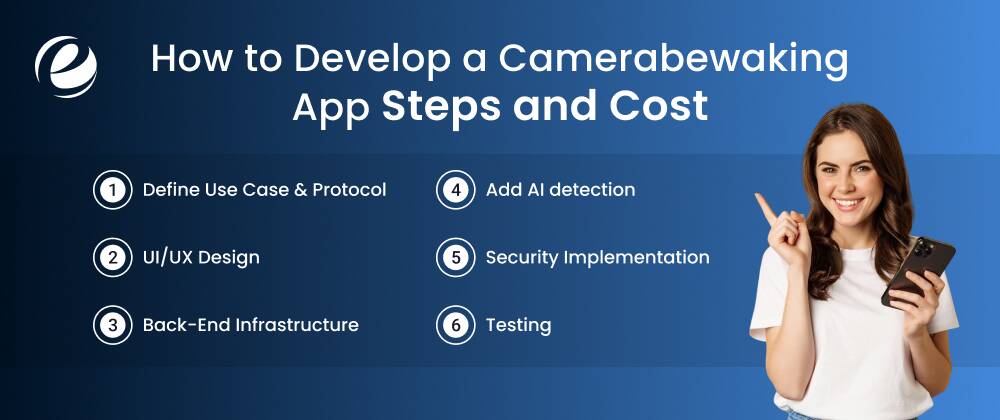
If you decide to build one for your home security, make sure you follow a proper process. In the section below, you will learn a step-by-step method to develop an app like these apps:
Step 1: Define Use Case & Protocol
Choose streaming protocols on the basis of your target setup. Local streaming (LAN) needs RTSP. Remote mobile viewing uses WebRTC or P2P connections.
Step 2: UI/UX Design
Design a clean dashboard to view multiple camera feeds simultaneously. Prioritize intuitive layouts for playback controls and alert histories.
Step 3: Back-End Infrastructure
Set up scannable cloud servers or utilize ready-made WebRTC signaling servers so that the users can get a smooth interface.
Step 4: Add AI detection
You have to understand that person, pet, and vehicle recognition are standard now, not premium add-ons. AI in mobile app development does a lot of the heavy lifting here, especially when it runs on-device instead of in the cloud.
Step 5: Security Implementation
You have to make sure that all streams and cloud storage are end-to-end encrypted. Secure user authentication like OAuth and role-based access are vital.
Step 6: Testing
Test the app across various hardware devices, under bad Wi-Fi conditions, with multiple viewers, and in low light. A missed alert during an actual break-in is the kind of failure no app store rating ever recovers from.
These are the general costs of camerabewaking app development on the basis of the project complexity:
| App Complexity | Estimated Cost | Timeline |
| Basic App | $15,000-$35,000 | 3-5 months |
| Mid-Level App | $50,000-$100,000 | 6-9 months |
| Complex App | $100,000-$250,000 | 9-12+ months |
The cost depends entirely on feature depth, but a solid camerabewaking app sits in the same mid-range bracket as other real-time IoT apps. AI and multi-camera support push it higher.
How to Monetize Your Camerabewaking App – Proven Revenue Models?
A camerabewaking app rarely makes money on the download. Revenue appears after you strategically implement monetization models in your app. Some of them are mentioned below:
- Freemium subscriptions: It includes free live view, paid cloud storage, and AI. The dominant model is usually a free trial that gets people hooked.
- Hardware bundling: Through this model, you sell the camera and app together; the app keeps people buying more devices from the same brand.
- Professional monitoring add-ons: These charge extra for live-agent response, like SimpliSafe and ADT+ do.
- One-time unlock fees: Users pay to remove ads or unlock features without gating safety behind a subscription.
- B2B licensing: This model white-labels the backend to smaller camera makers who don’t want to build streaming infrastructure themselves.
Most of the top camerabewaking apps on this list actually stack two or three of these models at once.
Conclusion
The camerabewaking app has quietly become the most important part of home security, more relevant day-to-day than the resolution printed on the box. Whether you’re picking from the best camerabewaking apps already out there or building your own, it comes down to the same thing: fast, accurate access to footage when it actually matters. In 2026, that app is increasingly the whole product, not just the thing bundled in the box.
FAQs
Is it possible to use an older phone as a security camera?
Yes, you can certainly utilize your old phone as a security camera because all that you have to do is simply download a security camera app, make sure it is connected to WiFi, place your phone, and observe everything remotely.
Does the usage of these apps entail a monthly fee?
Absolutely not, given the vast number of apps available online. You are always able to find a number of them offering you free services such as live streaming and motion detection.
Will these apps work if I am away from home?
Yes, most security camera apps work over the internet. You can check the live footage, get motion alerts, and keep an eye on your home from almost anywhere, so it is easily accessible.
Are these apps compatible with Alexa or Google Assistants?
Many well-known security camera apps work with Alexa and Google Assistant. This allows you to use voice commands and view camera feeds on supported smart devices.
How can I reduce false motion alerts?
You can reduce false alerts by lowering motion sensitivity, setting activity zones, and avoiding areas with frequent movement, such as roads, trees, or shifting shadows.
Is my data secure when using these apps?
Most trusted apps use encryption and secure connections to help protect your data. For better security, use strong passwords and turn on two-factor authentication whenever available.




 +1 (989) 535-9295
 info@emizentech.com
 emizentech


