
 Add us as a preferred source on Google
 Key Takeaways
- CRM data migration is the process of moving old records from an old spreadsheet or CRM system to a new one. It keeps all your data in one unified place.
- To migrate CRM data securely, you need a strategy that covers data auditing, field mapping, data backups, and iterative testing.
- Manual CSV import/export, native migration tools, third-party migration platforms, and professional CRM migration services are among the common CRM data migration methods
CRM data migration involves cleaning ambiguous data, filtering relevant records, mapping fields, and migrating the clean data from the existing platform to the new one. But why do businesses need to do all of this? Because they can’t keep collecting ten-year-old clutter that serves no purpose.
According to Fortune Business Insights, the global CRM market is expected to reach $320.99 billion by 2034. Despite such increasing numbers, if you still think moving all the data together is easier, you are mistaken; it’s much riskier and can bring unexpected headaches for organizations. Often, teams have to redo everything from scratch.
However, the opposite is true: if the migration goes smoothly, it can be a real win. Read this blog: a step-by-step blueprint that will help you execute a risk-free data migration.
Why CRM Data Migration Matters for Growing Businesses
CRM data migration matters for growing businesses because what worked for 20 people won’t work for 200. This is one reason. Migration also helps refine data, so you avoid pauses or delays and keep the entire organization running smoothly without losing touch with active buyers.
Moreover, you can avoid duplicate entries, update outdated information, and keep records accurate, helping build trust across teams. Every industry hits this eventually, but the bar differs. CRM for the healthcare industry has compliance requirements that make migration as much a governance exercise as a technical one; a mid-size IT firm outgrowing a starter CRM is mostly fighting data volume and integration debt.
The 8 Phases of a Successful CRM Data Migration
If you are wondering how to migrate CRM data securely, the best approach is to do it in phases. That means migrating data in phases. Do not consider it an import/export event.
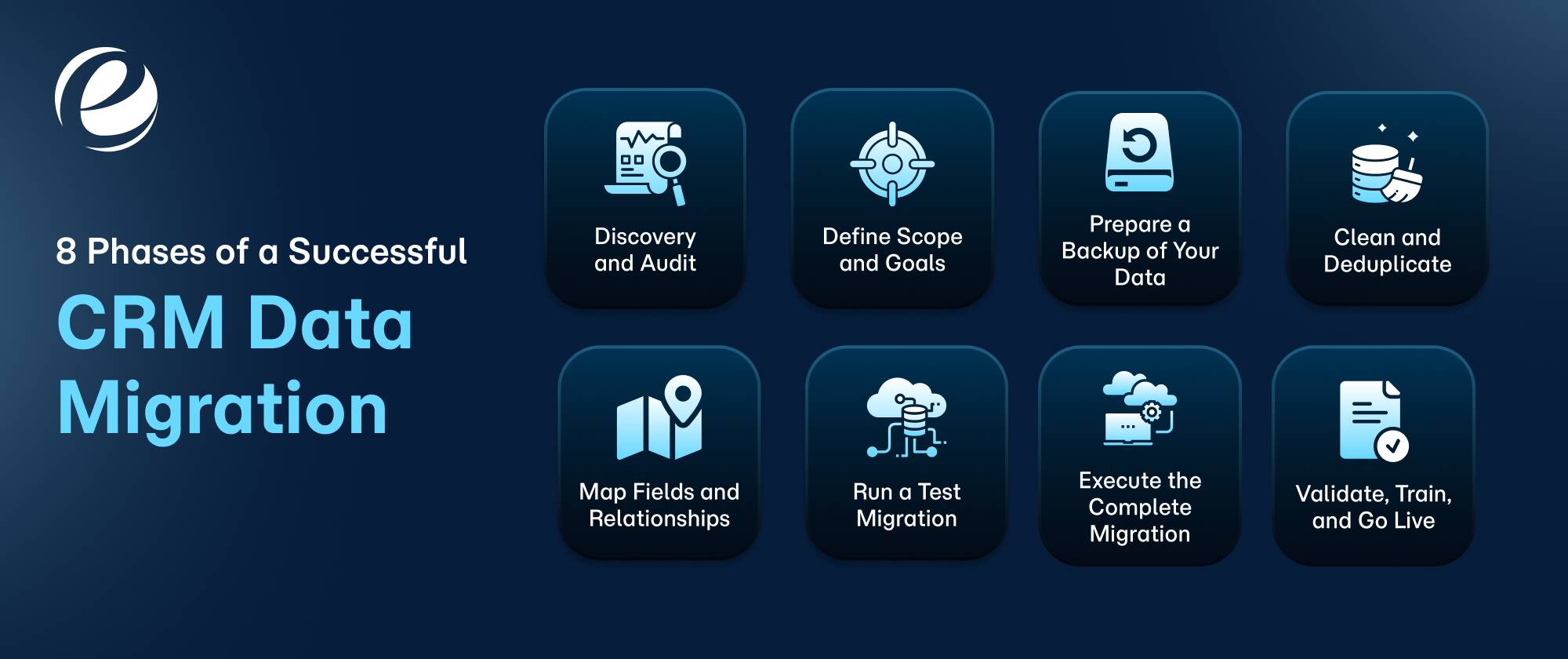
Phase 1: Discovery and Audit
The first step is to discover and audit where your data is stored, not just in the CRM software, but also in the spreadsheets, email marketing tools, or old group chats. Identify all the odd places where you think resourceful and critical information can be present. Audit every custom field and object, and flag any integration that reads or writes data.
Phase 2: Define Scope and Goals
After you discover and audit all available information, define the scope and goals. Decide what information holds relevance and needs to be moved into the new CRM as part of the CRM data migration process. Meet with your organization’s stakeholders and board members to ensure they understand what we need and what we don’t.
Consider their suggestions and discuss future projections, because an email marketing campaign that worked for you in 2019 may not support you in 2026 and may not be worth carrying forward. So define your scope and goals in advance.
Phase 3: Prepare a Backup of Your Data
A backup saves you when something goes wrong. Also, it’s a crucial step when you plan to export or migrate your data from one platform to another. Take a complete import/export backup of your source system. This will save you, especially if anything goes wrong during the migration. The stored data will help you recover records without disruption.
Phase 4: Clean and Deduplicate
If you find duplicate records that create confusion, merge them to avoid redundancies. Whether it’s phone numbers, dates, or anything else, you can standardize everything. Treat it as a cleanup exercise to remove dead records, fill critical gaps, and delete lost leads. It’s like throwing out the unnecessary trash.
Phase 5: Map Fields and Relationships
This is the step where migrations quietly go sideways. Every field in the old system needs a place in the new one, and the two platforms rarely align. HubSpot organizes everything around contacts; Salesforce relies on its account-contact-opportunity hierarchy. Those relationships won’t rebuild themselves; you have to map them deliberately.
Read More: What Does Salesforce Do?
Phase 6: Run a Test Migration
Don’t run everything at once. Take it bit by bit. First, start with a region, then move to one team, then one record type, and push it into the sandbox. After that, run a test migration to evaluate any mappings that didn’t hold, relationships that broke, and duplicates that snuck in.
Phase 7: Execute the Complete Migration
Set a date to complete the entire CRM data migration. Analyze and lock the data entries in your old CRM systems that need to be transferred to the new ones. Then run the transfer and have someone monitor the error logs in real time.
Phase 8: Validate, Train, and Go Live
Validate and count the records on both sides, and ensure they match. Open a handful of your biggest accounts and check them by hand. Let real users poke at the system, fix what they find, and train each team on their piece. Keep a week or two free after launch for cleanup.
CRM Data Migration Methods: Which One Should You Choose?
Several methods can help you migrate CRM data. The right choice depends on your organization’s needs, budget, the data you have, and whether the data is ambiguous. Below are some common methods to consider.
- Manual CSV Import/Export: It’s a traditional method for moving data between systems. Choose this option if your data is small, but if you plan to export/import more than a few thousand records, you may run into issues or create information silos.
- Native Migration Tools: Companies like HubSpot and Salesforce have already developed native migration tools. HubSpot utilizes a replatforming team that handles guided moves from Salesforce, Zoho, Pipedrive, and Dynamics 365. Salesforce uses a data import wizard to cover simple jobs. Similarly, DataLoader can chew through millions of records.
- Third-Party Migration Platforms: You can hire CRM developers for CRM data migration services or use third-party migration tools like MigrateMyCRM, Skyvia, and Import2. They automate most field mapping and cover dozens of CRM combinations.
- Professional CRM migration services: These provide expert, end-to-end management of customer data transitions by matching the ideal migration method to your specific system architecture. For highly customized or large-scale transfers, these certified specialists write advanced API scripts to handle complex data relationships.
CRM Data Migration Best Practices
Avoid unnecessary costs and execute migrations smoothly by following CRM data migration best practices, like
- Plan In Advance: Start planning 3 to 6 months before the migration goes live, as it takes longer than you expect.
- Clean Up and Deduplication: Correcting data quality is much easier in an existing CRM than in a new CRM platform. Deduplication begins with defining your matching rules. To start without much hassle, you can use an exact email match. Beyond that, it involves normalization, archiving, and CRM data enrichment, and skipping it can create data chaos that can cost you heavily.
- Freezing Old Systems: During cutovers, freeze all old systems to prevent users from accessing the legacy software before moving data, because allowing new entries during migration creates data gaps and fluctuations.
- Migrate what’s necessary: There is no point in a full data migration; focus on migrating only what you need and what aligns with your future goals.
- Strong Encryption Channels: Lock down data in transit. Anyone asking how to migrate CRM data securely can start here: encrypt every transfer, limit who can access the data during the project, and never load real customer PII (personally identifiable information) into a sandbox without securing it first.
- Record Ownership and Timestamps: This is considered one of the best practices in migrating CRM data because it preserves data context, ensures accountability, and maintains historical accuracy.
- Test with Real Information: Verify using real records, not dummy data. Use sample batches from actual accounts to identify any mapping issues. You cannot detect the same in test data.
- Data Governance: Set up governance before going live. Without strong data governance, the issues you solved in weeks will start to resurface.
Common CRM Data Migration Challenges and How to Avoid Them
Even after implementing CRM data migration best practices, you can still face challenges; avoiding them means understanding the emerging ones.
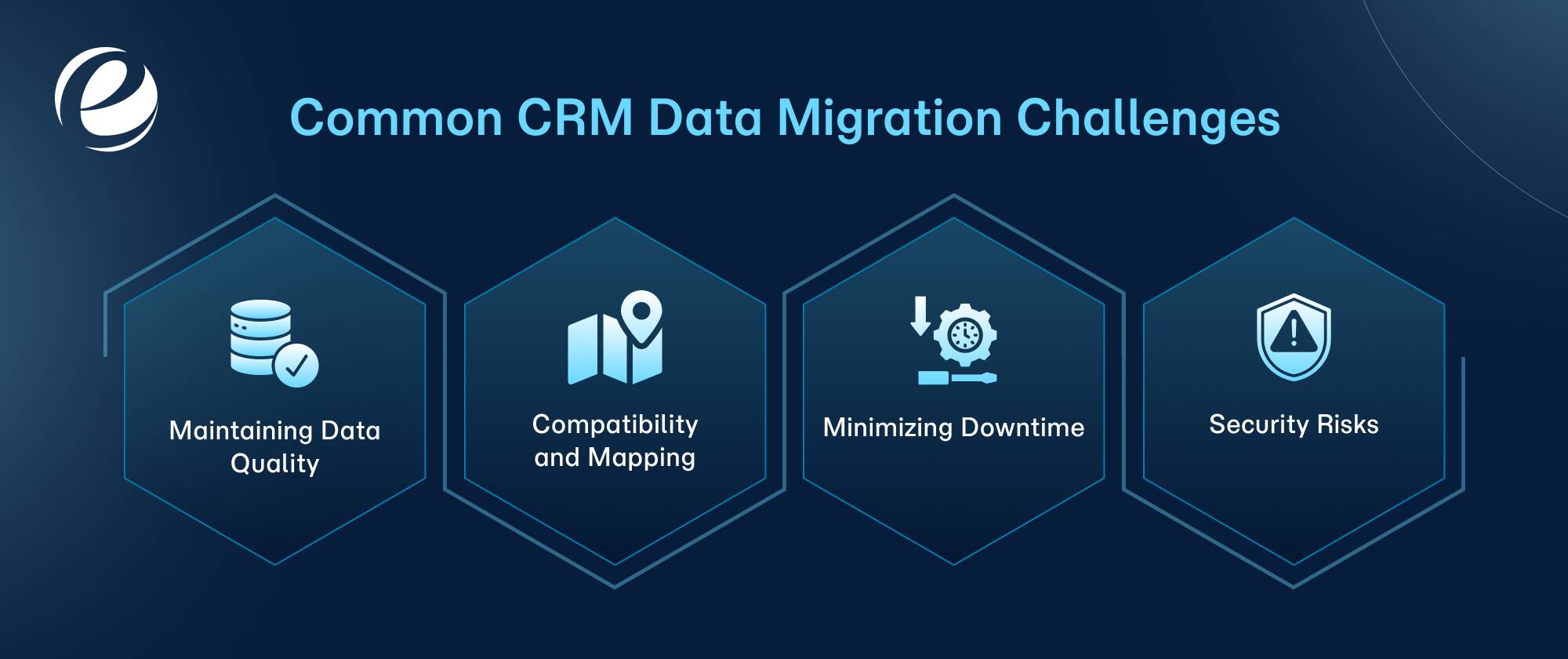
Maintaining Data Quality: During migration, the biggest fear is data loss. The others include duplicate records, inaccurate information, and more. To avoid this, ensure your teams take backups to support reconciliation and protect the organization from errors.
Compatibility and Mapping: Different systems may require different formats or programming languages, creating compatibility challenges. To address these, refine the mapping between source and target systems. This ensures all data fields align perfectly.
Minimizing Downtime: The biggest challenge in customer relationship management data migration is reducing downtime, as improper execution can disrupt your business operations. To maintain organizational and team productivity, avoid downtime.
Security Risks: Data transfers involve security risks and can lead to breaches. To prevent data corruption, implement strong encryption during the migration process. Also, run follow-up compliance checks and regular audits to prevent unauthorized access or breaches.
How Long Does CRM Data Migration Take?
A professional CRM data migration typically takes 8 to 12 weeks, especially for mid-sized businesses.
A smaller migration typically takes 4-6 weeks to complete.
If your project scope is complex, with custom workflows or multiple business units involved, the entire process can take around 3 to 6 months.
Several factors can extend the migration timeline, which we discuss further below.
Factors Affecting CRM Data Migration
- Data Volume
- Quality of Data
- Customization Complexity
- Number of Source Systems
- Integration Capacity
- Team Presence
- Compliance Requirements
How AI Improves CRM Data Migration
Most data migration projects don’t fail because records refuse to transfer. They fail because the wrong records migrate, or the right ones arrive broken. Anyone who has sat through a Monday standup after a rough Salesforce-to-HubSpot cutover knows the drill: sales complains about missing deal history, marketing finds three copies of the same contact, and someone spends the next month reconciling spreadsheets that were supposed to be retired.
That cleanup phase is exactly what AI is starting to eliminate. The technology isn’t magic, and it won’t rescue a project without a plan. It does, however, take over the three stages where humans make the most mistakes: cleaning the data before it migrates, mapping it to the new structure, and verifying it afterward.
AI-Powered Data Cleaning and De-duplication
AI plays a crucial role in CRM data migration. Its role in data duplication and cleaning involves:
- Evaluating anomalies and outliers that traditional profiling methods may miss.
- Forming clusters and recognizing patterns to address common issues like duplicate records or inconsistent data entry formats.
Automated Field Mapping Using AI
Field mapping is a specific part of data mapping that is an important step in migrating CRM data. The role and use cases are as follows:
- Data Mapping Creation: You get suggestions based on the schema description of the source and the target systems.
- Data Gap Detection: Natural language processing models assess whether data in source systems is complete, consistent, and relevant to the target schema, helping organizations pinpoint where gaps lie before migration begins.
AI for Post-Migration Data Validation
AI can help you with post-migration reconciliation. You can compare the migrated data with source data. This helps identify discrepancies and ensure data integrity. Here, the role of AI and use cases are as follows:
- Referential Integrity: AI models can verify whether all dependencies are met in the migrated data. Here, you are not just checking the records or semantic mismatches; it goes beyond that. New GenAI models can help you take corrective actions that are hard to generate with traditional automation methods.
How EmizenTech Helps With CRM Data Migration
Deploying CRM data migration services requires expertise, as the process is critical. One mistake, and you can lose your entire dataset. This is where EmizenTech comes in. We are a certified CRM software development company and a verified Salesforce consulting partner. Our achievements are the result of our dedication, commitment, and ability to cater to CRM clients by offering them:
- Custom and automated transfer services
- Field mapping tools
- Dedicated project management solutions
The entire customer relationship management ecosystem is comprehensive, and our specialized experts know the best way to sync in. They understand how to move customer data and modules safely when migrating between legacy software systems.
To Wrap Up
In this blog, we have discussed the CRM data migration blueprint and phases that will help you execute it. Generally, people are either aware of data transfers or completely unaware of them. Whether you know how to migrate CRM data securely or not, what matters is doing it without disrupting workflows or compromising security. To do this without hassle, you can rely on a reliable CRM development company.
FAQs
Is CRM data migration risky?
Yes, CRM data migration involves risks, including data loss, business disruptions, and reduced data quality.
Can I migrate CRM data myself?
Yes, you can migrate CRM data by yourself. However, a specialized CRM development and consulting partner can make the work easier and help you avoid the uncertainties of the migration process.
What is the safest way to migrate CRM data without losing history?
The safest way to migrate CRM data is to transfer it in phases instead of all at once.
How much does CRM data migration cost?
Estimated CRM data migration costs range from around $500–$3,000 for simple migrations to $150,000–$250,000 or more for complex enterprise projects. Costs also vary based on data volume, customizations, integrations, and data quality.


 +1 (989) 535-9295
 info@emizentech.com
 emizentech


