 Add us as a preferred source on Google
You can picture this: It’s 7:45 AM. A Fort Worth ISD student is still on the school bus, checking today’s schedule, submitting a late assignment, and shooting a quick message to their teacher. No paper planner. No office visit. Just a phone. That’s just Tuesday now. Fort Worth ISD has put together one of the more complete digital setups you’ll find in a Texas public school district, and if you’re not using the right FWISD apps, you’re probably making your school day harder than it needs to be. This guide covers the tools that actually matter for both students and parents.
What Are FWISD Apps? And Why Do Students Need Them?
FWISD apps are the platforms Fort Worth Independent School District officially supports for learning, communication, and day-to-day school operations. Most of them live behind a single login at my.fwisd.apps, which run through ClassLink. From there, students can get into grade tracking, assignment tools, messaging platforms, and more without logging into five different websites.
Why Do Students Need Them?
- One login, everything in reach: ClassLink pulls all district tools into one dashboard. No more forgotten passwords for six different sites.
- Grades and attendance update in real time; you don’t have to wait until Friday to know where you stand.
- Works on phones FWISD has made sure these tools run on mobile, which matters when not every student has a laptop at home.
- You can track your own progress, due dates, GPA trends, and missing work. It’s all visible without asking anyone.
Fort Worth ISD serves over 80,000 students across 140+ campuses. The U.S. Department of Education has noted that districts with strong digital tool adoption tend to see better student engagement, and a district this size needs infrastructure that actually holds up.
How to Access My FWISD Apps via the ClassLink Portal?
Everything goes through ClassLink. Below you will learn about a step-by-step method that will help you to access FWISD apps via the ClassLink portal easily:
- Go to launchpad.classlink.com/fwisd or download the ClassLink app on your phone.
- Sign in with your FWISD student credentials, which your school gives you at enrollment.
- Your dashboard at my.fwisd.apps will load with all the tools tied to your grade and courses.
- On mobile, the ClassLink LaunchPad app (available on iOS and Android) gets you there faster than a browser.
Parents and teachers have their own separate portals, the same ClassLink system, and different access levels. And if you forget your password, the district IT helpdesk handles resets. Don’t share your login with anyone.
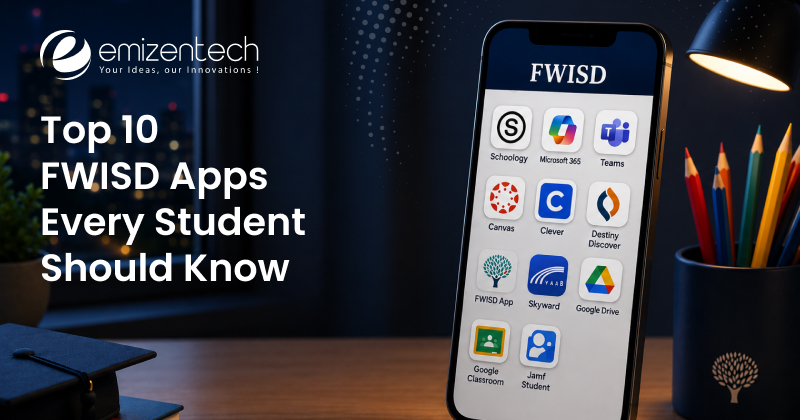
Top 10 FWISD Apps Every Student Should Have on Their Phone in 2026
 The FWISD student needs a balanced digital toolkit to manage academic and campus life successfully. The below FWISD apps list combines the crucial platforms that the students must have on their phone:
Schoology
Schoology is where most of the actual school stuff happens. Assignments, quizzes, course materials, teacher messages—it’s all in here. The 2026 mobile update cleaned up the navigation quite a bit, so jumping between classes and checking what’s due is faster than it used to be. It connects directly to Google Drive, so submitting work doesn’t mean downloading and re-uploading files.
- Price: Free for students
- Rating: 4.3/5 (App Store)
- Platform: iOS, Android, Web
FWISD Focus / Focus Apps
If Schoology is where work happens, the FWISD Focus Apps Portal is where you check how you’re doing. Grades, attendance records, and class schedules are all here, updated in real time. Students who check FWISD apps regularly tend to catch missing assignments before they snowball. It’s not the flashiest app, but it’s probably the one you’ll open most often.
- Price: Free
- Rating: 4.1/5
- Note: Requires FWISD login credentials
Google Workspace for Education
FWISD runs on Google. Every student gets a district account: Gmail, Docs, Slides, Sheets, Drive, the whole thing. No ads, FERPA-compliant, and it works across any device. Most teachers expect work submitted through Drive or Google Classroom, and it connects cleanly with Schoology. If you haven’t organized your Drive by class yet, now’s a good time.
- Price: Free (district-provided)
- Rating: 4.6/5
- Platform: All devices
ClassLink LaunchPad
This one’s less of a “learning app” and more of a front door. Instead of bookmarking eight different sites, you open ClassLink once, and everything at my.fwisd.apps is one tap away. The 2026 update added pinned favorites and biometric login on mobile, which makes it noticeably quicker. If you’re not using ClassLink yet, you’re probably wasting time hunting for login pages.
- Price: Free
- Rating: 4.4/5
- Platform: iOS, Android, Web
Microsoft Teams for Education
Google handles most of the document work, but Teams is what a lot of FWISD teachers use for live sessions, class meetings, office hours, and club check-ins. The meeting recording feature is genuinely useful if you miss something or want to review a lesson. The Assignments tab also syncs with class rosters, so teachers can push work directly through Teams when they want to.
- Price: Free (district-licensed)
- Rating: 4.2/5
- Platform: iOS, Android, Windows, Web
Seesaw
Seesaw is mostly for younger kids in elementary and early childhood programs. Students document their work through photos, drawings, and short videos, and parents can see updates in near real time. Teachers leave audio feedback, which works well for kids who aren’t reading fluently yet. It’s simple on purpose, and it does that job well.
- Price: Free (school version)
- Rating: 4.7/5
- Best for: K–5 students
Remind
Reminders keep communication clean. Teachers send messages about schedule changes, reminders, and announcements, and nobody’s personal phone number is exposed. In FWISD’s communities, the translation feature gets used a lot. It now covers 70+ languages, which matters in a district where a significant share of families speak Spanish or other languages at home. If your teacher uses Remind, make sure notifications are turned on.
- Price: Free
- Rating: 4.5/5
- Standout feature: Real-time translation in 70+ languages
Khan Academy
Not a district app officially, but teachers across FWISD campuses recommend it constantly. SAT prep, AP subject review, and catching up on math concepts you missed, Khan Academy handles all of it for free. The practice problems adjust to your level as you go, so it doesn’t just throw the same exercises at you repeatedly. A lot of FWISD teachers assign it as homework.
- Price: Free
- Rating: 4.8/5
- Best for: Middle and high school students
Naviance
High school students, this one’s worth your time. Naviance is where college research, resume building, teacher rec requests, and application tracking all live. It connects directly to Common App, so you’re not copying information between five different websites during application season. Your counselor updates your profile through it, too, so the record-keeping happens without you having to chase anyone down.
- Price: Free (district-provided)
- Rating: 4.0/5
- Best for: Grades 9–12
Duolingo
Fort Worth ISD has a large English Language Learner population, and Duolingo fills a real gap outside classroom hours. The lessons are a short ten to fifteen minutes, and they work offline, which matters for students with spotty internet at home. FWISD ESL teachers recommend it regularly as a daily practice habit alongside formal instruction.
- Price: Free (premium optional at $6.99/month)
- Rating: 4.7/5
- Best for: ELL and multilingual learners
FWISD Parent Portal App — Stay Connected to Your Child’s Progress
The FWISD parent portal app runs through the Focus Parent portal and gives parents a direct view into what’s happening academically without having to call the school. Through the FWISD app for parents, you can
- Check grades and attendance as they update
- Get alerts when your child is marked absent or a grade drops
- Find teacher contact details
- Pull up report cards and course schedules
- See behavior notes, where the campus shares them
Setup is straightforward: visit the FWISD website, create an account with your email, and link it to your child’s student ID. It works in any browser, and ClassLink gives you a faster path on mobile. Honestly, it’s the kind of tool that takes maybe 20 minutes to set up and saves a lot of back-and-forth with the front office.
FWISD Apps for Parents vs. Students — What’s the Difference?
The FWISD apps are split by the audience to separate administrative oversight from classform learning. Parents use management hubs like Focus Parent Portal, whereas students use ClassLink to access learning platforms like Google Classroom.
| Features | Student Apps | Parent Apps |
| Assignment submission | Schoology, Google Drive | View-only |
| Grade viewing | Focus Student Portal | Focus Parent Portal |
| Attendance | View your own record | Receive alerts |
| Messaging teachers | Remind, Teams | Remind |
| College Planning | Naviance | Not applicable |
| Learning Tools | Kha Academy. Dulingo | Student-facing |
| School Announcements | ClassLink | Remind, FWISD website |
Put simply, students use FWISD apps to do things: submit, study, and communicate. Parents use them to stay informed about grades, attendance, and alerts. The overlap is mostly Remind, which works well for both sides.
Thinking About Building Your Own App Like FWISD?
The system FWISD has built didn’t come together in a year. It’s a network of tools connected through single sign-on, with role-based access controlling what each user can see and do. If you’re a district, an EdTech company, or anyone else trying to build something like my.fwisd.apps, a few things are worth understanding before you start.
What makes this kind of platform actually work in practice:
- SSO matters more than people expect: if users have to remember separate logins, adoption drops fast
- Role-based access isn’t optional: students, parents, and teachers need different views of the same data
- Build for mobile first: a lot of students will never use a desktop version
- Third-party integrations save time: connecting to Google and Microsoft is smarter than building those features yourself
- Compliance has to be in from the start: FERPA and COPPA don’t get easier to retrofit after launch
Mostly, businesses are including AI in mobile app development for education, such as personalized learning paths, automated grading assistance, and accessibility features. It’s worth thinking about where that fits into a platform like this before you finalize the architecture.
How to Develop an App Like FWISD — Features, Tech Stack & Cost
 If you are planning to develop an app like FWISD, you must follow a structured process and collect the crucial features and tech stack that matter the most. Here are some of the crucial things that you can apply in your app to make it stand out:
Core Features:
- Role-based dashboards for students, parents, and teachers
- Grade and attendance tracking with real-time data sync
- Assignment submission and management
- In-app messaging with privacy controls
- Push notifications for updates and alerts
- Unified login (SSO), similar to how ClassLink works for FWISD
- Offline mode for users with unreliable internet
- Admin-facing analytics and reporting
Tech Stack That Works:
- Frontend: React Native for mobile (iOS + Android from one codebase), React.js for web
- Backend: Node.js or Django, REST APIs
- Database: PostgreSQL for structured data, Firebase for anything that needs real-time sync
- Auth: OAuth 2.0 and SAML for SSO
- Cloud: AWS or Google Cloud, configured for FERPA compliance
- Integrations: Google Workspace APIs, Microsoft Graph API
Cost Breakdown
Are you wondering what it costs to develop an FWISD app? This is a general breakdown
| App Complexity | Approximate Cost | Timeline |
| Basic App | $20,000-$50,000 | 3-5 months |
| Mid-Level App | $50,000-$150,000 | 6-9 months |
| Enterprise App | $150,000-$300,000+ | 9-12+ months |
For most districts and startups, hiring experienced mobile app developers who have previously worked in EdTech is faster and cheaper than hiring an internal team from scratch.
Why Choose Emizentech for FWISD App Development?
Building for schools is different from building a consumer app. It requires data privacy, accessibility requirements, uptime expectations, and the need to serve users across very different age groups. It all adds up to a more demanding project than it might look on the surface.
Emizentech has handled mobile app development across a range of industries, and our education work is specific enough to matter here. Our developers are not just dropping a generic product template into a school context.
What we bring to this kind of project:
- Education-specific experience: Our education app development expertise ranges from LMS platforms to parent portals and district management tools.
- Full project scope: The design, development, QA, launch, and ongoing support are handled in one place rather than split across vendors.
- Compliance built in: FERPA, COPPA, and ADA requirements handled at the architecture level.
- Scales when it needs to: We built these platforms to handle traffic spikes at the start of a school day, not just average load.
- Clean integrations: Google Workspace, Microsoft, ClassLink, and similar tools connect without hacks or workarounds.
- Straightforward delivery: The milestone-based billing, real project timelines, and a team that communicates rather than disappears.
If you’re a district that needs to modernize or a company that wants to build the next generation of student tools, it’s worth a conversation.
Conclusion
The FWISD apps ecosystem is one of the more practical setups a public school district has put together. Between my.fwisd.apps as the central hub and the FWISD parent portal app for keeping families in the loop, the range of learning tools built into daily instruction covers a lot of ground. Students who actually use these tools tend to stay on top of things more easily. Parents who get into the portal stop finding out about problems after the fact. And for anyone thinking about building something in this space, FWISD is a useful reference point for what a working district-level platform looks like in practice.
FAQs
How do I log in to my FWISD app?
Most student applications use a Single Sign-On (SSO) system. You access them by visiting the My FWISD Portal via ClassLink, signing in with Microsoft, and entering your student email and school password.
Where can I check my daily grades and attendance?
The grades and attendance are available on the FWISD Focus Portal app for iOS and Android, or by logging into the desktop student/parent portal.
What should I do if I forget my school password?
If you are locked out of your accounts, you can reset your credentials via the Student Password Reset tool. For further assistance, you can reach out to your specific school's front office or campus technology specialist.
How do I log into FWISD apps like Focus and Canvas?
You can log into district apps using their standard FWISD credentials. Your username is your student ID number, and the password that you have created at the beginning of the school year allows you to easily log into FWISD apps.



 +1 (989) 535-9295
 info@emizentech.com
 emizentech


