
 Add us as a preferred source on Google
Every university IT department eventually has this conversation: someone asks “what if we just used something else?” and suddenly there’s a whole comparison spreadsheet floating around. Rutgers landed on Canvas after years of Sakai and Blackboard, and for a school that size, it’s held up well.
But Rutgers Canvas is not the only name in the room, and plenty of colleges, K-12 districts, and even corporate training teams have gone an entirely different direction based on what they actually needed. Some wanted something free and open-source.
Others wanted tighter integration with tools they already had. A few just needed something simple that wouldn’t require a training session to use. Here’s a rundown of ten platforms that keep coming up in those conversations and why each one earns its spot.
What Is Rutgers Canvas and How To Access It?
Rutgers Canvas is the official learning management system for the university. It serves as the central hub for teaching and learning. The students can access course materials, submit their assignments, participate in class discussions, and check their grades.
Here are a few practical notes to help you access Rutgers University Canvas:
- Login Credentials: Your Rutgers NetID and password are all you need. No separate Canvas account to set up.
- Single Sign-on: Because Canvas is tied into the myRutgers portal, you’re not re-entering your password every time you jump between email, registration, and coursework.
- Adding TAs: Faculty have to manually add teaching assistants through the People tab; it doesn’t happen automatically, which trips up a fair number of new instructors their first semester.
- Mobile Access: The same login works on the Canvas Student app, so switching between your laptop and phone doesn’t require logging in twice.
For most students, once you’ve logged in the first time, it becomes routine within a week or two.
Benefits of Using Rutgers Canvas

Rutgers Canvas is huge, so having one system instead of three matters more than people realize. Here’s what actually stands out:
- Central Hub: No more digging through email threads or shared drives to find a syllabus. Grades, quizzes, assignments, and messages are all in one place, and that alone makes finals week a lot easier.
- Seamless Tooling: Zoom, Microsoft Teams, Gradescope, and Ally are built in, so faculty don’t have to hunt for them separately. That matters more than it seems when you’re teaching five sections a semester.
- Mobile Friendly: The Canvas Student app isn’t an afterthought. Push notifications for due dates and grade checks from your phone while it holds up.
- Future Skills: Learn Canvas here, and you’ll probably run into it again in grad school or even at a job later. That’s not nothing.
- Real-time Grades: You’re not waiting until the semester ends to find out where you stand, which, frankly, is how it should always have worked.
- Consistent Experience: Newark, Camden, and New Brunswick don’t matter. Transfer students especially appreciate not having to relearn a whole new system.
This trend isn’t just a Rutgers thing either. Nearly every college now runs some kind of LMS; recent numbers put that figure at around 99% of colleges and universities, and Canvas alone holds close to 44% of the market. It’s become the default, more or less.
Key Features of Rutgers Canvas

There are several key features that canvas at Rutgers provides to its users. A handful of core tools handle the bulk of the work:
- Course Dashboard: Your homepage, basically. Every class, upcoming due date, and recent grade in one glance.
- Modules & Assignments: Instructors break content into weekly chunks with readings, quizzes, and assignments attached right where they belong.
- Gradebook: Updates live, so there’s no guessing.
- Discussion Boards: Threaded discussions plus instructor announcements that actually reach your inbox and phone.
- Integrated Conferencing: BigBlueButton, Zoom, and Teams lectures and office hours happen without leaving the platform.
- Third-Party Tools: Box, Kaltura, LabArchives, YouTube, and UDOIT all plug in directly into course pages.
- Mobile Access: Full functionality, not a stripped-down version, on iOS and Android.
None of this is groundbreaking on its own, but put together, it makes canvas student rutgers use feel pretty painless even for a freshman who’s never touched an LMS before.
Top 10 Alternatives of Rutgers Canvas in 2026

Canvas isn’t for everyone, honestly. It mostly depends on the budget, size, or how much control an institution wants over customization; one of these might make more sense: Below you will learn about some common alternatives of Rutgers Canvas:
Moodle
Free to self-host, which sounds great until you realize somebody on your IT team now owns patching and troubleshooting it forever. Plugins for nearly anything exist, so it’s endlessly flexible if you’ve got the staff for it. Community colleges love it for the price tag. Schools without dedicated tech support? Usually regret the choice within a year.
Blackboard Learn
Still around mostly because switching feels harder than staying. Years of archived courses and grading history keep many universities locked in, even as the interface starts to feel dated next to Canvas. The proctoring and exam security tools, to be fair, are genuinely strong; that part hasn’t slipped.
Google Classroom
It’s free, quick to set up, and a no-brainer if your school already runs on Google Workspace. You could have a class live in ten minutes. But it’s thin on gradebook complexity and analytics, which are fine for a middle school teacher juggling one class but not so much for a professor running a 300-seat lecture hall.
Schoology (PowerSchool)
A K-12 staple, mainly because it talks directly to PowerSchool’s system for student information, with attendance, grades, and parent updates all synced. District admins tend to appreciate that. Teachers get a decent gradebook too. Higher ed doesn’t reach for it much, though; the needs there are just a different scale entirely.
D2L Brightspace
What actually stands out is the adaptive learning bit: content difficulty shifts depending on how a student’s doing, which most competitors don’t pull off well. Analytics dashboards are solid too, and bigger universities appreciate the visibility into engagement. Takes a bit longer to feel comfortable in, though.
Sakai
It’s Rutgers’ old system, believe it or not. It’s still open-source, still free, and still kept alive by a handful of holdout schools. It works, technically, but it’s clunkier and less mobile-friendly than Canvas, which is basically why Rutgers left in the first place. It mostly sticks around now because migrating is a pain nobody wants to deal with.
Absorb LMS
Not really a university tool; this one’s built for corporate training. Compliance tracking, certifications, and onboarding modules that’s its whole world. If you’re picturing discussion boards and semester coursework, skip it. But companies running safety or licensing training tend to swear by it.
TalentLMS
Lightweight and fast, you could have a course live within a day; no big IT lift required. Good fit for a small business or an independent trainer who just needs something that works. Where it falls apart is scale; it’s not built to handle tens of thousands of people hitting it at once like Canvas does.
Edmodo
Looks and feels more like a social feed than a classic LMS, and younger students seem to like the familiarity of that. It’s really a K-12 tool for quick assignments and announcements, nothing too heavy. Once you’re past high school, it starts feeling a little too thin for actual coursework.
Microsoft Teams for Education
It makes sense if your school is already using Office 365, since assignments and grading just show up in a tool people are using anyway, so there’s less login fatigue. Convenient, sure. But it doesn’t go as deep on course structure as Canvas does, so it works better as an add-on than as a full replacement.
Rutgers Canvas vs Other Learning Management Systems
This table will help you understand the differences between Rutgers Canvas and other learning management systems, giving you a clearer picture:
| Feature | Rutgers Canvas | Blackboard | Moodle | Google Classroom |
| Ease of Use | High | Moderate | Moderate | Very high |
| Mobile App | Strong | Moderate | Weak | Strong |
| Customization | Moderate | High | Very High | Low |
| Cost Model | Institutional License | Institutional license | Free (self-hosted) | Free |
| Best For | Large Universities | Legacy higher-ed systems | Budget-conscious institutions | K-12 schools |
Canvas tends to beat Blackboard and Moodle on pure ease of use and mobile experience, which, again, is a big reason Rutgers made the switch in the first place. Google Classroom wins on simplicity for younger students, but it just doesn’t have the gradebook depth a school like Rutgers needs.
Is Rutgers Canvas Safe and Secure?
In general, yes. It runs on Instructure’s cloud infrastructure with encrypted data transmission and role-based access, so students only see their own information; nobody’s peeking at someone else’s grades. Login goes through your Rutgers NetID, so there’s an extra layer of institutional verification behind it, not just a password floating around that anyone could guess.
That said, it’s not flawless. You’ll see rutgers canvas down searches spike a few times every semester usually scheduled maintenance or just too many people hitting the site at once during finals, not an actual breach. Rutgers IT posts status updates on the Canvas help page when such an event happens, so it’s worth checking there before assuming something’s broken on your end.
How to Choose the Best Rutgers Canvas Alternative
If you’re not locked into Rutgers Canvas and you’re picking an LMS for your school or company, a few things matter more than the marketing pages let on:
- Scalability: Can it handle growth without falling apart?
- Integration: Does it play nice with the video conferencing and accessibility tools you’re already using?
- Mobile experience: Will students actually open the app, or will they just ignore it?
- Support and training: Is there real help for faculty who aren’t naturally tech-savvy?
- Total cost: Licensing, hosting, and IT time add up differently everywhere.
There’s no single right answer here. What works for a 50-student bootcamp isn’t going to work for a 70,000-student system like Rutgers, and vice versa.
Thinking About Building Your Own App Like Rutgers Canvas?
Many schools and edtech startups look at what Rutgers Canvas does and think, “we want that, but ours.” Fair enough building something custom means you actually own the data, the integrations, and the features instead of renting someone else’s template. It also means the platform can grow the way your institution actually grows, instead of forcing your processes to bend around software that wasn’t built for you. If that’s where your head’s at, it usually starts with a proper mobile app development plan built around what your learners specifically need.
How to Develop an App Like Rutgers Canvas?
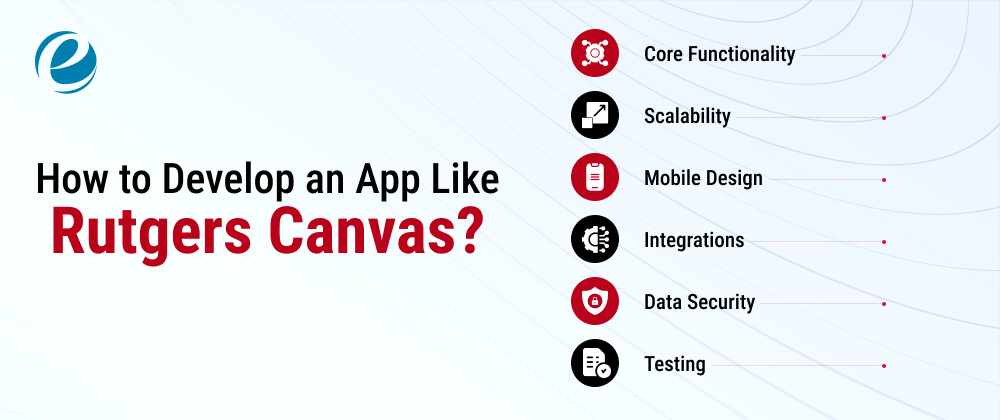
There’s more to the process than slapping together a login page and a gradebook. Here is a structured process to develop an app like Rutgers Canvas:
- Core Functionality: Course management, grade book, messaging, and assignment submission. These aren’t optional extras.
- Scalability: Cloud backends like AWS, Azure, or Google Cloud handle growth a lot better than trying to run everything on-premise.
- Mobile Design: Most students are checking assignments from their phones, not a desktop, so the interface can’t be an afterthought.
- Integrations: Video calls, cloud storage, and plagiarism checkers connect these through APIs from the start instead of bolting them on later.
- Data security: FERPA compliance and encrypted student data aren’t optional-to-haves; they’re the baseline.
- Testing: Get faculty and students using it before the full rollout. You’ll catch problems you never would’ve guessed at.
This kind of build needs a team that understands both how classrooms actually work and how to architect an app that won’t buckle under a few thousand concurrent users, which is why a lot of institutions end up choosing to hire mobile app developers who’ve done edtech before rather than figuring it out from scratch.
Why Choose EmizenTech for Custom eLearning App Development?

EmizenTech has been building education-focused apps for a while now for institutions that want more control than a licensed system like Canvas can really give us. The work spans course management systems, student engagement apps, and admin dashboards, each one shaped around how a specific school or training provider already operates, not forced into a one-size-fits-all mold.
What tends to stand out is the follow-through: platforms built to handle enrollment spikes without breaking a sweat, integrations with the video and payment tools schools already rely on, and enough attention to data privacy standards that compliance isn’t an afterthought. If a custom build is something you’re weighing, EmizenTech’s education app development team covers the whole arc planning through post-launch maintenance so the platform keeps up as your needs change.
Conclusion
Rutgers Canvas has quietly become the backbone of how tens of thousands of students and faculty get through a semester, replacing a scattered mix of older systems with one that mostly just works. Whether you’re a student still figuring out where everything lives on the dashboard or an institution weighing whether to build something of your own, understanding what Rutgers Canvas does well and where it falls short is a decent starting point either way.
FAQs
Is Rutgers Canvas free for students?
Yes, it's included with enrollment. Students log in with their Rutgers NetID at no extra cost, since the university covers the licensing for everyone enrolled, students and faculty alike.
Can I access Rutgers Canvas without a NetID?
No. A valid Rutgers NetID and password are required to log in; guests, prospective students, or alumni without an active NetID cannot access course content or the dashboard.
Why is Rutgers Canvas sometimes down during finals week?
Traffic spikes during finals and registration can slow things down temporarily. Rutgers IT usually schedules maintenance outside peak hours and posts real-time status updates on the official Canvas help page.
Does Rutgers Canvas have a mobile app?
Yes, the Canvas Student app works on both iOS and Android. Students can check grades, submit assignments, view announcements, and get notified about upcoming deadlines right from their phone.





 +1 (989) 535-9295
 info@emizentech.com
 emizentech


