
 Add us as a preferred source on Google
Today’s digitally-driven world is fast-paced, and managing an online shop is more than just displaying products. There must be seamless integration between multiple systems that handle accounting, orders, and customer relationships. Shopware 6, one of the top open-source eCommerce platforms, and Odoo, an effective ERP solution, are two powerful tools to manage your business efficiently.
Through Shopware 6 and Odoo integration, businesses can create a seamless, fully integrated workflow. The integration centralizes information, synchronizes orders and customer details, and automates accounting tasks such as invoicing.
By automating workflows and ensuring data consistency, businesses can improve efficiency and scale. However, challenges like customization complexity and ongoing maintenance need to be considered. Overall, the integration simplifies processes and drives growth.
In this article, we’ll explore how to transform your e-commerce business with Shopware 6 and Odoo and provide a step-by-step guide to getting started with this powerful combination.
Understanding Shopware 6 & Odoo: A Quick Overview
What is Shopware 6?
In the realm of e-commerce, there are a variety of options to pick from. One of the most well-known is Shopware. the most recent version, has been available for a long while and includes some significant improvements over previous versions.
Shopware 6 e-commerce platform serves as the basis of your online store. It’s like having an arsenal of tools and functions in front of you, allowing users to build, run, and develop their business online easily. Shopware 6 eliminates the headache of setting up the shop so that you can concentrate on what matters the most, selling your products.
The Shopware 6 structure has been totally redesigned, resulting in improved speed and more scalability. It also includes various improvements, such as an enhanced search engine, simpler management of items and purchases, and the ability to manage multiple sales channels, such as online marketplaces as well as social media platforms, through Shopware’s backend. In the end, Shopware 6 and Odoo for small businesses offer a powerful solution for business growth.
What is Odoo?
Odoo is basically an enterprise resource planning software used across the entire company to manage and control business processes. Odoo offers seamlessly integrated functional business applications called Odoo apps that create an ERP system when combined.
Odoo is available as a licensed SaaS subscription in the Enterprise version or as open-source software in the Odoo Community version, which is free. Before we learn how to optimize e-commerce operations with Shopware 6 and Odoo, let’s have a look at the key modules that benefit e-commerce businesses:
Key Modules That Benefit E-Commerce Businesses are :
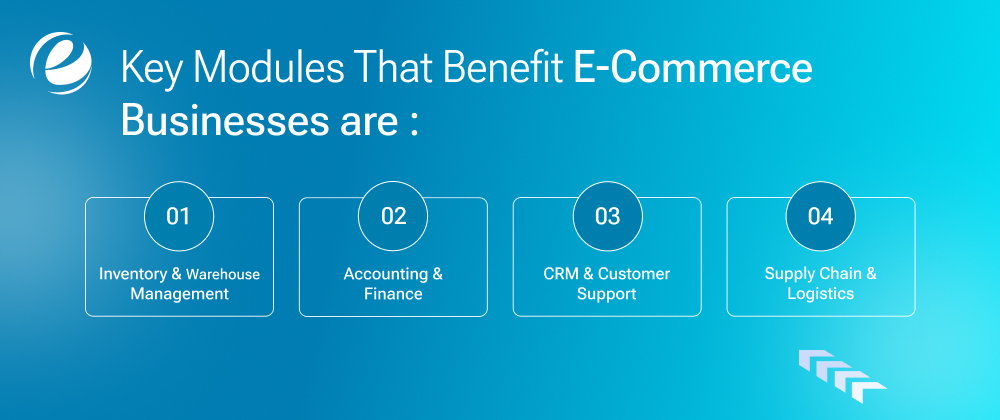
1. Inventory & Warehouse Management
Odoo Inventory provides powerful tools to manage stock control. It helps run your business easily and efficiently. Whether you operate one location or multiple sites, Odoo makes managing inventory simple.
2. Accounting & Finance
Odoo’s accounting software simplifies financial management. It is suitable for small, medium, and large enterprises. One of the best features of Odoo Accounting is its simplicity combined with advanced capabilities. With intuitive dashboards and detailed reports, users can effortlessly track their financial health at any time.
3. CRM & Customer Support
Customer Relationship Management (CRM) is essential for maintaining customer satisfaction and boosting sales performance. Odoo’s CRM offers a wide range of tools to help organizations manage leads, prospects, and customer information effectively.
4. Supply Chain & Logistics
Odoo’s Supply Chain & Logistics module helps businesses manage inventory, track deliveries, and oversee warehouse activities. It allows you to process orders, reduce errors, and ensure smooth product flow from suppliers to clients, enhancing overall efficiency.
Why Integrate Shopware 6 with Odoo?
Before we get into the technical details, it is important to understand why implement Shopware 6 and Odoo for e-commerce and how it can be a game changer for e-commerce.
The Pain Points Of Non-Integrated Systems Are:
1. Manual Data Entry Errors
If Shopware 6 and Odoo are not connected, you must enter data manually in both systems. This increases the risk of errors, such as incorrect product information, pricing mistakes, and inaccurate customer details. These mistakes can confuse customers and create problems for your business.
2. Delayed Order Processing
Without Shopware 6 and Odoo integration, orders from Shopware 6 don’t instantly appear in Odoo. This means orders can pile up, causing delayed processing, late deliveries, and unhappy customers. The longer the wait, the more frustrated buyers become.
3. Poor Customer Experience
Inaccurate product information, delayed order updates, and outdated data can frustrate customers. If they can’t track their orders or get correct information, it may harm your brand, leading to lost sales and negative reviews.

How Shopware 6 and Odoo Integration Improves E-Commerce
1. Real-time Synchronization of Orders, Inventory, and Customer Data
The Shopware 6 and Odoo integration ensures that data is up-to-date in both systems within minutes. Once a user places an order, the information is reflected in Odoo right away. This means precise stock levels, speedy processing, and more efficient customer service, without manual labor.
2. Automated Workflows For Increased Efficiency
Automation handles tasks such as order confirmations, invoices, and stock updates automatically. This reduces human errors, speeds up processes, and enables your staff to focus on other tasks instead of repeatedly entering data.
3. Enhanced Reporting & Analytics for Better Decision-Making
Integration combines data from Shopware 6 and Odoo for e-commerce into one location. It provides clear insights into sales trends, stock levels, and customer behavior. With more accurate reports, you can make informed decisions about which items to stock, when to reorder, and how to grow your business.
Key Features Of Shopware 6 & Odoo Integration
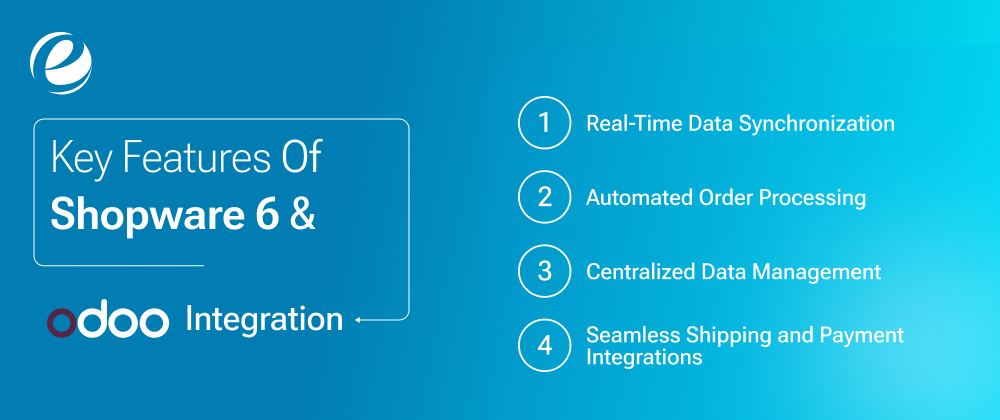
In this section, we’ll explore the features of Shopware 6 & Odoo Integration. Let’s see how these features streamline e-commerce workflows with Shopware 6 and Odoo:
1. Real-Time Data Synchronization
When customers make purchases on your Shopware 6 store, order information is instantly transferred to Odoo. This ensures that invoices, sales, and customer details are immediately available to your accounting and team members without manual data entry.
2. Automated Order Processing
When a user places an order using Shopware 6, it automatically appears in Odoo. This eliminates manual data entry, reduces errors, and improves order management. It helps process orders faster, send invoices, and track stock levels effortlessly.
3. Centralized Data Management
Odoo handles various business processes, including accounting and CRM. Integrating it with Shopware 6 lets you organize all business data in one place. This omnichannel e-commerce solutions keeps data synced in real-time, reducing manual entry and minimizing errors.
4. Seamless Shipping and Payment Integrations
Shopware 6 and Odoo work together to connect with popular payment gateways and shipping providers. When a user makes a payment or selects a shipping option, the information syncs instantly. This means faster payment processing, accurate shipping updates, and quicker order fulfillment without manual input.
Benefits for E-Commerce Businesses
The Shopware 6 and Odoo integration allows e-commerce companies to perform faster and more efficiently. This improves the customer experience, boosts sales, increases customer satisfaction, and eases daily tasks by automating processes and effectively managing data. In this section, we will discuss the benefits of Shopware 6 and Odoo integration.
1. Improved Efficiency and Productivity
Shopware 6 and Odoo integration helps run your business efficiently by automating tasks such as order processing, inventory updates, and customer information management. This saves time, reduces errors, and allows your staff to focus on growing the business instead of handling manual tasks. With Shopware 6 and Odoo integration, experience your e-commerce business transformation.
2. Enhanced Customer Experience
Shopware 6 integration with Odoo typically results in higher customer satisfaction. With benefits like discounted pricing, faster delivery, regular order updates, and other ERP advantages, it leads to higher retention and, ultimately, better profits.
An ERP system designed for eCommerce lets you automatically provide promotions, encouraging customers to return and check out your latest offers. To strengthen customer relationships, start by understanding them better through ERP insights.
3. Increased Sales and Profitability
With Odoo’s powerful tools, you can organize promotions and discounts instantly. Customers will keep coming back to explore new deals. By better understanding your customers through data analysis, you can boost sales with Shopware 6 and Odoo integration, fostering relationships that result in higher revenue and greater profits.
4. Scalability for Business Growth
Whether you’re a small start-up or a large enterprise, Shopware 6 integration with Odoo provides scalable solutions to grow your business. The product’s modular design allows businesses to expand and adapt without switching platforms. Scalability is a key benefit, giving companies the flexibility to adjust their online shops as their needs evolve.
How Shopware 6 & Odoo Integration Works

Let’s look at how Shopware 6 and Odoo work together. This step-by-step guide explains how inventory, orders, and payment transactions sync seamlessly, making your online business more efficient, faster, and effective.
1. Customer Places An Order On Shopware 6
When a visitor comes to your e-commerce store using Shopware 6 and places an order, all the purchase information, such as the products ordered, quantities, and buyer details is instantly recorded. For example, if a customer purchases two t-shirts, the order details are immediately captured and ready for the next step.
2. Order Details Sync With Odoo
Once the order is placed on Shopware 6, it automatically connects to Odoo without manual work. The order details, customer name, shipping address, and product information appear in Odoo instantly. For example, if someone orders a phone, the order details are sent to Odoo right away.
3. Inventory Updates In Real-Time
When the order syncs, Odoo updates your inventory levels. If you had 50 shirts in stock and someone orders two, Odoo will show 48. This unified inventory management prevents you from selling out-of-stock items, avoiding stock issues.
Odoo automatically adjusts stock levels after each order. If a product is running low, the system notices it, helping prevent overselling. For example, if you have just one laptop left and someone buys it, Odoo updates the stock to zero, stopping others from purchasing it.
4. Automatic Invoice Generation
Once an order is confirmed, Odoo’s accounting system generates an instant invoice. It includes the product price, taxes, and shipping charges. For example, if someone buys a $20 book and pays $5 for shipping, Odoo creates an invoice for $25 without extra effort.
After the invoice is created, Odoo processes the payment and records it in your financial records. Whether the customer pays by credit card or PayPal, Odoo marks the payment as received and updates your accounts automatically.
5. Order Fulfillment and Shipping Updates
Odoo alerts your warehouse team to start packing the order. When the product is shipped, Odoo syncs the shipping details with Shopware. For example, once an order is shipped and has tracking information, both Odoo and Shopware update the status.
6. Customer Receives Order Updates
Customers receive regular email notifications about their order progress, including order confirmations, shipping updates, and tracking details. For example, if a customer buys a jacket, she’ll get an email confirming the order and another with tracking information once it’s shipped.
Steps To Integrate Shopware 6 With Odoo

The Shopware 6 and Odoo integration requires a combination of tools, configurations, and a clear approach. This is a basic guide to help you through the process, so you’re ready to create the best e-commerce platforms for business growth.
1. Choose the Right Integration Approach
There are two options for Shopware 6 and Odoo integration:
- Third-Party Integration Tools: These tools offer extra features and customization options.
- Custom API Integrations: For advanced scenarios or specific business needs, you can create a custom API integration using both platforms’ APIs. This requires technical knowledge and flexibility.
2. Configure Shopware 6 & Odoo
Now, it’s time to set up Shopware 6 for integration. Based on the option you chose in the first step, install the suitable Odoo integration plugin. Once the plugin is installed, next configure the connection settings in Shopware 6.
This usually involves entering your Odoo credentials and setting your preferences for data synchronization (products, customers, orders, etc.). Before going live, test the integration. Perform tasks like placing test orders or syncing customer details to confirm everything works smoothly.
3. Data Mapping & Synchronization
Ensure that customer details, orders, transactions, and inventory in Shopware 6 match correctly with Odoo. This allows both systems to share information smoothly, avoiding confusion. For example, if a customer updates their address in Shopware, it automatically updates in Odoo as well.
4. Test & Troubleshoot
Conduct tests to check if the integration works without issues. Look for problems like missing data or incorrect prices. Fix these immediately. For instance, if an order doesn’t appear in Odoo, identify the cause and resolve it.
5. Go Live & Monitor Performance
Once everything is tested, activate the Shopware 6 and Odoo integration. Monitor performance closely. If there are delays in order syncing or inventory updates, address them quickly. This keeps your store running smoothly and your customers happy.

Shopware 6 and Odoo Integration Challenges to Consider
Even though it is true that Shopware 6 and Odoo integration can dramatically improve the efficiency of your business, however, there are certain problems you could encounter. Let’s have a look at them:
1. Data Mapping Challenges
Synchronizing data between Shopware 6 and Odoo can be difficult, especially when you’re dealing with numerous products or custom settings. Different systems may arrange data differently, and syncing pricing, product details, and customer data can result in errors. It is important to plan and test your system carefully.
We suggest, to better overcome challenges, look at case studies of Shopware 6 and Odoo integration, essential to ensure that all data is connected correctly and functions without issue.
2. Complexity of Customization
Shopware 6 and Odoo integration can get complicated if you want specific functions. Most of the time, it requires technical knowledge to customize the integration to your business needs. Sometimes, you may need to hire developers or experts to ensure the integration works as planned. Without proper guidance, setting up advanced solutions can be challenging.
3. Ongoing Maintenance
Once the integration is installed, the work doesn’t stop there. You’ll need to monitor it regularly. Updates to Shopware 6 or Odoo may affect your connection, leading to data errors or missing information. To avoid disruptions, you must resolve any issues quickly and ensure your systems work smoothly.
Future Trends – Shopware 6 & Odoo in E-Commerce

In this section, we’ll discuss the latest future trends in e-commerce technology and how Shopware 6 and Odoo are shaping the e-commerce world. Let’s take a look.
1. AI-Driven Personalization
Shopware 6 and Odoo use AI to create personalized shopping experiences. They study customer behavior, such as purchase history and browsing habits, and recommend products that match individual preferences. Businesses can strengthen customer relationships and boost sales by showing relevant products to the right people at the right time, making shopping more enjoyable and meaningful.
2. Mobile-First Shopping Experiences
Shopware 6 and Odoo focus on mobile-first shopping, ensuring their platforms work seamlessly on smartphones and tablets. They offer responsive designs, fast-loading pages, and convenient checkout options. As more and more consumers use smartphones for online shopping, these features help businesses attract and retain customers by providing a smooth shopping experience anytime, anywhere.
3. Sustainability in E-Commerce
Sustainability is the future of e-commerce. Shopware 6 and Odoo support businesses in adopting eco-friendly practices. Their tools help track product sustainability, manage inventory efficiently, and reduce waste. Companies can highlight their green efforts, encouraging customers to support environmentally-conscious brands. This not only benefits the planet but also boosts customer trust and loyalty.
4. Integration with Marketplaces and Social Media
Shopware 6 and Odoo integration allow companies to market their products across multiple platforms by connecting with popular online marketplaces like Amazon and eBay, as well as various social media platforms. This helps businesses expand their sales reach and reduce costs by managing orders, products, and customer interactions from one central location. It boosts visibility and sales potential by engaging with customers where they spend most of their time online.
Why Choose EmizenTech For Shopware 6 and Odoo Integration?
For Shopware retailers, integrating Shopware 6 with Odoo offers many advantages, from boosting efficiency and streamlining operations to enhancing client satisfaction. With the right integration approach and proper planning, connecting your eCommerce store to your ERP becomes simple and effective.
At EmizenTech, a leading Shopware development company, we have a team of highly skilled developers and consultants specializing in Shopware 6 and Odoo integration. Our team helps you find the best integration method tailored to your business needs and guides you through the entire process.
We excel at helping businesses harness the power of Shopware to build top-tier online stores. If you’re ready to elevate your eCommerce business, contact us today for a free consultation.
Conclusion
Shopware 6 and Odoo integration brings several benefits. Some of them include simplified procedures, increased accuracy of the data as well as more effective control of finance and orders. It requires careful preparation and attention to details, however, the results are significant. By integrating these two powerful systems, you can streamline workflows, reduce time-consuming manual tasks, and deliver a smoother, faster service for both your employees and customers.
If you’re interested in Shopware 6 and Odoo integration, we hope this article was of great help and you enjoyed reading it. Remember, whether you choose third-party API for integration or an individual solution, the possibilities for growth and efficiency are unlimited.
FAQs
What are the advantages of integrating Shopware 6 with Odoo?
It streamlines the process of placing orders, tracking inventory and handles the accounts of customers, making work more efficient and simple. It helps increase sales as well as increase customer satisfaction.
Does Shopware 6 support multiple stores with Odoo?
Yes! It is possible to manage multiple shops from one dashboard. It keeps everything in order and easy to handle.
How complex is the integration process?
It depends. Connectors that are pre-designed can be used to set up, however, custom-made setups could require assistance from a technical expert and will take longer.
What are the costs involved?
Costs vary based on the kind of the integration. Connectors that are pre-built can be cheaper and custom-designed solutions could price more because of the additional installation and design work.
How can integration help enhance the customer experience?
Integration helps by processing orders quickly, provides real-time updates and customizes the services. As a result, customers who are happy will be more likely to come back and purchase repeatedly.
Can small businesses benefit from this integration?
Yes! Small-scale businesses will save time and prevent mistakes by making it easier to manage inventory, orders, as well as customer information. They can work quicker and increase their productivity without any extra work.
Is Shopware 6 & Odoo integration suitable for B2B businesses?
Yes! It's perfect for B2B companies. It handles large orders, monitors stocks, and maintains the customer's records together which makes operations easy and well-organized.
How does automation reduce operational costs?
Automation is a great way to cut costs by making it easier to avoid mistakes as well as maximizing inventory management and speed which reduces the time required and costs.
What future technologies will impact e-commerce integrations?
AI, Predictive Analytics, and headless commerce will determine the future of commerce, enabling websites to be more effective and adaptable.




 +1 (989) 535-9295
 info@emizentech.com
 emizentech


