 Add us as a preferred source on Google
 Route planners have been saving us time and money for a long time now. The Waze navigation app is a giant in this category that deserves all the applause for being our go-to digital map. Acquired by Google in 2013, it does more than just get us from here to there.
The app lets you know about traffic build-up, flooded roads, and so much more, turn by turn. Since it shares updates every minute and even in seconds, you drive not only stress-free but also smarter.
The app is fairly clean, confuses no one, and keeps routes and reroutes sorted for all the drivers who use it. Today, with over 140 million active monthly users, it stands next to Google Maps in the lineup. While this sounds huge, there are a number of features of Waze that have brought immense popularity to it. Read all about them and explore similar Waze navigation apps. This article also spills the beans on what it takes to build a Waze alternative. Continue reading to understand everything.
What is Waze Navigation App, and how does it work?
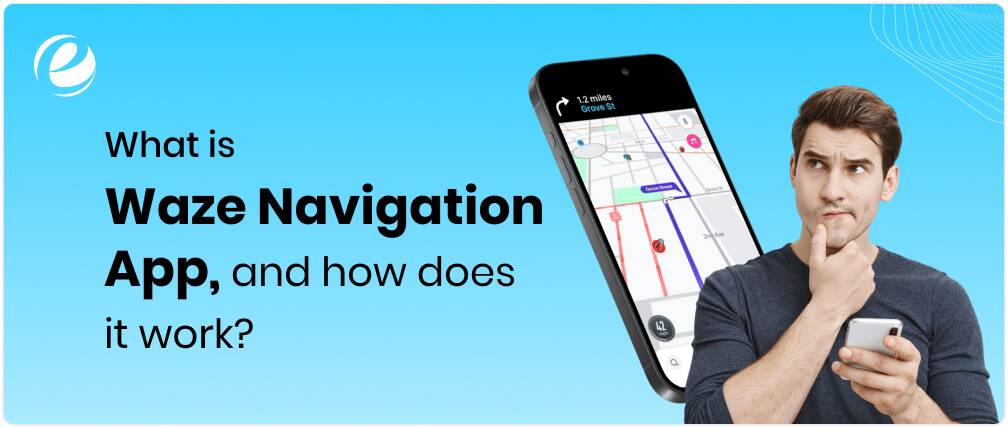
Waze is a digital tool that helps you find the fastest and most efficient route to your destination. A navigation-based solution, this app uses data from other drivers. When you can’t rely on static maps for ever-changing roads, it saves your time by showing you the updated map quickly.
Now here’s the interesting thing: Everyone who uses the Waze navigation app becomes a live data contributor. This means that this app passively gathers data on location, route, and speed as users drive. That’s not the only amazing thing. This app even lets users report accidents, construction, police interventions, stalled vehicles, and other such road events. So that when other app users are driving, they stay up to date about the incidents in the area and take measures smartly.
Another handy thing about apps like Waze is route recalculation. The app constantly optimizes routes based on the most recent information about the area, regarding incidents that might have happened. What if there’s a traffic jam? Or a new shortcut opens up? In cases like these, the app will reroute you instantly, automatically.
Then there’s the performance factor. The Waze app works fast. You take four seconds to turn right, and the app will already have picked up the perfect route to reduce the three minutes from your ETA. To top everything, it even lets you know the best time to leave for your office or other destinations based on traffic forecasts, thanks to the calendar syncing system. Need to fuel your vehicle? The app will let you know the nearby stations. That’s how much this one app can do for you, all based on the data that drivers share with themselves.
10 Features of Waze App that Make It Popular
Before we dive deep into the features of the Waze app, here’s what you need to know: This isn’t just a basic navigation tool. There are a variety of aspects that make this solution a popular choice among the best route planner apps. It turns basic information into high-value data that makes driving smarter and faster.
Now let’s understand the range of features of Waze that form a power-packed solution for users:
Traffic Tracking
Traffic monitoring is the core functionality of the app. The moment you hit the gear, this app automatically identifies your movement and speed patterns. It combines the same with the data from hundreds of other drivers on the nearby roads. When traffic begins to build up as you drive, the Waze app knows it and updates the route. What you get is a faster route, zero traffic frustration, and absolutely no sudden slowdowns.
Automatic Rerouting
This is one of the features of Waze app, where it differs starkly from various top route planning apps in the lineup. While traditional apps reroute when you are off track, this one assesses the route non-stop and ensures you get the perfect route to your destination. Even if you are already driving, expect this app to pop up a better suggestion the moment it finds one. It quickly calculates and notifies you, saving your time from unexpected traffic buildup.
Voice Navigation for Every Turn
The app guides you every right and left, U-turns, and the entire route with sharp voice-guided navigation. While you are handling the steering wheel, the app plays a well-instructed, detailed guide to help you navigate the journey with precision. However, there’s one catch about this feature! You can choose the voice of the navigation guide from the app library. Even if you need a celebrity to tell you directions, consider it done (through voice at least). In case the voice-enabled guide isn’t helping, you can mute directions and choose on-screen prompts.
User-Reported Incidents
One of the most striking (and super useful) features of the Waze app is community reporting. When a user witnesses any road incident, be it a broken traffic light, stopped vehicles, or floods, they can flag it on the app. These alerts then pop up on other users’ maps, helping them figure out the next course of action beforehand. This feature facilitates a smooth driving experience and improves safety levels by keeping users alert about hazards.
Speed and Police Camera Alerts
Many Waze users count on the app for its ability to detect speed checkers and police vehicles. They know when they will see a speed camera or come across police and get enough time to stay cautious. Since these updates occur along your route, you can use the time to slow down, adjust speed, and also prepare for the checkpoint. This makes you a responsible driver, helping you stay aware of every second.
Crowdsourced Fuel Pricing
One of the finest Waze app features, the fuel station updates save your time from what otherwise seems to be taking a lifetime. With the app’s smart gas station locator, you don’t just get all the nearby stations as you drive, but also find the live fuel prices right on your screen. This helps you find the best place to refuel without having to stop and switch between multiple apps or drive around. Use just one app to sort stations by filters like distance, brand, and prices, and save money too.
Carpooling
Waze Carpool is a unique offering of the app where the riders are matched with drivers going in the same direction. This feature promotes eco-friendly commuting while reducing traffic congestion. It also helps people save on fuel expenses. One of the most valuable features of Waze app, carpooling, is an effort toward sustainability.
Customizable Map Display
With this feature, you take control of how the map works. You can customize the Waze app maps by choosing from the range of themes and elements. From route displays to notifications, you can decide how the app looks. This eliminates visual clutter and gives you a hassle-free experience when using the app.
Community-Based Edits
One of the best features of the Waze app is the map editing functionality. While reports update the routes, you can use the Waze Map Editor to confirm the map accuracy. They update roads and edit any turn restrictions if required. They also fix navigation glitches and correct the names of the areas and streets. The editing system makes the app hyper-local and relevant for all users.
Planned Drives
Apart from route planning and gas station hunt, the Waze app helps you plan your upcoming drives too. It syncs with your calendar so that you can plan the route to the upcoming destinations in advance. The app takes traffic conditions of the particular time of day and keeps you posted about suitable timings to leave and arrive. So, when it is an important presentation on Thursday morning or a dinner plan on Friday, you can attend everything on time.
Waze Navigation App vs Google Maps: What’s the Difference?
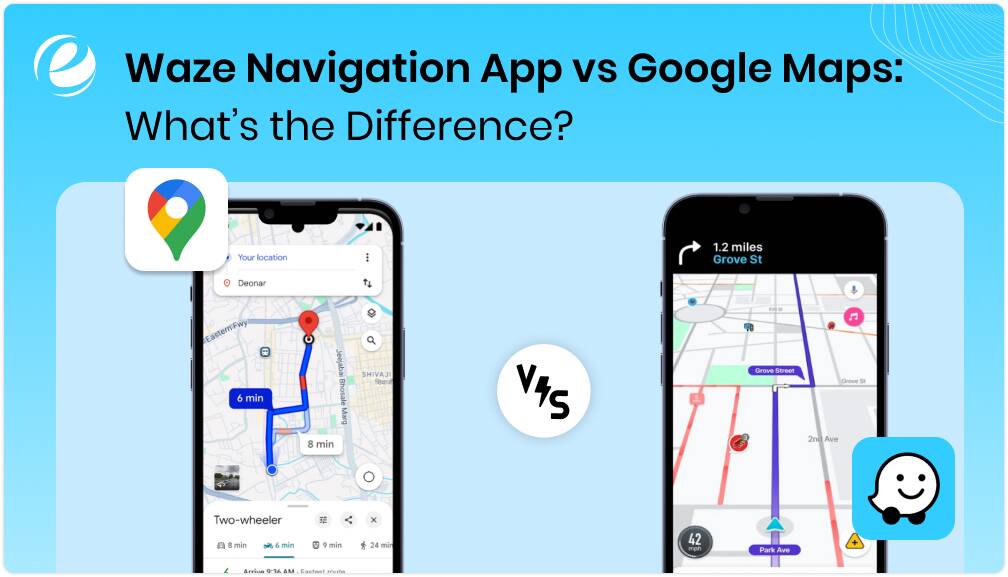
While Google Maps acquired Waze navigation app over a decade ago, the app continues to operate as a separate entity, with its own operations and development team. And both Google Maps and Waze are quite different from each other, in terms of both driving needs and user base.
Google Maps is a sophisticated, reliable all-rounder that gives you directions for everything, walking, cycling, driving, and public transport. Waze app is a street-smart solution. It spills the beans on cop spots, the shortcuts, and the least frustrating way to get through the rush hour. One is built to accommodate utility, and the other for hustle.
Let’s dig a bit more into this Google Maps vs Waze debate.
| Feature | Google Maps | Waze App |
| Ownership | Google, acquired in 2013 | |
| Audience | Drivers, bikers, commuters, and general users | Commuters and drivers |
| Traffic Reporting | System-based | Reporting by users |
| Incident Alerts | Accidents, road closures, and construction | Police, hazards, construction, weather, speed traps |
| Rerouting Type | Maintains route with safety and reliability | Prioritizes the fastest route |
| Voice Navigation | Yes, standard | Yes, a library of voice ranges for personalization |
| Offline Maps | Yes, downloadable maps are available | Not available |
| Carpooling | No | Yes |
| Navigation Mode | Walking, cycling, commuting, driving | Driving only |
| Map Editing | No community editing, only handled by Google | Active Waze Map Editors |
| Fuel Prices | Yes, but limited to regions | Yes, updated by users |
| Interface | Clean and comprehensive to suit multiple navigation modes | Minimalist, driver-focused, icon-heavy |
| Assistant Integration | Basic, limited voice support | Powerful, with Google Assistant and ecosystem |
Technology Stack Used to Build Apps like Waze
The capabilities and diverse features of the Waze app are backed by a solid technology stack. The technologies are optimized for live geolocation tracking, user-driven updates, data processing, and more.
If you are thinking of building a Waze alternative, here’s the stack that can set the pace for a successful project.
| Layer | Technology |
| Frontend – Mobile App | For iOS: Swift; For Android: Kotlin/Java; For cross-platform: React Native/Futter |
| Backend | Node.js, Java, Python |
| Geolocation and Mapping | Mapbox, OpenStreetMap, Google Maps SDK, HERE Maps API |
| Communication | WebSockets, Firebase Database, MQTT |
| Routing Engine | GraphHopper, OSRM (Open Source Routing Machine), Google Directions API |
| Traffic and Incident Data | TomTom Traffic API, HERE Traffic, Waze Transport SDK (if licensed) |
| Database | PostgreSQL + PostGIS, MongoDB |
| Cloud Hosting | AWS, Google Cloud Platform, Microsoft Azure |
| AI and ML Integration | TensorFlow, PyTorch, OpenCV (for traffic pattern recognition and incident prediction) |
| Cloud Hosting | Stripe, Razorpay, PayPal |
| Push Notifications | Firebase Cloud Messaging (FCM), OneSignal |
| Analytics | Firebase Analytics, Mixpanel, Google Analytics for Firebase |
Top 10 Similar Waze Navigation Apps that You Can Try
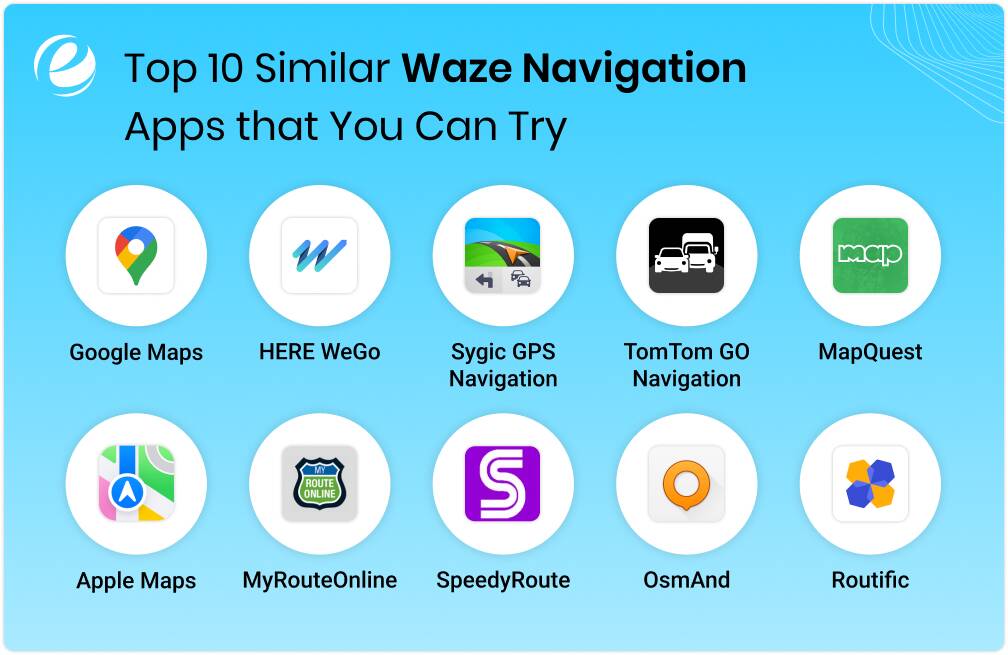
The Waze navigation app is a combination of all the functionalities that you would wish to use when stuck in traffic or heading toward a congested road. However, there’s still a chance that this solution does not meet the needs of unique driving requirements.
If this reads anything like your situation or if you want a safer, more privacy-focused solution, choose the best Waze alternative from the list below.
Google Maps
Google Maps has the largest share in the navigation app market, making it the biggest competitor to Waze and just the perfect alternative for you to try (if you haven’t already). The app brings public transport information, detailed maps, traffic updates, voice-enabled navigation assistance, and lots more. From bikers to walkers to cyclists to drivers, this app provides navigation for all. Moreover, it supports street view and offline maps, which gives it a competitive edge for international navigation.
HERE WeGo
HERE WeGo is a trusted option among similar Waze navigation apps that caters to international and offline navigation needs, too. You can download maps for entire cities and, in fact, countries without internet access. The app features voice-enabled guidance for bikers and walkers with traffic updates. HERE is also popular with enterprises for map SDKs customization and fleet routing features.
Sygic GPS Navigation
One of the best alternatives to Waze navigation app in the lot, Sygic gains the edge with its offline 3D maps, safety-focused design, and traffic information. The app provides fuel price comparisons, dynamic lane guidance, and even dashcam integration. That’s not all, its heads-up display makes a standout feature by projecting directions onto your windshield. The app takes data from TomTom, which means its accuracy is top-notch.
TomTom GO Navigation
TomTom GO is known for precision-led traffic updates, speed camera alerts, and advanced lane guidance. The app doesn’t use crowdsourced data. It uses its own global traffic databases for all things navigation. It works perfectly offline, offering pre-downloaded maps navigation to the users (and they are ad-free).
MapQuest
MapQuest is an oldie in the list, but it is still quite handy. The app offers rerouting, traffic updates, voice navigation, and more such features. You can also use the app for live traffic webcams, fuel price tracking, and roadside assistance. The UI of this Waze alternative isn’t as modern as Google Maps, but it will serve the purpose for you.
Apple Maps
Apple Maps is one of the best options in the lineup of similar Waze navigation apps. After years of updates, the app finally offers features like speed checks, lane guidance, and traffic to Apple users. The app also features seamless integration with Siri, making it worth a try.
MyRouteOnline
MyRouteOnline brings a perfect solution for logistics-focused route planning. The app allows users to upload addresses in bulk and fetch optimized routes with printable maps. It supports up to 350 stops and is quite common in the delivery and field service sector.
SpeedyRoute
One of the similar Waze navigation apps, SpeedyRoute, is perfect for users looking for optimized multi-stop routes (read sales representatives, delivery drivers, or anyone on a strict schedule). The app calculates the most efficient route between different addresses. It is sharply focused on route efficiency and makes route planning easier for users.
OsmAnd
OsmAnd is an open-source app with offline navigation capabilities. It uses OpenStreetMap data and supports custom maps, cycling, and hiking routes, along with turn-by-turn navigation. The UI of this app is rather technical, but it features customization and plugins.
Routific
Routific is specifically for business purposes. The app allows teams to create optimized, time-efficient routes based on delivery windows and constraints. The app focuses on logistics management, offering features like customer notifications, driver tracking, and route monitoring.
Here’s a quick catch-up on the top alternatives to Waze navigation apps across different user requirements and platforms.
| App Name | Platform | Top Features | Pricing |
| Google Maps | Android, iOS, Web | Traffic, transit data, voice navigation, Street View, offline maps, biking/walking directions | Free |
| HERE WeGo | Android, iOS, Web | Offline maps (city/country-wide), voice navigation, Traffic, popular for enterprise use | Free |
| Sygic GPS Navigation | Android, iOS | Offline 3D maps, display (HUD), traffic, dashcam, lane guidance, fuel prices | Free; Premium starts at $25/year |
| TomTom Go Navigation | Android, iOS | Ad-free offline maps, live traffic, speed camera alerts, and advanced lane guidance | 7-day free trial; Starts at $4.99/month |
| MapQuest | Android, iOS, Web | Rerouting, fuel price tracking, live webcams, voice navigation, roadside assistance | Free |
| Apple Maps | iOS, macOS, Apple Watch | Siri integration, traffic, speed checks, public transport, walking/cycling support | Free |
| MyRouteOnline | Web (mobile-friendly) | Upload multiple stops, optimized routes (up to 350 stops), export/printable maps, logistics-ready | Starts at $29/month |
| SpeedyRoute | Web (mobile-responsive) | Multi-stop routing, time windows, efficient delivery paths, and export to GPS devices | Free with limited stops; Premium starts at $29/month |
| OsmAnd | Android, iOS | Open-source, offline maps, biking/hiking routes, plugins, and OpenStreetMap-based | Free; Premium starts at $5.99/year |
| Routific | Web (mobile and desktop) | Route optimization for teams, ETAs, driver tracking, customer notifications, and is used by businesses | Free trial; $39/vehicle/month |
How Much Does It Cost to Build a Navigation App like Waze?
The cost of building a navigation app is factored by a number of aspects of the development project, including complexity, strategy, type and number of features, and technology stack.
Now let’s talk about the average. Building a basic navigation app like Waze, with only core features like incident reporting, navigation, and map integration, will cost you from $35,000 to $70,000. This range is for a single-platform development (iOS or Android).
Envisioning a full-fledged app with high-performing capabilities for both platforms? If you add AI-powered traffic predictions, carpooling, rerouting, and admin dashboards to the list, the cost could range between $100,000 and $150,000.
Customization and AI integrations can tweak the budget here and there. To top that, the total navigation app development cost will also be determined by maintenance, traffic data licensing, and other such ongoing factors.
How Does Waze App Use AI for Navigation and Traffic Updates?
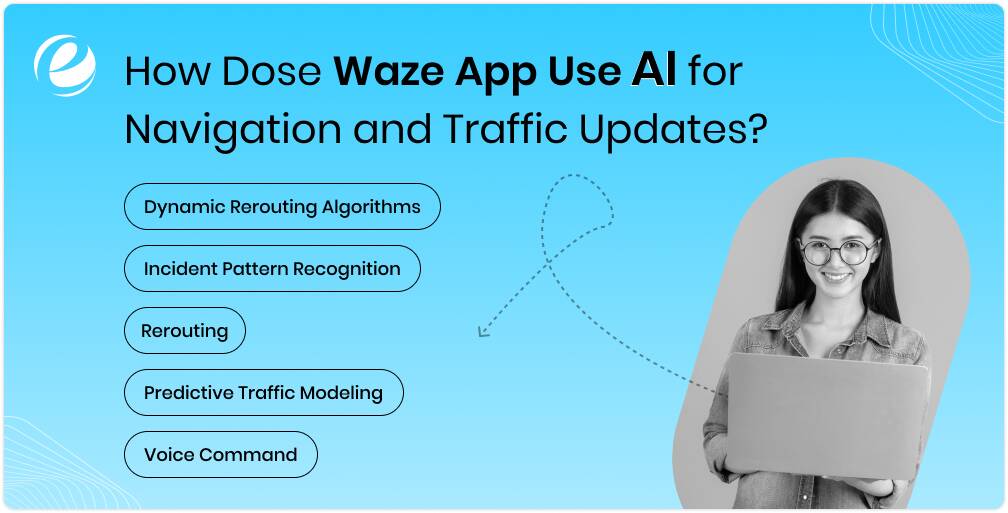
Instead of chasing static traffic maps, the Waze app uses machine learning and pattern recognition capabilities to gauge road conditions. Artificial intelligence capabilities power up data processing and create smart routes by detecting traffic patterns.
Here’s how AI technologies play a role in ensuring maximum performance of navigation apps like Waze:
Dynamic Rerouting Algorithms
AI keeps evaluating alternative routes to the destination based on the movement patterns and feedback of the driver.
Incident Pattern Recognition
AI finds common high-risk zones and time slots, like accident-prone intersections or flooded roads.
Rerouting
The AI models understand the patterns, gauge preferred routes, and driving behaviors. They adjust the suggestions accordingly, helping you drive smarter.
Predictive Traffic Modeling
The Waze app uses both historical data to detect traffic build-up. It reroutes users before the delays surface.
Voice Command
The app keeps fine-tuning the voice assistant’s responses and overall performance over time.
Looking to Build a Waze Alternative? Let Emizentech Guide You

If building a navigation app like Waze is on your checklist, we will make sure your project turns into a highly scalable solution with expert support. Navigation or vehicle tracking app development, especially for apps like Waze, requires just as much patience and specialization as the finest features and powerful technologies.
As a trusted mobile app development company, we have delivered diverse projects in the domain, encompassing development and integrations, to businesses worldwide. Here’s a quick roundup of what end-to-end development services include:
- Customer mobile app development
- UI and UX design
- GPS integration
- AI and ML integration
- Dedicated support and maintenance
Be it your plan to upgrade a navigation app or build something as powerful as Waze, our experts craft an effective strategy (factoring in timelines and costs) as per your requirements. Get in touch with our team to discuss your plan and get a quote.
Conclusion
The Waze navigation app did not garner massive traction just like that. The app hands power back to the people who use it with an exchange of data that leads to smart and efficient driving. That’s what makes it stand out in the route planning apps market. If you are wondering how to build similar Waze navigation apps, the answer lies in cracking user expectations. Yes, they want clear directions. However, they are also looking for spot-on context and updates. With just the right mix of strategy, market understanding, and advanced technology, you can launch a solution that adds value to everyday life.
FAQs
Is Waze better than Google Maps?
It depends totally on your driving preferences and expectations from a route planning app. The Waze navigation app uses driver-sourced data to update routes and provides instant updates. Google Maps, on the other hand, gives you a more versatile solution with support for biking, walking, and public transport.
Is Waze no longer free?
Yes, the Waze navigation app is free to use across all the platforms it is available on. However, the app still uses the internet for updates.
Is Waze owned by Google?
Yes, Google acquired Waze in 2013. However, the app operates separately with its own development team.
Is Waze safe to use?
Yes, the app is completely safe. However, it is advisable to avoid using it frequently when driving and use its voice navigation feature instead.
Is Waze working without internet?
No, the app requires a strong network for rerouting and real-time traffic updates. It can cache some routes that you often use, but the functionality is highly limited.



 +1 (989) 535-9295
 info@emizentech.com
 emizentech


