
 Add us as a preferred source on Google
AI assistant apps have moved from a rare occurrence to a daily habit. A 2026 Pew Research survey found that 49% of US adults now use AI chatbots, up from just 33% two years earlier, and nearly a quarter use one every single day. Whether you’re managing a packed calendar, drafting emails, researching a market, or asking a smart speaker to book a table, an AI assistant app is probably already part of your routine.
With ChatGPT, Gemini, Claude, Copilot, and a dozen other AI assistant tools competing for attention, picking the right one takes more than a popularity contest. This guide compares the 15 best AI assistant apps for 2026: what each does well, what it costs, and who should use it.
How AI Assistant Apps Work and What They Can Do
Most AI assistant apps run on large language models trained to understand natural language, hold context across a conversation, and generate human-like responses. Modern assistants go well beyond simple chat, reading documents, browsing the live web, writing and running code, generating images or video, and increasingly taking multi-step actions on your behalf, like drafting an email or updating a spreadsheet without you typing every instruction by hand.
Under a structured framework, this combines natural language processing with retrieval-augmented generation, which pulls in live data instead of guessing, and, for the more advanced tools, tool-calling that lets the AI-powered search trigger real actions rather than just describe them. That’s what separates a basic assist AI app from a fuller AI personal assistant app: the second one completes tasks rather than only answering questions. This shift is reshaping entire industries too, as covered in this breakdown of how AI chatbots are transforming industries.
Best AI Assistant Apps for 2026 at a Glance
Before the full breakdown, here’s a quick snapshot of how the best AI assistant apps for 2026 compare on starting price, primary use case, standout capability, suited platform, standard integrations, and limitations.
| App | Starting Price | Best For | Standout Capability | Platforms | Integrations | Limitations |
| ChatGPT | Free/ $20/mo | General-purpose AI assistant | Humanlike voice conversations | iOS Android Web | Custom GPTs | Occasional memory drift |
| Google Gemini | Free/ $19.99/mo | Google Workspace integration | Scans live Gmail accounts | Web Mobile | Docs Drive YouTube | Strict filter blocks |
| Claude | Free/ $20/mo | Writing, coding, long documents | Shapes messy text into prose | Web iOS Android | Slack GitHub | No live web search |
| Microsoft Copilot | Free/ $20/mo | Microsoft 365 workflows | Builds presentation decks | Windows Mac Mobile | Office 365 apps | Rigid corporate tone |
| Perplexity | Free/ $20/mo | Research with citations | Cites current sources instantly | Web iOS Android | Search engines | Misses creative tasks |
| Notion AI | Free/ $20/mo (Business) | Workspace and docs AI | Summarizes huge database boards | Mac Windows Mobile | Notion workspace | Restricted to app notes |
| Reclaim.ai | Free/ $10/seat/mo | Calendar auto-scheduling | Schedules routines automatically | Web | Google Calendar Slack | Limited to calendar work |
| Motion | $19/seat/mo | Task auto-scheduling | Rebuilds broken daily timelines | Web iOS Android | Google Apple Outlook | Expensive single entry |
| Otter.ai | Free/ $8.33/mo | Meeting transcription | Captures spoken words live | Web iOS Android | Zoom Teams Meet | Misses heavy rewriting |
| Lindy | $49.99/mo | Autonomous workflows | Dispatches emails independently | Web | Thousands of webhooks | Hard initial setups |
| Meta AI | Free | Social apps and smart glasses | Builds instant visual graphics | WhatsApp Instagram | Meta social suite | Lacks corporate tools |
| Grok | Free/ $30/mo | Real-time X integration | Processes real-time data streams | Web iOS Android | X platform data | Highly polarized tone |
| Pi | Free | Conversational companion | Listens like a trusted friend | Web iOS | None | Poor business utility |
| Grammarly | Free/ $12/mo | Writing and tone | Catches typos before delivery | Desktop Extensions | Browsers Word Slack | Ignores deep creation |
| Amazon Alexa+ | Free with Prime/ $19.99/mo | Voice and smart home | Operates appliances on command | Echo devices Mobile | Smart home ecosystems | Poor text creation |
Curious how developers build these functional applications? This guide on how to develop an AI app covers the building blocks.
15 Best AI Assistant Apps for Different Needs
Here’s a closer look at each of these AI assistant apps, including what makes it different, what it costs, and who should actually use it.
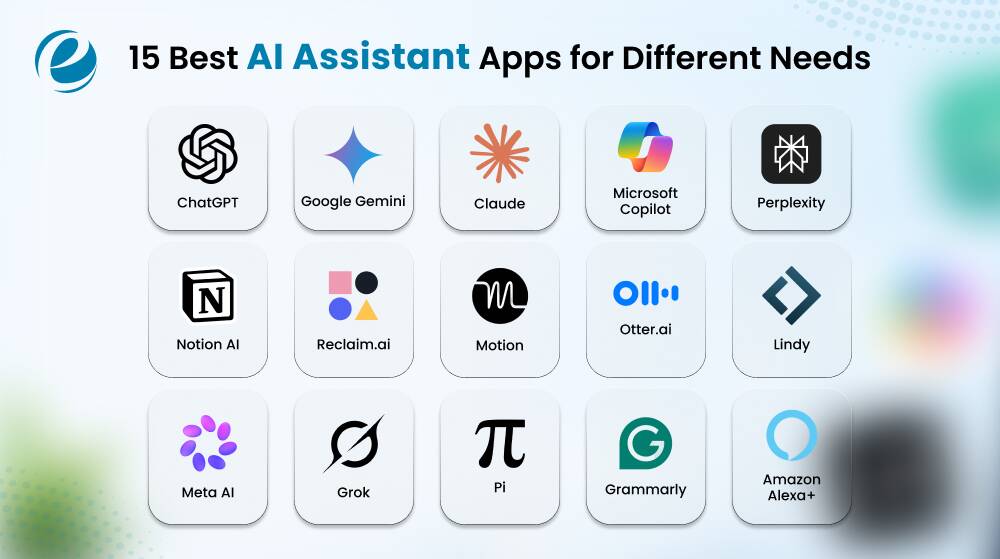
ChatGPT
OpenAI’s ChatGPT is the most recognized name among AI assistant apps, passing 900 million weekly active users in February 2026. It works as a general-purpose AI personal assistant app for writing, coding, research, image generation, and agentic tasks through Agent Mode. The GPT-5.6 model family powers most paid tiers, while GPT-5.5 runs the free experience.
Pricing: Free, Go ($8/mo), Plus ($20/mo), Pro ($100-$200/mo), Business ($20-$25/seat/mo), Enterprise (custom pricing that starts at $60/user/month).
Best for: Anyone who wants one AI assistant app that handles writing, brainstorming, and everyday questions with minimal setup.
Google Gemini
Google folded its old Gemini Advanced branding into “Google AI” plans and pushed Gemini deep into Search, Gmail, Docs, and Android. The Gemini app now counts roughly 950 million monthly users. Gemini 3.1 Pro handles a 1-million-token context window, which is useful for analyzing long documents, and Deep Research automates multi-step web research on its own.
Pricing: Free, Google AI Plus ($4.99/mo), Google AI Pro ($19.99/mo), Google AI Ultra ($99.99-$199.99/mo), Workspace bundles from approx. $7- $26.40/user/mo.
Best for: Google Workspace users who want an AI assistant tied directly into Gmail, Docs, and Search.
Claude
Anthropic’s Claude is built for people who need careful, well-reasoned output over rapid-fire answers, especially for long document analysis, coding, and professional writing. Cowork, Claude’s agentic feature for handling multi-step tasks like file organization and research, is now available across every plan, including Free.
Pricing: Free, Pro ($17or $20/mo), Max ($100 or $200/mo), Team Standard ($20-25/seat/mo), Team Premium ($100 – 125/seat/mo), Enterprise (custom/ $20/seat base + consumption).
Best for: Professionals who prioritize accuracy, long-context reasoning, and coding support over flashy extras.
Check Out The Relevant Blog: Best AI Coding Tools: Complete Comparison Guide
Microsoft Copilot
Microsoft Copilot layers AI directly into Word, Excel, Outlook, and Teams, drawing on your organization’s own data through Microsoft Graph. A free consumer tier offers basic AI chat, but the real value sits inside a Microsoft 365 subscription.
Pricing: Free tier, Copilot Pro add-on (~$19.99/mo), Microsoft 365 Copilot Business ($18 – 21/user/mo, requires a qualifying M365 plan and an annual commitment), Enterprise ($30/user/mo).
Best for: Companies already running Microsoft 365 that want an AI assistant app embedded in their existing productivity stack.
Perplexity
Perplexity built its reputation on cited, source-backed answers instead of a plain chat window, making it one of the best AI assistant apps for research and fact-checking. Its Comet browser adds agentic browsing, and Pro subscribers can select from several frontier models.
Pricing: Free, Pro ($20/mo), Max ($200/mo), Enterprise Pro ($40/seat/mo), Enterprise Max ($325/seat/mo).
Best for: Researchers, students, and analysts who want every answer backed by a visible source.
Notion AI
Notion folded its once-separate AI add-on directly into the Business plan, pairing workspace docs, wikis, and databases with an assistant that can search, summarize, and run autonomous Custom Agents generated by workspace events.
Pricing: Free, Plus ($10/user/mo), Business ($20/user/mo, includes full AI), Enterprise (custom).
Best for: Teams that already function on Notion and want AI built into their existing docs rather than a separate app.
Reclaim.ai
Reclaim.ai, now owned by Dropbox, is an AI personal assistant app built specifically for calendar defense. It auto-schedules tasks, habits, and focus time around your existing meetings, then reshuffles everything the moment plans change.
Pricing: Free (Lite), Starter ($10/seat/mo), Business ($15/seat/mo), Enterprise ($22/seat/mo).
Best for: People drowning in back-to-back meetings who need their calendar actively protected, not just displayed.
Motion
Motion calls itself an “AI SuperApp for work,” combining auto-scheduling, project management, AI docs, and a note-taker into one paid product. There’s no free tier, but a 7-day free trial and pricing have grown more complex with credit-metered AI features.
Pricing: Pro AI ($19/seat/mo, billed annually or $29-$34/mo billed monthly), Business AI ($29/seat/mo, billed annually or $49/seat/mo billed monthly), higher AI Employee tiers for larger teams.
Best for: Solo operators and small teams who want their entire task list auto-scheduled around real deadlines.
Otter.ai
Otter.ai is a meeting-focused AI assistant app that transcribes calls in real time, tags speakers, and generates AI summaries across Zoom, Google Meet, and Microsoft Teams. Accuracy is strong on one-on-one calls but can slip in noisy group settings.
Pricing: Free (300 minutes/mo), Pro ($8.33-$16.99/user/mo), Business ($19.99-$30/user/mo), Enterprise (custom).
Best for: Teams that want searchable, accurate meeting transcripts without manual note-taking.
Lindy
Lindy builds autonomous “AI employees” that handle outreach, support routing, and internal workflows around the clock instead of answering one question at a time, which puts it closer to an AI agent platform than a simple assist AI app.
Pricing: Plus ($49.99/mo), Pro ($99.99/mo), Max ($199.99/mo), Enterprise (custom). No permanent free tier; 7-day trial on paid plans.
Best for: Operations and sales teams that want to automate multi-step workflows, not just chat with an assistant.
Meta AI
Meta AI sits inside WhatsApp, Instagram, Facebook, and Ray-Ban Meta smart glasses, making it one of the most widely distributed AI assistant tools by sheer reach. On the glasses, it can translate conversations in real time, log meals from a photo, and summarize WhatsApp threads completely hands-free.
Pricing: Free access across all Meta apps; Meta One Plus ($7.99/mo), Meta One Premium ($19.99/mo), Business and Enterprise (billed on token consumption); Ray-Ban Meta and Oakley Meta hardware starts around $379.
Best for: Anyone who is already operating Meta’s apps, or early adopters of AI-powered smart glasses.
Grok
Grok, built by xAI, leans on real-time access to X for current events and trending conversation, plus a distinct, less filtered personality than most competitors. SuperGrok unlocks DeepSearch, an extended reasoning mode, and Grok Imagine for image and video generation.
Pricing: Free tier, SuperGrok Lite ($10/mo), X Premium ($8/mo), SuperGrok ($30/mo), SuperGrok Heavy ($300/mo), or bundled inside X Premium+ ($40/mo).
Best for: X users who want an AI assistant tuned to real-time social conversation.
Pi
Pi, from Inflection AI, takes a different approach entirely, prioritizing warm, emotionally attuned conversation over task completion or productivity features. It suits journaling, daily check-ins, and casual conversation far better than coding or document analysis, and development has slowed since Inflection’s core team moved to Microsoft in 2024, though the chatbot remains free and active.
Pricing: Free for consumer use with no paid tier, and the active price varies depending on which system you use.
Best for: Users who want a user-friendly, conversational AI interface rather than a work tool.
Grammarly
Grammarly merged its old Premium and Business plans into one Pro tier in 2026, covering grammar, tone, full-sentence rewrites, and plagiarism detection across a browser extension, desktop app, and interface connectivity with Gmail, Docs, and Slack.
Pricing: Free (100 AI prompts/mo), Pro ($12/member/mo billed annually, up to $30 monthly, 2,000 AI prompts), Enterprise (custom via sales quotation).
Best for: Writers and teams who need consistent tone and clean copy across every app they use.
Amazon Alexa+
Amazon’s generative AI version of Alexa can book rides, make reservations, and manage smart home devices through multi-turn, conversational requests instead of rigid commands. It runs on Amazon’s Nova models combined with Anthropic’s Claude, and reached every Alexa-enabled device in February 2026.
Pricing: Free for Amazon Prime members ($14.99/mo or $139/year); $19.99/mo standalone for non-Prime users.
Best for: Households already invested in Echo devices and smart home gear who want a genuinely conversational voice assistant.
To Learn More: How Much Does It Cost to Hire an AI Developer in 2026: A Complete Guide
Which AI Assistant Is Best for Your Specific Goal?
The best AI assistant apps aren’t interchangeable, so match the tool to the job rather than the surrounding hype:
- Everyday writing and general questions: ChatGPT or Claude
- Research that needs sources: Perplexity
- Google-based workflow: Gemini
- Microsoft-based workflow: Copilot
- Calendar and scheduling: Reclaim.ai or Motion
- Meeting notes: Otter.ai
- Team workspace and docs: Notion AI
- Business process automation: Lindy
- Voice and smart home control: Amazon Alexa+
- Casual conversation or emotional support: Pi
- Writing polish across apps: Grammarly
- Real-time social and news context: Grok
- Hands-free, wearable AI: Meta AI on Ray-Ban glasses
Most people end up running two AI assistant tools side by side, one general-purpose assistant for thinking and writing, and one specialized tool for the task it does best.
Key Features to Look for in an AI Assistant App
Not every assist AI app is built the same way. Before subscribing, check for:
- Context window and memory: how much it remembers within and across conversations
- Integrations: calendar, email, CRM, and messaging apps it connects to
- Multimodal support: text, voice, image, and video, not just typed chat
- Agentic ability: whether it can complete multi-step tasks on its own, not only answer questions
- Data privacy policy: whether your conversations develop future models by default
- Pricing structure: a flat subscription versus usage-based credits that can spike unexpectedly
- Platform availability: web, mobile, desktop, browser extension, or wearable device
These features separate a genuinely useful AI personal assistant app from one that looks impressive in a demo but adds friction to your workflow.
AI Assistant App vs AI Agent: What’s the Difference?
An AI assistant app mostly reacts to what you type or say, answering questions, drafting content, or summarizing information inside a single conversation. An AI agent goes further: it plans a sequence of steps, calls external tools, and carries out an entire task with minimal supervision, the way Lindy runs an outreach campaign or Claude’s Cowork organizes files across a project.
Many mainstream AI assistant tools, including ChatGPT, Claude, and Notion AI, now blur that line by adding agent-style features on top of their chat interface. If you’re deciding whether your business needs a simple chatbot or a fully autonomous agent, this guide to AI agent development and this walkthrough on how to build AI agents break down the distinction in more technical detail.
How to Choose the Right AI Assistant App?
Start with the task you’re trying to solve rather than the most talked-about AI assistant app on the market:
- Match the tool to your primary need: writing, scheduling, research, or automation
- Check where you already work (Google, Microsoft, Notion) and pick a tool that plugs into that ecosystem
- Compare free-tier limits before paying, since most AI assistant apps offer a genuinely usable free plan
- Review the data and privacy policy carefully, especially for business or client data
- Test two or three AI assistant tools against your real workflow for a week before committing to any paid plan
Picking based on features you’ll never rely on is the most common way people overpay for a tool they barely use.
Read More: Top AI Chatbots and GPT Technology Transforming Businesses in 2026
From AI Concept to Assistant App: The EmizenTech Approach
Off-the-shelf AI assistant apps cover most personal needs, but businesses often need something built around their own data and workflows. EmizenTech designs and builds custom AI personal assistant apps, from support chatbots trained on product documentation to agentic assistants that update a CRM and schedule follow-ups without manual input.
Our team focuses on generative AI development services that plug directly into your existing systems instead of forcing your team to adapt to a generic tool. For companies exploring their first custom build, our breakdown of building an AI personal assistant app walks through the real steps, from choosing a model to shipping a working product your team will actually use.
Conclusion
The best AI assistant apps for 2026 aren’t a one-size-fits-all list. The right assist AI app depends on whether you need a general-purpose AI personal assistant app, a research tool, a calendar defender, or an autonomous agent running quiet workflows in the background. Most of the apps above offer a genuinely usable free tier, so the fastest way to decide is testing two or three against your actual to-do list for a week. For businesses that need more than an off-the-shelf tool, a custom-built AI assistant app remains the stronger long-term investment.
FAQs
What is the best AI assistant app in 2026?
There's no single winner across every use case. ChatGPT remains the most widely adopted general-purpose AI assistant app, Claude leads on writing and coding accuracy, Gemini wins for Google Workspace users, and Perplexity is the strongest pick for research that needs citations.
What is the best free AI assistant app?
ChatGPT, Gemini, Claude, Meta AI, and Pi all offer genuinely usable free tiers. Meta AI and Pi are entirely free with no paid upgrade, while ChatGPT, Gemini, and Claude cap free usage but still cover most everyday questions and quick research, and Reclaim.ai is top-rated for calendar management.
Which AI assistant is best for business?
It depends on your existing software. Microsoft 365 teams get the most value from Copilot, Google Workspace teams should stick with Gemini, and companies that want an AI assistant app built around their own data are usually better served by a custom-built solution.
Are AI assistant apps safe?
Safety depends on the vendor's data policy, not the category as a whole. Free tiers of most AI assistant tools may use conversations to train future models unless you opt out, while business and enterprise plans typically include contractual no-training guarantees, SSO, and audit logs.
Can AI assistants perform tasks automatically?
Yes, a growing number of AI assistant apps now act as agents rather than simple chatbots. Claude's Cowork, Notion's Custom Agents, Microsoft Copilot's agent builder, and Lindy's "AI employees" can all complete multi-step tasks, like booking travel, updating records, or running outreach campaigns, with minimal supervision.




 +1 (989) 535-9295
 info@emizentech.com
 emizentech


