
 Add us as a preferred source on Google
 A CRM is the system that tracks every lead, deal, and customer conversation a startup has, replacing scattered spreadsheets and inbox threads with one shared record. The right platform speeds up lead follow-up, prevents lost leads, and lets new hires learn the sales history in minutes instead of weeks.
In this blog, you will learn about the best CRM tools for startups 2026, comparing platforms with genuine startup traction rather than every name on the market. It also breaks down the features that matter most at this stage, free versus paid tradeoffs, and when a custom CRM beats buying one off the shelf.
Why Generic CRMs Fail Fast-Growing Startups
A generic CRM software for startups often looks perfect in the demo, and then three months in, your sales motion shifts, support volume spikes, or you need a field that just doesn’t exist in the template. So founders bolt on spreadsheets and Slack threads to patch the gaps, which recreates the exact chaos the CRM was supposed to fix.
There’s a hidden cost in switching later, too. Every extra month on a mismatched platform means more contacts, more deals, more notes that at some point have to be migrated, and migrations are exactly where data gets lost or garbled.
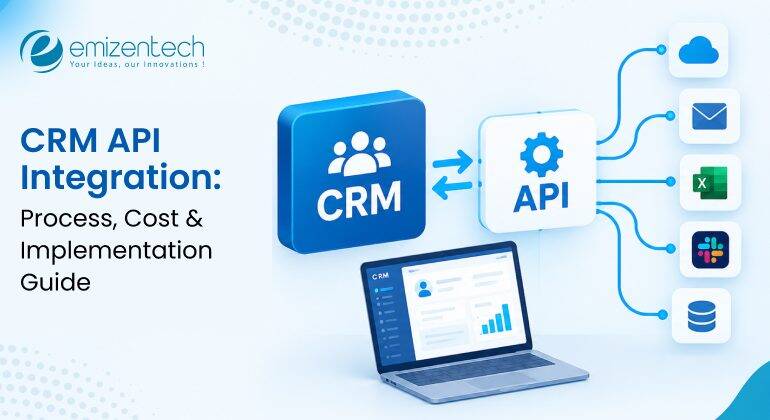
If you’re still fuzzy on what a CRM actually does under the hood, then you can check this breakdown on what is a CRM and CRM software are before you dive into the list of best CRM tools.
Top 8 Best CRM Tools for Startups
The global CRM is projected to grow to 161.3 billion by 2033. As competition in the CRM space grows, choosing the right platform comes down to a few things: real free tiers, active product development, and pricing that scales.
The eight below are the ones that keep showing up on real shortlists for the best CRM tools for startups 2026, and each one earns its spot for a different reason, so read past the name and match it to how your team actually makes a profit.
HubSpot CRM
HubSpot CRM is a cloud-based CRM platform that helps the startups to organize contacts, track sales deals, and log customer communications in one central place. Its free tier includes contact management, deal pipelines, email tracking, and basic reporting at no cost. As your business grows, the paid Sales Hub plans add advanced features such as sales automation, forecasting, and deeper analytics. By replacing the messy spreadsheets with a single shared workspace, HubSpot enables marketing, sales, and service teams to collaborate more.
Zoho CRM
Zoho CRM is a great choice for the startups and small businesses that want a powerful CRM at a lower cost. It includes features such as AI-powered lead scoring, workflow automation, and communication through email, phone, and social media. It also works well with other Zoho products such as Zoho Books and Zoho Desk, which makes it a good option if you already use the ecosystem. Although its interface is not as modern or visually appealing as some competitors, it offers value for money because of its wide range of features at an affordable price.
Salesforce Starter Suite
Salesforce built its Starter Suite to help smaller companies that outgrew basic tools but aren’t ready for the full Salesforce system. It bundles sales, service, and marketing into one guided setup, with AI-generated insights included from day one. It’s the right call for a startup that already knows it wants to grow into the wider Salesforce world eventually, since the migration path is baked in.
Pipedrive
Pipedrive was built by salespeople, and you can tell within thirty seconds of opening it. The visual pipeline basically is the product drag deals across stages, set activity reminders, and done. It’s a genuinely good fit for startups where the real bottleneck isn’t marketing or support; it’s just getting reps to follow through on deals already in motion. Automation exists but is intentionally lighter than HubSpot’s, which keeps the whole thing fast and uncluttered even with zero dedicated ops headcount on staff.
Freshsales
Freshsales, part of the Freshworks family, focuses on built-in phone and email features, along with AI deal scoring that identifies which leads are genuinely worth your time. Its free tier supports an unusually generous number of users, which makes it one of the more accessible options for a lean team spread across a few departments. The tradeoff is that advanced automation and custom reporting sit behind pricier tiers, so budget mentally for an eventual upgrade once your funnel outgrows the free plan.
Insightly
Insightly stands out for how it maps relationships, not just deals. It shows how contacts, companies, and projects connect to one another instead of treating each sale as an isolated event. That makes it a natural fit for startups where the “sale” isn’t really the end of the story; it’s the start of an ongoing delivery relationship, like agencies or B2B service shops. Built-in project management means less need to bolt on a separate tool the moment the deal closes and the actual delivery work begins, which saves a step most other CRMs on this list simply skip.
monday CRM
Built on the monday.com Work OS framework, monday CRM trades CRM orthodoxy for pure flexibility. Boards, automations, and dashboards can be reshaped to fit almost any sales process you throw at them, which is appealing if your startup already runs other operations on monday.com. The downside, and it’s a real one, is that flexibility means setup time. Teams wanting something that works right away might find the customization overhead more hassle than it’s worth compared to a tool that’s more prescriptive from the start.
Zendesk Sell
Zendesk Sell makes the most sense for startups already leaning on Zendesk for support, since sales and service data end up living in the same system without a clunky integration layer bolted on top. Built-in call tracking, clear pipeline visibility, and a mobile app actually built for field sales round things out nicely. It’s less feature-dense than HubSpot or Salesforce, sure, but it earns its place for support-first companies building out a real sales motion for the first time, without starting from zero.
Off-the-Shelf vs Custom CRM: What Scales Better for Startups
In the debate of custom CRM vs off the shelf the model that stands out is Off-the-shelf. You can be tracking leads within an hour of signing up, which is more than most custom builds can promise on day one, and it’s part of why they still dominate any list of the best CRM tools for startups 2026. But every off-the-shelf tool forces some compromise between what your business actually does and what the platform assumes a business should look like.
A custom CRM flips that arrangement entirely: it’s built around your workflow instead of asking you to adapt to someone else’s, with fields, automations, and integrations that match what your team does day to day, not what a product manager three companies removed decided everyone needs.
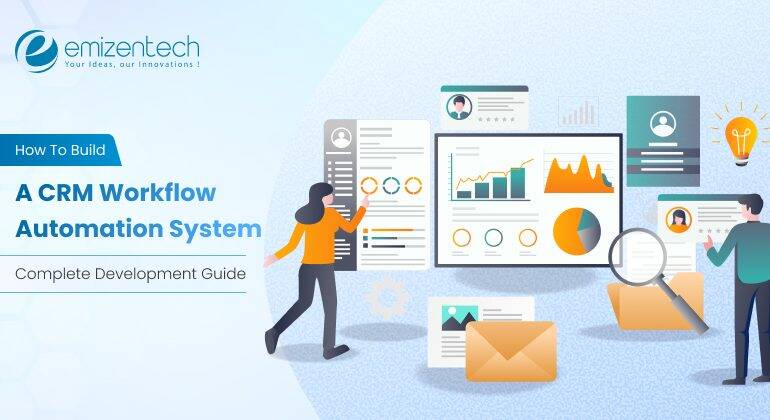
The tradeoff is upfront time and cost, which is why custom builds tend to make sense once a startup’s process is stable enough to be worth encoding permanently or once off-the-shelf licensing fees start rivaling what a custom build would’ve cost anyway. For a full breakdown of what that process actually involves, this guide to custom CRM development walks through the stages, and it’s worth bookmarking before you rule custom builds out entirely.
The Hidden Costs of Off-the-Shelf SaaS CRMs for Scaling Startups
Off-the-shelf SaaS CRM helps startups get started quickly, but the hidden costs emerge as the business grows. Here are some of the factors that increase the budget for scaling startups:
- Per user pricing: CRM costs increase every time you add new employees, which makes the scaling more expensive for your startup.
- Feature Gating: There are some crucial tools like automation, custom reports, and role-based permissions that are available only in higher-priced plans.
- Add-on fees: You may pay extra charges for storage, email marketing, API access, integrations, and advanced support, which can quickly increase your monthly bills.
- Migration Expenses: If you switch to a new CRM later, it can involve data transfer, system setup, employee training, and business downtime to make migration costly.
So, these are some of the most common factors of hidden costs of off-the-shelf SaaS CRMs. If you are scaling your startups, keep these things in your mind.
How to Pick the Right CRM Without Wasting Your First Year
In the section below, you will learn the step-by-step process to easily pick the right CRM model for your business. Here are some steps to follow:
Step 1: Map your actual sales motion: Before you demo a single platform, write down how a lead enters, who touches it, and what triggers a follow-up. A founder-led process with a handful of high-touch deals needs something closer to Pipedrive; a product-led motion with high lead volume needs HubSpot- or Freshsales-level automation.
Step 2: Build a short, honest shortlist: Two or three names, not ten. Startups chasing the best CRM tools for B2B startups often assume more modules automatically mean more value, when unused seats and unused features are the single biggest source of CRM regret later.
Step 3: Get the actual users in the room: Adoption fails fastest when leadership picks a CRM and hands it down to a sales team that never asked for it. Whoever uses the tool daily should have a real say before anyone signs anything.
Step 4: Run a real trial, not a sandbox: Load in actual leads for thirty days, not sample data. A platform that looks fantastic with five demo deals can behave completely differently once fifty real ones are moving through the pipeline.
Step 5: Pick for twelve months out, not three years: You don’t need to future-proof against a version of your company that doesn’t exist yet.
Narrow your list to two or three names, and you’ve essentially built your own personal list of the best CRM tools for startups 2026 the ones that actually fit how your team sells.
How EmizenTech Engineers Custom CRM Solutions for Startups
EmizenTech builds CRM systems around the way a startup actually sells, rather than asking the business to bend around a template someone else designed. The process starts with mapping the real sales and support workflow, not a generic one, the one your team actually follows, and then designing the system architecture around it.
That typically covers:
- Custom pipelines shaped around your real sales stages, not a generic template.
- Role-based dashboards so a founder, a rep, and a support lead each see what actually matters to them.
- Integrations with tools already in use, from accounting software to support desks to marketing platforms.
- Ongoing support, so the system evolves as the company grows instead of quietly going stale.
The team handles everything from dedicated CRM software development through long-term maintenance, which matters because a CRM that isn’t maintained becomes outdated the moment the business shifts shape and every startup’s business shifts shape more than once.
Startups wanting a full engineering partner rather than a template-assembled tool can see how the broader CRM development company approach works from start to finish. And for teams whose needs stretch beyond CRM into wider platform work, the same principle applies across the board: software should fit the business, not the other way around.
Conclusion
There’s no single right answer to which platform deserves the top spot on a list of the best CRM tools for startups 2026; it genuinely depends on how your team sells, how fast you’re growing, and how much customization your process actually needs. HubSpot and Freshsales suit teams that want to start free and scale gradually. Pipedrive and Zendesk Sell suit teams with a narrow, specific workflow. Salesforce and Zoho suit startups that are already planning for real scale from day one.
And for startups whose process is too particular for any off-the-shelf tool to fit cleanly, a custom-built CRM remains the option that won’t need replacing in two years. Whichever way you go, the goal is the same: a system your team actually opens every day, not one more subscription gathering dust next to the spreadsheet it was supposed to replace.
FAQs
What is a CRM, and does a startup need one from day one?
It's software that centralizes customer and lead data instead of relying on memory. Not strictly needed on day one, but most startups benefit early, right around when spreadsheets stop being manageable.
What's the real difference between free and paid CRM plans?
Free plans cap contacts, users, or automation. Paid plans remove those ceilings and add real customization. Free is fine to start, but migrating off one later is more disruptive.
What are the 4 types of CRM systems?
Operational (sales and service tasks), analytical (mining customer data), collaborative (shared info across teams), and strategic (long-term planning). Most startup tools blend operations and analytics into one product.
How much does a custom CRM cost to build?
It depends on scope. A lean MVP with pipeline and contact management costs far less than one with custom automations and dashboards.
Can a custom CRM integrate with tools we already use?
Yes, that's usually the point. It can connect directly to accounting, support, marketing, and even CMS platforms, avoiding the disconnected-tool mess off-the-shelf software creates.


 +1 (989) 535-9295
 info@emizentech.com
 emizentech


