
 Add us as a preferred source on Google
 Selling and servicing insurance policies is fundamentally a collaborative business, and connections fall apart when agents track them across sticky notes, spreadsheets, and scattered email threads. That’s the exact gap insurance CRM software is built to close. It gives agents, brokers, and carriers one organized system to manage leads, policies, renewals, and claims without losing the personal touch that keeps clients around for the long haul.
The competition between agencies has only grown more intense and clients now compare their insurance experience to every other digital service they use, from banking apps to same-day delivery. If your agency is still running on spreadsheets and sticky notes, you are quietly losing renewals to competitors who can simply respond faster.
This guide breaks down what insurance CRM software actually does, why it matters more in 2026 than it did before, and which platforms are worth your budget. You’ll also get a practical framework for choosing the right system and avoiding the mistakes that prevent most implementations.
What is Insurance CRM Software?
Insurance CRM software is a specialized technology platform designed to help insurance companies, agencies, and independent brokers to manage client relationships, track sales leads, and smooth daily operational workflows.
Unlike standard, generic CRM, an insurance-specific CRM is built around the industry’s unique workflows, allowing agents to link multiple active policies (auto, home, life, health) to a single client profile, track renewal dates, manage multi-carrier interactions, and handle compliance requirements.
Why Insurance Companies Need CRM Software
Insurance companies deal with complex customer journeys, strict regulatory compliance and massive volumes of data. Traditional generic CRMs don’t support the specific workflows of policy management and claims; you can also check out the top software development companies before choosing the best insurance CRM software.
Implementing dedicated crm softwares for agencies offers four key operational benefits:
- 360-Degree Customer Profiles: Consolidates full policy histories, open claims, communications records and billing statuses on one dashboard. This breaks down the data silos between agents and underwriters.
- Automated Claims and Policy Workflows: Initiates automated alerts for policy renewals, cross-selling and claims status. This leads to a reduction in manual administrative burden and avoids premium leakage;
- Enhanced Regulatory Compliance: Includes built-in audit trails, secure data encryption and automated documentation. This ensures compliance with strict data protection laws such as HIPAA, GDPR, or state-specific insurance mandates.
- Data-Driven Risk Assessment: It utilizes predictive analytics in order to assess applicant risk profiles, identify fraudulent trends, and improve premium pricing models based on historical customer data.
10 Best Insurance CRM Software in 2026
Choosing the best CRM software for insurance agents depends heavily on your line of business, whether you sell insurance like life, health, property and casualty, or a mix of all three, and how much customization your agency actually needs.
The list compares enterprise suites and CRM software for insurance agencies, focusing on tools suited for your workflow rather than marketing claims. For life insurance CRM options, check the purpose-built ones further down, as they typically save more setup time than generic tools and reduce software development costs.
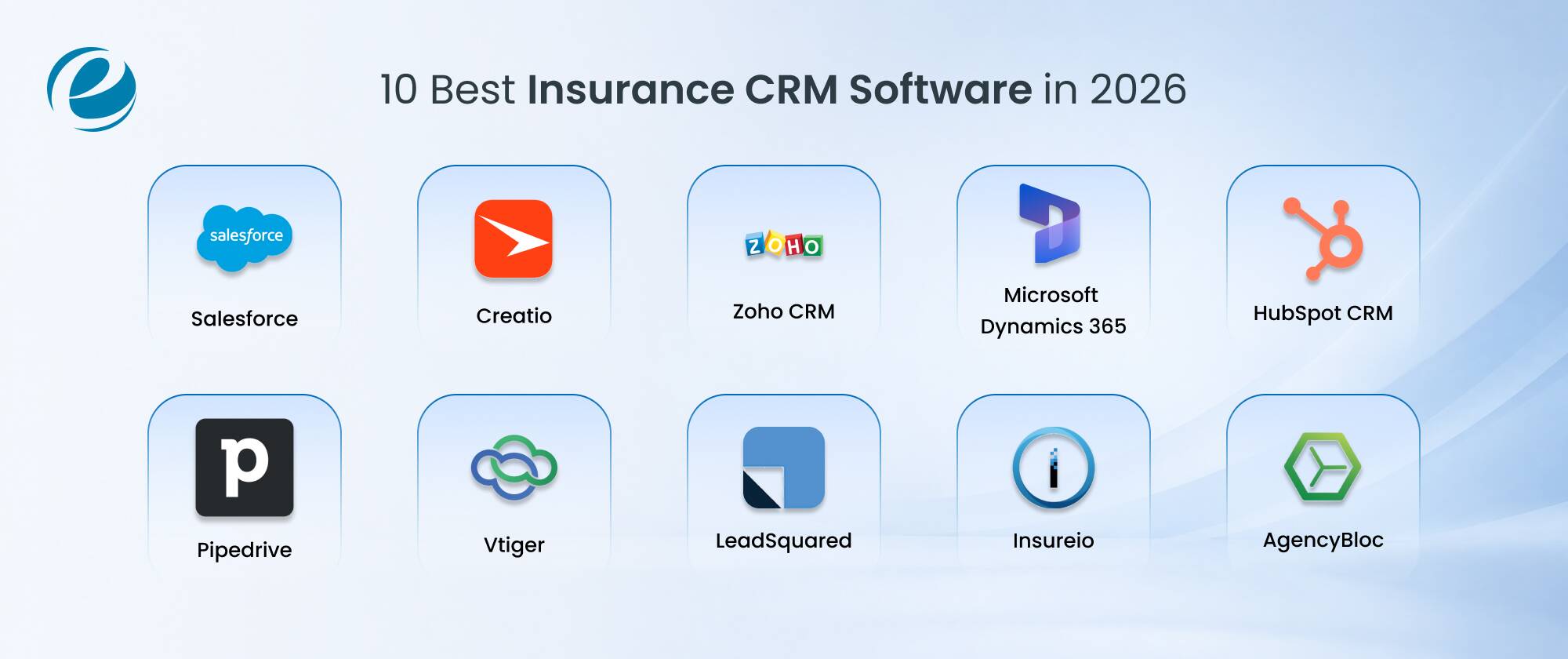
1. Salesforce (Financial Services Cloud)
Salesforce’s Financial Services Cloud expands its basic CRM engine with insurance-specific data models for households, policies and referrals, making it one of the most powerful and most flexible options for larger agencies and carriers. It works best when you already have development resources, or partners with a CRM development company to build custom modules for underwriting workflows or claims tracking.
- 360-degree household and policy view.
- AI-powered “Einstein” insights for cross-sell and retention.
- Extensive third-party integration marketplace.
- Strong role-based access for compliance.
Best for: Enterprise agencies and carriers who needs an advanced customization.
Pricing range: $325 to $350/user/month
2. Creatio
Creatio is a no-code CRM and process automation platform that insurance agencies use to build custom workflows without heavy engineering involvement. Its process-driven design is best suited when you want full control over how leads move from quote to bind and how renewals and claims escalate internally, without waiting on IT for every small change.
- No-code workflow and process builder
- Built-in marketing, sales, and service modules
- Flexible data model for multi-line policies
- Strong automation for renewal reminders
Best for: Agencies wanting deep process customization without custom code.
Pricing Range: $40 to $75/user/month + Custom pricing options
3. Zoho CRM
Zoho CRM is a budget-friendly, highly functional option that smaller agencies prefer, since it covers lead management, email automation and reporting without a steep learning curve. It also connects with the wider Zoho ecosystem, so if you are already using Zoho Books or Zoho Desk, you get a fairly connected setup right out of the box.
- Affordable per-user pricing tiers.
- Built-in AI assistant (Zia) for lead scoring.
- Multichannel communication across email, phone, and social.
- Simple automation builder for follow-ups.
Best for: Small to mid-size agencies working with a tighter budget.
Pricing Range: $0 to $50/user/month + Additional subscriptions
4. Microsoft Dynamics 365
Dynamics 365 is designed to cater to agencies that are already running on Microsoft’s ecosystem, since it connects natively with Outlook, Teams, and Excel and pulls in Power BI for reporting. Its flexible pricing will let you pay only for the sales, service, or marketing components you genuinely need instead of one bundled package.
- Deep Microsoft 365 and Teams integration
- Modular, pay-for-what-you-use pricing
- Power BI-driven analytics and dashboards
- Strong data security and compliance controls
Best for: Agencies already invested in the Microsoft ecosystem.
Pricing Range: $65 to $150/user/mo
5. HubSpot CRM
HubSpot CRM is known for its free entry tier and user-friendly interface, making it a common starting point for growing agencies that need marketing automation as much as sales tracking. It’s less specific to insurance, so you can often pair it with custom CRM development to add dedicated policy and claims tracking fields.
- Free-forever base plan with paid tiers
- Strong marketing and email automation tools
- Easy-to-use pipeline and deal tracking
- Large library of native integrations
Best for: Agencies prioritizing marketing-led growth.
Pricing Range: Free, but functional management requires paid tiers like Sales Hub Professional ($100/seat/mo) & Marketing Hub Professional ($890/seat/mo)
6. Pipedrive
Pipedrive is structured around visual sales pipelines, which works well for insurance agents who think in stages: quote requested, quote sent, application submitted, policy bound. It is lighter than enterprise platforms, so it’s a good fit when you want speed and simplicity over advanced configuration options.
- Visual, drag-and-drop pipeline management
- Built-in activity reminders for follow-ups
- Email tracking and sync
- Straightforward reporting for individual agents
Best for: Independent agents who want a simple, sales-focused tool.
Pricing Range: $24 to $99/seat/mo
7. Vtiger
Vtiger combines sales, marketing, and helpdesk functionality in one platform, which is right for you if you need a single system for both selling policies and handling client service requests. Its pricing is often more accessible than the larger enterprise suites, while still offering solid customization options.
- Unified sales, marketing, and support modules
- Built-in AI insights (Calculus AI)
- Document and e-signature management
- Reasonable pricing for growing agencies
Best for: Agencies that want sales and service in one tool.
Pricing Range: $15 to $50/user/mo
8. LeadSquared
LeadSquared is built for high-volume lead management, which makes it a strong fit for insurance businesses running paid campaigns, aggregator leads, or call-center-driven sales. It automatically directs leads to the right agent based on your product line, location, or availability, which significantly reduces response time on active leads.
- Automated lead capture and distribution
- 360-degree lead profiles with activity tracking
- Field force and call center management tools
- Strong reporting built around insurance sales cycles
Best for: Agencies and insurers handling high lead volumes across channels.
Pricing Range: $60 to $100/user/mo, with custom and enterprise packages
9. Insureio
Insureio is specifically designed for life and health insurance agents, with lead management, quoting across dozens of carriers and e-application tools built right in from day one. Because it was designed specifically as life insurance CRM software rather than adapted from a standard tool, you don’t need to rely on policy tracking after the fact.
- Lead management with automated nurture campaigns
- Quoting across 40-plus carriers from one dashboard
- E-application and case management tools
- Built-in click-to-call and SMS features
- Offers a free 30-day trial
Best for: Independent life and health insurance agents.
Pricing Range: $25 to $75/month, billed annually
10. AgencyBloc
AgencyBloc’s AMS+ is built specifically for health, senior, and benefits insurance agencies, combining CRM, commission tracking and compliance tools in one system. It was named Cloud CRM Solution of the Year by The Cloud Awards, and its 2026 product blueprint adds AI-assisted features aimed at cutting administrative work during enrollment season.
- Insurance-specific CRM for clients, policies, and carriers
- Automated commission processing and reconciliation
- Renewal and compliance tracking built-in
- AI-assisted insights rolling out through 2026
Best for: Health, Medicare, and group benefits agencies.
Pricing Range: $70 to $175/user/month
Note: Pricing may vary due to vendor updates; check the provider’s official pricing page for the most current rates.
10 Best Insurance CRM Software – Comparison Table
| CRM Software | Target Audience | Key Insurance Feature | Pricing (Starting) | Integration Strength |
| Salesforce (FSC) | Enterprise carriers & large agencies | Actionable Relationship Box (ARC) | $325 to $350/user/month | Industry-wide (Open API) |
| Creatio | Mid-market to large brokerages | No-code insurance process workflows | $40 to $75/user/month | Robust marketplace |
| Zoho CRM | Independent agents & SMBs | Zia AI prediction for policy renewals | $0 to $50/user/month | Deep Zoho ecosystem |
| Microsoft Dynamics 365 | Enterprise & Microsoft-centric firms | Unified customer profile via Dataverse | $65 to $150/user/mo | Native Microsoft 365 / Azure |
| HubSpot CRM | Inbound-focused agencies & brokers | Advanced automated email journeys | $100 to $890/seat/mo | High (App Marketplace) |
| Pipedrive | Small agencies & visual pipeline users | Visual lead routing for policy quotes | $24 to $99/seat/mo | Moderate (Zapier heavy) |
| Vtiger | SMBs seeking all-in-one tools | One View for claims and policy history | $15 to $50/user/mo | Moderate |
| LeadSquared | High-volume field sales & digital agencies | High-velocity intake & distribution | $60 to $100/user/mo | Strong native APIs |
| Insureio | Life and health insurance specialists | E-application processing & underwriting | $25 to $75/month | Pre-built carrier feeds |
| AgencyBloc | Life and health independent agencies | Commission tracking & book of business | $70 to $175/user/month | Deep industry tools |
Benefits of Using an Insurance CRM
Insurance CRM software organizes your client data, automates policy renewals, and tracks leads in real time, or you can hire dedicated CRM developers to integrate the crm software for insurance agencies. It improves team productivity by up to 30%, reduces data entry errors, and accelerates the sales pipeline through automated follow-ups and unified communication channels.
- Centralized Data: Stores your policies, claims history, and client interactions in one secure dashboard.
- Automated Workflows: Trigger renewal reminders, birthday notes, and payment alerts without manual effort.
- Lead Management: Capture and score your incoming prospects from web forms, emails, and ads instantly.
- Enhanced Compliance: Maintain secure, auditable logs that align with strict industry regulations.
- Advanced Analytics: Track conversion rates, policy retention, and team performance metrics easily.
- Mobile accessibility: Update pipeline and look up client files from anywhere using mobile apps.
Industry-wide CRM data supports this pattern. CRM adoption can lift customer retention by up to 27%, and businesses using a CRM are 86% more likely to exceed their sales goals compared to those relying on spreadsheets or memory. For an insurance agency, retention is often the single biggest lever on profitability, since acquiring a new policyholder costs far more than renewing an existing one.
Key Features of Insurance CRM Software
If you are evaluating the best CRM software for insurance agents, or more specifically comparing insurance CRM characteristics across vendors, there are the non-negotiable features of insurance crm softwares:
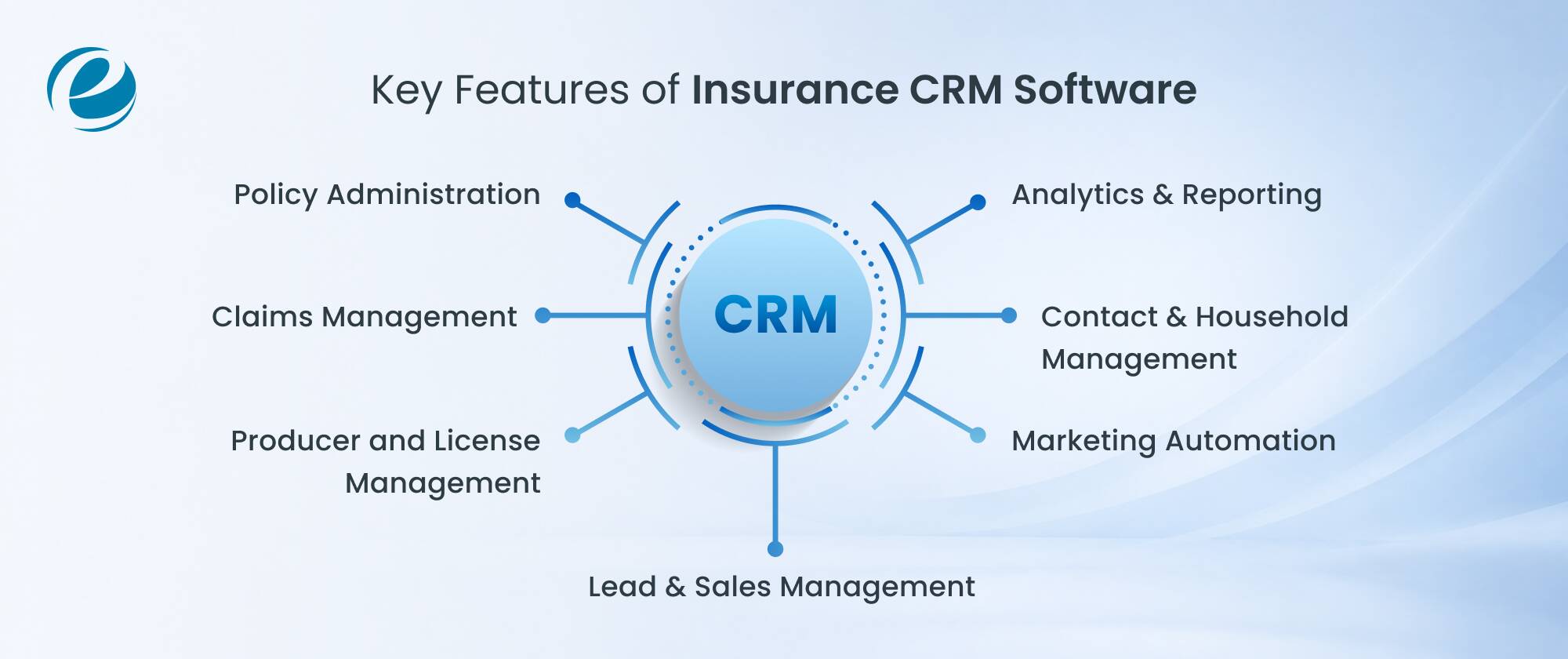
Policy Administration
Insurance CRM software keeps every policy detail, numbers, coverage limits, premiums, and renewal dates, in one place instead of disorganized spreadsheets. You will get automatic alerts before a policy is due to lapse. It also logs endorsements and changes over time, giving a full policy history for each client at a glance.
Claims Management
Claims data sits right next to the customer record, so you can see the full display without switching screens. Automated status updates keep policyholders informed without extra phone calls. Quick access to claim history will also help you spot patterns early and resolve disputes with fewer back-and-forth delays.
Producer and License Management
NAIC licensing, appointed-state tracking, CE compliance, and errors and omissions verification should all be tied to the producer record and work in the CRM. If a producer appointment lapses, the CRM should automatically prevent them from quoting in that state.
Lead & Sales Management
The CRM scores and routes leads based on real signals, like a quote request or policy type, instead of guesswork. Sales pipelines show exactly where each prospect stands, from first contact to signed policy. You spend less time chasing cold leads and more time closing the ones ready to buy.
Marketing Automation
Marketing automation sends the right message at the right time, renewal reminders, birthday check-ins, cross-sell offers, without you lifting a finger. Campaigns run over email, text, or in-app notifications based on customer preference. This keeps your agency visible between renewals, not just at the point of signup.
Contact & Household Management
Insurance CRM groups every family member’s policies under one household profile instead of separate records. You can instantly see all the coverage a household holds, spot gaps, and have smarter renewal or upsell conversations without digging through multiple files for each person.
Analytics & Reporting
Dashboards turn raw policy, claims, and sales data into numbers that you can actually use, like renewal rates, lead conversion, or claims turnaround time. Instead of pulling reports by hand every month, teams get live views that flag problems early and support faster, better decisions.
How AI is Transforming Insurance CRM Software
AI has moved from a status symbol to a working part of daily insurance CRM software in a short period of time. In 2026, roughly 64% of US insurance agencies use AI in at least one workflow, with reporting a leading adoption at 71%, followed by lead intake at 58%, claims handling at 49%, and customer service at 44%, according to industry data from Perspective AI.
In CRM platforms, this shows up as automatic lead scoring that tells agents which leads to call first, AI-drafted follow-up messages and predictive flags for clients likely to lapse or shop around at renewal. Banking and insurance together lead most industries in production-level AI deployment, sitting well ahead of sectors like healthcare, according to research compiled by Digital Applied.
For agencies, the practical shift is that AI services built into a CRM now handle the repetitive parts of the job, including data entry, initial lead qualification, and drafting renewal reminders, freeing agents to spend more time on conversations that genuinely need a human touch.
The gap that remains is trust and governance: agencies still need to verify AI-suggested actions before they reach clients, especially anything related to underwriting or disclosures, which is exactly why the platforms gaining acceptance pair automation with clear audit trails instead of vague decisions.
Common Mistakes to Avoid When Implementing an Insurance CRM
Even the best insurance CRM software fails to deliver results if the rollout is rushed. Most of the failed executions don’t succeed because the software was wrong for the job; they fail because the rollout skipped the basic groundwork. Watch out for these common missteps:
- Skipping data cleanup before migration: Importing duplicate or outdated contacts just moves the mess into a new system.
- Choosing features over functionality: A CRM loaded with capabilities your agency will never use adds cost and complexity without adding real value.
- Underestimating training time: Agents who don’t understand the system revert to spreadsheets within weeks.
- Ignoring integration needs: A CRM that doesn’t connect to your quoting or policy admin system creates double data entry instead of less work.
- No clear ownership: Every procedure needs one person accountable for adoption, or usage quietly fades after the first month.
You need to plan for these issues in advance, with a realistic timeline and a designated internal supporter, so adoption rates hold steady well past the initial rollout period.
How to Choose the Right CRM for Your Insurance Agency?
Choosing crm software for insurance agents comes down to matching the tool to how your agency actually operates, not to whichever platform has the longest feature list. Work through the following questions before selecting the crm for your insurance agency:
- What lines do you sell? Life insurance crm software needs, like underwriting timelines and medical exam tracking, look very different from property and casualty needs, like renewal cycles and claims volume.
- How many agents will use it daily? Per-seat pricing adds up fast; confirm the total cost at your actual headcount, not just the starter tier the vendor quotes first.
- Does it integrate with your existing stack? Check compatibility with your quoting engine, agency management system, and email provider before signing anything.
- Can it scale with you? A CRM that works fine for five may fall apart quickly; ask vendors directly about performance at scale.
- What does support actually look like? Slow support during a system outage costs you client trust, not just time.
- How is pricing structured as you grow? Some vendors quietly raise per-seat costs at higher tiers, so ask for pricing at your projected headcount two years out, not just today’s.
Run a short pilot with two or three agents before rolling a new system out agency-wide. It’s a far cheaper way to catch a bad fit than discovering it after every producer has migrated their data, and our breakdown of custom CRM development cost can help you evaluate the investment against ongoing subscription fees for a platform that’s only an 80% fit.
How EmizenTech Helps You Build a Custom Insurance CRM?
Insurance CRM software works well until your agency’s workflow no longer matches the vendor’s template. That’s usually when agencies start looking at custom builds. EmizenTech designs and develops CRM software that is customized to how insurance teams actually sell, from lead intake through renewal and claims follow-up.
As a CRM development company, we work directly with agencies and carriers to map their existing process first, then build a system around it instead of forcing a workaround. That includes integrations with quoting engines, policy administration systems, and commission tools, along with compliance-ready audit trails built in from day one.
If you already have an internal team but need extra hands, you can also hire CRM developers from EmizenTech on a project or dedicated basis. Beyond CRM, our broader software development services support agencies that need a connected client portal, agent website, or internal tools alongside their development software.
Conclusion
Insurance CRM software has shifted from a nice tool to have into the operational backbone of how modern agencies win and keep clients. Whether you go with an established platform like Salesforce or Zoho, a niche tool built for life and health agencies like AgencyBloc, or a fully custom system built around your exact process, the goal stays the same: fewer missed renewals, faster responses, and a clearer view of every client relationship.
Start by mapping your actual workflow, involve the agents who’ll use the system daily, and evaluate platforms against that reality rather than a generic feature checklist. The agencies seeing the strongest returns in 2026 are the ones treating their insurance CRM software as core infrastructure, not an afterthought.
FAQs
What's the difference between insurance CRM and an AMS (Agency Management System)?
An insurance CRM focuses on the relationship side of the business: leads, communication history, and renewal reminders. An AMS handles the operational and compliance side policy issuance, carrier connections, and accounting. Many agencies run both, with the CRM feeding client insight into the AMS's transactional records, so agents get relationship context and back-office accuracy without duplicating the same client data in two disconnected systems.
How much does it cost to build a custom insurance CRM?
Costs vary widely based on complexity, integrations, and team size, ranging from a modest project for a basic system to a much larger investment for a fully integrated platform with AI features and multiple carrier connections.
Can a custom insurance CRM integrate with my existing policy and claims systems?
Yes, and that's typically one of the main reasons agencies choose a custom build over an off-the-shelf tool. A properly built system can connect to carrier APIs, policy administration systems, and claims platforms through custom integrations, giving agents a single view without forcing a switch away from tools that already work.
How long does it take to implement an insurance CRM?
An off-the-shelf platform can go live in a few weeks for a small team. A custom-built CRM with deep integrations typically takes a few months, depending on how many systems it needs to connect with and how much existing data needs to be migrated cleanly.


 +1 (989) 535-9295
 info@emizentech.com
 emizentech


