 Add us as a preferred source on Google
 A CRM is often treated as a support system for closing more deals; however, it quickly becomes another system that needs spoon-feeding. Stacked leads, ambiguous data, and half the time spent on administrative tasks, like updating records, rather than talking to customers.
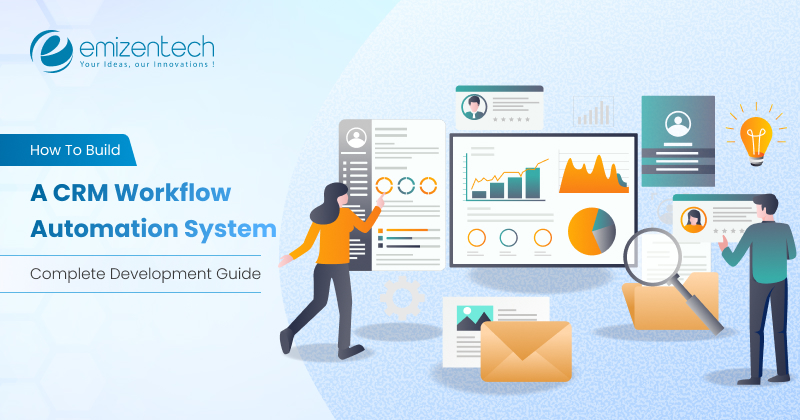
This is exactly the problem CRM workflow automation solves. Instead of asking your team to remember every follow-up and hand-off, you encode those rules directly into your CRM so the system does the routine work on its own.
Off-the-shelf platforms handle the basics. However, growing companies quickly hit the ceiling: rigid automation limits, per-user pricing that punishes headcount growth, and rules that cannot model how the business actually operates. That is when teams start looking at building their own system.
This guide covers everything, from what workflow automation CRM means and the components under the hood to the features that matter, a step-by-step build process, tech stack choices, AI capabilities, and realistic development costs in USD. Whether you are evaluating a build-versus-buy decision or scoping a project with a development partner, you will leave with a clear roadmap.
What is CRM Workflow Automation and Why Businesses Need It?
So, what is workflow automation in CRM? In simple terms, it is the practice of turning repeatable business processes inside your customer relationship management platform into rules the software executes automatically, without any human intervention.
Every automated workflow follows the same three-part logic:
- Trigger: An event that starts the process. A form submission, a deal moving to “Negotiation,” a support ticket aging past 24 hours.
- Condition: The rules that decide what happens next. Is the deal over $50,000? Is the lead in the Northeast territory? Is the account on an enterprise plan?
- Action: What the system does. Assign an owner, send an email, create a task, update a field, notify a Slack channel, or fire a webhook to another app.
Together, these pieces create an operating layer that runs quietly in the background. If you are still getting comfortable with the fundamentals, our findings on what is CRM and CRM software actually do are a useful starting point.
Why U.S. Businesses Are Investing In It?
Labor costs are the pressure point: With average SDR and CSR salaries climbing, every hour reclaimed from data entry has a hard dollar value. Automation is often the cheapest capacity you can add.
Speed-to-lead decides who wins: Research consistently shows that contacting an inbound lead within five minutes dramatically improves qualification odds. No human queue can guarantee that. A routing rule can.
Consistency protects revenue: Manual processes leak. Deals sit unattended, renewals slip past, and follow-ups get forgotten. A CRM with workflow automation enforces the process every single time.
Scaling without proportional hiring: The point of a workflow automation CRM is that multiplying your lead volume shouldn’t require doubling your operations headcount.
Industry context matters here too. Automation priorities in a hospital system look nothing like those at a brokerage; compare how CRM works in the healthcare industry against CRM in real estate, and the differences become obvious.
Five Essential CRM Workflow Automations
CRM workflow automation systems help you align your sales and marketing efforts. They trigger automatically in response to specific events, especially when a new contact signs up or a current contact’s engagement level shifts.

By leveraging these five crucial CRM workflow automation systems, you can turn your CRM into the most proactive component of your marketing and sales efforts. This, in turn, helps maintain relationships and move leads through your sales pipeline.
Workflow 1: Signing up or Welcome Campaign
A signing-up or welcome campaign is a formal way to grab user attention. It’s like an acknowledgment to greet new customers who are associated with your brand. It also leaves a positive impression of your company’s products, values, and services. You can send as many campaigns as you want; it can be one campaign, or you can make it directly related to your product, offer, or service. This matters because it builds trust with existing and new customers connected to you or your brand in any way. They feel acknowledged, and it is one of the biggest reliability and profitability factors that you cannot miss.
Workflow 2: Re-engaging Old Contacts
Lead management is core to sorting leads as hot, cold, or dead. Even more surprising is converting cold leads into actual clients. Often, sales teams and pipelines keep a 90-day window for cold leads and reconnect after that timeframe. One strong campaign can re-engage those old contacts. Generally, these campaigns are short, precise, and offer a clear picture for interested subscribers. A well-planned, well-executed re-engagement campaign can clear up ambiguities in your CRM and help you find potential customers.
Workflow 3: Engage Active Contacts
Have you heard about the term “warm leads”? What does it mean? They’re active leads who have seen your work, are interested in your products or services, and have filled out the form. This is the one on the side; the warmest leads are those who have shown interest but haven’t been contacted. As soon as you notice this, connect with your sales team and use CRM tools and data to deliver personalized messages to each prospect based on their preferences and reasoning. This small step between interest and action can help you convert the prospects into successful customers.
Workflow 4: Reviving Contacts Active Within 30-60 Days
Reviving contacts means considering the target audience or prospect who visited your brand in the last 30-60 days. Analyzing what made them visit, which product or service they are interested in, and why their decision-making stalled can help you build solutions based on their interactions.
For example, if they attended your webinar, ask them what they liked, what could be improved, and what felt unnecessary. By evaluating the reasons behind sudden shifts in their engagement patterns and creating campaigns with the help of CRM managers, you can establish a connection with your audience based on their recent interactions. Sending a generic message without a value proposition wastes time, effort, and resources.
Workflow 5: Targeting Contacts Active Within 60-90 Days
If your prospects haven’t connected with your brand in the last 60-90 days, that’s worrisome. You may risk falling into the ice-cold category and losing potential contacts. To avoid this, you can create a workflow that speaks to them directly. To do this, find out where they disengaged in the buying cycle.
Features of CRM Workflow Automation Software
When you evaluate or specify CRM workflow automation software, these are the capabilities that separate a genuinely useful platform from a glorified rules list.
Core Automation Features
- Visual, no-code builder with drag-and-drop nodes, branching paths, and version history.
- Lead capture and enrichment that pulls in web forms, ads, and chat conversations, then automatically appends firmographic data.
- Intelligent lead routing based on territory, industry, deal size, rep capacity, or round-robin distribution.
- Automated lead scoring that ranks prospects on behavior and profile fit so reps work the best opportunities first.
- Multi-step email and SMS sequences with delays, exit conditions, and reply detection
- Task and activity automation that generates follow-ups, reminders, and checklists tied to pipeline stages.
- Pipeline stage automation, moving deals, updating probabilities, and alerting managers as criteria are met.
Process and Governance Features
- Approval workflows for discounts, contracts, and refunds, with sequential or parallel approvers.
- SLA tracking and escalation that flags aging tickets or stalled deals before they become problems.
- Document generation and e-signature for quotes, proposals, and contracts.
- Duplicate detection and data hygiene rules that keep the database clean automatically.
- Full audit trails capturing every automated change with timestamp and actor.
Reporting and Access Features
- Workflow performance dashboards showing execution volume, failure rates, and conversion lift.
- Custom report builders with scheduled delivery to stakeholders.
- Role-based permissions and field-level security.
- Mobile access so approvals and alerts aren’t blocked when someone is away from a desk.
- Open API and webhook support for connecting anything not covered out of the box.
The best CRM workflow automation software makes the simple things obvious and the complicated things possible, without forcing every change through a developer.
How to Build a CRM Workflow Automation System?
Here is the sequence that consistently produces working software rather than an expensive shelf-ware project.

Step 1: Audit Your Existing Processes
Before writing any code, map what actually happens today. Sit with sales, marketing, and support and document each hand-off, decision point, and manual step. You will typically find that a handful of processes consume most of the wasted hours; those become your automation priorities.
Step 2: Define and Prioritize Workflows
Convert whatever you audited in the first step into specific trigger-condition-action specifications. Rank by impact versus complexity, then pick five to eight for version one. Don’t try to build everything at once.
Step 3: Design the Data Model
Define your objects, relationships, and custom fields. Decide what a contact is vs. an account vs. a deal, and how they connect. Getting this wrong is the most expensive mistake in CRM development, because every workflow depends on it and later migrations are painful.
Step 4: Choose Your Architecture
Decide between a modular monolith and microservices, select your cloud provider, and plan for multi-tenancy if applicable. Design the automation engine to be event-driven; a message queue decouples trigger detection from action execution, which is what keeps the system responsive under load.
Step 5: Build the Automation Engine
This is the technical core. Implement the event listener, the rules evaluator, and the action executor. Build in idempotency keys, exponential-backoff retries, and a dead-letter queue for failures. Add loop protection so a workflow cannot trigger itself infinitely, a classic and costly bug.
Step 6: Develop the Visual Builder
Create the drag-and-drop interface where non-technical users compose workflows. Include validation that catches broken logic before activation, plus a test mode that runs a workflow against sample data without side effects.
Step 7: Wire Up Integrations
Connect email and calendar (Google Workspace, Microsoft 365), integrate Slack with Salesforce, and mix billing (Stripe, QuickBooks) and marketing platforms. Use OAuth 2.0, handle token refresh gracefully, and respect third-party rate limits.
Step 8: Layer In AI
Add predictive scoring, smart routing, and generative drafting once your core engine is stable and you have enough historical data to train on. Building this too early, before data exists, produces models nobody trusts.
Step 9: Test Thoroughly
Cover unit tests for rule evaluation, integration tests for external services, and end-to-end tests for complete workflow runs. Load-test the engine at several times your expected peak. Run user acceptance testing with the actual operations people who will maintain these workflows.
Step 10: Deploy, Train, and Iterate
Roll out in phases, starting with one team or region. Train users on the builder, not just the end result, so they can adapt workflows themselves. Then review execution analytics monthly and refine. A CRM with workflow automation is never truly finished; it evolves with the business.
Tech Stack for CRM Workflow Automation Development
| Layer | Recommended Options | Why It Fits |
| Frontend | React, Next.js, TypeScript | Mature ecosystem; React Flow handles the workflow canvas well |
| Backend | Node.js (NestJS), Python (Django/FastAPI), Java (Spring Boot) | Strong async support for event-driven processing |
| Primary Database | PostgreSQL | Relational integrity plus JSONB for flexible custom fields |
| Cache | Redis | Session storage, rate limiting, and fast rule lookups |
| Search | Elasticsearch / OpenSearch | Full-text search across contacts, notes, and activities |
| Message Queue | Apache Kafka, RabbitMQ, AWS SQS | Decouples triggers from actions; guarantees delivery |
| Workflow Orchestration | Temporal, Apache Airflow | Manages long-running, stateful, multi-day sequences |
| AI/ML | Python, scikit-learn, TensorFlow, OpenAI or Anthropic APIs | Scoring models and generative features |
| Cloud & Infra | AWS or Azure, Docker, Kubernetes, Terraform | Scalable and both meet U.S. compliance requirements |
| Auth & Security | OAuth 2.0, JWT, Auth0 or Cognito | SSO and role-based access control |
| Monitoring | Datadog, Grafana, Sentry | Workflow failure alerting and performance visibility |
For most U.S. mid-market projects, a PostgreSQL + Node.js + React + AWS stack strikes the best balance between development speed, hiring availability, and long-term maintainability.
How AI Makes CRM Workflow Automation Smarter
Traditional automation follows rules you write. AI-enhanced automation learns patterns you did not know existed. The difference is meaningful.
Predictive lead scoring: Instead of assigning arbitrary points, machine learning models analyze your closed-won history to identify what actually predicts conversion. Scores update continuously as new outcomes arrive.
Next-best-action recommendations: The system suggests the specific move most likely to advance each deal, drawing on what worked in similar situations.
Conversation intelligence: NLP transcribes and analyzes calls and emails, extracting sentiment, objections, competitor mentions, and commitments, then automatically logs them and creates follow-up tasks.
Churn and forecast prediction: Models flag at-risk accounts weeks before renewal and produce pipeline forecasts grounded in behavioral signals rather than rep optimism.
Anomaly detection: The system notices when a workflow suddenly starts failing or when a pipeline metric deviates from its norm, and alerts an owner before anyone would have spotted it manually.
A practical note: Start with clean data and rule-based automation. AI amplifies whatever foundation you give it, including a bad one.
CRM Workflow Automation Development Cost
Costs vary with scope, integration count, and team location. These are realistic USD ranges for U.S.-facing projects built with an offshore or hybrid development team.
| Project Tier | Scope | Timeline | Estimated Cost |
| MVP / Startup | Core CRM objects, 8–12 workflows, basic builder, 2–3 integrations | 3–4 months | $30,000 – $55,000 |
| Mid-Market | Full visual builder, advanced branching, 6–10 integrations, dashboards, mobile | 5–7 months | $60,000 – $120,000 |
| Enterprise | Multi-tenant, AI scoring, custom objects, 15+ integrations, compliance tooling | 8–14 months | $130,000 – $300,000+ |
| AI Module (add-on) | Predictive scoring, generative drafting, conversation intelligence | 2–3 months | $20,000 – $60,000 |
What Drives the Number Up or Down?
- Integration count: Each third-party connection typically adds $3,000–$8,000
- Custom UI complexity: A polished drag-and-drop builder is one of the most expensive single components
- Data migration: Moving from a legacy system with messy data can add weeks
- Compliance requirements: HIPAA or SOC 2 readiness adds meaningful architecture and audit work
- Team location: U.S.-based rates run $100–$180/hour; offshore teams typically $25–$50/hour for comparable output
Also budget 15–20% of build cost annually for hosting, maintenance, and enhancements.
Custom CRM Workflow Automation vs Ready-Made CRM Solutions
| Factor | Custom Build | Ready-Made Platform |
| Upfront cost | $30K–$300K+ | Low or none |
| Ongoing cost | Hosting + maintenance (predictable) | Per-user fees that scale with headcount |
| Time to launch | 3–14 months | Days to weeks |
| Process fit | Built exactly to your workflow | Adapt your process to the tool |
| Automation limits | None beyond what you build | Tiered caps on rules and executions |
| Data ownership | Complete | Vendor-controlled, export limitations |
| Integrations | Any system, including legacy | Marketplace-dependent |
| Scalability economics | Improves with growth | Costs rise linearly with users |
Choose a ready-made platform if your company has under 25 users, follows standard processes, needs it now, and has limited capital. Established platforms will serve you well, and you can revisit later.
Select custom build if you have 50+ users where per-seat pricing has become painful, workflows that vendors cannot model, strict compliance or data-residency requirements, legacy systems needing deep integration, or a CRM that is itself a competitive differentiator.
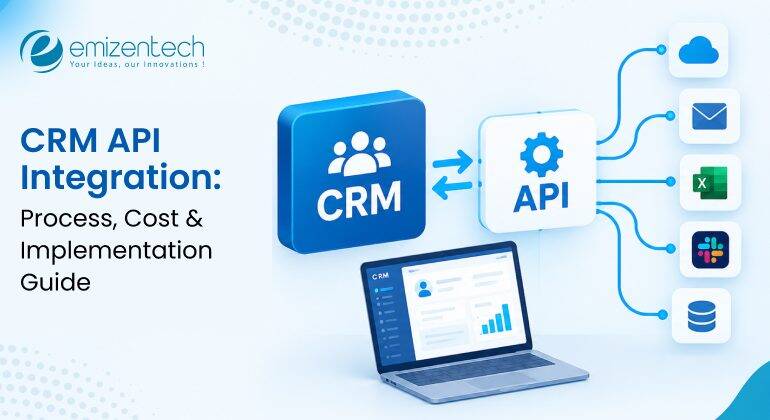
The middle way: many companies keep a standard CRM as the system of record and build a custom automation layer on top via API. It is often the fastest route to a CRM with workflow automation that actually fits, at a fraction of the cost of a full rebuild.
Why Businesses Trust EmizenTech for CRM Workflow Automation
EmizenTech has delivered CRM and business automation projects across healthcare, real estate, retail, manufacturing, and financial services, including for clients throughout the USA. It is a trusted choice for users because we believe in implementing:
Process-first discovery: We start by mapping and timing your actual workflows, so the system reflects how your business runs rather than a generic template.
Full-stack capability: Backend engineering, workflow architecture, AI/ML, frontend, DevOps, and QA under one roof, no coordination overhead across vendors.
Integration depth: Proven connections to Salesforce, HubSpot, Zoho, Microsoft Dynamics, Stripe, Twilio, QuickBooks, and custom legacy systems.
AI expertise: Predictive scoring and generative features delivered as production systems, not proofs of concept.
Compliance-aware architecture: HIPAA, SOC 2, CCPA, and GDPR considerations designed in from the start, not bolted on later.
Transparent, flexible engagement: Fixed-scope, time-and-materials, or dedicated-team models with clear sprint reporting.
Support after launch: Monitoring, optimization, and enhancement so your automation keeps pace with the business.
Explore our full range of CRM development services to see how we approach projects like yours.
Conclusion
CRM workflow automation is no longer a nice-to-have for U.S. businesses; it is how competitive teams recover selling time, respond faster than rivals, and grow revenue without proportionally growing headcount.
The build path is well-established: audit your processes, prioritize a focused set of workflows, design a solid data model, build an event-driven automation engine, ship what your operations team will actually use, integrate deliberately, and layer AI once the foundation is stable.
Costs range from roughly $30,000 for a focused MVP to $300,000-plus for a full enterprise platform, and the decision between custom software development and off-the-shelf comes down to how much your process differs from the standard mold.
Start small. Automate the five workflows that cost you the most hours, measure the results, then expand.
FAQs
What is CRM workflow automation?
CRM workflow automation means using software rules and triggers within CRM systems to automate repetitive tasks.
How does CRM workflow automation work?
CRM workflow automation works on the logic of: trigger, condition, and action.
What are the key benefits of CRM workflow automation?
The key benefits of CRM workflow automation are as follows:
- Saves time and improves productivity
- Maintains accuracy and is known for lead management
- Facilitates customer support and scalability
How do you build a CRM workflow automation system?
- Step 1: Audit Your Existing Processes
- Step 2: Define and Prioritize Workflows
- Step 3: Design the Data Model
- Step 4: Choose Your Architecture
- Step 5: Build the Automation Engine
- Step 6: Develop the Visual Builder
- Step 7: Wire Up Integrations
- Step 8: Layer In AI
- Step 9: Test Thoroughly
- Step 10: Deploy, Train, and Iterate
How much does it cost to build a CRM workflow automation system?
To build a CRM workflow automation system, evaluate factors like business complexity, team size, and project requirements. By combining these factors, you can estimate the cost.


 +1 (989) 535-9295
 info@emizentech.com
 emizentech


