 Add us as a preferred source on Google
 Software engineers, QA engineers, the company’s CTO, and the entire development team often ask one question: What are the best software development practices, and how do we incorporate them into our systems to build stable, successful apps? These are like the good, daily habits that you need to follow to build applications that are reliable. Good software development practices matter whether you are architecting a platform for many users or writing code for a quick internal tool.
Following these practices helps avoid technical debt and bugs and makes the software development process easier. Almost every industry today runs on software, from banks and healthcare systems to logistics and supply chain management. So, you can’t skip steps or leave loopholes, as they can lead to security breaches, frozen apps, and even unfinished or halted projects. To avoid that, build a strong foundation.
For that, refer to this blog, where you will learn what software development is, its approaches, principles, best practices, tools to consider, and more.
What is Software Development
Software development is a structured process or roadmap that combines designing, building, and maintaining applications. It also involves writing instructions that tell computers what to do. The ultimate goal of software development is to create a product that meets user expectations and achieves business objectives as efficiently, reliably, and securely as possible. With recent trends like AI being widely used in tech companies, AI-powered tools and generative AI are increasingly used to help software development teams produce and test code.
Software Development Approaches
No single software development approach is best; you can’t use a one-size-fits-all model. However, understanding popular approaches and methodologies, paired with strong programming practices, is an excellent place to start.
Two of the most popular approaches are Agile and Waterfall. Here is a tabular representation that describes how these approaches or software development methodologies differ from each other:
| Agile | Waterfall |
| Agile software development emphasizes flexibility, short feedback loops, and continuous improvement. It benefits teams that need to adapt quickly or work closely with stakeholders. | Waterfall follows a linear process. Teams decide, map out, and lock in all details, tasks, goals, and steps before the project even starts. It is a feasible option for projects with fixed requirements. |
Software Development Principles
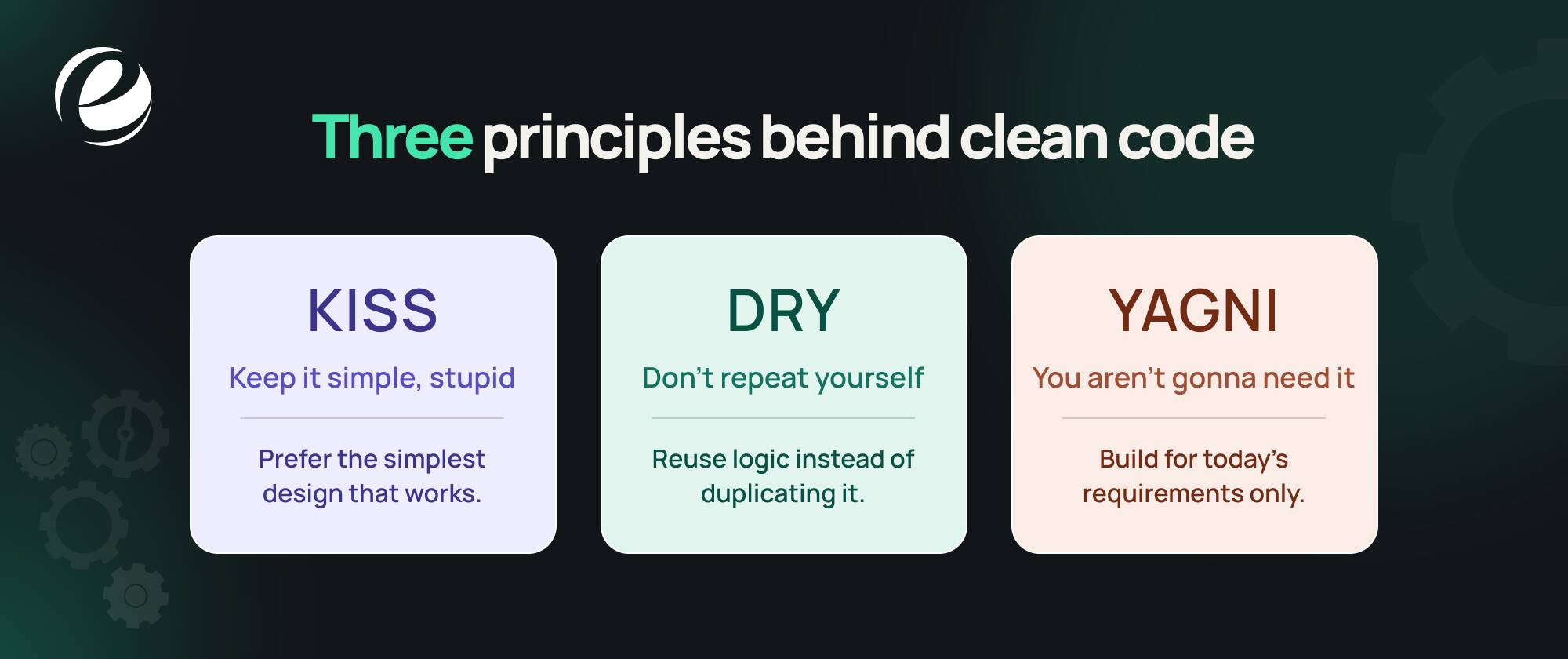
Software development best practices define what needs to be done, while software development principles explain why, when, and how to apply them effectively. The three most commonly used principles are explained below. Others like SOLID and separation of concerns go deeper into software design.
| Principle | Abbreviation | Description |
| KISS | Keep it simple, stupid | The KISS principle in software development emphasizes simplicity and clarity. It states that systems and designs should be simple, not overly complex. Place major emphasis on readability and maintainability. |
| DRY | Don’t repeat yourself | In software development, DRY promotes code efficiency by identifying and eliminating redundant code. Emphasize reusing existing code to avoid duplication, reduce maintenance effort, and ensure consistency. |
| YAGNI | You aren’t gonna need it | The YAGNI principle in software development is to avoid implementing features or functionality prematurely. Here, the main idea is to focus on current requirements rather than anticipating future needs. This reduces unnecessary workload and complexity, and ensures efforts are channeled toward immediate project needs. |
Software Development Best Practices: Phase By Phase
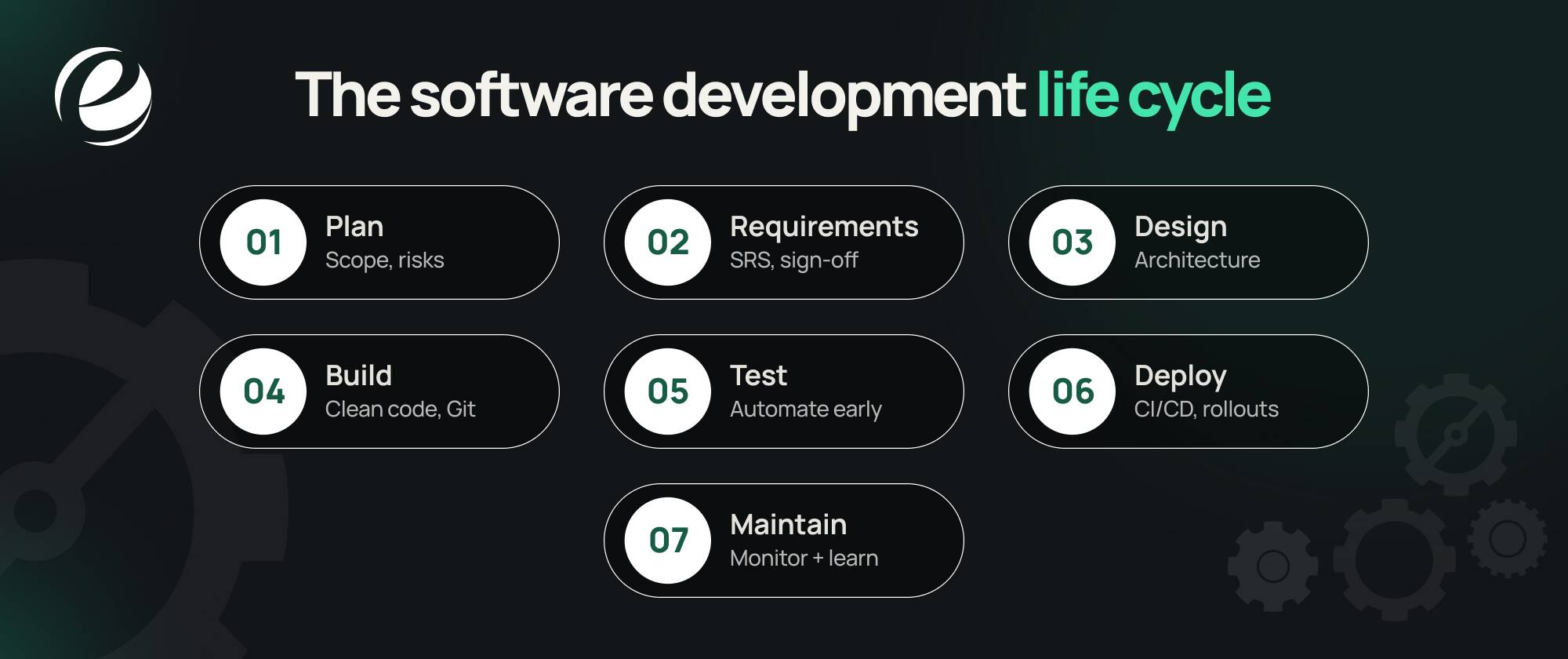
To answer the question, “What are the software development best practices?” this section lists the best practices for each phase of software development.
Designing
Map out your architecture before you write the code. Finalize the crucial components, data flow, and interfaces, and review them with the team. Finding a flaw in the diagram early will cost less to fix than one found after the code is written.
Read More: Cost To Hire A Software Developer in 2026
Simple and Modular Code
Good software development practices are incomplete without principles like DRY and YAGNI. Avoid overengineering; instead, write clear, structured code. Code that’s clean and readable is easy to maintain and transfer.
Documentation
Documenting code is your safety net. It’s like planting breadcrumb trails for yourself or anyone else who may end up on the project. As a best practice for software development, it includes:
- Inline comments: Use them to explain why a piece of code exists, such as the reasoning, trade-offs, or workarounds behind it. Let clean, readable code show what it does, and comment sparingly, only where the logic is not obvious.
- README files: Give a complete project overview, setup instructions, and any important or relevant notes.
- API documentation: If your project includes an API, carefully document endpoints, parameters, and expected responses.
Documentation may sound daunting, but during knowledge transfer, changes, or bug crop-ups, it saves time and makes things easier.
Automate Your Tests
Add unit, integration, and end-to-end testing early. Utilize test-driven development (TDD) or behavior-driven development (BDD) as and when it fits. The earlier you detect bugs, the more cost-effective they are to fix.
Using Version Control Religiously
Git or any other efficient, robust version control system has to be the spine of your development process. Make clear branching strategies and write meaningful messages. Without version control, collaboration is no less than a nightmare, and searching for changes is like a needle in a haystack. It’s like another brick in the foundation of the entire development process. Without it, everything will fall apart.
Things to check:
- Git: The gold standard of version control. Here, you can monitor changes, create branches, and collaborate with your team in sync.
- GitHub/ GitLab: These Git-hosting platforms give you add-on features such as pull requests, issue tracking, and CI/CD pipelines. GitHub has the largest open-source community and offers CI/CD through GitHub Actions, while GitLab ships as a single, built-in DevOps platform covering the entire lifecycle. Selection depends on your team’s workflow, hosting needs, and tooling rather than project type alone.
Running Frequent Code Reviews
Code reviews are a best practice in software development, and the right tools can speed them up. Skipping this means not focusing on quality assurance. They’re also a great way to catch potential issues before they become production bugs. There are several code review tools available today that can make the work easier:
- GitHub pull requests: Integrated into GitHub, pull requests enable teams to check code, comment, and confirm merges.
- Gerrit: Useful for handling code reviews in large projects, making it one of the most efficient tools.
Apply CI/CD Pipelines
Continuous integration and deployment help catch issues early. Automating builds, tests, and phased rollouts helps reduce human error. They automate the steps from coding to deployment to users.
Security from the Start
Embed security at every step of your software design. Utilize static analysis, enforce secure coding standards, and keep dependencies updated. Don’t treat security as a final step; make it part of your process from the start. Even a single vulnerability can lead to data breaches, financial losses, reputational damage, and legal consequences. A security breach is one of the biggest threats for any organization, and no one ever wants to be compromised.
Set Up Proper Environments
For stable deployments, separate development, staging, and production environments. Configuration tools help keep them consistent.
Adopt Agile Methodologies
Being agile means staying flexible. Whether you follow Scrum, Kanban, or a hybrid, break your work into iterations, gather feedback, and improve as you go.
Evaluate and Improve Post-Release
The work is not over with launch; it begins here. Utilize observability tools to evaluate your application health, user behaviors, and performance metrics. Monitor data and trends, and use what you learn to improve further iterations.
Software Development Life Cycle Best Practices
In this section, you’ll learn the top 9 software development life cycle best practices that can transform your projects when applied correctly and in a supportive environment.
Holistic Planning and Requirement Analysis
The software development lifecycle (SDLC) can support effective planning, but it doesn’t happen on its own. Organizations and teams must handle these steps carefully and with attention to detail. Involve all relevant stakeholders in sessions at key milestones, such as requirements, sign-offs, and release planning, to confirm plans are complete and address stakeholders’ concerns. Apart from this, you can use written asynchronous updates.
Effective Risk Management
Even with comprehensive planning, teams must consider risks to reduce their impact on workflow. Take the opinions of stakeholders into account when evaluating risks and plan for them properly.
Workflow Management
The software development lifecycle is a complete process, and without proper management, incorporating these steps becomes a hurdle. Workflow management must support the SDLC, from task statuses to responsible team members. Define exit criteria for each stage, such as signed-off requirements, passing tests, and cleared security checks, so the team knows when a stage is truly complete before moving ahead.
AI-Driven Optimization
Embed AI insights and assistance to optimize tasks and workflows. This speeds up the SDLC without compromising quality and lets teams focus on more critical tasks instead of repetitive actions.
Clearly Defining Tasks
Clear, transparent task descriptions avoid wasted time spent specifying and clarifying tasks and setting instructions for what needs to be done. Clearly defined tasks impart all the relevant information the task performer requires.
Breaking Down Tasks
This point is closely related to the previous points that were discussed. You can write effective instructions only when there are fewer steps to complete. Define complex tasks as “Epic” and break them down into smaller chunks or subtasks that an assignee can easily understand.
Up-to-date Documentation
Keep code documentation, requirements, and the risk register (including security risks) up to date so teams can stay focused on the scope of work without scope creep. When issues arise, good documentation saves time and minimizes workflow disruption. Similarly, if you onboard new team members during the project, documentation helps them understand the scope without slowing the team’s progress.
Scrum Practices
Setting the technical side of the SDLC aside, teams can make foundational changes for better results. One of these is following Scrum practices. Scrum is a framework built around time-boxed sprints and prescribed events: sprint planning, the daily scrum, the sprint review, and the sprint retrospective. Keeping these events short and focused, and using asynchronous communication for everything else, helps minimize unnecessary meetings and stress. Teams also use data to map workflows, identify where changes are needed, and how they’ll make them. The daily scrum and retrospective are crucial parts of this approach, providing clear progress updates and highlighting problems and successes.
Read More: Scrum Master vs Project Manager
Tracking Engineering Key Performance Indicators
Team-level engineering metrics like DORA (deployment frequency, lead time for changes, change failure rate, and failed deployment recovery time) and cycle time, among other data, offer insights into how software delivery performs across teams and systems. Use them to spot discrepancies and promote high-quality software engineering.
Enterprise Software Development Best Practices
Enterprise software development refers to applications designed specifically to meet the needs of large enterprises and big organizations. They are built around organizational needs and workflows, not individual consumer preferences across teams and systems. It’s not designed from the perspective of individual users. These systems integrate multiple business functions, support a large user base, and handle massive amounts of user data while maintaining security, reliability, and performance.
Read More: How to Hire a Software Developer in 2026 for Enterprises
The key enterprise software development best practices are as follows:
Ascertaining Project Requirements
First, create a blueprint of what you need, why you need it, and how to source it; this blueprint should answer these questions in detail. The core components of software requirements specifications are as follows:
- Product Overview: Introduction, Objectives, and Types of Users
- Requirements: Scope of work, Functional Requirements, Non-functional requirements, External interface requirements
- Appendix: Glossary, Assumptions, and References
In addition, functional and non-functional requirements describe your product’s features and functionality, as well as performance and security metrics. To learn more about it, refer to the table given below :
| Basis | Functional Requirements | Non-Functional Requirements |
| Representation | Describes what the system as a whole should be doing | Represents system quality and performance |
| Coverage | Covers all the functions the software must perform | Covers aspects that depict all the aspects of a good user experience |
| Guarantee | Ensures core functionalities are well performed | Ensures user needs are satisfied |
| Testing | Tested first (end-to-end testing, API testing, integration testing, etc.) | Tested later (usability, security, performance, stress testing, etc.) |
| Types | Business rules, data management, authorization levels, etc. | Scalability, reliability, data integrity, etc. |
For better enterprise software development practices, ensure your requirements are :
- Unambiguous: Key notes should be easy to understand, as vague requirements lead to misunderstandings and delays.
- Stakeholder Involvement: Involve key stakeholders in the requirements-gathering process to clarify business requirements and ensure the product meets the set standards.
- Validation: Every development needs final clearance from the stakeholder to validate your requirements and ensure they’re relevant and accurate.
Adopting Agile Methodologies
Adopting and implementing methodologies for agile software development can be a wise decision. Agile is feasible for most enterprise projects where requirements evolve. However, heavily regulated projects or those with a fixed scope may be better served by a waterfall or hybrid approach. The top agile methodologies are as follows:
- Scrum
- Kanban
- Lean Software Development
- Extreme Programming (XP)
- Feature-Driven Development (FDD)
The right methodology depends on factors such as your product requirements, team size, and expertise. To ensure you are using the agile methodologies correctly, keep these points in mind:
- Avoid rigid processes: Agile processes should be flexible and can be adjusted as development progresses. However, rigidity can hinder your project.
- Don’t skip training: If your team or hired software developer isn’t familiar with agile methodologies, or it’s their first time using them, provide proper training, because without it, you cannot expect the project to succeed. Teams are likely to use the techniques incorrectly, which puts projects at risk.
- Skipping Documentation: Although agile methodologies recommend working on software over comprehensive documentation, that doesn’t mean ignoring it completely. Always maintain proper documentation, as it makes things easier and supports scalability.
Strong Security Measures
With data at the center of so much software development today, securing and safeguarding it is another critical concern. One small loophole can compromise your security. With cyberattacks happening worldwide, one small mistake can lead to the loss of your client’s data, payment information, and more. So, investing in security is essential, and enterprise software development best practices are incomplete without it. Here are the steps you can take:
- Conducting regular security audits
- Implementing strong encryption methods
- Using multi-factor authentication
It’s just the beginning; as AI grows, including generative AI in cybersecurity, your understanding will improve over time.
Software Development Tools That Can Help
The right set of software development tools makes the work easier and boosts your productivity.
| Tool Type | Tool Name |
| Code Quality and Security | SonarQube Snyk Codacy |
| CI/CD Deployments | GitHub Actions/ GitLab CI/ Jenkins |
| Containerization and Orchestration | Docker, Kubernetes |
| Monitoring and Observability | Datadog, Grafana, Prometheus |
| Project Management and Collaboration | Jira, Asana, Trello |
| Version Control | GitHub/GitLab/Bitbucket (Git Hosting), GitKraken (Git Client) |
Why Consider Partnering With EmizenTech For Software Development Services
What are software development best practices, and how to implement them? With these questions in mind, especially when you’re starting with custom software development services, it’s fair to ask. Everyone sells the solution beautifully; no one clarifies what it means or how it can help your organization scale and expand. This is where EmizenTech steps in. They will help you understand how the entire software development cycle looks for your organization. Known for providing the most cost-effective rates, often under $25 per hour. You will also receive end-to-end capabilities covering everything from mobile app development for iOS and Android to web application and enterprise software development, such as CRM and ERP.
Also, if you’d rather extend your in-house team than outsource a full project, you can hire dedicated developers at the same budget-friendly rates.
Conclusion
Next time you get stuck, know the answers to: what software development best practices are, and why they matter. Because there are several, from enterprise software development best practices to software development lifecycle best practices, each is relevant. Therefore, evaluate what your organization needs, how it hopes to benefit in the long run, and the next steps to take.
FAQs
What are the best software development practices?
The best software development practices include gathering clear requirements, designing before coding, using version control, writing clean and simple code, reviewing code, automating tests, using CI/CD, building security in, monitoring in production, and documenting as you go. Applying them consistently matters more than any single one.
What are software development best practices for beginners?
Beginners should start with Git, readable naming and formatting, small commits, basic unit tests, and regular code reviews. Learn principles like DRY, KISS, and YAGNI early, because they make every later skill easier.
Which software development life cycle best practices matter most?
Define exit criteria for each stage, shift testing and security earlier, automate builds and deployments, and track metrics such as deployment frequency, lead time, change failure rate, and recovery time.
Which tools help with software development best practices?
-For code quality and security: SonarQube, Snyk, and Codacy
-Handling CI/CD Deployments: GitHub Actions, GitLab CI, and Jenkins
-Containerization: Docker and Kubernetes
-Monitoring: Datadog, Grafana, Prometheus
-Project Management: Jira, Asana, Trello
State the difference between Agile and Waterfall?
Agile focuses more on flexibility, short feedback loops, and continuous improvement. Whereas Waterfall follows a linear process, with all the requirements and steps locked in before the project begins. Agile works better with evolving requirements, while Waterfall or a hybrid approach suits fixed-scope or heavily regulated projects.



 +1 (989) 535-9295
 info@emizentech.com
 emizentech


