 Add us as a preferred source on Google
Have you ever heard of a business closing a deal of $42,000 and recording it in their notebooks? Your answer will be: no one does this in 2026, especially when there are several eCommerce accounting software options available in the market. In this era of digital expansion, thousands of software options are readily available, each capable of solving routine, mundane problems that can be automated with the right system.
As a result, unnecessary manual work is being eliminated, and more emphasis is being placed on making strategic decisions for your eCommerce business. One such critical area is making financial decisions based on your business’s bookkeeping and profit-and-loss statements. To maintain transparency and accurately assess your business’s financial performance, the best way is to deploy accounting software for an eCommerce business.
That is what the blog is all about, where you will learn about the 6 best accounting software options for eCommerce available for the year 2026.
What Exactly Is Ecommerce Accounting Software?
Ecommerce accounting software falls under the category of financial software. Here, you can record, classify, reconcile, monitor, and generate information related to all the financial activities of your online eCommerce store.
To compare it with general accounting software, you will notice that you can only evaluate standard business income, expenses, and invoices for a single channel. Modern accounting software for eCommerce businesses automatically syncs high-volume bulk online sales, expenses, and invoices across multiple sales channels such as Shopify, Amazon, and eBay.
Features to Look for in Ecommerce Accounting Software
Even if you hire an eCommerce developer to help you choose an accounting software solution for your eCommerce business, you still need to know these must-have features yourself.
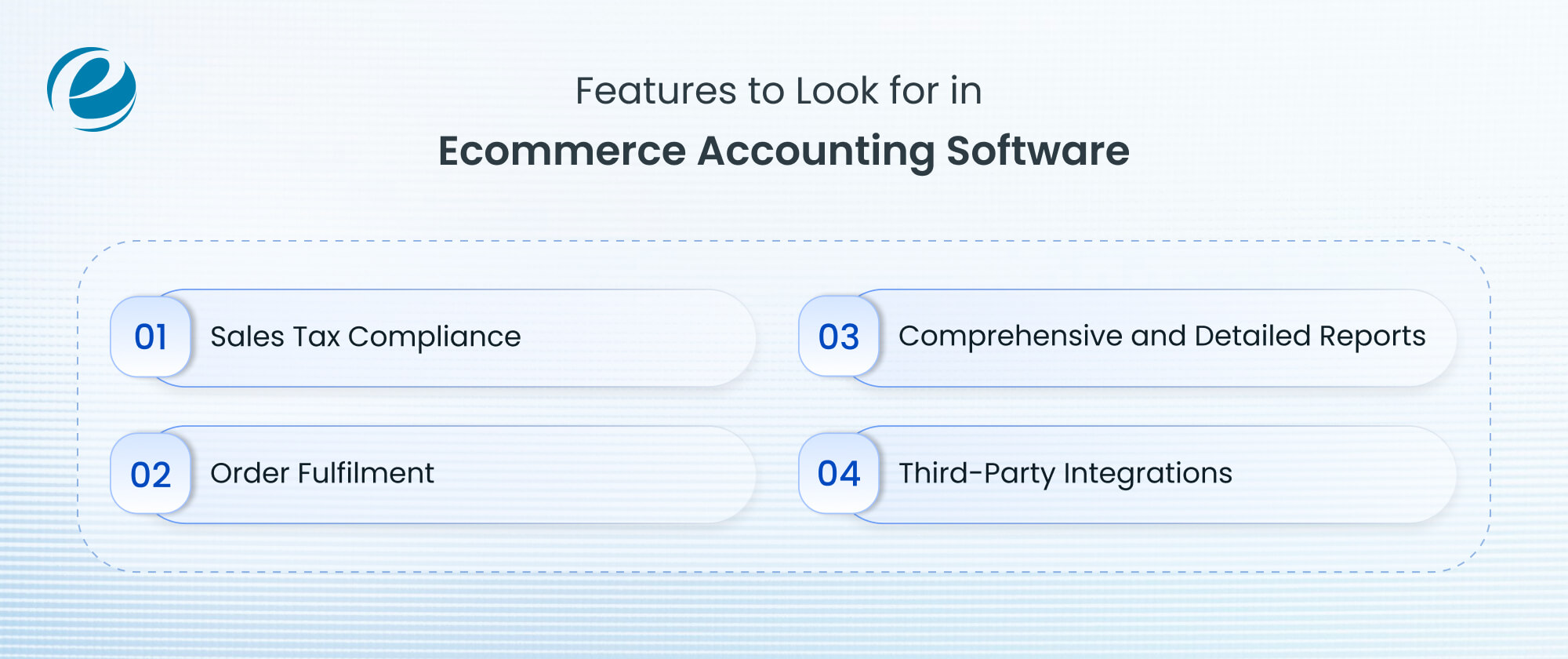
1. Sales Tax Compliance
Generally, eCommerce business operators find sales tax compliance one of their biggest challenges when selling products and services internationally, and it varies by state within the same country. Operating online and keeping the sales tax regime booklets in your hand is no different from flipping pages from one to another.
Therefore, many accounting solutions nowadays include a sales tax module that helps you calculate taxes based on the region where you sell your products or services. It not only automates the sales tax process but also saves you from the unnecessary burden and headaches of calculating the tax amount.
2. Order Fulfilment
Order fulfillment is a crucial and challenging task for eCommerce businesses, especially in competitive markets. Maintaining the entire cycle in sync, from the point when you receive the order to the final delivery, everything needs to be in a loop.
This becomes even more vital because customers want delivery within 24-48 hours of placing an order. For businesses, these situations not only create havoc, but they also try to maximize optimization levels to maintain that desired customer satisfaction score.
A robust and well-designed order fulfillment system helps you streamline sales, purchasing, and inventory management. With this functionality, you can update your ledgers and inventory levels in real time, giving you full visibility into your products’ journey from the warehouse to distribution centers and, finally, to consumers.
Related Blog: Ecommerce Fulfillment Software
3. Comprehensive and Detailed Reports
Comprehensive, detailed reports help you take actionable measures. Also, you can identify which products and services are performing well and are continuously demanded by customers, as well as monitor specific product and service line areas that aren’t performing well.
Ecommerce accounting software with a comprehensive, detailed reporting tool helps you generate on-demand reports that save time and shift your focus toward driving your business in the right direction. Also, various tools facilitate monitoring of key performance indicators (KPIs) like
- Number of orders received
- Total or combined revenue
- Average order value
- Order conversion rate
- Number of purchased products
- Abandoned cart ratio
Detailed, accurate, visualized data helps you refine your product offers for the right customers at the right time.
4. Third-Party Integrations
Third-party integrations enhance the effectiveness of your current eCommerce accounting software. It’s like having invisible powers that aren’t visible, but their effects can be completely seen.
Based on your business requirements, you can integrate the relevant tools and applications that automate your daily tasks. Some integrations include Google Analytics, CRM tools, and social media handles. These integrations automate routine inventory levels, taxes, payments, and more.
6 Best Ecommerce Accounting Software Options
With ongoing enhancements and evolving customer needs, these software solutions have advanced to the point where they are among the best. While several eCommerce accounting software options are available, choosing the best ones isn’t easy. So, here is a list of the top 6 accounting software options you can consider for your eCommerce business.

1. QuickBooks Online
It is a cloud-based bookkeeping and accounting solution that offers various pricing models and features. It also supports double-entry accounting and serves more than 7 million customers globally.
Developing accounting software like QuickBooks means providing a simple, straightforward, easy-to-use dashboard with tools such as cash flow tracking and bookkeeping automation. If you are a small business looking for a versatile accounting solution, this can be an ideal option.
Advantages
- Integrates seamlessly with your bank account, payment processors, and aggregators like PayPal
- Automates data entry so you don’t have to enter it manually
- Tracks different sales tax rates and slabs across multiple jurisdictions
- Issues purchase orders when you buy on credit
Disadvantages
- Unnecessary features can make the software overwhelming, and you may unintentionally make accounting errors if you are not experienced with bookkeeping
- Customer support is limited
2. Wave Accounting
Wave Accounting offers a free starter plan with basic features for simple accounting needs. It’s well known for being easy to set up and start using. In its free features, you can easily manage your business finances with unlimited invoices, records, and professional invoices.
Consider upgrading to its paid plan if you want to explore automation features such as automatic bank transaction import and categorization. If you are a financial or accounting freelancer and looking for a free plan, this solution is a feasible choice. In this, Shopify integration is possible via Zapier.
Advantages
- Free basic accounting features like invoicing and expense tracking
- Automated bank reconciliation
- Quick setup
- Supports financial reporting capabilities and has an easy-to-use dashboard
Disadvantages
- Does not integrate with seller platforms
- Lacks advanced features such as inventory management or built-in time tracking
- Customer support is not that efficient.
3. FreshBooks
If you are running a service-based business, FreshBooks is an exceptional choice. It started as invoicing software but now offers almost all accounting features with ease of use. Its biggest strength is reliability, as nearly 30 million businesses use it. Best suited for independent contractors, as it includes hour tracking and retainers.
Its lowest pricing plan includes invoicing and basic accounting, allowing you to track income and expenses. However, under this plan, you can add up to 5 billable clients; if you exceed the limit, you must pay additional fees for collaborators. The FreshBooks Premium plan also includes automation, such as scheduled emails and profit estimates. It also includes basic AI tools limited to basic invoicing and expense automation.
Advantages
- Auto-fetch and import transaction data with your linked account
- Provides financial statements like balance sheets, profit- and loss statements, and cash flows
- Supports project management feature to track time spent on a particular project
- Facilitates customizable invoice templates
Disadvantages
- Since it’s service-focused, it won’t be an ideal fit for a product-based business
- Doesn’t provide automated sales tax adjustments or inventory management based on your location
- Integration capabilities are lacking, making it a limited option if your primary objective is selling physical goods
4. Xero
Xero is another cloud-based accounting suite designed specifically for small businesses and solo entrepreneurs. If you are a new user, you will receive free access to the software, especially during the first 90 days, which makes the learning curve easier to navigate. Its digital generative AI assistant, JAX, can generate invoices and edit quotes. If you are a small business looking for hands-on support, this software can be your preferred choice.
Advantages
- Offers unlimited user seats on every single subscription plan at no extra cost
- Compatible with both product-based and service-based eCommerce businesses
Disadvantages
- Sales tax cannot be calculated automatically
- Phone support is not available
- Supports only single company view
5. Zoho Books
Zoho Books provides a free version of its online accounting software. Companies earning less than $50,000 annually may prefer this type of solution. Its free version supports 1099 contractors and lets you share access with an accountant. Essential features include invoice generation, expense tracking, and built-in categorization. Also known as accounting software with e-commerce integrations.
Advantages
- Excellent automation channels known for streamlining recurring invoicing, payment reminders, and workflow triggers
- Offers native connection with Zoho CRM, inventory, and projects
- Built-in inventory and time tracking system
Disadvantages
- Fewer third-party integrations
- The payroll feature is also limited
- Generating customized financial reports can be rigid
6. NetSuite
NetSuite (Oracle NetSuite) is an eCommerce accounting software that can easily be integrated with Oracle’s other NetSuite products. For example, customer management, HR, and inventory and order management. This makes it a strong choice for large-scale businesses that want a centralized tech stack.
Its advanced reporting tools help assess the company’s cash flow. You can also monitor your assets and classify them as appreciating or depreciating. Automation speeds up tasks like account reconciliations, and AI tools trace invoices, detect anomalies, and more.
Advantages
- Unified database for connecting finance, sales, and inventory
- Centralized dashboards to gain real-time insights
- Collaboration improves accountability and avoids the scope for data silos
Disadvantages
- Total cost of ownership is significantly higher
- Setup timelines are exhausting
- Support fees are chargeable and available for paid plans
Ecommerce Accounting Software Comparison Table
|
Platform |
Monthly Starting Pricing |
G2 Ratings | Best Suited For |
| QuickBooks Online | Plus plan ($38) | 4.0 | Comprehensive software |
| Wave Accounting | Pro plan ($19) | 4.3 | Free plan |
| FreshBooks | Plus plan ($4.30) | 4.5 | Hourly contractors |
| Xero | Established plan ($9) | 4.3 | Hands-on support |
| Zoho Books | Standard plan ($15) | 4.5 | Working with an accountant |
| Netsuite | Custom pricing | 4.1 | Enterprises |
How to Choose the Best Accounting Software for Ecommerce Business
Choosing the best accounting software for your eCommerce business depends on several necessary factors that are described below:

AI Tools and Technologies
AI is the future, and it’s a commonly used term. Almost every organization uses AI capabilities, including AI productivity tools to streamline workflows. These tools are highly user-friendly and can do hours of work in minutes. Be it generating invoices, expense reports, or managing documents, they do it all.
Scanning Receipts
Today, accounting eCommerce platforms offer receipt-scanning technology. This lets you automate logging expense receipts directly into your system without manual intervention.
Cloud-Based vs. Desktop
Businesses prefer to store company data in cloud-based software systems. This is because your data is readily available, and you can easily share access with teams. Desktop accounting software has fewer security risks and is considered a cost-efficient solution in the long run.
Why Businesses Choose Our Expertise
Businesses trust Emizentech for e-commerce and enterprise integrations because we provide custom, cost-effective development, including specialized ERP/CRM setups (such as Odoo and Adobe/Shopify ecosystems) that sync multi-channel sales data cleanly into back-end accounting systems. Our core strength lies in platform specialization, cost-effective delivery, custom integrations, and leveraging AI and futuristic tech.
Final Thoughts
Through this blog, we have explained the top 6 eCommerce accounting software options for 2026. As more businesses automate and shift their presence to the digital world, demand for custom software development, alongside eCommerce development, will surely increase. This will help businesses spot opportunities and act strategically to stay ahead in the competitive scenario.
FAQs
How is eCommerce accounting different from regular accounting?
Ecommerce accounting differs from regular accounting because it handles high volumes of digital transactions, sales tax compliance, and complex inventory tracking across multiple channels.
How long does it take to set up eCommerce accounting software?
Setting up accounting software can take days or weeks, depending on your business and its complexities.
How much does accounting software for eCommerce cost?
Accounting software for eCommerce ranges between $15 and $350+ per month. Order and transaction value, pricing model structure, and multi-currency and global tax support affect the cost of eCommerce accounting software.
Why do online stores need special accounting tools?
Online stores need special accounting tools to automatically sync data from platforms like Shopify, Amazon, and PayPal. Generic accounting tools may not include this feature.
What's the difference between QuickBooks Online and Xero?
QuickBooks Online is a feasible choice for US-based startups, offering an all-in-one solution. Whereas Xero excels for international operations, with strong multi-currency support and automation features.



 +1 (989) 535-9295
 info@emizentech.com
 emizentech


