
 Add us as a preferred source on Google
 Here’s a scene that plays out in thousands of companies every year. The sales team runs on a spreadsheet. It works fine at 50 leads. At 500, it falls apart. Someone forgets a follow-up, a big deal goes cold, and nobody can say who last spoke to that customer or what was promised. That’s when most businesses started looking for a CRM, or customer relationship management software. At its core, a CRM is a single place where all your customer data, conversations, and deals live, so your sales, marketing, and support teams are looking at the same picture instead of five different ones. So what’s a CRM example? Simple: it’s a specific platform, say Salesforce or HubSpot, applied to a specific problem, like a sales cycle that’s too slow or support tickets that pile up. Now, if you are wondering about CRM examples. In this blog, you will get all the information about it and learn how to choose a CRM without regretting it six months later.
Types of CRM Systems

There are three main types of CRM systems, and most modern platforms are some blend of all three. Still, each one leans a certain way, and knowing which way matters when you’re comparing options.
Operational CRM
This is the workhorse category. Operational CRM automates the daily grind: capturing leads, sending follow-up emails, routing support tickets, and moving deals through the pipeline. If your team’s biggest complaint is “I spend half my day on data entry,” you want something operational. Pipedrive and HubSpot are the obvious CRM software examples here.
Analytical CRM
Analytical CRM is about what the data tells you. It pulls together purchases, emails, site visits, support calls, everything, and turns it into reports, forecasts, and segments. Sales managers use it to predict the quarter. Marketers use it to figure out which customers are actually worth chasing. Salesforce and Zoho do this particularly well.
Collaborative CRM
The third type exists because departments don’t talk to each other. Collaborative CRM makes sure the support agent can see what sales promised, and marketing knows who just filed an angry ticket before emailing them a discount. Shared histories, shared inboxes, shared dashboards. Microsoft Dynamics 365, sitting inside Teams and Outlook, is probably the strongest example.
10 CRM Examples Businesses Are Using Today
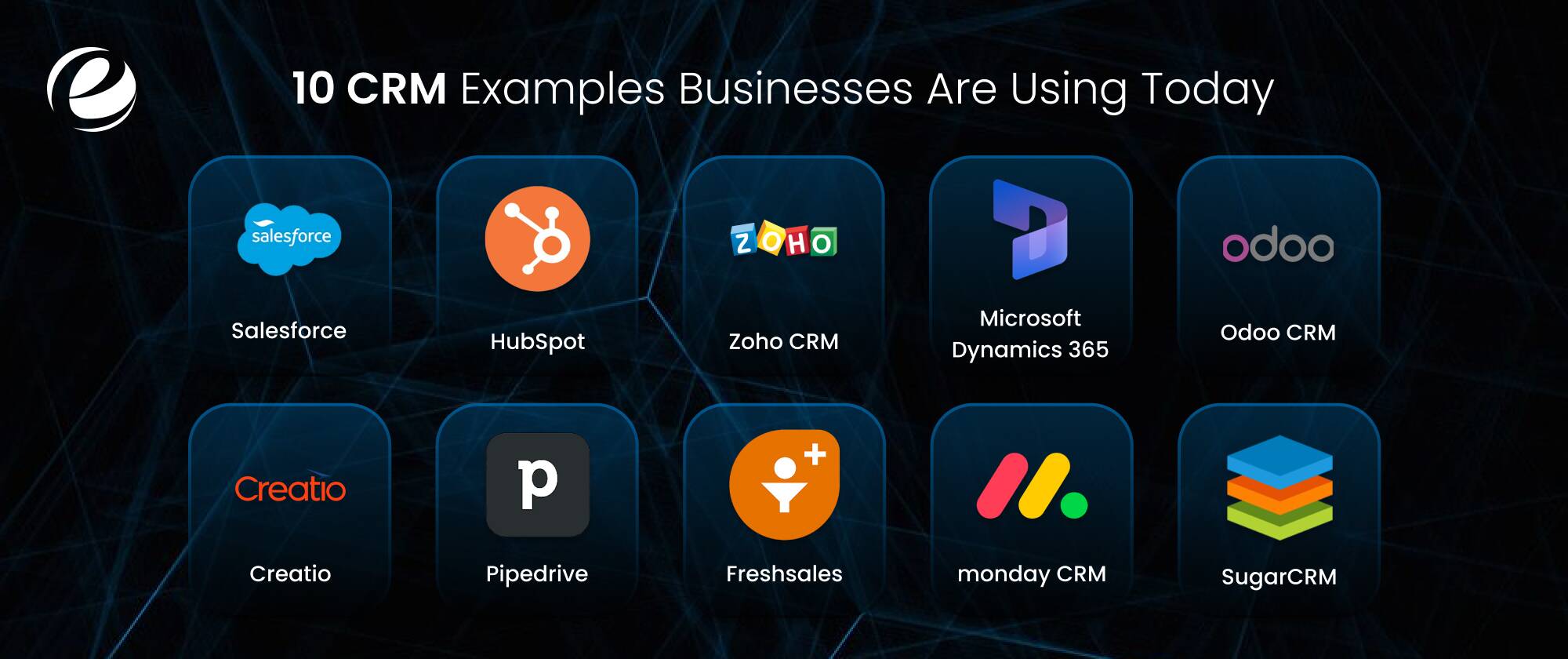
Right, the actual list. These ten CRM examples cover everyone from two-person startups to global enterprises, and they represent the bulk of successful rollouts you’ll see in the wild.
Salesforce
Salesforce is the market leader, and honestly, it earned that. Customer 360 ties sales, service, marketing, and commerce into one platform, Einstein AI handles lead scoring and forecasting, and the AppExchange has an app for basically anything you can think of. Salesforce rewards companies that invest in setting it up properly and punishes ones that wing it. That’s why so many businesses bring in implementation partners. If you’re weighing it, our rundown of the benefits of Salesforce CRM is worth a read first.
Best for: Mid-size to enterprise teams that need serious customization and can commit to it.
HubSpot
HubSpot came out of the inbound marketing world, and it shows, in a good way. The free tier is genuinely useful, not a crippled demo, which is why so many startups begin here. Email sequences, landing pages, a clean visual pipeline, all in one place. My honest take: HubSpot is the easiest of these CRM software examples to actually get your team using. The pricing does climb fast once you outgrow the free plan, though. Go in with eyes open.
Best for: Startups and small businesses that want marketing and sales together without a steep learning curve.
Zoho CRM
Zoho is the value pick of these examples. You get omnichannel communication, workflow automation, and Zia, their AI assistant, for a fraction of what the big names charge. And since Zoho makes about forty other business apps, from accounting to helpdesk, it can quietly become your whole back office.
Best for: Budget-conscious small and mid-size businesses that want a lot for their money.
Microsoft Dynamics 365
If your company already lives in Outlook, Teams, and Excel, Dynamics 365 is the path of least resistance. It blends CRM and ERP, plugs straight into Power BI for reporting, and now includes Copilot features that draft emails and summarize meetings for you. Of all the CRM examples here, this one tends to face the least resistance from employees, precisely because it doesn’t feel like new software to most employees.
Best for: Enterprises deep in the Microsoft ecosystem.
Odoo CRM
Odoo is open source, which changes the math entirely. You start with the CRM module, then bolt on invoicing, inventory, manufacturing, or an online store as needed, all on one database. Developers can get under the hood and change whatever they want. Of all the CRM systems on this list, Odoo gives you the most control without building from zero.
Best for: Growing companies that want modular flexibility and don’t mind a bit of technical work.
Creatio
Creatio’s pitch is no-code, and, unusually, it delivers on that promise. Business users, not developers, can drag and drop their way to custom processes, dashboards, even whole apps. Few CRM software examples handle regulated industries this comfortably. Banks and insurers like it because their workflows are long, regulated, and weird, and Creatio handles weird well.
Best for: Process-heavy industries that want customization without a dev backlog.
Pipedrive
Pipedrive was built by salespeople who were annoyed at existing CRMs, and you can feel it. The pipeline is visual and obvious. The whole product nudges reps toward the next activity, a call, a demo, whatever, instead of drowning them in fields to fill out. It refuses to do everything, and that restraint is exactly why small teams stick with it.
Best for: Small and mid-size sales teams that want clarity, not features.
Freshsales (Freshworks)
Freshsales sits in a nice middle spot. Cleaner than Salesforce, more capable than Pipedrive. Freddy, the built-in AI, scores leads and flags deals that are going sideways, and phone and email are built right in, so reps rarely leave the app. Underrated among current CRM examples, in my opinion.
Best for: Mid-market teams that want AI help without enterprise overhead.
monday CRM
monday CRM grew out of the monday.com project boards, and it inherited their whole vibe: colorful, flexible, easy to rearrange. That makes it a natural fit for agencies and service firms, where a closed deal immediately becomes a project someone must deliver. Deals and delivery, one tool.
Best for: Agencies and service businesses that manage sales and work in tandem.
SugarCRM
Sugar is the quiet veteran of this list. Its time-aware data model tracks how every record changes over time, which makes its predictions smarter than you’d expect. And it still offers on-premise deployment, which almost nobody does anymore. If your legal team has strong views on where data physically resides, that alone puts Sugar on your shortlist.
Best for: Companies with strict data residency needs or a taste for historical analytics.
Real-World CRM Examples by Industry
Lists are fine. Context is better. Here’s how these CRM examples actually get used, department by department, industry by industry. Different industries, same underlying pattern: one shared customer record plus automation beats scattered spreadsheets, everywhere, always.
Sales Use Case: Real Estate
Agencies track every property inquiry, auto-send viewing reminders, and match buyers to listings based on saved preferences. The agent who follows up in five minutes beats the one who follows up in two days, every time. We’ve written a full piece on CRM in the real estate industry if that’s your world.
Marketing Use Case: eCommerce
Online stores wire the CRM into the storefront, segment customers by what they’ve bought, fire off abandoned-cart emails, and personalize recommendations. These CRM implementations tend to pay for themselves in repeat purchases alone. More on that in our guide to CRM for eCommerce.
Customer Service Use Case: Healthcare
Clinics and hospitals use HIPAA-compliant systems for scheduling, automated reminders, and coordinating patient communication across departments. Fewer no-shows, less phone tag. Details in our article on CRM in the healthcare industry.
Operations Use Case: Manufacturing
Manufacturers deal with long B2B sales cycles, distributor networks, quotes, and service contracts. Hook the CRM into the ERP and suddenly sales can see inventory and production timelines in real time. We break it down in CRM for the manufacturing industry.
Key Features Demonstrated Across Top CRM Examples
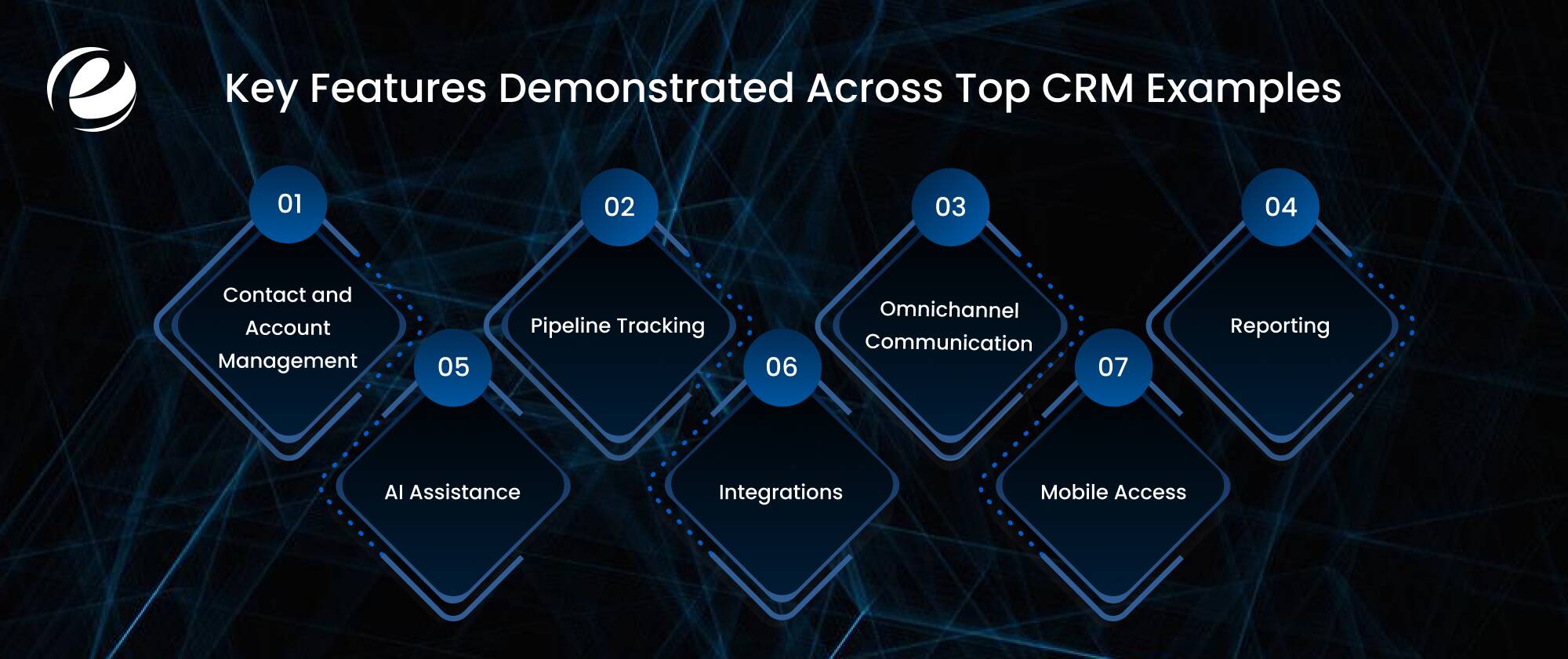
Look across the ten types of CRM systems above, and the same core features keep showing up. Next time a vendor demo gets hand-wavy, or you’re asking yourself what CRM software features actually matter, check against this list:
Contact and account management. One clean record per customer. No duplicates, no mystery entries.
Pipeline tracking. Where’s the revenue, and what’s stuck? Workflow automation. Follow-ups, task creation, record updates. The boring stuff, handled.
Omnichannel communication. Email, calls, chat, and social, all on one timeline.
Reporting. Dashboards that answer questions rather than generate new ones.
AI assistance. Lead scoring and drafting help are table stakes now, not luxuries.
Integrations. It has to talk to your email, calendar, ERP, and store. Non-negotiable.
Mobile access. Field reps live on their phones. The CRM should too.
Off-the-Shelf CRM Examples vs. Custom CRM Examples
Every one of the CRM systems above is off-the-shelf. Pay a subscription and get going in weeks. That’s the right call for most companies, most of the time. But not all of them.
Off-the-shelf CRM Examples
Salesforce and HubSpot offer fast setup, predictable pricing, and a large community when things break. The downside is you bend your process to fit the tool, per-seat fees stack up as you hire, and any workflow the vendor didn’t anticipate becomes an expensive workaround.
Custom CRM Examples
The software is built around your process: a logistics firm’s dispatch-linked pipeline, a lender’s compliance approvals, a franchise group’s multi-brand structure. You own the code. No per-user fees. It integrates with whatever internal systems you have, however old they are. The cost is real, though: bigger upfront spend and months of build time.
How to Choose or Build the Right CRM for Your Organization?
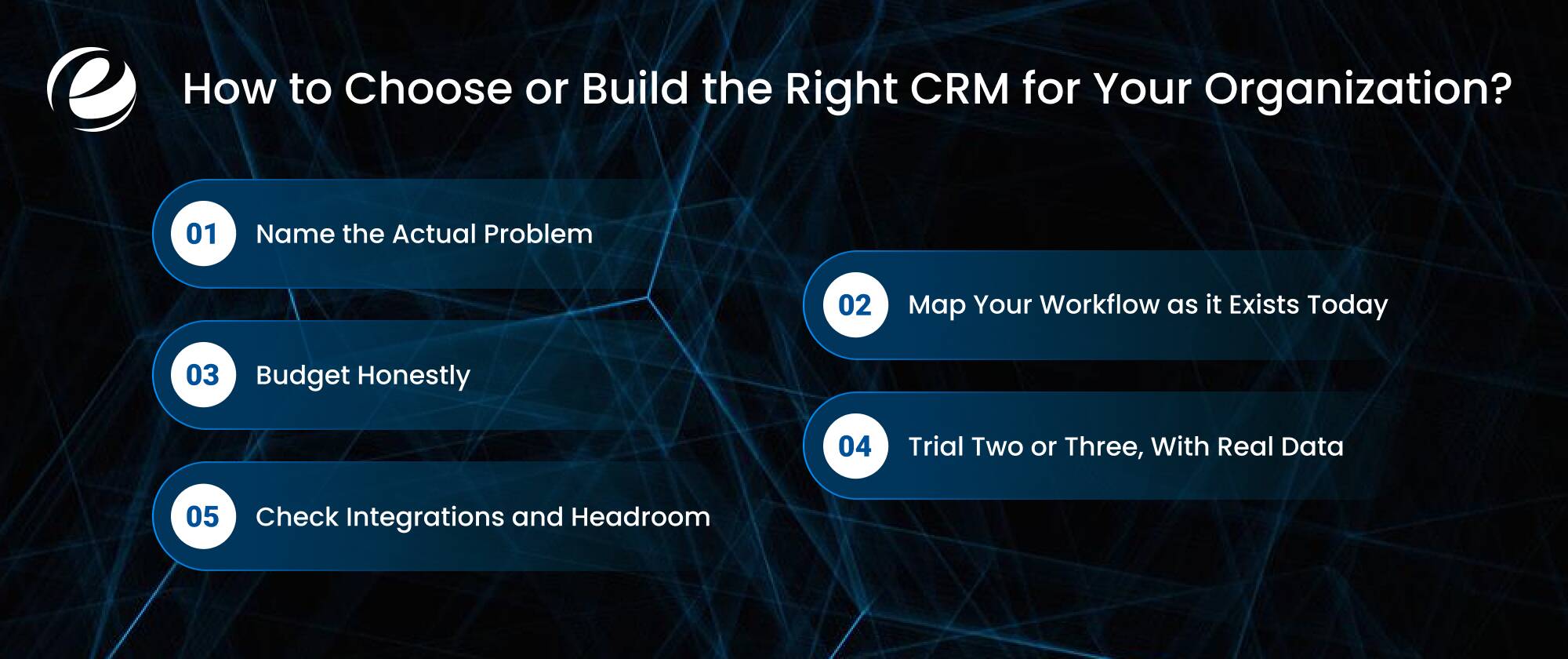
People overcomplicate how to choose a CRM. It’s not a feature shootout; it’s a fit question. Here’s the tiebreaker that matters more than any feature list: which one will your team actually open every morning? That’s really what choosing a CRM comes down to: these six steps:
Name the actual problem. Pipeline visibility? Marketing automation? Support chaos? Your answer points you at one of the three CRM categories before you’ve looked at a single product.
Map your workflow as it exists today. Where do leads come from, where do they stall, who drops the ball? Write it down.
Budget honestly. Licenses are the visible cost. Implementation, migration, training, and integrations are where budgets quietly die.
Trial two or three, with real data. Pick a couple of CRM software examples from this list that match your size and run actual deals through them. Demos lie. Trials don’t.
Check integrations and headroom. It needs to integrate with your current stack and withstand three years of growth. Then, and only then, decide build vs buy.
Why Businesses Partner with Emizentech to Build Their CRM
Emizentech works on both sides of this decision. We help companies implement and customize platforms like Salesforce and Zoho, and we build fully custom CRM systems from scratch when off-the-shelf genuinely doesn’t fit. The team holds Salesforce certifications and has shipped industry-specific builds for real estate, healthcare, eCommerce, and manufacturing.
We’ve handled the unglamorous parts too: messy data migrations, stubborn third-party integrations, and training sessions for teams that swore they’d never give up their spreadsheets.
Our CRM implementations have taken companies from scattered files to a single system where leadership can finally see revenue in real time. If something in this guide sparked an idea, whether that’s configuring a packaged product or scoping a custom build, our consultants can pressure-test the approach before you spend a rupee on it.
Final Verdict
To sum this up, a CRM isn’t optional anymore. It’s the operating system for your customer relationships, full stop. The ten examples of CRM here run the range from Salesforce’s enterprise sprawl to Pipedrive’s stubborn simplicity, and somewhere in that range is a fit for your business.
Figure out your biggest pain point, study the CRM examples closest to your industry, trial your shortlist with real deals, and pick the one your team will actually use. Or build your own if nothing fits. Get that one decision right and everything downstream, every follow-up, every campaign, every renewal, gets easier.
FAQs
What is an example of a CRM system?
For anyone searching for CRM software examples in practice, Salesforce is the most widely cited answer. It stores contacts, tracks deals through pipeline stages, automates follow-ups, and layers AI analytics on top. HubSpot, Zoho CRM, Microsoft Dynamics 365, and Pipedrive are other well-known systems.
What are the 3 types of CRM?
The three types of CRM systems are operational (automating sales, marketing, and service work), analytical (turning customer data into forecasts and insights), and collaborative (sharing customer information across departments).
Which CRM is best for small businesses?
There's no single right answer. HubSpot's free plan is genuinely generous, Zoho gives you the most functionality per dollar, and Pipedrive is the simplest to run a sales pipeline on. It depends on whether your priority is marketing, budget, or pure sales focus.
Can I get a custom CRM built instead of using off-the-shelf software?
If off-the-shelf products don't fit your workflows, a development partner like Emizentech can build a custom CRM around your exact processes, integrations, and compliance requirements. It costs more upfront, but you skip per-user licensing forever and own the whole thing.


 +1 (989) 535-9295
 info@emizentech.com
 emizentech


