
 Add us as a preferred source on Google
Key Takeaways:
- EHR integration connects an electronic health record system to other software so patient data moves between them without retyping.
- Most projects combine four methods: APIs, integration engines, cloud integration platforms, and point-to-point integration. Direct point-to-point links also exist, but they get increasingly difficult to maintain as you add systems. HL7 v2 and FHIR are the standards that define the data format.
- The process has six steps: discovery, planning, design, integration, testing and launch, and support.
- Common challenges include upfront cost, legacy systems with no API, messy data, security risks, and staff who prefer the old way.
- Cost depends on the scope. A single standard HL7 interface costs $10,000 to $20,000, and a single FHIR integration ranges from $15,000 to $30,000. A bidirectional interface with testing costs between $25,000 and $60,000, while a full two-way suite is priced at $50,000 to $80,000. A project across multiple EHRs can cross $150,000.
- Adding AI features raises the scope. Budget for model setup, testing, and ongoing monitoring on top of the integration itself.
- AI can write notes, clean data, and flag risks, but it still needs consent, strong security, and human review.
Patient data rarely sits in one place. It moves across the EHR, labs, imaging centers, pharmacies, billing tools, and other providers’ systems, and hospital staff often re-enter the same details in each one. EHR integration connects these systems so data moves between them automatically. Yet many hospitals still do not exchange this data consistently.
That gap rarely comes from a lack of effort. It comes from legacy software, mismatched data formats, vendor API limits, and HIPAA requirements, all of which make integration harder than simply connecting two systems.
Whether you choose point-to-point interfaces, an integration engine, or an API-based exchange method, your early choice of method affects project cost, upkeep, and risk long after launch.
In this guide, you will explore the main electronic health record integration methods and standards, their benefits, a step-by-step process, common challenges, security and compliance requirements, and costs.
What is EHR Integration?
EHR integration is the process of connecting an Electronic health record system with other third-party software like a billing system, imaging system, laboratory, or patient portal. Up-to-date patient data then flows between the platforms automatically, without manual retyping.
This eliminates manual data entry, supports faster clinical decisions, reduces typing errors, and lowers admin costs, making it a core feature in healthcare app development.
The data that moves between the systems are:
- Patient demographics and insurance details
- Diagnoses, problem lists, and allergies
- Medications and prescriptions
- Lab orders and results
- Imaging orders and reports
- Visit notes and discharge summaries
- Billing codes, charges, and claims
- Vitals from devices and wearables
- AI-generated notes, summaries, and risk scores
- Consent and privacy preferences
How Does AI Fit into EHR Integration
Traditional integration moves data from one system to another. AI in healthcare adds a layer on top. It reads unstructured text, organizes it, and puts it to use while the data moves. Three kinds of AI do most of the work here. They are natural language processing (NLP) that reads notes, machine learning (ML) that finds patterns and predicts risk, and large language models (LLMs) that write and summarize. Check out how AI fits into electronic health record integration.
- Automatic documentation: Ambient AI listens to the doctor and patient conversation, writes the visit notes, and saves them directly into the patient’s record.
- Faster data matching: AI cleans and maps data coming from different systems, even when the formats do not match, so records stay accurate and free of duplicates.
- Early risk alerts: By studying lab results, vitals, and history together, AI can identify a patient who may be at risk before the problem gets serious.
- Smarter billing: AI recommends the right billing codes and catches errors before claims go out, which means fewer denials.
- Quicker summaries: Instead of scrolling through long records, doctors get a short summary of the patient’s history from all connected systems.
- Reading unstructured notes: NLP can pull diagnoses, medications, and allergies out of free-text notes and turn them into structured fields, such as FHIR resources, so other systems can use them.
- Code mapping: AI can suggest matches between local codes and standard ones like SNOMED CT, LOINC, and ICD-10. A person still approves the match.
- Patient matching: ML can score possible duplicate records and send unclear matches to a person.
- Integration monitoring: AI can spot odd message volumes, delays, or missing records before staff notice.
Since AI works with sensitive patient data, it still needs strong security, clear consent, and human review of its suggestions. We follow the same rule in our own builds. On NurseGate, a UK healthcare recruitment platform we built, OCR reads names and dates from uploaded documents and flags anything that does not match the profile. A recruiter still checks every document. The software flags the mismatch, and a person makes the decision.
Types of EHR Systems: Which One Fits Your Practice?
The type of EHR you run decides how challenging integration will be. EHR systems differ in where they are hosted, how many specialties they serve, and how much AI they include. Take a look:
By Hosting: On-Premises vs. Cloud
1. On-Premises EHR System
The on-premises EHR system is installed on the hospital’s own servers and run by its own IT team. The hospital controls everything, including data, security, and customization. That makes it a particularly good fit for large hospitals with strict data rules. But the downside is cost. You pay for hardware, licenses, and IT staff, and you manage all updates and backups yourself.
2. Cloud-Based EHR System
The cloud-based EHR system lives on the vendor’s servers, and you log in through a browser or an app. You only pay a monthly or yearly fee. You do not have to worry about updates. They are automatic, and your team can access records from anywhere.
Additionally, cloud EHRs are also easier to connect to AI services, since many AI tools run in the cloud. Check where the vendor sends data, and sign a BAA before any patient data reaches an AI service.
By Scope: Specialized vs. All-in-one
3. Specialized EHR System
A specialized EHR system is built for one medical field, such as cardiology, pediatrics, oncology, or mental health. It comes with ready-made templates and tools that match how that specialty works, so doctors spend less time on manual entry. But it has one drawback. It is not suitable for hospitals that treat many different specialties.
4. Integrated EHR System
An integrated electronic health record system is an all-in-one platform. It includes patient records, billing, appointment booking, lab results, e-prescriptions, and the patient portal. Staff do not have to enter the same information in multiple places, and doctors get a full patient picture in one view.
By AI: AI-native EHR
5. AI-Native EHR System
An AI-native EHR is built around AI from day one. It can write visit notes from a conversation, suggest billing codes, and warn about possible risks. This cuts paperwork and helps reduce clinician burnout. It still has to connect to the labs, billing, and imaging tools, so integration work does not go away. Before you choose one, check how it protects patient data, how it handles consent, and how accurate its suggestions are.
What are the Common EHR Integration Methods?
There are four common ways to connect to an EHR: APIs, integration engines, cloud integration platforms, and direct point-to-point links that connect two systems with custom code. Most real projects use more than one method. The right choice depends on which systems you connect and what each one supports. Whichever method you choose, decide early where AI will integrate. It can be a separate service that reads data through an API, or it can be part of the integration layer.
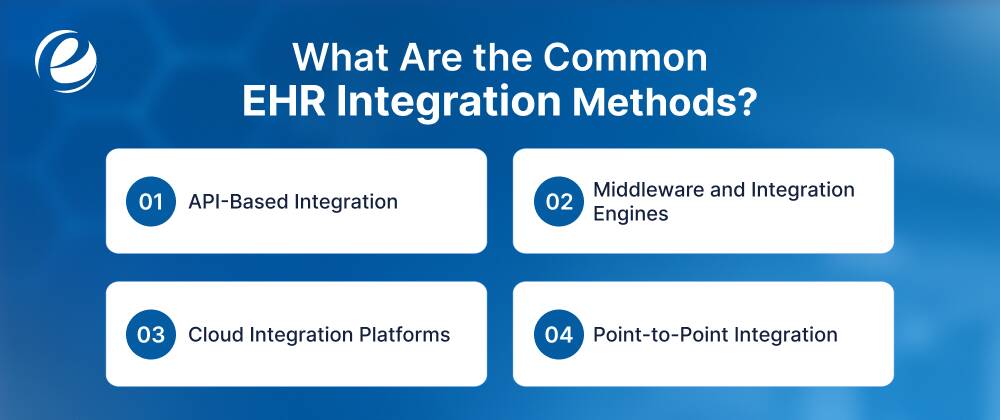
1. API-Based Integration
An API allows your software to request data from the EHR or send data to it over the web. Most modern EHR APIs are built on FHIR. In the US, the ONC Cures Final Act rule requires certified EHRs to offer a standard API based on FHIR Release 4, which is why most major vendors now publish FHIR endpoints.
How it works:
- Your app registers with the EHR vendor.
- The vendor reviews it and issues credentials.
- Your app uses OAuth 2.0 and SMART on FHIR to log in and get permission.
- It then reads or writes data like patients, appointments, observations, and medications.
Good for: Teams building healthcare apps, such as patient apps, telehealth tools, and analytics.
AI use: AI apps, such as note-taking assistants and risk-scoring tools, usually connect through FHIR APIs and SMART on FHIR.
2. Middleware and Integration Engines
An integration engine sits between your systems. It receives data, converts the format, maps the fields, and sends the result to the right place. One engine can handle many connections. Common choices include Mirth Connect, Rhapsody, and Cloverleaf. Cloud options include Azure Health Data Services, AWS HealthLake, and Google Cloud Healthcare API.
An engine is a good fit when you connect more than two systems, need to convert HL7 v2 to FHIR, or want central logging and retry handling for failed messages. Check the license terms before committing, since some engines have changed their licensing recently.
3. Cloud Integration Platforms
An iPaaS is a cloud service that offers ready-made connectors, data mapping, and monitoring for a subscription fee. It starts faster than building your own platform and needs less infrastructure.
Good for: Small and mid-size teams connecting cloud apps.
Watch for: Pricing per connection or message, weaker support for older HL7 v2 setups, and where the vendor stores patient data. You need a BAA before any data moves.
4. Point-to-Point Integration
A direct link connects two systems with custom code. It is quick for one connection. But each new system adds more links to maintain, so it does not scale well.
Good for: One simple connection that will not grow.
What Are the EHR Integration Standards?
The EHR methods describe how systems connect, but standards describe how the data is formatted and named. Using the same format is not enough. Both sides must also use the same codes.
1. HL7 and FHIR Integration
Both standards come from Health Level Seven International.
- HL7 v2 is the older standard. It sends short text messages with fields separated by the pipe symbol. Common message types cover admissions and transfers, orders, and results. Hospitals have used it since the late 1980s, and labs, radiology, and registration systems still depend on it.
- FHIR (Fast Healthcare Interoperability Resources) is the newer standard. It describes data as resources, such as Patient or Observation, and uses everyday web technology like REST and JSON, so most developers can adopt it quickly. Its first draft standard for trial use was published in 2014. Release 4 is the first release with stable parts and is the version required by US rules. Release 5 came out in 2023.
| Factors | HL7 | FHIR |
| Data format | Pipe-delimited messages | Resources in JSON or XML |
| Transport | Usually MLLP over a private network | REST over HTTPS |
| Best for | Labs, admissions, orders, legacy systems | Apps, portals, mobile, analytics |
| First released | Late 1980s | First draft 2014 |
2. Other Standards You May Meet
Neither HL7 nor FHIR replaces the other today. Many hospitals run both, and many projects need a bridge between them. The other standards you may meet are:
- C-CDA: Document format for summary of care records.
- DICOM: Standard for medical images.
- USCDI: The list of data classes that US certified EHRs must be able to share.
- Code sets: SNOMED CT for clinical terms, LOINC for lab tests, RxNorm for drugs, and ICD-10 for diagnoses.
3. Which Standard Should You Use?
- Use FHIR for new apps, portals, mobile tools, and analytics.
- Use HL7 v2 for labs, radiology, admissions, and older systems.
- Use both through an integration engine when you connect old and new systems.
| Situation | Usual Choice |
| New patient app that needs EHR data | FHIR API |
| Labs or radiology feed to an on-premises EHR | HL7 v2 through an integration engine |
| Many systems, mixed formats | Integration engine |
| Cloud apps and a small team | iPaaS |
| Data from multiple hospitals or networks | FHIR API through a health information exchange or network, such as TEFCA, Carequality, or CommonWell |
What Are the Benefits of EHR Integration in Healthcare?
EHR integration saves time, reduces errors, improves patient care, and lowers costs by keeping patient data in sync across every connected system. Let’s take a look at the major benefits.
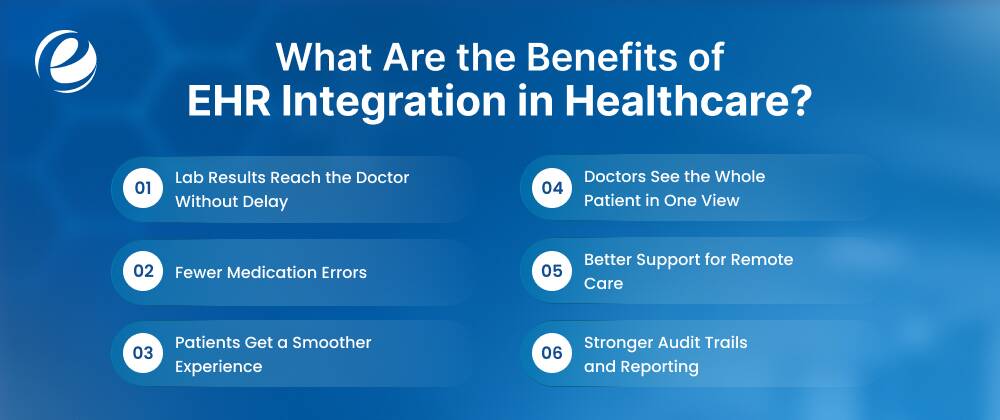
1. Lab Results Reach the Doctor Without Delay
Without integration, a lab result might arrive as a PDF that someone has to open, read, and type into the chart. With EMR/EHR integration, the result appears directly in the patient’s record as soon as the lab finishes.
The doctor sees it on the same screen where they place orders, so they can make treatment decisions faster. With AI on top, the system can also flag abnormal results and prioritize them for the doctor.
2. Fewer Medication Errors
When the EHR is connected to the pharmacy and e-prescribing system, the doctor sees the patient’s full medication list and allergies before prescribing. The system can warn about drug interactions or a known allergy in real time. To keep these alerts useful, set them up carefully, because too many warnings can lead doctors to ignore them.
AI can also use the full medication list, labs, and history to catch risks that simple rule-based alerts miss, and it can cut low-value alerts. Doctors should still review every suggestion.
3. Patients Get a Smoother Experience
When the patient portal connects the EHR with an advanced healthcare CRM, patients can book appointments, view test results, request refills, and message their care team without calling the clinic.
This reduces the call load at the front desk, so staff have more time for patients who need in-person help. AI chat tools can answer simple questions, help with booking, and draft replies to portal messages for staff to approve.
4. Doctors See the Whole Patient in One View
A patient who visits a clinic, gets an X-ray at an imaging center, and is later admitted to a hospital leaves data in three places. Integration brings that history together, so the doctor does not have to depend on the patient to remember past tests and treatments. This matters most in emergencies, when the patient can not explain their history.
5. Better Support for Remote Care
Vitals from wearables and home devices, like glucose monitors and blood pressure cuffs, can flow straight into the patient record. This everyday use of IoT devices in modern healthcare allows a care team to review data regularly and spot a troubling pattern between visits instead of waiting for the next appointment. This works best for patients with chronic conditions.
6. Stronger Audit Trails and Reporting
Quality reports, audits, and public health submissions need data from many places. When systems are connected, that data is easier to pull together than through manual collection. Audit logs also show who accessed or changed a record, which supports compliance efforts. Security and consent controls still need to be set up properly for the integration to be compliant.
Step-by-Step EHR Integration Process
Integrating an EHR into a healthcare system covers discovery, planning, design, integration, testing, launch, and support. Each stage ends with a clear output, so you know when you are ready to move forward. This process is for connecting an EHR you already use to other systems, such as labs, billing, imaging, and patient portals. Let’s walk through EHR integration steps.
1. Discovery
Start by finding out what your systems can actually exchange. Contact doctors, nurses, front desk staff, billing, lab staff, IT, and compliance, and ask:
- Which systems must connect?
- Which data must move, and in which direction?
- How many patients and messages do you handle each day?
- Where do your staff lose the most time today?
Turn every answer into a goal you can test. For example, “a lab result appears in the patient chart within five minutes” works, but “results should be fast” does not.
Then look at the systems themselves. Note your EHR vendor, version, and hosting. Check whether each system offers an API, HL7 messages, or only file export that includes labs, billing, wearables, and other IoT devices. Scan your records for duplicate patients, empty fields, and local codes.
For example, if your lab system can only export files, you will learn this now, before planning a real-time connection, so you know it cannot support that. Take your goals and your system list into planning.
Output: A ranked list of testable goals, a list of your systems with the gaps marked, and a first choice of tools. Take all three into planning.
2. Planning
Turn those goals into a plan your team can follow. Choose one use case to build first, such as sending lab results to the patient portal. Add the next one after the first works.
Then fill in the plan:
- Name the team that includes a project manager, developers, a tester, a clinical lead, a security lead, and a contact at the EHR vendor.
- Set the schedule. A single HL7 interface takes 3 to 6 weeks, and a single FHIR integration takes 4 to 8 weeks. A two-way interface takes 6 to 14 weeks, a full two-way suite takes 3 to 6 months, and a multi-EHR project takes 5 to 9 months.
- List what you will deliver, like the mapping sheet, connectors, test reports, documents, and training.
- Set a budget for the development, vendor fees, hosting, and yearly support.
In our case study, integrations affected the timeline more than the number of screens. The Osmangazi Göz platform took 14 weeks, and NurseGate took 18 weeks, and in both, each third-party connection (messaging, SMS, OCR, calendar sync) needed its own testing. These were full platform builds, not single interfaces.
Add extra time for the EHR vendor’s review. It often takes longer than development. For example, if the vendor needs six weeks to approve access, show that wait in your schedule instead of hiding it. Once everyone agrees on the plan and on what “done” means, developers can start designing.
Output: A written project plan, a budget, and acceptance criteria everyone agrees on. Developers now know what to design.
3. Design
Now developers decide how your data will move and how it will be protected. Start with the integration type. Modern systems usually share data through FHIR, while older ones send HL7 messages, and some can only swap files. These EHR integration standards decide how the data looks on both sides, so choose them with care.
Then finalize the details:
- Decide who sends data and when: on request, or when something changes.
- Choose real-time or batch processing.
- Decide what happens when a message fails, including how many retries and who gets the alert.
- Build the mapping sheet for every field, including where it comes from, where it goes, and its format.
- Write patient matching rules. Name and birth date alone are not enough.
- Decide what your system stores and for how long.
For example, the date 03/11/1990 can mean 3 November or 11 March, so the mapping sheet fixes one format for every system. Before any data moves, sign a business associate agreement (BAA) with any vendor that creates, receives, maintains, or transmits PHI. In the US, HIPAA requires it. With the design signed off, developers know exactly what to build.
Output: A design document, a signed-off mapping sheet, and a security and data plan. Developers now know exactly what to integrate.
4. Integration
Developers now integrate your EHR into the other healthcare system. First, choose your technology stack. Ready-made EHR integration solutions, such as integration engines and cloud platforms, start faster and cover common tasks, though they cost license fees.
Custom interfaces suit systems with no modern interface or an unusual workflow. They give you more control, but your team has to maintain them. Then integrate in this order:
- Ask each vendor for test accounts and login details on day one. Waiting on these causes many delays.
- Follow the mapping sheet for every field.
- Add one data type at a time, starting with the most valuable.
- Log every message so you can see what went through and what failed.
- Plan for failures, such as bad data, an offline system, or an expired login.
- Realistic but de-identified or synthetic test data
For example, if a lab result arrives before the patient record exists, the connector should hold the result and try again, not drop it. When the connectors work in the test setup, hand them to your testers.
Output: Working connectors in a test setup, with message logs and error handling in place.
5. Testing and Launch
Now, test the integrations the way your hospital staff will really use them. Check that every field lands in the right place, that the system stays fast in your busiest hour, and that only the right people see the data. Also, ask doctors, nurses, and front desk staff to try it and tell you if it fits their work.
Additionally, use messy, realistic examples, such as duplicate patients and missing details. Clean sample data hides problems that show up on day one. After every fix, run the earlier tests again, because a fix can break something that worked. Then launch in phases. Start with one clinic or department. Before launch, get these ready:
- A plan for moving data
- A rollback plan
- Live login details
- The EHR vendor’s approval
- Fresh backups
Now, train your hospital staff on what changes in their day, and collect the design documents, mapping sheet, and a guide for fixing common problems in one place.
For example, a pilot in one clinic can show that nurses need results on a different screen before every clinic runs into the same issue. Once the first clinic runs smoothly, you roll out further and move into support.
Output: A live integration, test reports, trained staff, and clear documents.
6. Maintenance and Support
The last stage is maintenance and support. On the day it goes live, start monitoring the integration. Track how many messages fail, how long they take to arrive, and how many wait in the queue. Also compare record counts between systems on a schedule, because a system can lose messages without showing any error. Set an alert on each one.
Most EHR integration challenges after launch come from small changes:
- The vendor updates its software or an API
- A login or certificate expires
- A new code appears that the mapping sheet does not cover
- Someone renames a field
When this happens, developers fix the problem, test it, and release it the same careful way they did at launch. For example, an alert about an expiring certificate on Friday gives them time to fix it before Monday’s clinic opens.
Review each connection at least once a year. When you add a new system, go back to discovery and run the same process again.
Output: A monitoring dashboard, a maintenance and support process, and a yearly review.
What Are the Biggest EHR Integration Challenges and How to Solve Them?
Integrating an EHR with standalone systems and adding AI to the mix brings both administrative and technical challenges. These challenges include high upfront costs, legacy systems without modern interfaces, privacy and security risks, and staff accustomed to old workflows. Below are some of the common challenges along with their potential solutions.
1. High Upfront Costs
Integration costs money before it saves any. A single FHIR integration to one EHR often runs $15,000 to $30,000, and a full two-way build for one EHR runs $50,000 to $80,000.
How to fix it:
Start with one high-value use case, such as lab results to the portal, and add the next only after it works. See the full cost breakdown below. You can look at the cloud-based integration method with tiered pricing or an open-source engine instead of building everything from scratch. If you integrate AI, start with one small use case, such as note summaries, and measure the result before you expand it.
2. Legacy Systems with No Modern Interface
Some older systems have no API. They may only export files or send HL7 v2 messages with local changes. Two HL7 v2 feeds can look different even when both follow the standard.
How to fix it:
Build a custom connector that works within what the system offers. Use an integration engine to clean the data and convert it to FHIR. Ask for sample messages from the live system and write down every local change.
3. Inconsistent Data Formats and Codes
Each system names and stores the same data in its own way. One writes BP, and another writes blood pressure. One uses ICD-10, and another uses a local code. The same patient can also appear twice, once as Bob and once as Robert.
How to fix it:
Use HL7 and FHIR. They also make later integrations easier. Agree on code sets in the design step and map every field. Match patients on more than just name and birth date, and send unclear matches to a person. Test with realistic, de-identified examples, not clean sample data.
4. Privacy and Security Risks
Data now moves across more networks and more companies, and HIPAA adds duties for access, logs, and breach reports.
How to fix it:
Give each user and system only the access they need. Encrypt data in transit and at rest. Use secure transfer protocols and keep audit logs. Meet HIPAA, HITECH, and, where it applies, GDPR.
5. Staff Used to Old Workflows
Teams that work by fax, email, and phone calls may not trust automated data. Even a good integration fails if it adds clicks to a busy day or sends too many alerts.
How to fix it:
Involve doctors and nurses from the discovery step. Show them screens early. Train staff before launch. Name a small change team that answers questions and collects feedback. Keep alerts few.
EHR Integration Security and Compliance
EHR data is protected health information, so build security into the design from day one. In the US, the HIPAA Security Rule requires safeguards for the confidentiality, integrity, and availability of electronic PHI.
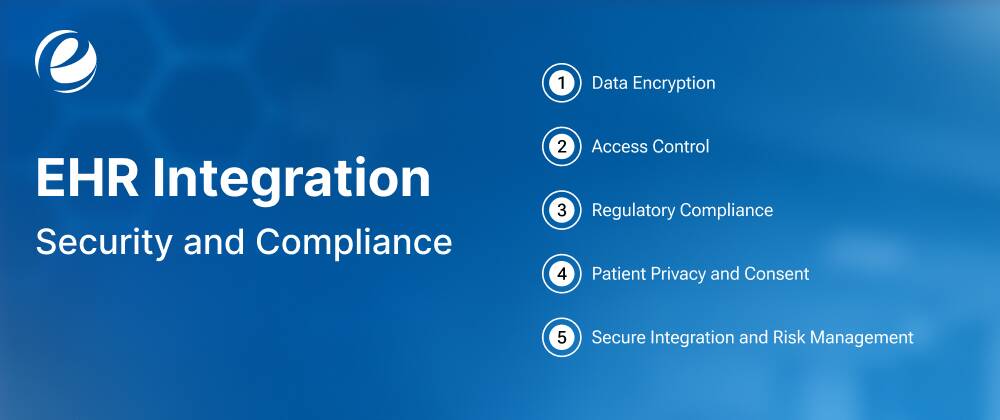
1. Data Encryption
Patient data moves between your EHR and other systems, so protect it at every stage. Encrypt data in transit and at rest, including databases and backups. This ensures that even if data is stolen, it cannot be read without the appropriate decryption keys.
Regularly review and update encryption practices to prevent unauthorized access, reduce the risk of data breaches, and support HIPAA compliance.
2. Access Control
Give each person access only to the records their tasks need. A billing clerk does not need to see clinical notes, and a nurse does not need to see payment details. Add a second step at login, such as a code sent to a phone, so a stolen password is not enough. Keep a log of who opened or changed each record and when. If something looks wrong, you can trace it quickly.
3. Regulatory Compliance
Any electronic health record integration must follow the laws that apply to the region it serves.
- HIPAA protects patient health information in the US.
- GDPR protects the data of people in the EU.
- The HITECH Act sets the rules for reporting a data breach.
Sign a business associate agreement (BAA) with every vendor that handles patient data. It spells out what each side must do to protect that data.
4. Patient Privacy and Consent
Patients have the right to know how their data is used and shared. Integrations should capture explicit consent, honor opt-outs, and support data minimization (sharing only what’s necessary). Techniques like de-identification and anonymization protect privacy when data is used for analytics or research.
5. Secure Integration and Risk Management
Standards like HL7 and FHIR help systems share data in a consistent, safe way. Even so, every new connection gives attackers one more place to try. Reduce the risk with these habits:
- Vulnerability scanning for weak spots on a regular schedule.
- Penetration testing before real attackers do.
- Put an API gateway in place to filter bad requests.
- Write an incident response plan, so your team knows what to do on the day something goes wrong.
How Much Does EHR Integration Cost?
The EHR integration cost ranges from $10,000 to $150,000 or more, depending on the number of systems integrated, which standards to use, and whether the data moves one way or both. These are rough estimates based on typical project scopes. Actual quotes vary by vendor, region, and EHR. The ranges below cover integration only. AI features add to the scope.
| Integration Scope | Estimated Costs | Estimated Timeline |
| Single standard HL7 interface | $10,000 to $20,000 | 3 to 6 weeks |
| Single FHIR integration | $15,000 to $30,000 | 4 to 8 weeks |
| Bidirectional interface with testing | $25,000 to $60,000 | 6 to 14 weeks |
| Full two-way suite (FHIR plus HL7 v2 via middleware) | $50,000 to $80,000 | 3 to 6 months |
| Multi-EHR integration | $100,000 to $150,000+ | 5 to 9 months |
| AI add-ons like note summaries, data mapping, or risk scoring on top of an integration | $15,000 to $75,000+ (on top of base integration) | 4 to 12 weeks |
These figures cover integration only. A new patient app or portal on top of it has its own budget, which we break down in our healthcare app development cost guide.
Factors That Drive the Cost of EHR Integration
The cost of integrating an electronic health records system into healthcare depends more on scope than anything else. Here are the crucial factors.
- Deployment model (cloud vs. on-premises)
Cloud-based models reduce upfront hardware costs and bundle updates, but they add ongoing subscription fees and cloud hosting costs. On-premises systems require significant initial investment in physical server hardware, networking equipment, and dedicated IT infrastructure setup.
- Integration scope and complexity
The number of systems you connect, the types of data exchanged (demographics, labs, medications, imaging, billing), and whether data moves one way or both. Real-time, bidirectional exchange costs far more than a read-only feed.
- Interface Approach (Custom vs. Standard)
Standard pre-built APIs and templates using HL7 or FHIR R4/R5 standards cost less and deploy faster. Custom-built point-to-point integrations need engineering from scratch, driving up development, testing, validation, and maintenance expenses.
- EHR vendor and API availability
Epic, Oracle Health (formerly Cerner), athenahealth, and others differ in API maturity, developer program fees, and approval timelines. FHIR-ready vendors are cheaper to integrate than those with legacy or proprietary interfaces.
- AI features and model approach
A ready-made AI service costs less to start than a custom model. A custom model needs training data, clinical testing, and ongoing review. Costs rise with the number of AI use cases and the amount of clinical validation required, whether the AI runs in your environment or at a vendor.
- Ongoing maintenance and support
API version updates, monitoring, bug fixes, and compliance changes typically run 15–20% of the initial development cost each year. The yearly running-cost budget also includes hosting, monitoring, vendor API fees, and support.

Conclusion
EHR integration enables hospitals, labs, pharmacies, and billing teams to work from the same patient data. Clinicians spend less time hunting for records, staff stop re-entering the same details, and fewer medication and test errors slip through. For most providers today, it is a basic requirement for running efficiently.
AI raises the value of that connected data. Once systems share records cleanly, AI can write notes, match records, flag risks, and speed up billing. Without the integration, it has little to work with.
The real challenges are legacy systems that do not support HL7 or FHIR, inconsistent data formats across vendors, strict HIPAA-compliant app requirements, and rising costs.
So, if you are planning to integrate an EHR into a healthcare system and want an experienced and certified partner, Emizentech can help. Our team integrates secure, compliant, and scalable EHR solutions that align with your business requirements. Book a free consultation with us, and we will help you plan your next step.
FAQs
How much does EHR integration cost?
The cost to integrate an EHR system ranges between $10,000 and $150,000, depending on the customizations, integration methods, number of clinical endpoints, and data migration.
How long does it take to integrate an EHR system?
A single HL7 or FHIR interface can take 3 to 8 weeks. A full two-way build takes 3 to 6 months, and a multi-EHR project can take 5 to 9 months.
Can different EHR systems share patient data with each other?
Yes, but it depends on the systems. Many share data through HL7 v2, FHIR, and C-CDA documents. In the US, networks and frameworks such as Carequality, CommonWell, and TEFCA let providers on different EHRs exchange records across organizations. Both sides still need agreed code sets and patient matching rules.
What is the difference between HL7 and FHIR in EHR integration?
HL7 v2 is an older standard that sends pipe-delimited text messages, mostly for labs, admissions, and orders. FHIR is newer and uses REST and JSON, so it suits apps, portals, and mobile tools.
What are the main benefits of integrating the EHR system?
It gets lab results to doctors faster, reduces medication errors, and gives clinicians a full view of each patient. It also lets patients book appointments and view results through a portal, supports remote care with data from wearables, and makes audits and reporting easier.
How do you integrate an EHR system with a healthcare application?
First, choose the method your EHR supports, usually a FHIR API or HL7 v2 for older systems. Register the app with the EHR vendor, set up secure login with OAuth 2.0 and SMART on FHIR, and map the data fields. Then test with real examples and go live in phases.
What is the difference between EHR integration and interoperability?
Interoperability is the ability of systems to exchange and use data. EHR integration is the work of connecting specific systems so they can do that. Integration is how you reach interoperability in your own setup.
What are the steps in the EHR implementation process?
The EHR implementation steps include a series of structured phases to ensure the successful planning, deployment, integration, and adoption of the Electronic Health Record (EHR) system. The major steps involved in EHR implementation are as follows:
- Planning and Assessment
- Vendor Selection
- Workflow Analysis and Design
- System Configuration and Customization
- Data Migration
- System Integration
- Testing and Validation
- Staff Training
- Launch Preparation
- EHR Launch
- Post-Implementation Support
- Monitoring and Continuous Improvement
How do you keep the EHR systems secure and HIPAA-compliant?
Encrypt data in transit and at rest, and use role-based access control with multi-factor authentication. Keep audit logs, sign a business associate agreement (BAA) with every vendor that handles patient data, and run regular security tests. If you serve patients in the EU, GDPR applies too.
Which standards and methods are used for EHR integration?
The main methods are APIs, integration platforms (middleware), and cloud integration platforms. HL7 v2 and FHIR define the data format. HL7 v2 is common in labs and hospital systems, while FHIR suits apps, portals, and mobile tools. Many projects use more than one method, depending on which systems they connect.
What are the biggest challenges of integrating the EHR system?
The challenges of integrating the EHR system are:
- High upfront costs before any savings appear
- Legacy systems with no API or modern interface
- Inconsistent data formats and codes across vendors
- Security and privacy risks from added connections
- Staff resistance to new workflows
Why is Electronic Health Record integration important for hospitals and clinics?
It keeps patient data consistent across every connected system. It cuts manual data entry and the errors that come with it, helps doctors make faster, better-informed decisions, and lowers administrative workload and costs.
What data can be shared through EHR integration?
Connected systems can share patient demographics and insurance details, diagnoses, allergies, and medications. They can also exchange lab orders and results, imaging orders and reports, visit notes and discharge summaries, billing codes and claims, and vitals from devices and wearables.
What is the difference between on-premises and cloud-based EHR systems?
An on-premises EHR is installed on the hospital’s own servers. It gives full control over data and customization, but it comes with higher hardware, licensing, and IT costs, so it suits large hospitals with strict data rules. A cloud-based EHR is hosted by the vendor and charged as a monthly or yearly fee, with automatic updates. It needs a stable internet connection and a vendor you can trust with your data.
How does AI improve EHR integration?
AI can write visit notes from doctor-patient conversations, clean and map data from different systems, and flag at-risk patients early by studying labs, vitals, and history together. It can also suggest billing codes and catch claim errors before submission. Because it works with sensitive patient data, it still needs strong security, patient consent, and human review of its suggestions.
What are the ongoing costs of maintaining an Electronic Health Records integration?
Maintenance typically costs 15-20% of the initial development cost each year. This covers API version updates, monitoring, bug fixes, hosting, vendor API fees, and support. Compliance changes can add to the yearly budget as well.



 +1 (989) 535-9295
 info@emizentech.com
 emizentech


