 Add us as a preferred source on Google
Yoga app development means building a mobile or web app where users can take yoga classes, follow meditation sessions, get routines that suit their level, track their progress, book sessions, and use other wellness features. Studios and individual instructors are the usual builders, but some businesses go bigger and create marketplaces with many providers under one roof.
Yoga on a phone has clearly found its audience. More than 50,000 people have downloaded the WHO mYoga app, which shows how many want to practice without leaving home. The World Health Organization built it together with the Government of India, and users get yoga video and audio sessions right on their smartphones.
This guide will show you how to create a yoga app in 2026. It discusses app types, must-have features, AI and wearable integrations, tech choices, development steps, monetization models, costs, challenges, and what the business gets out of it.
Why Yoga App Development Is Worth Considering in 2026
The yoga market is large, still growing, and shifting online fast. The numbers that matter most for building an app are growing even faster than the industry as a collective.
The Yoga Market Is Big and Still Growing
- Global yoga market: $119.1 billion in 2024, headed toward $288 billion by 2034 (9.2% growth per year)
- This is the whole yoga industry: studios, classes, apparel; not the app market alone
- Online and app-based yoga is one of the reasons this growth keeps climbing
The World Health Organization estimates 300 million people practice yoga worldwide. That’s the audience pool before anyone even asks if people would pay for an app.
Yoga and Meditation Go Together
Most “yoga apps” end up adding meditation content within a year. The data explains why:
- 16.9% of U.S. adults practiced yoga in 2022
- Of those, 57.4% included meditation in their practice
- 80% practiced yoga for overall health
- 28.8% practiced it specifically to manage pain
The App Market Is Growing Faster Than the Industry
Two smaller numbers matter more here than the $288 billion headline figure:
| Market | 2025 Value | Projected 2033 | Annual Growth |
| Meditation apps | $2.2B | $7B | 14.7% |
| Fitness apps | $12.1B | $33.6B | 13.4% |
Both are outpacing the broader yoga and wellness industry. That gap is the real signal for anyone building software, not the industry-wide number.
Online yoga app development interest is increasing right alongside it. Businesses exploring wellness app development are entering a market that rewards early, focused products over late, feature-heavy ones.
Types of Yoga Apps: Studio, Aggregator, and Specialized Models
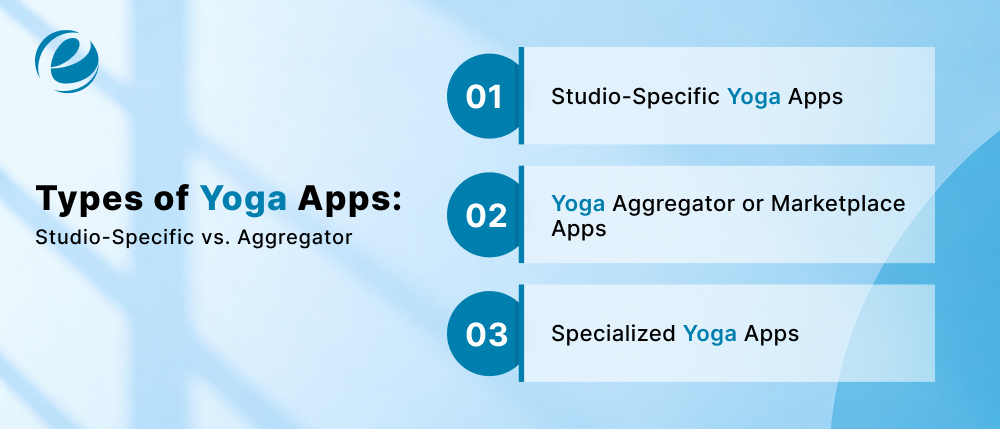
Once the market case is settled, the next decision matters more than any feature list: what kind of app is actually being built? This choice shapes everything about how a team decides to create a yoga app, from the feature list all the way down to the budget. Most yoga apps fall into one of two structural categories, and picking the wrong one early often causes expensive rework later.
Studio-Specific Yoga Apps
A studio-specific app belongs to one business. It handles class schedules, memberships, instructor profiles, online classes, bookings, payments, and basic customer management, all built around a single brand. These apps work well for studios that already have a loyal client base and want to give them a more convenient way to book and pay or to offer on-demand video for clients who can’t always make it in person.
Yoga Aggregator or Marketplace Apps
An aggregator app has an entirely different structure. Instead of one studio, it connects multiple instructors or studios with a shared pool of users. That means class discovery, search and filtering, instructor profiles and reviews, booking across multiple providers, and some kind of commission or revenue-sharing setup on the backend. Down Dog, Insight Timer, and similar apps operate closer to this model, even when they also produce some of their content.
Specialized Yoga Apps
Layered on top of either model, many successful apps figure out a specific niche instead of trying to serve every kind of yoga practitioner. Common examples include apps built for beginners (worth a look at Best Apps for Beginners for a sense of what usually works in that category), prenatal yoga, seniors, flexibility-focused practice, stress management, or a combined yoga-and-meditation format. None of these are separate app types on their own. They’re content strategies that exist inside a studio or aggregator model, and picking one early helps focus the feature list and the marketing.
Studio App vs. Aggregator App at a Glance
| Factor | Studio-Specific App | Aggregator App |
| Content source | One studio or brand | Multiple instructors/studios |
| Users | Existing studio clients | Broader, unaffiliated audience |
| Booking | Single-provider scheduling | Cross-provider discovery and booking |
| Revenue model | Memberships, class packages | Commission, marketplace fees, subscriptions |
| Development complexity | Lower | Higher |
| Scalability | Limited to one brand’s reach | Scales with instructor/studio supply |
For a business already running a physical studio, the choice usually comes down to how much they want to expand beyond their existing walls. A studio-specific app fits a business that wants to serve current members better. An aggregator model fits a business trying to build something bigger than one location, closer to on-demand app development than a typical single-brand fitness app.
Popular Yoga and Meditation Apps Worth Studying
Rather than list five apps and call it research, it’s more useful to look at what each one actually got right, because those choices explain a lot about what works in this market.
| App | Primary Focus | What Stands Out |
| Down Dog | Yoga, multiple styles | Generates a new class sequence every session instead of reusing fixed videos |
| Asana Rebel | Yoga + fitness hybrid | Combines yoga with HIIT-style training for a broader fitness audience |
| Insight Timer | Meditation + free yoga content | Massive free library paired with a paid instructor marketplace |
| Calm | Meditation, sleep content | Polished, subscription-first content with strong production value |
| Headspace | Meditation, mindfulness | Subscription model plus enterprise deals sold directly to employers |
A few patterns show up across the five apps in the table above. Onboarding is short and goal-based instead of a long signup form. Personalization shows up early, not buried three menus deep. Content is organized around outcomes people actually search for, like “reduce stress” or “improve flexibility,” rather than generic categories. And two of the five (Insight Timer and Headspace) built real monetization strength by mixing free content with a paid tier, rather than gating everything behind a paywall on day one.
That last point matters more than it sounds. A studio or instructor exploring meditation app development alongside a yoga product should look closely at how Insight Timer and Calm structure their free-to-paid transition, since it’s a big part of why both apps built such large, loyal user bases.
How a Yoga Mobile App Works
Before getting into features and architecture, it helps to walk through what actually happens when someone opens a yoga app for the first time. This is the day-to-day experience, separate from anything about how the app gets built.
The typical user path looks like this: sign up, set goals, select preferences, browse yoga or meditation content, choose a session, watch or book it, practice, track progress, get a reminder for next time, and come back.
From the User’s Side
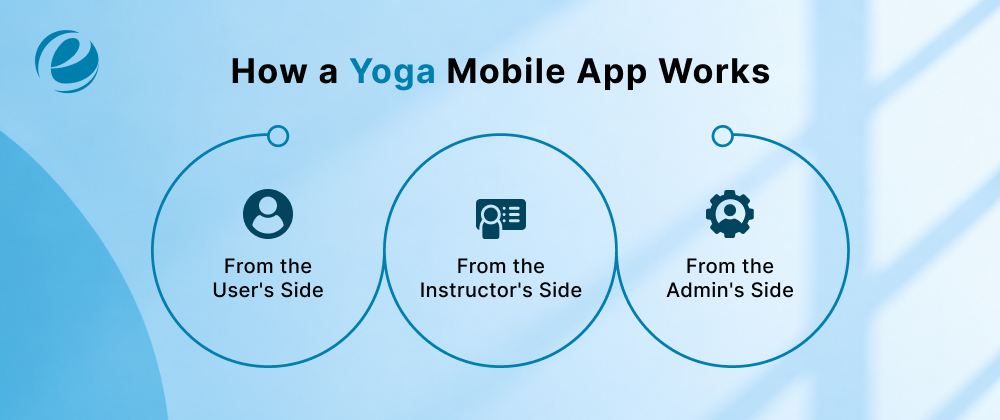
Someone downloads the app, creates a profile, and answers a few onboarding questions about their goals and experience level. From there, they browse content or search for something specific, book a live class or start an on-demand video, pay if it’s a premium session, and see their progress logged once the class ends. Reminders bring them back for the next session.
From the Instructor’s Side
On an aggregator app, instructors build their own profile, upload or schedule content, manage their calendar, track which students booked which sessions, and check their earnings dashboard. Usually, a studio-specific app makes the process much easier because there is no marketplace layer to manage.
From the Admin’s Side
Whoever runs the platform requires visibility into all of it: managing user and instructor accounts, moderating content, tracking payments and subscriptions, and pulling analytics and reports to see what’s actually working.
The reminder-and-return loop mentioned above is worth studying closely, since it’s the difference between an app someone opens once and one they keep coming back to. Apps Like Finch are a good example of how far simple habit-building mechanics can carry retention, even without any yoga or fitness content behind them at all.
Must-Have Features for a Yoga App
With the user journey clear, the next step is translating it into an actual feature list. Whether the plan is a simple yoga mobile app for one studio or a full instructor marketplace, this section covers the essentials of solid health and fitness app development, meaning what a first version genuinely requires, not everything a yoga app could theoretically include.
User Features
- Sign up and log in (email or social)
- User profile with goals and experience level
- Goal-based onboarding
- Yoga and meditation content library
- Search and filters (by style, duration, difficulty, instructor)
- Video and audio classes
- Personalized plan recommendations
- Progress tracking
- Reminders and notifications
- Favorites/saved sessions
- Ratings and reviews
- Class booking (for live sessions)
- Subscription and payment handling
Instructor Features
These matter most for marketplace-style yoga instructor app development, where instructors are core users of the product, not just a source of content.
- Instructor profile and credentials
- Class creation tools
- Video upload
- Schedule management
- Live class hosting
- Student management
- Earnings dashboard
Admin Features
- Central admin dashboard
- User management
- Instructor management
- Content management and moderation
- Payment and subscription management
- Analytics and reporting
A lot of this overlaps with what’s needed for broader fitness app development projects, particularly the profile, progress tracking, and payment pieces. The difference in a yoga app shows up in the content structure and personalization logic, which is where most of the real product decisions get made.
Advanced Features and AI in 2026
Core features get people through the door, but advanced ones decide whether they come back next week. In 2026, AI sits at the center of that, and the most useful parts are the quiet ones.
AI-Powered Yoga Features
Routines built around a user’s goals and practice history are the baseline now. Camera-based pose analysis goes further with real-time alignment feedback, and adaptive plans change as the user improves. On-device AI helps here, since models run on the phone itself, which cuts delay and keeps home camera footage off remote servers. Pose detection still doesn’t replace a qualified instructor and isn’t medical advice, so the app should say so clearly.
Wearable and Health Integrations
Heart rate, sleep, and workout data work best when they shape the session, like suggesting a gentler class after a rough night. Grand View Research names wearables as the fastest-growing device category in its fitness app forecast, so Apple Health and Health Connect support is now expected.
Live and Interactive Features
Two-way video and group sessions make an app feel like a real class instead of a video library. Streaming reliably under heavy load is hard engineering work, which is where live streaming app development experience matters.
Engagement Features
Streaks, challenges, smart reminders, offline access, and multi-language support keep the habit alive after the download excitement fades. Many of these overlap with mental health app development, especially around habit building.
Custom Yoga App Development vs. No-Code Platforms
Not every yoga app needs to be built from the foundation, and assuming otherwise wastes many people’s budgets. This decision belongs early in the planning process, before any feature gets designed in detail.
Custom Yoga App Development
A custom build offers full control over UI/UX, unlimited scalability, the opportunity for advanced integrations and AI, and the flexibility to support complex business models like a multi-instructor marketplace. The alternative is a longer time frame and a larger initial investment.
No-Code and Low-Code Platforms
No-code platforms get a product live faster, with a lower initial cost and less development effort. The catch is real limits on customization, fewer integration options, and scalability that eventually runs into a limit once the user base grows beyond what the platform was designed for.
Which Approach Fits Your Business?
| Factor | Custom Development | No-Code Platform |
| Upfront cost | Higher | Lower |
| Time to launch | Longer | Faster |
| Customization | Full control | Limited |
| Scalability | Built for growth | Caps out eventually |
| Integrations | Unlimited | Platform-dependent |
| Best for | Long-term commercial platforms | Testing an idea with a smaller audience |
A solo instructor is usually better working on a no-code platform to validate whether people will actually pay for their content, which is a common starting point for yoga instructor app development. A business planning a multi-instructor marketplace, AI features, or long-term scale should go custom from the start, since rebuilding a no-code app into a custom one later almost always costs more than starting right. Anyone considering this decision seriously should talk it through with a team experienced in mobile app development before committing either way.
Tech Stack for Yoga App Development
If custom development is the right choice, the next practical question is what to actually build it with. The specific tools matter less than understanding what each layer of the app needs to do.
| Layer | What It Handles | Common Options |
| Mobile app | User-facing experience | Native (Swift/Kotlin) or cross-platform (React Native, Flutter) |
| Backend | Business logic, APIs | Node.js, Python, PHP, Java |
| Database | User data, content, progress | PostgreSQL, MySQL, MongoDB |
| Video | Live and on-demand class delivery | Cloud video and streaming infrastructure |
| AI/computer vision | Pose detection, personalization | Machine learning and computer vision frameworks |
| Payments | Subscriptions, one-time purchases | Payment gateways plus app-store billing rules |
| Cloud | Hosting, storage, scalability | AWS, Google Cloud, Azure |
| Notifications | Reminders, engagement | Firebase, APNs |
| Health integrations | Wearable and fitness data | HealthKit, Health Connect |
| Analytics | Usage and retention tracking | Product analytics tools |
Android and iOS Considerations
Native development, which means a separate codebase for Android App Development, usually gives better performance for camera-heavy features like pose detection, but it costs more and takes longer.
The same logic applies on the other side for iOS App Development. Cross-platform frameworks work well for most standard features and allow a smaller team to maintain one codebase for both platforms, so going fully native is really only worth it once AI and camera features become central to the product.
Step-by-Step: How to Build a Yoga App
Most successful yoga apps follow the same process from idea to launch. A skipped step or a step done out of order typically results in budget overruns or a rebuild down the road.

1. Research the Market and Target Audience
First, identify the target audience for the app. Novices, the elderly, and working people have different requirements. See what competitors do right and where they go wrong. This research also identifies the type of application (studio, aggregator, or specialized), and making a mistake there is the costliest mistake to correct later.
2. Define the Business Model
Decide if you want it to be studio-specific, aggregator, subscription, marketplace, or freemium before you start designing. The model specifies user roles and instructor payouts. If you change it halfway, you have to re-architect features you’ve already built.
3. Define the MVP
Get the smallest that works and get it in front of real users. A smaller MVP gets to market faster, is cheaper up front, and replaces guesswork with real feedback.
4. Choose the Monetization Strategy
Make this decision before you start development, as it will determine the payment system, paywalled content, and instructor payouts. “It’s far more difficult to switch to a subscription model after launch than to incorporate that from day one.
5. Design the UI/UX
Make onboarding simple, make it easy to discover content and navigate, and make progress clearly visible at a glance. Yoga and meditation users respond well to calm, clear screens, so keep the home screen light.
6. Develop and Integrate
The frontend, backend, APIs, payments, video infrastructure, and wearable integrations come together here, built piece by piece. Most teams bring in dedicated developers who have already solved problems like live streaming and payment edge cases. Short sprints with regular reviews make it easy to catch issues while they’re still cheap to fix.
7. Test the App
Test beyond basic functionality: performance under load, streaming on weak connections, payment flows, security, device compatibility, and accessibility. A class that buffers or a payment that fails costs user trust quickly.
8. Launch
Submit to the App Store and Google Play, follow each platform’s rules, and have analytics tracking before day one. Plan the marketing ahead of time so launch day gets the attention it deserves.
9. Maintain and Scale
Launch is closer to a starting line than a finish line. Keep fixing bugs, updating security, tuning performance, and growing the content library, while listening to real user feedback.
How Yoga Apps Make Money
Making the product right solves half the problem. The other half is making sure it actually generates revenue, and that decision needs to happen early, not as an extra step once the app is already built.
- Subscription plans. Monthly, annual, or tiered premium access. This approach is the most common model across nearly every major yoga and meditation app.
- Freemium. Free basic content paired with premium classes or features behind a paywall, which is exactly how Insight Timer and Calm both built large user bases before converting a portion to paying customers.
- Paid yoga programs. Structured courses, challenges, or instructor-led programs sold individually rather than through a subscription.
- Instructor and studio revenue sharing. This is really where yoga instructor app development pays off, since it works best in a marketplace model where the platform takes a commission on bookings or content sales.
- Advertising. A viable option, but heavy ad placement can undercut the calm, focused experience people expect from a yoga app. Use it carefully, if at all.
- Corporate wellness. Businesses pay for employee access, similar to how Headspace structures its enterprise deals.
- App store payment considerations. Digital subscriptions and content sold through iOS or Android need to follow each platform’s specific in-app payment rules, which affects both pricing strategy and margins.
How Much Does It Cost to Build a Yoga App in 2026?
This is usually the first question anyone asks when they decide to create a yoga app, and it deserves a real answer instead of a single unclear number. The figures below are planning estimates, not fixed prices, since actual cost always depends on scope.
Estimated Yoga App Development Cost
| App Complexity | Estimated Cost | What’s Typically Included |
| Basic/MVP | $20,000–$35,000 | Core user features, content library, basic booking, and payments |
| Mid-complexity | $40,000–$80,000 | Live streaming, instructor panel, wearable integration, community features |
| Advanced/AI-powered | $80,000–$160,000+ | Pose detection, AI personalization, full marketplace functionality, advanced analytics |
What Actually Drives the Cost Up or Down
The cost ranges above are only useful once you know what pushes a project toward the low end or the high end. These are the factors that actually move the number:
- Number of features and how complex each one is
- Number of platforms (iOS, Android, web)
- UI/UX design complexity
- Backend architecture and number of user roles
- Video and live streaming infrastructure
- AI and pose detection capabilities
- Payment system complexity
- Security requirements
- Ongoing maintenance needs
Anyone comparing quotes for an online yoga app development project should look closely at what’s actually included at each price point rather than the number alone. For a broader sense of how these estimates get built across app categories, Mobile App Development Cost breaks down the same factors in more depth.
Challenges in Yoga App Development
Every app runs into problems during development. Knowing which ones are common in this category ahead of time saves both money and frustration later.
Video Streaming and Content Delivery
Large video files lead to buffering. Content delivery network setup gets harder as user numbers grow. These are the same real-time delivery problems covered in Telemedicine App Development, where keeping video reliable across uneven connection speeds matters just as much as it does for a live yoga class. Planning for this early is far cheaper than fixing it after launch.
AI Accuracy
Pose detection has to handle different body types, lighting, camera angles, clothing, and natural pose variation. Bad feedback isn’t just annoying; it can reinforce poor form. This feature needs real testing before it ships, not just a demo that works in good lighting.
Privacy and Security
Yoga and meditation apps often collect health-related data: practice history, wearable metrics, and wellness goals. That calls for clear user consent, data minimization, secure storage, and a real privacy policy, plus whatever Apple and Google require around health data.
This is important, but it doesn’t turn a yoga app into a regulated healthcare product. The requirements scale with what data the app actually collects, not a blanket rulebook every app has to follow. For comparison, Healthcare App Development shows how sensitive data gets handled when the expectations are genuinely higher.
Content and Instructor Management
Content quality checks, instructor verification, video copyright, and ongoing moderation all take more work than most first-time builders expect. The task becomes much harder, especially in an aggregator model with many contributors.
Payments and Subscriptions
Recurring billing, failed payments, refunds, and app-store policies all need to work correctly from day one. Payment problems are one of the fastest ways to lose user trust.
Yoga Training and Instructor Safety
Yoga certification standards vary by country. For an aggregator app bringing in instructors globally, verifying credentials and competency isn’t optional; it’s what protects users from bad or unsafe instruction.
Business Benefits of Yoga App Development
Setting aside the market opportunity discussed earlier, it’s worth being specific about the real yoga app development benefits a business sees once the product is live and running, not just why the market looked appealing on paper.
- Reach beyond a physical location. A studio limited to local clients can suddenly serve users anywhere.
- Recurring revenue. Subscriptions and memberships create predictable income instead of one-off class fees.
- Scalable content delivery. One instructor’s recorded class can serve thousands of users instead of a room of twenty.
- Direct customer relationships. Notifications, personalized content, and direct feedback loops replace the more distant relationship a studio has with drop-in clients.
- New revenue paths for instructors. Courses, challenges, and live sessions open up income streams a physical studio alone can’t offer.
- Better decisions through analytics. Tracking engagement, retention, conversion, and churn gives a business real visibility into what’s actually working.
Why EmizenTech is a Good Choice for Yoga App Development?
A good yoga app requires more than clean code. It has to be carefully personalized and provide a simple user experience that keeps users engaged. That means you need a team with experience in fitness and wellness app development, not just mobile app development.
EmizenTech brings hands-on experience across fitness and wellness app development, including custom yoga and meditation builds, wearable integrations, AI-powered recommendations, and support for both live and on-demand sessions. That experience carries over directly from similar projects, and anyone comparing approaches can see the same thinking in How to Create a Fitness App, which covers a lot of the same planning and build decisions.
The track record backs the claim up too, with a 4.9/5 rating on Clutch and a 5.0/5 on GoodFirms. On the technical side, the team works across iOS, Android, Flutter, and React Native, with broader expertise in AI and connected-device integrations as well.
Whether the goal is a single-studio app, an instructor platform, or a full yoga and meditation app, EmizenTech can help turn the idea into a scalable digital product.
Conclusion
Deciding to create a yoga app involves a few key early decisions: who the app is actually for, whether it’s a studio app or a marketplace, which features earn a place in the first version, how it makes money, what it’s built with, and how much room the budget leaves for growth. Get those correct, and the rest of yoga app development becomes a matter of execution instead of assumption.
FAQs
How long does it take to build a yoga app?
A basic version typically takes 3 to 5 months, a mid-complexity app runs 5 to 8 months, and an advanced, AI-powered platform can take 8 to 12 months or more, depending on the exact feature set and platform requirements.
How much does it cost to build a yoga app?
Prices swing a lot. A basic version might run $20,000. Add live streaming, AI pose detection, and a full instructor marketplace, and you're looking at $160,000 or more. Ultimately, the cost depends on what you're building and how many moving parts it has.
Can AI detect yoga poses through a smartphone camera?
It can, actually. The camera picks up on posture and gives feedback in real time. That said, bad lighting or an awkward camera angle throws it off pretty easily. It works best alongside a real instructor, not as a replacement for one.
Do I need separate Android and iOS apps?
You probably don't. Most yoga apps get built once using React Native or Flutter and just work on both platforms. Going fully native only makes sense once AI camera features become a big part of what the app does.



 +1 (989) 535-9295
 info@emizentech.com
 emizentech


