 Add us as a preferred source on Google
 TLDR:
- A SaaS eCommerce platform is a cloud-based online store builder that allows you to build and run an online store through a web browser. You pay monthly, and the vendor hosts and maintains it.
- Shopify, BigCommerce, SAP, Salesforce Commerce Cloud, and Adobe Commerce are the platforms businesses compare the most.
- Storefront or CMS and theme customization, product and inventory management, secure checkout & multiple payment gateways are some features of eCommerce SaaS platforms.
- Lower upfront cost, faster setup, built-in security, auto-updates, and scalability are the benefits of using such platforms.
- SaaS works well until your workflows, integrations, or B2B logic outgrow what the platform and its apps can do.
- A custom-built SaaS e-commerce platform starts around $30,000–$300,000 and scales up from there depending on complexity.
If you are a business owner comparing SaaS eCommerce platforms right now, you are probably trying to answer one of the two questions.
Which SaaS platform actually fits your business?
Is SaaS the better choice than building something custom?
This SaaS e-commerce platform guide answers both your queries. The stats show why this decision matters more than ever.
By 2033, the worldwide market size of eCommerce platforms will reach $45.60 billion. If we look at the US alone, you can see there are over 263 million online buyers.
Merchants are shifting from traditional eCommerce solutions to SaaS platforms to take advantage of that growing demand without wasting time and money. These platforms offer quick setup, low upfront cost, and built-in feature support.
We will review the top SaaS e-commerce platforms, their pricing, and which features matter. We will also compare Open-source vs. SaaS solutions and discuss benefits, challenges, use cases, and how to choose the right platform.
What is a SaaS Ecommerce Platform?
A SaaS eCommerce platform is cloud-based software you subscribe to in order to run an online store. SaaS stands for software as a service. You do not install anything on your own server. The provider owns and runs everything below it, like the servers, the database, and the security patches. All you have to do is log in through a web browser.
Shopify, Wix, and BigCommerce all work this way. You choose a plan, pay monthly or yearly, and get a storefront checkout, product catalog, and hosting in one subscription. However, this model differs from buying software outright or downloading open-source code and hosting it yourself.
With SaaS, you are renting access to someone else’s system. You do not own it and cannot take the underlying code with you if you leave. The term gets used loosely, though.
Some platforms are marketed as composable commerce or cloud based eCommerce platforms and still follow the SaaS model. If you are paying a recurring fee and someone else is running the servers, it is SaaS.
How Does SaaS Ecommerce Differ From On-Premise Ecommerce Software?
Cloud-based (SaaS) eCommerce software has a market share of 68%, while on-premise eCommerce systems have only 32%.
On-premise e-commerce software runs on software you own or manage. You own your data center or a cloud account you control directly. SaaS completely flips that. The table below shows the difference between SaaS ecommerce and on-premise e-commerce.
| Factor | SaaS Ecommerce | On-Premise Ecommerce |
| Hosting | Vendor’s server | Your servers or your own cloud account |
| Updates | Automatic push by the vendor | You schedule and apply them yourself. |
| Upfront cost | Low | High |
| Ongoing cost | Subscription fees + apps | Hosting + IT staff + maintenance |
| Customization | Less source code control | Full control |
| Security ownership | Mostly the vendor’s job | Mostly your job |
How Does an Ecommerce SaaS Platform Work?
You sign up, choose a plan, and get access to an admin dashboard. From there, you add products, choose a theme, connect a payment processor, and set your shipping rules.
The platform manages the rest, like page loading, checkout security, and maintaining the site during traffic spikes. Most enterprise ecommerce platforms are multi-tenant. It means that thousands of stores run on the same underlying SaaS eCommerce software.
When the vendor ships a new feature or security patch, every store gets it at the same time, and nobody has to install anything. You can extend the platform through apps and add-ons, and most platforms also offer an API. So, developers can connect your store with other tools like ERP, CRM, etc.
Billing works the same way for every store on the platform. It includes a fixed monthly or annual fee, sometimes with a usage-based component tied to sales volume. That is why SaaS pricing pages rarely mention app costs.
Q. Who Owns What: Vendor vs. Business Responsibilities?
This is where a lot of confusion happens. SaaS does not mean the vendor manages everything. It splits responsibility roughly like this.
| Vendor Responsibilities | Business Responsibilities |
| Server, uptime, and hosting | Customer data use and your own privacy policy |
| Backups of the platform infrastructure | Marketing, storefront design choices, and store operations |
| Security patches and PCI compliance for the core platform | Which apps you install and how you configure them |
| Core feature releases and bug fixes | Product content, pricing, and description |
If a third-party app you installed breaks something, it is usually on you to fix or remove it. It is vital to read a platform’s terms of service on this point before launch. Who fixes it when it breaks is a common source of post-launch frustration.
Types of SaaS Ecommerce Platforms
There are three types of SaaS ecommerce platforms, which are as follows:
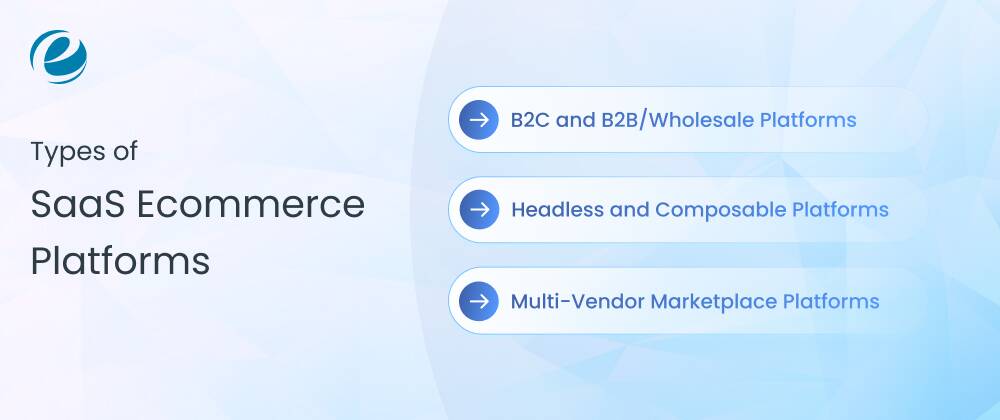
B2C and B2B/Wholesale Platforms
B2C platforms are built for direct-to-consumer selling, one price, one checkout flow, and a public storefront. SaaS B2B eCommerce or wholesale platforms add account-based pricing, minimum order quantities, and login-gated catalogs for repeat business buyers.
A growing number of businesses need both at once. A public storefront for retail buyers and a gated wholesale portal for business accounts, running on the same platform. You must check if that is natively supported before assuming you will run two separate systems.
Headless and Composable Platforms
Headless means the frontend is separated from the backend, connected through APIs. This gives a dedicated software team more freedom over the customer experience while still using the core SaaS infrastructure.
BigCommerce’s open SaaS approach and platforms like commercial tools work this way. This approach costs more in development time than a standard themed storefront, since you are building the frontend yourself instead of customizing a template.
It can make sense for a brand with a strong design and engineering team who wants full control over the customer-facing experience.
Multi-Vendor Marketplace Platforms
It is built for businesses that host multiple sellers on one website. These need vendor onboarding, commission tracking, and split payments. Not every SaaS platform supports this natively. It is usually added through an app or built custom once the marketplace grows past what an app can handle.
The jump from a few sellers using a marketplace app to a real multi-vendor platform with automated payouts is where businesses start looking at custom development. Also, the app-based approach tends to hit a ceiling around commission logic and vendor reporting.
SaaS Ecommerce vs. Open-Source Ecommerce vs. Custom Ecommerce Development
These are the three ways to develop an online store, and they manage cost, control, and speed in a different manner.
SaaS
Merchants rent the software from Shopify. It is very fast to launch with a low upfront cost and limited backend control.
Open Source
Merchants download free code from WooCommerce or Adobe Commerce and host it themselves. They have full access to the code but require developers to build and maintain it.
Custom Ecommerce Development
In custom ecommerce development, merchants build the solutions either from scratch or on a flexible framework. You own the code and the data. Custom eCommerce costs more and takes longer, but nothing about it compromises your workflow.
To help you get a clear picture, check out the table below.
| Factor | SaaS Ecommerce | Open-Source Ecommerce | Custom ecommerce Development |
| Ownership of Code | The vendor owns the platform, and the merchant rents access. | The merchant owns and controls the codebase. | The merchant fully owns the codebase and IP |
| Upfront cost | Low to moderate | Low licensing cost but higher setup and hosting cost | High, since development starts from scratch |
| Long-term cost | Predictable but scales with transaction fees, apps, and plan upgrades | Variable; depends on hosting, plugins, and developer support | High initial investment but no recurring platform fees |
| Customization | Limited to what the platform’s app ecosystem and APIs allow | High, since source code can be modified directly | Unlimited, built entirely around business logic |
| Scalability | Scales well for small to mid-sized stores; enterprise plans are needed for high traffic. | Scalable, but performance depends on hosting infrastructure and optimization. | It is designed to accommodate anticipated traffic and business growth. |
| Technical expertise | It needs very minimal expertise and best non-developers | It needs moderate to high expertise and requires developer support for setup, security, and updates | A development team is highly needed. |
| Maintenance and support | The vendor handles it entirely | The merchant is responsible for updates, patches, and security. | The merchant or hired team manages ongoing maintenance. |
| Time to launch | It is much faster to launch within days to a few weeks | It is quite moderate and takes weeks to a couple of months | It is very long and takes 8-9 months, depending on scope |
| Third-Party Integrations | App marketplace with pre-built integrations | Wide plugin ecosystem, though quality varies. | Integrations built and tested specifically for the business’s stack |
| Best Suited For | It is good for startups and SMBs that want a quick, low-maintenance launch | It is best for businesses that want control and customization without a full custom development. | It is best for enterprises or businesses with complex, unique workflows. |
| Examples | Shopify, BigCommerce, Wix Ecommerce | WooCommerce, Magento Open Source, PrestaShop, OpenCart | Bespoke platforms built on frameworks |
When Does SaaS Ecommerce Work?
It works when:
- You need to launch fast and do not have months to spare
- Your catalog and workflows are fairly standard, a typical B2C store
- You do not have a dedicated development team
- You would rather pay a predictable monthly fee than a large upfront bill
It works when:
- Your order, fulfillment, or pricing logic does not fit any pre-built platform.
- You are running complex B2B workflows, approvals, contract pricing, and account-specific catalogs.
- You need to fully own your codebase and customer data, often for compliance reasons.
- You are already paying more in apps and add-ons than a custom build would cost over time.
Must-Have Features of an Ecommerce SaaS Platform
Not every platform includes all of these features; check before you commit to a plan. Some are core to every tier, others appear only once you are paying for a mid or top plan, and a few are only available through a paid app.
Storefront or CMS and Theme Customization
A theme library and a drag-and-drop editor so you can build a storefront without writing code. Most platforms also allow developers to go further, but how far you can push the design still depends on your plan.
Free themes are usually enough for a basic launch. When you want a design that stands out from every third store on the same platform, you should consider budgeting for a premium theme or custom theme development separately from the subscription fee.
Product and Inventory Management
You need to track SKUs, variants, and stock levels across locations and get notified when something’s about to run out. Bulk import and export also matter if you are migrating a catalog with thousands of products.
If you sell through multiple channels, check whether inventory syncs automatically or you will need to update stock counts manually in more than one place.
Secure Checkout and Multiple Payment Gateways
The platform should manage PCI DSS compliance for you and support the payment gateways your customer already use, like PayPal, Apple Pay, and BNPL options. A one-page or accelerated checkout also measurably reduces card abandonment.
You must check which payment gateways are native to the platform versus third-party. If you use non-native payment gateways, they actually charge the extra transaction fees mentioned earlier.
SEO and Content Marketing Tools
The SaaS eCommerce platform gives you many SEO and content marketing tools, like editable page titles, meta descriptions, clean URLs, an automatic sitemap, and a built-in blog.
This part varies a lot by platform. Some SaaS platforms limit how much control you get over URL structure. This can matter if you are migrating a site with existing search rankings.
If organic search is the real part of your growth plan, it is vital to test how much control a platform gives you over redirects, canonical tags, and structured data before you commit. Not all SaaS platforms are equal even if they all claim to be SEO-friendly.
Mobile Responsiveness or Mobile-First Design
Most traffic comes to an online store from mobile phones, so themes need to adapt automatically. But responsiveness is not the same as speed. Check the actual mobile page speed in all SaaS digital commerce platforms and the checkout flow before assuming a theme is good enough.
A slow mobile checkout costs you sales even if the desktop version looks excellent. You should check the actual purchase flow on a mobile phone and on real mobile data.
Analytics and Reporting Dashboards
Built-in reports for sales, traffic sources, and cart abandonment settlement are standard. For anything deeper, like cohort analysis, attribution, or lifetime value, you will still connect a tool like Google Analytics 4 on top.
Higher-tier plans unlock more detailed reporting. If data is important to your business, choose the plan based on that, not just the cheapest one.
Multi-Channel & Marketplace Selling
The ability to list and sell on Amazon, eBay, Instagram, Facebook Shop, and TikTok Shop from the same dashboard, with inventory synced across all of them so you do not oversell.
This is available through an app rather than built into the core plan, so check the cost to connect each channel before assuming multi-channel selling is included for free.
Third-Party Integrations and APIs
Your eCommerce store rarely runs in isolation. It needs to integrate with an email platform, accounting software like QuickBooks, maybe a shipping or fulfillment service, and possibly an ERP if you are past the small business stage.
Check the platform’s app marketplace for pre-built connectors before assuming you will need custom API work. Most SaaS platforms publish a RESTful API or GraphQL for anything not covered by an existing app. That is useful, but building against it takes developers time.
Most core SaaS plans are built for B2C selling. B2B needs, like net payment terms, pricing tiers by customer group, quote requests, and purchase orders, require an upgrade tier like Shopify Plus’s B2B tools or BigCommerce’s B2B Edition or a dedicated app. If your B2B logic touches financing, custom billing rules, or payment terms that off-the-shelf tools cannot fully support, you should seek assistance from an eCommerce consulting service provider with B2B and payment-related commerce experience to fill the gap.
Top 6 E-commerce SaaS Platforms
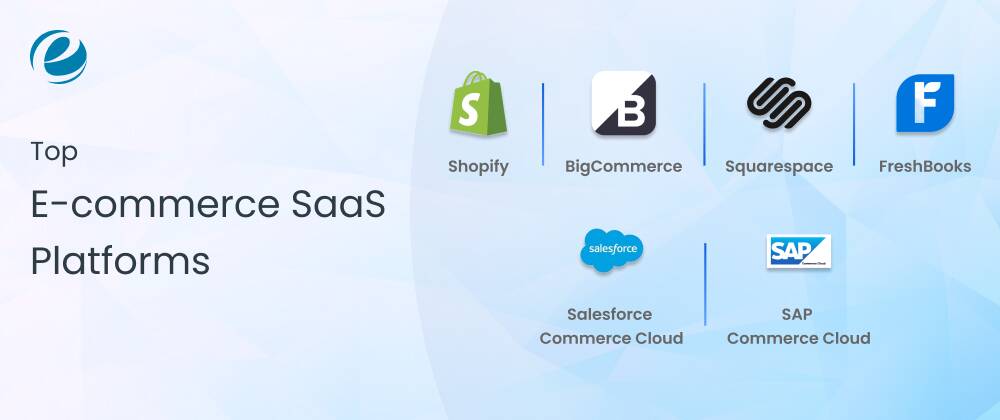
The best SaaS eCommerce platforms are Shopify, Adobe Commerce, BigCommerce, Salesforce Commerce Cloud, and more. Let’s check out these six best SaaS B2B eCommerce platforms in detail.
1. Shopify
Shopify is a widely accepted eCommerce SaaS platform that is used by businesses of almost every size, from startups to enterprises. You can choose Shopify for its reasonable plans, visually appealing designs, and best-selling features.
It’s also an easy platform for starting an online store. Besides, you can also use its AI store builder feature to create a free store design in seconds.
Shopify says it now powers more than 3.1 million live stores.
Features:
- Integrated payment processing
- Abandoned cart recovery
- Customizable checkout.
- Advanced analytics
- AI store builder
Best for: D2C brands that want to launch quickly and scale with proven tooling.
Limitations:
- Setting up multiple online stores is the biggest cost risk.
- Limited ability for sophisticated customization.
2. BigCommerce
If you are looking for an enterprise-level eCommerce platform, then BigCommerce is the one. It builds more native features into its core plans, so you need fewer paid apps to run a full-featured store. Its open SaaS approach also supports headless setups.
Additionally, BigCommerce gives you customization flexibility through open APIs. You can easily integrate with external applications and customize your eCommerce store to meet unique needs.
Features of BigCommerce:
- Responsive design
- Drag-and-drop visual editor
- Built-in SEO tools
- Enterprise-grade scalability
Best for: Enterprise-level companies that want to avoid app-fee creep.
Limitations of BigCommerce:
- Complicated customization
- Mandatory transaction fees in all plans
- Common functions need partner integrations
3. SAP Commerce Cloud
SAP Commerce Cloud is an enterprise-level, cloud-native eCommerce platform that helps enterprises manage complex B2B, B2C, and B2B2C online operations.
Earlier, it was called SAP Hybris. SAP Commerce Cloud serves as a centralized hub for online selling, product catalog management, and personalized omnichannel customer experiences.
Features of SAP Commerce Cloud:
- Omnichannel commerce
- Deep ERP integration
- AI and personalization
- Pre-built features
Best for: Large enterprises and B2B, B2C, and B2B2C brands.
Limitations of SAP Commerce Cloud:
- High total cost of ownership
- Monolithic architecture core
- Prolonged time-to-market
- Platform complexity
4. Salesforce Commerce Cloud
Salesforce Commerce Cloud is a cloud-based SaaS eCommerce platform that assists businesses in running online stores and digital sales on multiple channels. It offers many SaaS products, and the major focus is on sales and customer management tools.
Additionally, it offers custom quotes and enterprise pricing only. It is built for large retailers with a big catalog, global operations, and the budget to match.
Features of Salesforce Commerce Cloud:
- AI-driven personalization
- Unified commerce management
- Multiple storefront support
- Omnichannel commerce capabilities
Best for: Mid-size to enterprise-level businesses.
Limitations of Salesforce Commerce Cloud:
- Quite expensive for startups
- Steep learning curve
- Customization barriers
5. Squarespace
If you are looking for a website builder with an integrated SaaS B2B eCommerce platform, Wix is the perfect choice. It is very popular for its intuitive designs and user-friendly interface.
Its simple, professional layouts make it popular among creators, small businesses, and service providers who want a polished online presence with extensive customization.
Squarespace offers best-in-class templates and is the best fit for design-led or content-heavy brands, such as blogs, portfolios, and product storytelling. Inventory and multi-channel tools are lighter than Shopify or BigCommerce.
Features of Squarespace:
- Website building tools
- Drag-and-drop editor
- Pre-built layouts
Best for: Small businesses and those who are new to the online selling world.
Limitations of Squarespace:
- Site speed and page limits
- No autosave or version history
- Fewer third-party integrations
6. Adobe Commerce
Adobe Commerce is a full-service, completely managed, cloud-native enterprise eCommerce platform where Adobe manages all infrastructure, hosting, and system updates.
Additionally, it enables B2B and B2C merchants to develop, customize, and scale e-commerce stores and process fulfillments. It provides custom quotes and enterprise pricing only. Built on the Magento platform, Adobe Commerce is now offered as a managed cloud product.
If you want deep customization within a managed SaaS environment, you should hire an eCommerce managed services provider. This suits large or complex catalogs that have invested in the Adobe ecosystem.
Features of Adobe Commerce:
- AI-driven merchandising and search
- Elastic autoscaling
- Automatic updates and versionless SaaS
- Experience Cloud integration
- App builder customizations
Best for: Enterprise B2B and B2C brands
Limitations of Adobe Commerce:
- High enterprise cost
- Fewer unique extensions
- Restricted cloud-level customization
SaaS Ecommerce Platforms Pricing Table (2026)
The subscription fee on the pricing page is only part of the bill. Here are the factors that actually add up:
- Transaction fees: Typically around 2.9% + 30 cents per sale if you do not use the platform’s own payment processor. Switching to their native payments usually lowers or removes this.
- Apps and add-ons: Reviews, email marketing upsells, subscriptions, and advanced SEO—each tool charges its own monthly fees.
- Premium theme: A one-time cost of around $100–$350 if the free themes do not fit your brand.
- Higher tiers as you scale: You will need to upgrade plans for lower transaction fees, more staff accounts, or higher order volume.
A store that starts on a $29/month plan can realistically end up paying $300–$500 a month once you add reviews, email, upsell, and SEO apps. Let’s look at the SaaS B2B eCommerce platforms pricing table.
| Platform | Entry Plan | Mid-tier Plan | Higher Plan | Enterprise Plan | Transaction Fees |
| Shopify | Basic $39/month | Grow $105/month | Advanced $399/month | Shopify Plus $2300+/month | 2% basic 1% grow 0.6% plus On non-Shopify payments |
| BigCommerce | Core $29/mo (billed annually) | Growth $79/month (billed annually) | Scale $299/month (billed annually) | Performance – custom, from $1,499/mo | 2.0% (Core), 1.0% (Growth), 0.6% (Scale) via non-embedded providers; $0 with embedded providers |
| Salesforce Commerce Cloud | Custom quote only | Custom quote only | Custom quote only | Custom (B2C Premium / B2B Growth) | Not publicly disclosed |
| Wix | Light $17.77/mo | Core $29.77/mo | Business: $39.77/mo | Business Elite $159.77/mo | None on Wix Payments for eCommerce plans |
| Squarespace | Basic $16/month (billed annually) | Core $23/month (billed annually) | Plus $39/month (billed annually) | Advanced $99/month | 2% basic 0% core, plus, and advanced |
| Adobe Commerce | Custom quote only | Custom quote only | Custom quote only | Custom (SaaS, PaaS, or Optimizer) | Not publicly disclosed |
What Are the Major Benefits of a SaaS Ecommerce Platform?
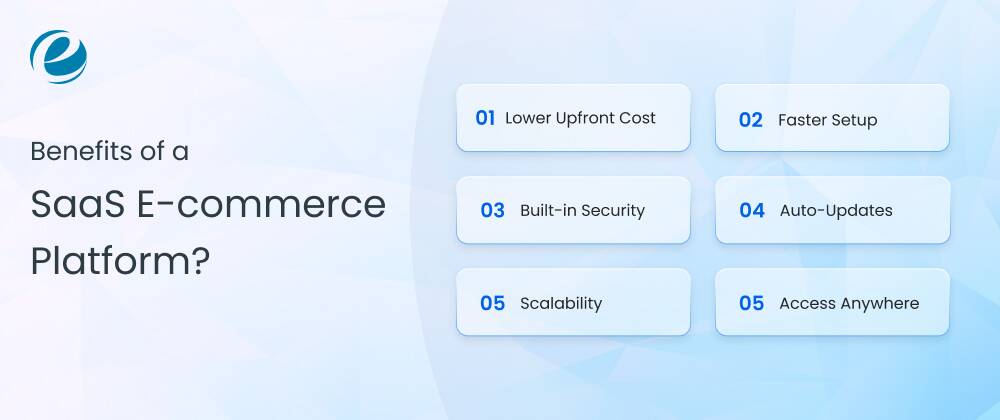
The major benefits of SaaS e-commerce platforms are lower upfront costs, quick setup, built-in security, auto-updates, and seamless scalability. Since they are cloud-hosted, you can easily manage your online store from anywhere. Below are the benefits of SaaS eCommerce for online stores that you must check out.
Lower Upfront Cost
In on-premise eCommerce, you will have to pay a huge upfront cost for software, hardware, and hosting. But with SaaS solutions, you only pay a minimal upfront cost, like a monthly or yearly fee.
Also, you do not need to buy servers or spend huge development costs for store launch. You pay a monthly fee and start selling, which is why SaaS is the default choice for a first store.
Faster Setup
An e-commerce SaaS platform can provide you with all the basic functions. You can build an online store very quickly with user-friendly interfaces and pre-built themes. Saas platforms give you pre-built features, hosting and checkout, so your store can go live within weeks.
Most of your time goes into adding products and choosing a theme. The saas ecommerce solutions help you to start selling faster and focus on growing your business.
Built-in Security
Security is a major concern in e-commerce because customer data and transactions can leak. The SaaS ecommerce platform gives you built-in security features like an SSL certificate, PCI compliance, and protection against traffic attacks.
But you have to handle all of these security features. That is a meaningful weight off a small team without in-house security expertise.
Auto-Updates
The vendor handles all updates. For instance, if a new payment gateway is getting very popular, the SaaS eCommerce platform can integrate it directly.
The new features and security patches roll out automatically within the platform. You do not schedule downtime or manage version upgrades. Besides, you do not decide when it is safe to update. The vendor tests it first.
Scalability
You can easily grow your eCommerce business with SaaS solutions. These solutions can automatically manage traffic spikes, like the Black Friday surge or a viral product, without any manual tasks. During peak hours, your eCommerce website remains functional and efficient.
That is a genuine benefit over self-hosted setups, where a traffic spike can take the whole website down if nobody planned for it.
Access Anywhere
One of the major advantages of a SaaS e-commerce solution is that you can manage your online store from anywhere, anytime. This is best for people who travel a lot or work remotely.
No matter if you are sitting in a co-working space in California or at a resort in Thailand, you can easily track customers’ orders, handle inventory, and check your sales performance anytime and anywhere.
What Are the Challenges of SaaS Ecommerce Platforms?
The challenges of SaaS eCommerce platforms include limited customization, costs that add up as you scale, vendor lock-in, reliance on third-party apps, slower performance during traffic spikes, and more. Let’s discuss these shortcomings along with their solutions.
1. Limited Customization
Most Software-as-a-service platforms run on a shared codebase. You get themes, templates, and apps, but you cannot touch the core code. If no other app has the layout or feature that your brand needs, you have to wait for the vendor or pay for a substitute.
Solution:
Choose a platform with open APIs and headless support, like Shopify Plus or BigCommerce. Headless setups allow you to build a custom storefront on the frontend while the SaaS platform still manages the backend, payments, and hosting.
2. Cost Adds Up As You Scale
Monthly plans look cheap at the start. But transaction fees, premium apps, and higher-tier plans add up fast. An online store doing real volume can end up paying more in combined fees than it would running its own infrastructure.
Solution:
You have to review your app list every quarter and cancel anything you are not using. Once revenue crosses a certain point, ask the vendor about custom pricing. Most SaaS companies negotiate, even if they do not list it on their pricing page.
3. Vendor Lock-In
Once your product, customer, and order history live inside one platform, switching becomes difficult and costly. Data does not always export in a simple, usable format. Besides, rebuilding an online store from scratch takes time and money.
Solution:
When you select a SaaS eCommerce platform, it is vital to thoroughly research the vendor’s offer and consider their scaling potential. It can help to make sure that your business does not outgrow the platform’s capabilities too soon. Besides, you must keep a separate backup of your product catalog and customer data outside the platform, updated regularly.
4. Depending on Third-Party Apps
Features like product reviews, loyalty points, and advanced SEO tools usually come from apps built by outside developers. If an app stops getting updates or shuts down, the feature it powered also breaks.
Solution:
You can choose applications with a track record of regular updates and responsive support. Also, do not depend on the overall rating; you must read recent reviews as well. For anything business-critical, keep a backup app in mind in case you need to switch fast.
5. Slower Performance During Traffic Spikes
SaaS platforms often run on shared infrastructure. Heavy traffic from other stores on the same servers, or your own flash sale, can slow down checkout or cause errors at the worst possible time.
Solution:
Check the platform’s uptime history before committing. Run a load test before big sales events like Black Friday. If you expect consistently high traffic, look at enterprise plans that offer dedicated resources.
6. Data Security and Compliance
Customer data, order history, and payment details sit on the vendor’s servers. A security gap on their end becomes your problem, along with the legal and reputational fallout.
Solution:
Confirm the platform is PCI DSS compliant before you commit. Ask directly about encryption, backup frequency, and what happens in a breach. Security details are usually on a separate page from the marketing copy, so look for them.
7. Little Control Over Platform Updates
SaaS vendors push updates on their own timeline. Sometimes an update changes how a theme or integration works, and your store breaks without warning.
Solution:
You can use a staging or preview environment to test updates before they go live on your main store. Follow the platform’s changelog so you know what’s changing. Keep a rollback plan for anything customer-facing.
8. Syncing Inventory Across Channels
Selling on your own site plus Amazon, eBay, or a marketplace at the same time creates sync issues. Stock counts, prices, and order status can drift out of alignment across channels.
Solution:
It is vital to use a dedicated multi-channel sync tool or the platform’s built-in marketplace integrations if it has them. Besides, set up alerts for stock mismatches so you catch problems before a customer orders something you don’t have.
None of these challenges rule out SaaS as an option. Most growing businesses still benefit from using one. The key is understanding the trade-offs from the start so you are not surprised later.
Real-World Use Cases of SaaS E-commerce Platforms
Ecommerce SaaS solutions do not fit every business the same way. Let’s look at real-world use cases to see how different types of sellers use them.
D2C Startups
Direct-to-customer brands need to launch fast and test ideas without a big upfront investment. A SaaS platform gets a store live in days. You can test products, run ads, and adjust pricing without waiting on a dedicated development team for every change.
Shopify is the common choice among businesses. It is mainly because of its app ecosystem and low barrier to entry.
Subscription-box Brands
Recurring billing is the toughest part of a subscription business. SaaS based eCommerce platforms with built-in or app-based subscription management handle recurring charges, failed payments, and plan changes automatically.
This matters more than it sounds, since failed payment recovery alone can save a meaningful chunk of revenue for a subscription brand.
B2B Wholesalers
B2B buyers expect different pricing tiers, bulk order minimums, and sometimes a separate login for approved accounts. Ecommerce SaaS platforms like BigCommerce or Shopify Plus support B2B-specific features.
For example, custom price lists and quote requests without the need for fully custom development. This allows B2B wholesalers to move online without building a private ordering portal from scratch.
Multi-Vendor Marketplaces
Running a marketplace means managing multiple sellers, each with their own inventory, payouts, and storefront rules. Ecommerce SaaS platforms built for marketplaces or marketplace apps layered on top of platforms like Shopify manage vendor onboarding, commission splits, and payout schedules. This removes much of the backend work that would otherwise require a custom-built system.
Enterprise Retailers
Large retailers need a platform that can manage high traffic, integrate with existing ERP and CRM systems, and support multiple storefronts across regions or brands.
Enterprise-tier SaaS plans, like Shopify Plus or Salesforce Commerce Cloud, are built for this scale. They provide dedicated support, higher uptime guarantees, and deeper API access, which smaller-tier plans usually do not include.
Across all five, the pattern is the same. SaaS platforms work best when the business needs speed and reliability more than deep, one-off customization. Businesses that eventually outgrow SaaS need something no off-the-shelf platform can fully support.
How to Choose the Right SaaS Ecommerce Platform for Your Business?
To choose the right SaaS eCommerce solution, you must match your budget, catalog size, B2B vs. B2C, integration needs, and growth stage. This will help you choose the best platform to align with your business requirements. Here are the parameters you must consider before choosing the platform for your business.
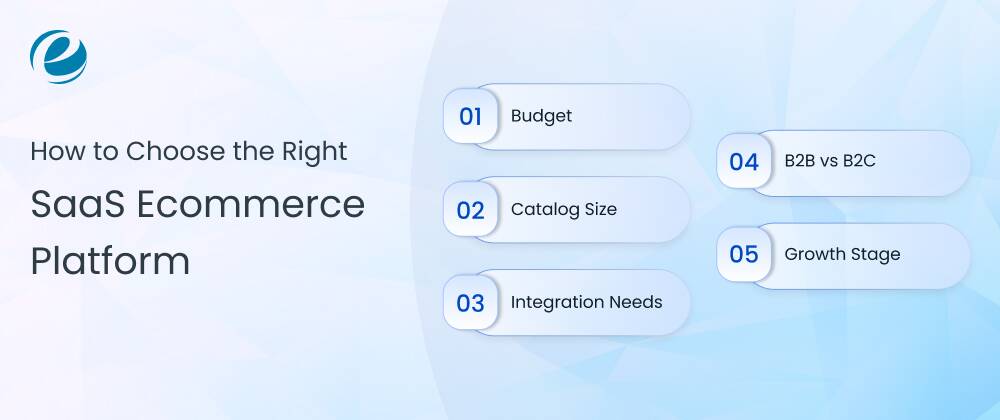
1. Budget
You should first look at the total monthly cost, not just the pricing on the page. For example, the subscription plus the apps you will actually need. Now, jot down the expected apps list before signing up and price it out the same way you would price a subscription bundle.
2. Catalog Size
A few dozen products will work on almost any platform. Plus, if you have a few thousand SKUs (stock keeping units), you need a platform that can manage that many without slowing down search, filtering, or the admin dashboard.
You should ask the vendor of any platform you are considering how it performs at your actual catalog size, not their average customer’s. If you are a high-volume store, look at robust platforms like BigCommerce or Shopify Plus. They use advanced cloud databases to manage large inventories smoothly.
3. Integration Needs
You should list your must-haves like ERP, accounting software, POS, email platform, and CRM for eCommerce and check that they are supported before you sign up. A missing integration you find out post-launch usually means custom API work you did not budget for.
Besides, it is also important to check if these integrations work perfectly with your existing systems and can support your future needs. A good integration can save time, reduce manual work, and prevent costly technical issues later.
4. B2B vs B2C
Confirm the platform supports your business model natively, and check what a B2B upgrade or add-on actually costs before you commit. A platform that’s excellent for B2C can be a poor fit for B2B if account-based pricing is bolted on as an afterthought.
Also, think about if the platform supports multiple buyers, bulk ordering, custom pricing, or different payment terms. These features can make a huge difference when you manage B2B customers at scale.
5. Growth Stage
Lastly, you can choose a SaaS based eCommerce solution that still works for you in two or three years. Migrating to a new platform later can be costly and disruptive. So it is better to allow for future growth instead of focusing solely on the lowest monthly fee today.
As you develop your eCommerce growth strategies, you must consider a platform that can handle increasing numbers of products, customers, orders, and sales channels. This helps you scale your eCommerce business without switching platforms too soon.
When Should You Choose a Custom SaaS E-commerce Platform Instead?
You must choose custom eCommerce development instead of a standard SaaS eCommerce solution when you’re outgrowing app costs, need unique workflows, require complex B2B logic, and need full data ownership. These are the key signs that you need a custom platform.
Outgrowing App Costs
When you are paying $500-$1000+ in apps just to replicate features, custom development would include them natively. You should run the numbers over three years, not just twelve months. That is usually when the gap becomes obvious.
Unique Workflows
Order routing, fulfillment logic, or pricing rules that do not fit how any pre-built platform is structured. If you find yourself explaining your process and getting told the platform does not work that way more than once, this is the signal worth paying attention to.
Complex B2B Logic
Multi-step approval chains, account-specific catalogs, and contract pricing that off-the-shelf B2B tools only partially support. These are exactly the kind of workflows that look simple in a sales demo and fall apart once real customer accounts and real approval chains get added.
Need Full Data Ownership
Businesses in regulated industries, or anyone who wants full control over where customer data lives and how it is managed, often cannot accept the shared responsibility model SaaS is built on. Custom B2B eCommerce website development gives you the ability to choose your own hosting, your own data residency, and your own audit log.
How Much Does It Cost to Build a Custom Ecommerce SaaS Platform?
The cost to develop a custom eCommerce SaaS platform ranges from $30,000 to $300,000, depending on integrations, compliance needs, and team location. Also, it depends on whether you are building an MVP version or a fully scalable enterprise solution.
The eCommerce website cost entirely depends on the scope. These are industry-wide ranges, not fixed quotes. The table below shows the cost of custom SaaS eCommerce solutions based on complexity.
| Complexity | Estimated Cost | Timeline | What is Included? |
| MVP version | $30,000-$60,000 | 2-4 months | Core storefront, catalog, checkout, one payment gateway, and a basic admin dashboard. |
| Mid-Complexity | $60,000-$150,000 | 4-8 months | Custom UX, multiple integrations like CRM, ERP, user roles, and more advanced reporting |
| Enterprise platform | $150,000-$300,000 | 8-12 months+ | Multi-tenant architecture, heavy integrations, compliance requirements (e.g., PCI DSS), and multi-region support are key factors. |
What actually moves the number:
- How many systems are you integrating with?
- Do you need multi-tenant architecture?
- How deep do the admin and reporting tools go?
- Any compliance work like PCI DSS or SOC 2?
Billing logic alone, like handling upgrades, downgrades, and failed payments correctly, can take a few weeks of development time of its own. A few other cost factors worth planning for up front are:
Team Structure:
An in-house team, offshore team, or agency all price differently, and agency rates may vary by different regions. Hiring an offshore outsourcing software development company can be cost-effective.
Design Work:
A simple interface costs less than a highly custom, multi-screen admin dashboard. This is because the simple interface relies on standard templates, while a custom design needs unique user flows and custom graphics.
Tech Stack:
Open-source frameworks avoid license fees. Some proprietary frameworks add license costs on top of development time.
Post-Launch Support:
Ongoing maintenance and feature work is a separate, recurring cost that most estimates do not include upfront. Regular post-launch support, like feature enhancements, bug fixes, and more, can increase the cost.
Why Choose EmizenTech to Build a Custom Ecommerce SaaS Solution?
Emizentech is a trusted enterprise eCommerce development company that has been building custom saas eCommerce solutions since 2013. We have delivered over 500 e-commerce solutions across more than 30 industries. On Clutch, we have a 4.9 rating, which makes us a trusted partner.
Additionally, Clutch awarded us the top PrestaShop development company in 2026. Our past work backs up this claim. Let’s have a look:
- Fondriest Environmental – We have built a B2B store on Adobe Commerce that manages thousands of products, connects to the client’s ERP system, and manages rentals and quotes. That’s the kind of setup most SaaS platforms just cannot handle.
- Buitanda – We developed a marketplace with multiple vendors and warehouses, and it grew user numbers by 50%.
- Brand Gifts – We developed a B2B store on Shopware with ERP integration and custom pricing.
Emizentech does not push one platform on every client. We work with Shopify, Adobe Commerce, BigCommerce, WooCommerce, Shopware, and Salesforce Commerce Cloud. Additionally, we also build fully custom platforms from scratch.
We are official partners with several of these platforms. That matters, because the real question is not which SaaS plan you should choose. It is: do I even need SaaS anymore? You will get a more honest answer from our experts. Book a free consultation with us now!
Conclusion
There is no single right platform here, only a right fit for where your business is right now. If you are under $1 million in annual revenue and your catalog and pricing are fairly standard, a SaaS plan in the $70 to $300 a month range will likely cover what you need for the next year or two.
However, if you are past that point and run into pricing rules or integrations no app can fix, the calculation changes. Custom development sounds expensive next to a $300 monthly bill until you add up three years of subscription fees, transaction fees, and the apps you have installed just to patch gaps in the platform.
Whichever way you are choosing, get real numbers before you decide. A cost estimate from an eCommerce development services provider costs you nothing and tells you more than another hour spent reading platform comparison pages.
So, if you want an estimate for developing custom SaaS eCommerce platforms, Emizentech can help you understand what your business needs and what it would cost before you commit to another year of subscription fees.
FAQs
Is Shopify a SaaS Platform?
Yes, Shopify is one of the most used SaaS platforms. You pay a monthly fee to use its cloud-based online store builder. It has more than 3.1 million active stores running on it.
What is the difference between SaaS and open-source eCommerce?
SaaS is rented saas eCommerce software that the vendor hosts and maintains for you. An open-source platform is free to download, but you host, secure, and maintain it yourself. Open-source gives you more control at the cost of more responsibility.
How much does a SaaS platform cost per month?
Entry plans run about $29-$35 a month. Once you add apps and transaction fees, a small store often ends up paying $500–$1000 a month. Enterprise plans require a custom quote.
Can I customize the backend of a SaaS B2B e-commerce platform?
Yes, you can customize a SaaS e-commerce platform’s backend, but your control is very limited. You cannot touch the core code. But you can customize the storefront design and extend functionality through apps.
How much does it cost to develop a custom SaaS B2B e-commerce platform?
The cost to build a custom SaaS-based eCommerce platform ranges from $30,000-$60,000 for an MVP and goes beyond $300,000 for enterprise-level platforms with integrations like ERP and CRM.
Should I choose SaaS or build a custom eCommerce solution?
You can start with SaaS if you need to launch fast, have a fairly standard business model, and do not have a development team. However, you can move to custom development once your workflows, B2B logic, and app costs have genuinely outgrown what a pre-built platform can handle.
Can a SaaS based eCommerce platform manage B2B selling?
Some can, but usually only on higher-tier plans or with add-on apps. If your B2B needs are simple, a SaaS platform's B2B tools are often enough. Complex quoting and approval workflows usually need custom website development.
How long does it take to build a custom SaaS B2B e-commerce platform?
The time to build a custom eCommerce SaaS platform takes around 4-12 months. This time can fluctuate depending on what type of content you want to build.



 +1 (989) 535-9295
 info@emizentech.com
 emizentech


